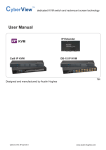
1
KVM IP Console Module LevelOne User Manual ACC-2000 KVM IP Console Module Ver. 1.1 1 / 87 KVM IP Console Module Certificates Ver. 1.0.0-0709 FCC This equipment has been tested and found to comply with Part 15 of the FCC Rules. Operation is subject to the following two conditions: (1) This device may not cause harmful interference (2) This device must accept any interference received, including interference that may cause undesired operation. CE This equipment is in compliance with the requirements of the following regulations: EN 55 022: CLASS A RoHS All contents of this package, including products, packing materials and documentation comply with RoHS. 2 / 87 KVM IP Console Module TABLE OF CONTENTS 1. The quick installation guide.............................................................................................. 5 1.1 Installation............................................................................................................... 5 1.2 Initial IP configuration ............................................................................................. 6 2. Introduction .................................................................................................................... 10 2.1 Feature overview .................................................................................................. 10 2.2 System requirement.............................................................................................. 11 2.3 When the server is up and running ....................................................................... 11 2.4 When the server is dead ....................................................................................... 11 3. Hardware installation ..................................................................................................... 13 4.1 Initial Configuration ............................................................................................... 14 4.1.1 Initial configuration via serial console ......................................................... 16 4.2 Keyboard, Mouse, and Video configuration .......................................................... 17 4.2.1 KVM IP Console Module keyboard settings................................................ 17 4.2.2 Remote Mouse Settings ............................................................................. 17 4.2.3 Automatic mouse speed and mouse synchronization ................................. 18 4.2.4 Host system mouse settings ....................................................................... 18 4.2.5 Single and Double Mouse Mode................................................................. 19 4.2.6 Recommended Mouse Settings.................................................................. 19 4.2.7 Video Modes............................................................................................... 19 5. Usage ............................................................................................................................ 20 5.1 Prerequisites ......................................................................................................... 20 5.2 Login into the KVM IP Console Module and logout............................................... 21 5.2.1 Login into the KVM IP Console Module ...................................................... 21 5.2.2 Logout from the KVM IP Console Module................................................... 23 5.3 The Remote Console ............................................................................................ 23 5.4 Main Window ........................................................................................................ 24 5.4.1 Remote Console Control Bar ...................................................................... 25 5.4.2 Remote Console Status Line ...................................................................... 33 6. Menu Options ................................................................................................................ 34 6.1 Remote Control..................................................................................................... 34 6.1.1 KVM Console.............................................................................................. 34 6.1.2 Telnet Console ............................................................................................ 35 6.2 Remote Power ...................................................................................................... 36 6.3 Virtual Media ......................................................................................................... 36 6.3.1 Floppy Disk ................................................................................................. 36 6.3.2 CD–ROM Image ......................................................................................... 37 6.3.3 Drive redirection ......................................................................................... 42 6.3.3.1 Driver Redirection Utility Installation ................................................. 43 6.3.3.2 Built-in Java Drive Redirection ......................................................... 47 6.3.4 Options ....................................................................................................... 49 3 / 87 KVM IP Console Module 6.4 User Management ................................................................................................ 50 6.4.1 Change Password ...................................................................................... 50 6.4.2 Users and Groups....................................................................................... 50 6.5 KVM Settings ........................................................................................................ 51 6.5.1 User Console .............................................................................................. 52 6.5.2 Keyboard/Mouse ........................................................................................ 55 6.5.3 Video .......................................................................................................... 57 6.6 Device Settings ..................................................................................................... 58 6.6.1 Network ...................................................................................................... 58 6.6.2 Dynamic DNS ............................................................................................. 60 6.6.3 Security....................................................................................................... 62 6.6.4 Certificate ................................................................................................... 66 6.6.5 Serial Port ................................................................................................... 69 6.6.6 Date / Time ................................................................................................. 71 6.6.7 Event Log ................................................................................................... 72 6.7 Maintenance ......................................................................................................... 74 6.7.1 Device Information ...................................................................................... 74 6.7.2 Even log...................................................................................................... 76 6.7.3 Update Firmware ........................................................................................ 76 6.7.4 Unit Reset ................................................................................................... 78 7. Troubleshooting ............................................................................................................. 78 8. FAQs.............................................................................................................................. 79 9. Addendum ...................................................................................................................... 82 A. Key Codes .............................................................................................................. 82 B. Video Modes .......................................................................................................... 84 C. User Role Permissions........................................................................................... 85 D. KVM IP Console Module port table ........................................................................ 85 E. Bandwidth Consumption ........................................................................................ 86 F. Cable diagrams ....................................................................................................... 87 4 / 87 KVM IP Console Module 1. The quick installation guide The KVM IP Console Module redirects local keyboard, mouse and video data to a remote administration console. It allows you to control one or many computers locally at the server site or remotely via the Internet using a standard browser. You can securely gain BIOS level access to systems for maintenance, support, or failure recovery over the Internet. Communication is secure via SSL encryption. Use in conjunction with a KVM switch for multiple-server access. 1.1 Installation The KVM IP Console Module works with the KVM Switch that has an expansion slot. Ex) KVM-0831/1631, KCM-0831/1631 USB Port Serial Port Ethernet Port Figure 1-1 The KVM IP Console Module Please perform the following steps: 1. (Optional) Connect the type A connector of USB A-B cable to the host computer, while using remote mass storage control. 2. Connect Ethernet to LAN port and/or modem to serial port, depending on how you want to access KVM IP Console Module switch Please perform the following steps: 3. Power down computer and the KVM Switch 4. Remove the cover on the expansion slot from KVM Switch and carefully slide in the KVM IP Console Module into the expansion slot. 5. Connect the power supply to the KVM Switch once IP Console Module firmly installed. 6. Connect the monitor, keyboard and mouse to the KVM Switch. 7. Use VGA cable (15-pin HDDB Male / Male) connects computer and KVM Switch. 5 / 87 KVM IP Console Module 1.2 Initial IP configuration In factory default, DHCP mode is disabled (IP auto configuration = None), and the IP settings are as below: IP address 192.168.1.22 Subnet mask 255.255.255.0 Default Gateway None If DHCP mode is enabled (IP auto configuration = DHCP), the KVM IP Console Module will try to contact a DHCP server in the subnet to which it is physically connected. If a DHCP server is found, it may provide a valid IP address, gateway address and net mask. Before you connect the device to your local subnet, be sure to complete the corresponding configuration of your DHCP server. It is recommended to configure a fixed IP assignment to the MAC address of the KVM IP Console Module unit. You can find the MAC address labeled on the bottom side of the metal housing. KVM IP Console Module Setup Tool If this initial configuration does not meet the local requirements, please use the setup tool to discover KVM IP Console Module and change the configurations as user requested. The setup tool IPSetup can be found in the CD delivered with KVM Switch (KVM-0831/1631 & KCM-0831/1631). User can also download the setup tool from website at www.level1.com Follow the procedures described below for using setup tool IPSetup. ■ DHCP If you have installed the KVM IP Console Module unit on a network that enables DHCP, you can use the IPSetup to find out the KVM IP Console Module unit’s IP. (1) Plug Ethernet cable to KVM IP Console Module unit. KVM IP Console Module will get an IP via DHCP. (2) Using IPSetup (run IPSetup.exe) to look for KVM IP Console Module. a. Select MAC address which label on bottom of KVM IP Console Module unit b. Click Query Device 6 / 87 KVM IP Console Module ■ Setup the fixed IP a. Setup “IP auto configuration” as “None” ; setup IP address and Subnet mask b. Enter Super user login and password for Authentication (default : super/pass) c. Click Setup Device. If super login was authenticated, it’ll show “Successfully configured device”. Otherwise it’ll show “Permission Denied”. Install JVM on Client system The KVM IP Console Module unit can be accessed with a standard JAVA enabled web browser. You must install Java Runtime Environment: version 6 update 5 and above to your 7 / 87 KVM IP Console Module client system. Note: At a minimum you must have IE7.0, IE8.0, Netscape7.0, Mozilla 3.2, Firefox 3.6) and above installed on your client computer. Connect the KVM IP Console Module unit via Web Browser Using the HTTP protocol or a secure encrypted connection via HTTPS and entering the IP address of the KVM IP Console Module unit into your web browser to connect to the KVM Switch for remote management. This will lead you to the KVM IP Console Module login page as shown in figure below. The factory default settings are: Username super Password pass The super user has all permissions to administrate your KVM IP Console Module: After login, the system will prompt for changing the default username and password to user specific settings. Control servers via Remote Console The Remote Console is the redirected screen, keyboard and mouse of the remote host 8 / 87 KVM IP Console Module system. The Remote Console will behave exactly the same way as if you were sitting directly in front of the screen of your remote system. That means that both the keyboard and mouse can be used in the usual way. Open the console by selecting the preview picture on the main site of the HTML front end. Figure 1-2 shows the top of the Remote Console. Figure 1-2. Top part of the Remote Console There are some options to choose from, and the important ones are the following: Auto Adjust button If the video displayed is of bad quality or distorted in some way, press this button and wait a few seconds while KVM Switch unit tries to adjust itself for the best possible video quality. Sync Mouse Choose this option in order to synchronize the local with the remote mouse cursor. This is especially necessary when using accelerated mouse settings on the host system. In general there is no need to change mouse settings on the host. Video Settings in Options Menu This opens a new window with elements to control the KVM Switch unit’s Video Settings. You can change some values, for instance the brightness and contrast of the picture displayed, which may improve the video quality. It is also possible to revert to the default settings for all video modes or only the current one. Note: At first start, if the local mouse pointer is not synchronized with the remote mouse pointer, press the Auto Adjust Button once. 9 / 87 KVM IP Console Module 2. Introduction The KVM over IP technology (KVM Switch + IP Console Module) combines digital remote KVM access via IP networks with comprehensive and integrated system management. The KVM over IP defines a new class of remote KVM access which provides flexibility that can prevent extra costs, save times and reduce spaces, and equipment. The KVM over IP provides convenient, remote KVM access and control via LAN or Internet. It captures, digitizes, and compresses video signal and transmits it with keyboard and mouse signals to and from a remote computer. KVM over IP provides a non-intrusive solution for remote access and control. Remote access and control software runs on its embedded processors only but not on mission-critical servers, so that there is no interference with server operation or impact on network performance. The KVM IP Console Module will automatically detect the current video mode of the console, however manual fine-tuning is recommended to receive the best video quality. 2.1 Feature overview Remotely access computers via LAN, WAN or the Internet. KVM access over IP and analogous telephone line (modem needed). Full control under any OS, in BIOS mode, during boot, at Blue Screens No additional software necessary on servers 256 bit SSL encryption of all transmitted data and Certificate management Automatically senses video resolution for best possible screen capture High-performance mouse tracking and synchronization Automatic adjustment of data rate to transmission line Remote mass storage control Control over all java-enabled Browsers Firmware update via web interface 10 / 87 KVM IP Console Module 2.2 System requirement Hardware Item Local host side Description KVM switch unit (KVM-0831, KVM-1631, KCM-0831, KCM-1631) Remote Console side One PC or Multiple PCs are linked into the network Software Item Local host side Description No additional software necessary Remote Console side (1) Java Runtime Environment : version 6 update 5 and above. Linux JDK 1_5_0_18 and above (2) Browser: ( IE7.0 , IE8.0, Netscape7.0, Mozilla 3.2, Firefox 3.6) and above. 2.3 When the server is up and running The KVM IP Console Module gives you a full control over the remote server. The Management Console allows you to access the remote server’s graphics, keyboard and mouse and to send special commands to the server. You can also perform periodic maintenance of the server. Using the Console Redirection Service, you are able to do the following: I. Reboot the system II. Watch the boot process. III. Boot the system from a separate partition to load the diagnostic environment. IV. Run special diagnostic programs. 2.4 When the server is dead Obviously, fixing hardware defects is not possible through a remote management device. Nevertheless KVM IP Console Module gives the administrator valuable information about the type of a hardware failure. Serious hardware failures can be categorized into five different categories with different chances to happen: I. Hard disk failure 50% II. Power cable detached, power supply failure 28% III. CPU, Controller, main board failure 10% IV. CPU fan failure 8% V. RAM failure 4% 11 / 87 KVM IP Console Module Using KVM IP Console Module, administrators can determine which kind of serious hardware failure has occurred (See table 2-1). Type of failure Hard disk failure Power cable detached, power supply failure CPU Controller, main board failure. Detected by Console screen, CMOS set-up information Server remains in power off state after power on command has been given. Power supply is on, but there is no video output. CPU fan failure By server specific management software RAM failure Boot-Sequence on boot console Table 2-1. Host system failures and how they are detected. 12 / 87 KVM IP Console Module 3. Hardware installation The KVM IP Console Module switch redirects local keyboard, mouse and video data to a remote administration console. It allows you to control one or many computers locally at the server site or remotely via the Internet using a standard browser. You can securely gain BIOS level access to systems for maintenance, support, or failure recovery over the Internet. Communication is secure via SSL encryption. Use in conjunction with a KVM switch for multiple-server access. 3.1 Installation The KVM IP Console Module works with the KVM Switch that has an expansion slot. Ex) KVM-0831/1631, KCM-0831/1631 Below is a diagram illustrated KVM-0831 and ACC-2000 USB Port Serial Port Ethernet Port Please perform the following steps: 1. (Optional) Connect the type A connector of USB A-B cable to the host computer, while using remote mass storage control. 2. Connect Ethernet to LAN port and/or modem to serial port, depending on how you want to access KVM IP Console Module switch Please perform the following steps: 3. Power down computer and the KVM Switch 4. Remove the cover on the expansion slot from KVM Switch and carefully slide in the KVM IP Console Module into the expansion slot. 5. Connect the power supply to the KVM Switch once IP Console Module firmly installed. 6. Connect the monitor, keyboard and mouse to the KVM Switch. 7. Use VGA cable (15-pin HDDB Male / Male) connects computer and KVM Switch. 13 / 87 KVM IP Console Module 4. Configuration 4.1 Initial Configuration If DHCP mode is enabled (IP auto configuration = DHCP), the KVM IP Console Module will try to contact a DHCP server in the subnet to which it is physically connected. If a DHCP server is found, it may provide a valid IP address, gateway address and net mask. Before you connect the device to your local subnet, be sure to complete the corresponding configuration of your DHCP server. It is recommended to configure a fixed IP assignment to the MAC address of the KVM IP Console Module. You can find the MAC address labeled on the bottom side of the metal housing. If DHCP mode is disabled (IP auto configuration = None), the factory default IP settings are as below: IP address 192.168.1.22 Subnet mask 255.255.255.0 Default Gateway None Table 4-1 Initial Network Configurations KVM IP Console Module Setup Tool If this initial configuration does not meet your local requirements, use the setup tool to change the configurations to your needs. The setup tool IPSetup can be found on the CD ROM delivered with this package. You can follow the procedures described below. ■ DHCP If you have installed the KVM IP Console Module on a network that enables DHCP, you can use the IPSetup to find out the KVM IP Console Module’s IP. (1) Plug Ethernet cable to KVM IP Console Module. KVM IP Console Module will get an IP via DHCP. (2) Using IPSetup (run IPSetup.exe) to look for KVM IP Console Module. a. Select MAC address which label on bottom of KVM IP Console Module b. Click Query Device Notes: BOOTP, a static configuration protocol, uses a table that maps IP addresses to physical addresses. DHCP, an extension to BOOTP that dynamically assigns configuration information. DHCP is backward compatible with BOOTP. 14 / 87 KVM IP Console Module ■ Setup fixed IP a. Setup “IP auto configuration” as “None” ; setup IP address and Subnet mask b. Enter Super user login and password for Authentication (default : super/pass) c. Click Setup Device. If super login was authenticated, it’ll show “Successfully configured device”. Otherwise it’ll show “Permission Denied”. 15 / 87 KVM IP Console Module Authentication To adjust the authentication settings, enter your login as a super user, and change your password. Super user login Enter the login name of the super user. The initial value is “super”. All characters are in lower case. Super user password Enter the current password for the super user. This initial value is “pass”. All characters are in lower case. New super user password Enter the new password for the super user. New password (confirm) Re-type the new password for the super user for confirmation. To close the window and accept the changes, press the “OK” button; otherwise press the “Cancel” button. 4.1.1 Initial configuration via serial console For using serial terminal, the KVM IP Console Module has a serial line interface (host side). This connector is compliant with the RS-232 serial line standard. The serial line has to be configured with the parameters given in Table 4-2. When configuring with a serial terminal, e.g., Hyper Terminal, reset the KVM IP Console Module and immediately press the “ESC” key. You will see some device information, and a “=>” prompt. Enter “config”, press “Enter” key and wait for a few seconds for the configuration questions to appear. Parameter Value Bits/second 115200 Data bits 8 Parity No Stop bits 1 Flow Control None Table 4-2. Serial line parameters As you proceed, the following questions will appear on the screen. To accept the default values shown in square brackets below, press “Enter” key. IP auto configuration (none/dhcp/bootp): IP [192.168.1.22]: Net mask [255.255.255.0]: Gateway (0.0.0.0 for none) [0.0.0.0]: 16 / 87 KVM IP Console Module IP auto-configuration With this option, you can specify whether the KVM IP Console Module should get its network settings from a DHCP or BOOTP server. For DHCP, enter “dhcp”, and for BOOTP enter “bootp”. If you do not specify any of these, the IP auto-configuration is disabled and subsequently you will be asked for the following network settings. IP address The IP address the KVM IP Console Module. This option is only available if IP auto-configuration is disabled. Net mask The net mask of the connected IP subnet. This option is only available if IP auto-configuration is disabled. Gateway address The IP address of the default router for the connected IP subnet. If you do not have a default router, enter 0.0.0.0. This option is only available if IP auto-configuration is disabled. 4.2 Keyboard, Mouse, and Video configuration Between the KVM IP Console Module and the host, there are two interfaces available for transmitting keyboard and mouse data: USB and PS/2. The correct operation of the remote mouse depends on several settings which will be discussed in the following subsections. 4.2.1 KVM IP Console Module keyboard settings The KVM IP Console Module settings for the host's keyboard type have to be corrected in order to make the remote keyboard work properly. Check the settings in the KVM IP Console Module Web front-end. See section 6.5.2 for details. 4.2.2 Remote Mouse Settings A common seen problem with KVM devices is the synchronization between the local and remote mouse cursors. The KVM IP Console Module addresses this situation with an intelligent synchronization algorithm. There are two mouse modes available on the KVM IP Console Module: Auto mouse speed The automatic mouse speed mode tries to detect the speed and acceleration settings of the host system automatically. See the section below for a more detailed explanation. Fixed mouse speed This mode just translates the mouse movements from the Remote Console in a way that one pixel move will result in n-pixel moves on the remote system. This parameter n is adjustable with the scaling. Please note that this works only when mouse acceleration is turned off on the remote system. 17 / 87 KVM IP Console Module 4.2.3 Automatic mouse speed and mouse synchronization The automatic mouse speed mode performs the speed detection during mouse synchronization. Whenever the local and remote mouse cursors move synchronously or not, there are two ways for re-synchronizing local and remote mouse cursors: Fast Sync The fast synchronization is used to correct a temporary, but fixed skew. Choose the option using the Remote Console options menu or press the mouse synchronization hotkey sequence in case you defined one. Intelligent Sync If the fast sync does not work or the mouse settings have been changed on the host system, use the intelligent resynchronization. This method takes more time than the fast one and can be accessed with the appropriate item in the Remote Console option menu. The intelligent synchronization requires a correctly adjusted picture. Use the auto adjustment function to setup the picture, and make sure that there are no window at the top left corner of the remote desktop that are able to change the mouse cursor shape from the normal state. The Sync mouse button on top of the Remote Console can behave differently, depending on the current state of mouse synchronization. Usually pressing this button leads to a fast sync, except in situations where the KVM port or the video mode changed recently. Note: At first start, if the local mouse pointer is not synchronized with the remote mouse pointer, press the Auto Adjust Button once. 4.2.4 Host system mouse settings The host's operating system knows various settings from the mouse driver. Warning The following limitations do not apply in case of USB and Mouse Type “Windows >= 2000, MacOSX”. While the KVM IP Console Module works with accelerated mice and is able to synchronize the local with the remote mouse pointer, there are the following limitations, which may prevent this synchronization from working properly: Special Mouse Driver There are mouse drivers that influence the synchronization process and lead to desynchronized mouse pointers. If this happens, make sure you do not use a special vendor-specific mouse driver on your host system. Windows XP Mouse Settings 18 / 87 KVM IP Console Module Windows XP knows a setting named “improve mouse acceleration”, which has to be deactivated. Active Desktop If the Active Desktop feature of Microsoft Windows is enabled do not use a plain background. Instead, use some kind of wallpaper. As an alternative, you could also disable the Active Desktop completely. Navigate your mouse pointer into the upper left corner of the applet screen and move it slightly forth and back. Thus the mouse will be resynchronized. If re-synchronizing fails, disable the mouse acceleration and repeat the procedure. 4.2.5 Single and Double Mouse Mode The information above applies to the Double Mouse Mode, where remote and local mouse pointers are visible and need to be synchronized. The KVM IP Console Module also features another mode, the Single Mouse Mode, where only the remote mouse pointer is visible. Activate this mode in the open Remote Console and click into the window area. The local mouse pointer will be hidden and the remote one can be controlled directly. To leave this mode, it is necessary to define a mouse hotkey in the Remote Console Settings Panel. Press this key to free the captured local mouse pointer. 4.2.6 Recommended Mouse Settings For the different operating systems we can give the following advice: MS Windows 2000/2003 (Professional and Server) and XP (all versions) In general, we recommend the usage of a mouse via USB. Choose USB without Mouse Sync. For a PS/2 mouse choose Auto Mouse Speed. For XP disable the option “enhance pointer precision” in the Control Panel. SUN Solaris Adjust the mouse settings either via xset m 1 or use the CDE Control Panel to set the mouse to “1:1, no acceleration”. As an alternative you may also use the Single Mouse Mode. MAC OS X We recommend using the Single Mouse Mode. 4.2.7 Video Modes The KVM IP Console Module recognizes a limited number of common video modes. When running X11 on the host system, please do not use any custom mode lines with special video modes. If you do, the KVM IP Console Module may not be able to detect them. We recommend using any of the standard VESA video modes, instead. 19 / 87 KVM IP Console Module 5. Usage 5.1 Prerequisites The KVM IP Console Module features an embedded operating system and applications offering a variety of standardized interfaces. This chapter will describe both these interfaces, and the way to use them in a more detailed manner. The interfaces are accessed using the TCP/IP protocol family, thus they can be accessed using the LAN port of the device. The following interfaces are supported: HTTP/HTTPS Full access is provided by the embedded web server. The KVM IP Console Module environment can be entirely managed using a standard web browser. You can access the KVM IP Console Module using the insecure HTTP protocol, or using the encrypted HTTPS protocol. Whenever possible, use HTTPS. Telnet A standard Telnet client can be used to access an arbitrary device connected to the KVM IP Console Module 's serial port via a terminal mode. The primary interface of the KVM IP Console Module is the HTTP interface. This is covered extensively in this chapter. Other interfaces are addressed in subtopics. In order to use the Remote Console window of your managed host system, the browser has to come with a Java Runtime Environment version 1.4.2 or above. If the browser has no Java support (such as on a small handheld device), you are still able to maintain your KVM IP Console Module using the administration forms displayed by the browser itself. For an insecure connection to the KVM IP Console Module, we can recommend the following browsers: • Microsoft Internet Explorer version 6.0 or higher on Windows 2000 and Windows XP • Netscape Navigator 7.0 or Mozilla 1.6 on Windows 2000, Windows XP, Unix, Linux and UNIX-like Operating Systems In order to access the remote host system using a securely encrypted connection, you need a browser that supports the HTTPS protocol. Strong security is only assured by using a key length of 256 Bit. Some of the old browsers do not have a strong 256 Bit encryption algorithm. Using the Internet Explorer, open the menu entry “?” and “Info” to read about the key length that is currently activated. The dialog box contains a link that leads you to information on how to upgrade your browser to a state of the art encryption scheme. Figure 5-1 shows the dialog box presented by the Internet Explorer 6.0. 20 / 87 KVM IP Console Module Figure 5-1. The Internet Explorer displaying the encryption key length Newer web browsers generally support strong encryption on default. 5.2 Login into the KVM IP Console Module and logout 5.2.1 Login into the KVM IP Console Module Launch your web browser. Direct it to the address of your KVM IP Console Module, which you configured during the installation process. The address used might be an IP address or a domain name, in the case where you have given your KVM IP Console Module a symbolic name in the DNS. For instance, type the following in the URL field of your browser when establishing an unsecured connection: http://<IP address of KVM IP Console Module > When using a secure connection, type in: https://<IP address of KVM IP Console Module > This will lead you to the KVM IP Console Module login page as shown in Figure 5-2. Figure 5-2. Login screen The KVM IP Console Module has a built-in super user that has all permissions to administrate your KVM IP Console Module: Username super (factory default) Password pass (factory default) Table 5-1. Standard user settings 21 / 87 KVM IP Console Module Warning The user “super” is not allowed to login via the serial interface of the KVM IP Console Module. Warning Please make sure to change the super user password immediately after you have installed and accessed your KVM IP Console Module for the first time. Unchanging of the password for the super user is a severe security risk and might result in unauthorized access to the KVM IP Console Module and to the host system including all possible consequences! Warning Your web browser has to accept cookies, or else login is not possible. Navigation Having logged into the KVM IP Console Module successfully, the main page of the KVM IP Console Module appears (see Figure 5-3). This page consists of three parts; each of them contains specific information. The buttons on the upper side allow you to navigate within the front end (see Table 5-2 for details). Within the right frame, task-specific information is displayed that depends on the section you have chosen before. Figure 5-3. Main page 22 / 87 KVM IP Console Module Return to the main page of the KVM IP Console Modul . Open the KVM IP Console Modul remote console. Exit from the KVM IP Console Modul front end. Table 5-2. Buttons from the front end Warning If there is no activity for 30 minutes, the KVM IP Console Modul will log you out, automatically. A click on one of the links will bring you back to the login screen. 5.2.2 Logout from the KVM IP Console Module This link logs out the current user and presents a new login screen. Please note that an automatic logout will be performed in case there is no activity for 30 minutes. 5.3 The Remote Console The Remote Console is the redirected screen, keyboard and mouse of the remote host system that KVM IP Console Module controls. 23 / 87 KVM IP Console Module Figure 5-4. Remote Console The Remote Console window is a Java Applet that tries to establish its own TCP connection to the KVM IP Console Module. The protocol that is run over this connection is neither HTTP or HTTPS, but RFB (Remote Frame Buffer Protocol). As default, RFB tries to establish a connection to TCP port number 443. Your local network environment has to allow this connection to be made, i.e. your firewall and, in case you have a private internal network, your NAT (Network Address Translation) settings have to be configured accordingly. In case the KVM IP Console Module is connected to your local network environment and your connection to the Internet is available using a proxy server only without NAT being configured, the Remote Console is very unlikely to be able to establish the desired connection. This is because today's web proxies are not capable of relaying the RFB protocol. In case of problems, please consult your network administrator in order to provide an appropriate networking environment. 5.4 Main Window Starting the Remote Console opens an additional window. It displays the screen content of your host system. The Remote Console will behave exactly in the same way as if you were sitting locally in front of the screen of your remote system. That means keyboard and mouse can be used in the usual way. However, be aware of the fact that the remote system will react to keyboard and mouse actions with a slight delay. The delay depends on the bandwidth of the link to which you use to connect to the KVM IP Console Module. 24 / 87 KVM IP Console Module With respect to the keyboard, the very exact remote representation might lead to some confusion as your local keyboard changes its keyboard layout according to the remote host system. If you use a German administration system, and your host system uses a US English keyboard layout, for instance, special keys on the German keyboard will not work as expected. Instead, the keys will result in their US English counterpart. You can circumvent such problems by adjusting the keyboard of your remote system to the same mapping as your local one. The Remote Console window always tries to show the remote screen with its optimal size. That means it will adapt its size to the size of the remote screen initially and after the screen resolution of the remote screen has been changed. However, you can always resize the Remote Console window in your local window system as usual. Warning In difference to the remote host system, the Remote Console window on your local window system is just one window among others. In order to make keyboard and mouse work, your Remote Console window must have the local input focus. 5.4.1 Remote Console Control Bar The upper part of the Remote Console window contains a control bar. Using its elements you can see the state of the Remote Console and adjust the local Remote Console settings. A description for each control follows. Figure 5-5. Remote Console Control Bar Ctrl+Alt+Delete Special button key to send the “Control Alt Delete” key combination to the remote system (see also section 6.4.1 for defining new button keys). Auto Adjust button If the video display is of bad quality or distorted in some way, press this button and wait a few seconds while the KVM IP Console Module tries to detect the video mode of VGA port to the controlled host and adjust itself for the best possible video quality. Sync mouse Activates the mouse synchronization process. Choose this option in order to synchronize the local with the remote mouse cursor. This is especially necessary 25 / 87 KVM IP Console Module when using accelerated mouse settings on the host system. In general, there is no need to change mouse settings on the host. Single/Double mouse mode Switches between the Single Mouse Mode (where only the remote mouse pointer is visible) and the Double Mouse Mode (where remote and local mouse pointers are visible and need to be synchronized). Single mouse mode is only available if using SUN JVM 1.4.2 or higher. Options To open the Options menu, click on the button “Options”. Figure 5-6. Remote Console Options Menu A short description of the options follows. • Monitor Only Toggles the Monitor only filter on or off. If the filter is switched on no remote console interaction is possible, and monitoring is possible. • Exclusive Access If a user has the appropriate permission, he or she can force the Remote Consoles of all other users to close. No one can open the Remote Console at the same time again until this user disables the exclusive access, or logs off. A change in the access mode is also visible in the status line (see Figure 5-7). 26 / 87 KVM IP Console Module Figure 5-7. Remote Console Exclusive Mode • Scaling Allow you to scale down the Remote Console. You can still use both mouse and keyboard, however the scaling algorithm will not preserve all display details. When you designate 25%, 50%, or100% scaling, the size of Remote Console window is calculated according to the remote host video setting with scaling algorithm execution. When you designate “Scale to fit”, the remote video displaying is scaled to fit the size of Remote Console window. Figure 5-8. Remote Console Options Menu:Scaling • Mouse Handling The submenu for mouse handling offers two options for synchronizing the local and the remote mouse cursors. Fast Sync -The fast synchronization is used to correct a temporary, but fixed skew. Intelligent Sync -Use this option if the fast sync does not work or the mouse settings have been changed on the host system. Warning This method takes more time than the fast one and requires a correctly adjusted picture. Use the auto adjustment function to setup the picture. 27 / 87 KVM IP Console Module • Local Cursor Offers a list of different cursor shapes to choose from for the local mouse pointer. The selected shape will be saved for the current user and activated the next time this user opens the Remote Console. The number of available shapes depends on the Java Virtual Machine; a version of 1.4.2 or above offers the full list. Figure 5-9. Remote Console Options Menu:Cursor • Video Settings Opens a panel for changing the KVM IP Console Module video settings. KVM IP Console Module features two different dialogs, which for adjusting the video settings. Video Settings through the HTML-Frontend To enable local video port, select this option. This option decides if the local video output of KVM IP Console Module is active and passing through the incoming signal from the host system. The option Noise Filter defines how KVM IP Console Module reacts to small changes in the video input signal. Turning on the noise filter can help reduce video flickering that is often caused by distortions, as well as lowering unnecessary bandwidth consumption. A large filter setting needs less network traffic and leads to a faster video display, but small changes in some display regions may not be recognized immediately. A small filter displays all changes instantly but may lead to a constant amount of network traffic even if display content is not really changing (depending on the quality of the video input signal). All in all the default setting should be suitable for most situations. 28 / 87 KVM IP Console Module Video Settings through the remote console Figure 5-10. Video Settings Panel Brightness Controls the brightness of the picture Contrast Controls the contrast of the picture Clock Defines the horizontal frequency for a video line and depends on the video mode. Different video card types may require different values here. The default settings in conjuction with the auto adjustment procedure should be adequate for all common configurations. If the picture quality is still bad after auto adjustment you may try to change this setting together with the sampling phase to achieve a better quality. Phase Defines the phase for video sampling, used to control the display quality together with the setting for sampling clock. Horizontal Position Use the left and right buttons to move the picture in horizontal direction while this option is selected. Vertical Position Use the left and right buttons to move the picture in vertical direction while this option is selected. Reset this Mode Reset mode specific settings (Clock , Phase and Position) to the factory-made defaults. Reset all Modes Reset all settings to the factory-made defaults. Save changes Save changes permanently Undo Changes Restore last settings • Refresh Video Click to run this menu item for retrieving the whole video again from the controlled host and displayed on Remote Console. In normal situation, only changed parts of video will be packed and sent from KVM IP Console Module, for 29 / 87 KVM IP Console Module saving network bandwidth. This function is mainly used for troubleshooting purpose where some old video fragments are displayed as not updated in time for some reason; for example, noise filter for VGA is setting too large. • Soft Keyboard Figure 5-11. Soft Keyboard Opens up the Menu for the Soft-Keyboard. • Show Pops up the Soft-Keyboard. The Soft-Keyboard is necessary in case your host system runs a completely different language and country mapping than your administration machine. • Mapping Used for choosing the specific language and country mapping of the Soft-Keyboard. Figure 5-12. Soft Keyboard Mapping • Local Keyboard Used to change the language mapping of your browser machine running the Remote Console Applet. Normally, the applet determines the correct value automatically. However, depending on your particular JVM and your browser settings this is not always possible. A typical example is a German localized 30 / 87 KVM IP Console Module system that uses an US-English keyboard mapping. In this case you have to change the Local Keyboard setting to the right language, manually. • Hotkeys Opens a list of hotkeys defined before. Choose one entry, the command will be sent to the host system. A confirmation dialog can be added that will be displayed before sending the selected command to the remote host. Select “OK” to execute the command on the remote host. Figure 5-13. Remote Console Confirmation Dialog • Encoding These options are used to adjust the encoding level in terms of compression and color depth. They are only available unless "Transmission Encoding" is determined automatically (see the Section called Transmission Encoding in Chapter 6). Compression Level: you may select a value between 1 and 9 for the desired compression level with level 1 enabling the fastest compression and level 9 the best compression. The most suitable compression level should always be seen as a compromise between the network bandwidth that is available, on your video picture to be transferred, and on the number of changes between two single video pictures. We recommend to use a higher compression level if the network bandwidth is low. The higher the compression level the more time is needed to pack and unpack the video data on either side of the connection. The compression quality depends on the video picture itself, e.g. the number of the colors or the diversity of pixels. The lower the compression quality, the more data have to be sent and the longer it may take to transfer the whole video picture. If level 0 is chosen the video compression is disabled, completely. The option "Video Optimized" has its advantages if transferring high-quality motion pictures. In this case the video compression is disabled, completely and all video data is transferred via network as full-quality video snippets. Therefore, a high amount of bandwidth is required to ensure the quality of 31 / 87 KVM IP Console Module the video picture. Figure 5-14. Encoding Compression Color Depth: set the desired color depth. You may select between 8 or 16 bit for Video Optimized/compression level 0, or between 1 and 8 bit for compression level 1 to 9. The higher the color depth, the more video information has to be captured and to be transferred. Figure 5-14. Encoding Color depth 32 / 87 KVM IP Console Module Note: If displaying motion pictures on a connection with low speed you may achieve an improvement regarding the video transfer rate by lowering the color depth and disabling the option "Video Optimized". As a general result, the data rate is reduced (less bits per color). Furthermore, the KVM IP Console Module will not have to do any video compression. In total, this will lead to less transfer time of the motion picture. 5.4.2 Remote Console Status Line Status line Shows both console and the connection state. The size of the remote screen is displayed. Figure 5-15 was taken from a Remote Console with a resolution of 800x600 pixels. The value in brackets describes the connection to the Remote Console. “Norm” means a standard connection without encryption, “SSL” means a secure connection. Figure 5-15. Status line Furthermore, both the incoming (“In:”) and the outgoing (“Out:”) network traffic are visible (in kb/s). If compressed encoding is enabled, a value in brackets displays the compressed transfer rate. Figure 5-16. Status line transfer rate For more information about Monitor Only and Exclusive Access settings, see related sections 33 / 87 KVM IP Console Module 6. Menu Options 6.1 Remote Control 6.1.1 KVM Console Figure 6-1. KVM Console To open the KVM console, either click on the menu entry on the left, or on the console picture on the right. To refresh the picture, click on the button “Refresh”. 34 / 87 KVM IP Console Module 6.1.2 Telnet Console Figure 6-2. Telnet Console The KVM IP Console Module firmware features a Telnet server that enables a user to connect via a standard Telnet client. In case the Telnet program is using a VT 100, VT 102 or VT 220 terminal or an according emulation, it is even possible to perform a console redirection as long as the KVM IP Console Module host machine is using a text mode screen resolution. Connecting to the KVM IP Console Module is done as usual and as required by the Telnet client, for instance in a UNIX shell: telnet 192.168.1.22 Replace the IP address by the one that is actually assigned to the KVM IP Console Module. This will prompt for username and password in order to log into the device. The credentials that need to be entered for authentication are identical to those of the web interface. That means, the user management of the Telnet interface is entirely controlled with the according functions of the web interface. Once you have successfully logged into the KVM IP Console Module a command line will be presented and you can enter according management commands. In general, the Telnet interface supports two operation modes: the command line mode and the terminal mode. The command line mode is used to control or display some parameters. In terminal mode the pass-through access to serial port 1 is activated (if the serial settings were configured accordingly). All inputs are redirected to the device on serial port 1 and its answers are displayed on the Telnet interface. The following list shows the according command mode command syntax and their usage. 35 / 87 KVM IP Console Module help Displays the list of possible commands cls Clears the screen quit Exits the current session and disconnects from the client version Displays the release information terminal Starts the terminal passthrough mode for serial port 1. The key sequence esc exit switches back to the command mode. 6.2 Remote Power Please refer to “Serial Power Controller - User Manual” for details. The serial power equipment is option. 6.3 Virtual Media 6.3.1 Floppy Disk Figure 6-6. Virtual Floppy Area Upload a Floppy Image A certain (floppy) image can be built up in two steps. 36 / 87 KVM IP Console Module • Click “Browse” button and select the image file. Figure 6-7. Select Image File The maximum image size is limited to 1.44MB. For larger image please see section 6.3.2. • Click “Upload” button to upload the chosen image file into the KVM IP Console Module’s onboard memory. This image file is kept in the onboard memory of the KVM IP Console Module until the end of the current session, as you logged out, or initiated a reboot of the KVM IP Console Module. 6.3.2 CD–ROM Image Use Image on Windows Share (SAMBA) To include an image from a Windows share, select “CD-ROM” from the submenu. Figure 6-8. Selecting CD ROM 37 / 87 KVM IP Console Module Figure 6-9. Select Windows Share The following information has to be given to mount the image properly: Share host -- The server name or its IP address. Share folder name -- The name of the share folder to be used. Image file name -- The name of the image file on the share folder. User name -- If necessary, specify the user name for the share named in advance. If unspecified, and a guest account is activated, this guest account information will be used as your login. Password -- If necessary, specify the password for the given user name. To register the specified file image and its location click on the button “Set”. The specified image file is supposed to be accessible from the KVM IP Console Module. The information above has to be given from the point of view of the KVM IP Console Module. It is important to specify correct IP addresses, and device names. Otherwise, KVM IP Console Module may not be able to access the referenced image file. Furthermore, the specified share has to be configured correctly. Therefore, administrative permissions are required. As a regular user you may not have these permissions. You should either login as a system administrator (or as “root” on UNIX systems), or ask your system administrator for help to complete this task. Windows 2000/XP Open the Explorer, navigate to the directory (or share), and press the right mouse button to open the context menu. 38 / 87 KVM IP Console Module Figure 6-10. Explorer context menu Select “Sharing” to open the configuration dialog. Figure 6-11. Share configuration dialog Adjust the settings for the selected directory. • Activate the selected directory as a share. Select “Sharing this folder”. • Choose an appropriate name for the share. You may also add a short description for this folder (input field “Comment”). • If necessary, adjust the permissions (button “permissions”). • Click “OK” to set the options for this share. UNIX and UNIX-like OS (Sun Solaris, and Linux) If you like to access the share via SAMBA, SAMBA has to be set up properly. You may either edit the SAMBA configuration file /etc/samba/smb.conf, or use the Samba Web Administration Tool (SWAT) or WebMin to set the correct parameters. 39 / 87 KVM IP Console Module Creating an Image Floppy Images UNIX and UNIX-like OS To create an image file, make use of “dd”. This is one of the original UNIX utilities and is included in every UNIX-like OS (UNIX, Sun Solaris, and Linux). To create a floppy image file, copy the contents of a floppy to a file. You can use the following command: dd [ if=/dev/fd0 ] [ of=/tmp/floppy.image ] dd reads the entire disc from the device /dev/fd0, and saves the output in the specified output file /tmp/floppy.image. Adjust both parameters exactly to your needs (input device etc.) MS Windows You can use the tool “Raw Write for Windows”. It is included on the CD ROM shipped with KVM IP Console Module. Figure 6-12. RawWrite for Windows selection dialog From the menu, select the tab “Read”. Enter (or choose) the name of the file in which you would like to save the floppy content. Click on the button “Copy” to initiate the image creation process. For related tools you may have a look at www.fdos.org CD ROM/ISO Images UNIX and UNIX-like OS To create an image file, make use of “dd”. This is one of the original UNIX utilities and is included in every UNIX-like OS (UNIX, Sun Solaris, and Linux). 40 / 87 KVM IP Console Module To create a CDROM image file, copy the contents of the CDROM to a file. You can use the following command: dd [ if=/dev/cdrom ] [ of=/tmp/cdrom.image ] dd reads the entire disc from the device /dev/cdrom, and saves the output in the specified output file /tmp/cdrom.image. Adjust both parameters exactly to your needs (input device etc.). MS Windows To create the image file, use your favorite CD imaging tool. Copy the whole contents of the disc into one single image file on your hard disk. For example, with “Nero” you choose “Copy and Backup”. Then, navigate to the “Copy Disc” section. Select the CD ROM or DVD drive you would like to create an image from. Specify the filename of the image, and save the CD ROM content in that file. Figure 6-13. Nero selection dialog 41 / 87 KVM IP Console Module 6.3.3 Drive redirection The Drive Redirection is another possibility to use a virtual disc drive on the remote computer. With Drive Redirection you do not have to use an image file but may work with a drive from your local computer on the remote machine. The drive is hereby shared over a TCP network connection. Devices such as floppy drives, hard discs, CD ROMs and other removable devices like USB sticks can be redirected. It is even possible to enable a write support so that for the remote machine it is possible to write data to your local disc. Figure 6-14. Options of Drive Redirection Please note that Drive Redirection works on a level which is far below the operating system. That means that neither the local nor the remote operating system is aware that the drive is currently redirected, actually. This may lead to inconsistent data as soon as one of the operating systems (either from the local machine, or from the remote host) is writing data on the device. If write support is enabled the remote computer might damage the data and the file system on the redirected device. On the other hand, if the local operating system writes data to the redirected device the drive cache of the operating system of the remote host might contain older data. This may confuse the remote host’s operating system. We recommend to use the Drive Redirection with care, especially the write support. 42 / 87 KVM IP Console Module Disable Drive Redirection If enabled the Drive Redirection is switched off. Force read-only connections If enabled the Write Support for the Drive Redirection is switched off. It is not possible to write on a redirected device. Click Apply to submit your changes. There are two methods of Drive Redirections: 1. External Drive Redirection Utility 2. Built-in Java Drive Redirection function in Remote Console 6.3.3.1 Driver Redirection Utility Installation Please follow the Drive Redirection Setup Wizard step by step to install the driver from the attached CD ROM. 43 / 87 KVM IP Console Module Figure 6-15. Drive Redirection Setup Drive Redirection Settings Start Drive Redirection Figure 6-16. Drive Redirection dialog Drive to redirect Device This is the address (either the DNS name or the IP address) of the KVM IP Console Module you would like to connect to. 44 / 87 KVM IP Console Module Drive The local drive you want to share with the remote computer, which could be Floppy disc, CD-ROMs, USB-Sticks and hard drives. Port This is the network port. By default, KVM IP Console Module uses the remote console port (#443) here. You may change this value if you have changed the remote console port in your KVM IP Console Module’s network settings. Secure Connection Enable this box to establish a secure connection via SSL. This will maximize the security but may reduce the connection speed. Select the drive you would like to redirect. All available devices (drive letters) are shown here. Please note that the whole drive is shared with the remote computer, not only one partition. If you have a hard disc with more than one partition all drive letters that belong to this disc will be redirected. The Refresh button may be used to regenerate the list of drive letters, especially for an USB stick. Warning Please be cautious that if “Allow Write Support” is selected, all data on the shred media might be destroyed. Write Support This feature may be enabled here. Write support means that the remote computer is allowed to write on your local drive. As you can imagine, this is very dangerous. If both the remote and the local system try to write data on the same device, this will certainly destroy the file system on the drive. Please use this only when you exactly know what you are doing. Device Authentication The factory default Username is “super” and the default Password is “pass”. Click Connect to redirect drive Warning 1. Drive Redirection is only possible with Windows 2000 and above versions. 2. The Drive Redirection works on a low SCSI level and the SCSI protocol cannot recognize partitions; therefore the whole drive selected will be shared instead of any particular partition. 3. While connecting to a legacy KVM switch, please select PS/2 mouse for Keyboard/Mouse setting from webpage. Otherwise you will not be able to use Hot-key. 45 / 87 KVM IP Console Module Navigation Buttons Connect/Disconnect To establish the drive redirection please press the Connect button once. If all the settings are correct, the status bar displays that the connection has been established, the Connect button is disabled and the Disconnect button is enabled. On an error, the status line shows the error message. The drive redirection software tries to lock the local drive before it is redirected. That means that it tries to prevent the local operating system from accessing the drive as long as it is redirected. This may also fail, especially if a file on the drive is currently open. In the case of a locking failure, you will be prompted if you want to establish the connection anyhow. This should not be a serious problem when the note above is respected. If the write support is enabled, a drive which is not locked might be damaged by the Drive Redirection. With the Disconnect button, a connection via Drive Redirection connection is stopped. Exit/Hide If the Exit button is pressed, the Drive Redirection software is closed. If a Drive Redirection connection is active, the connection will be closed before the application terminates. Using the Hide to Tray button the application is hidden, but not terminated completely. That means that an active connection will be kept active until it is closed explicitly. You can access the software by its tray icon. The tray icon also shows whether a connection is established or not. A double click on the icon shows the application window, or with a right click you may access a small menu 46 / 87 KVM IP Console Module 6.3.3.2 Built-in Java Drive Redirection 1. Run Remote Control > KVM Console. 2. Click “Floppy” icon 47 / 87 KVM IP Console Module 3. Click Connect Drive or Connect ISO 4. Select a drive to redirect (if Connect Drive) 48 / 87 KVM IP Console Module 5. Select a ISO image to redirect (if Connect ISO) 6.3.4 Options Figure 6-17. USB mass storage option Set this option to disable the mass storage emulation (and hide the virtual drive) if no image file is currently loaded. If unset, and no file image will be found it may happen that the host system will hang on boot due to changes in the boot order, or the boot manager (LILO, GRUB). This case was reported for some Windows versions (2000, XP), other OS might not be fully excluded. This behavior depends on the BIOS version used in that machine. To set this option, press the button “Apply”. 49 / 87 KVM IP Console Module 6.4 User Management 6.4.1 Change Password Figure 6-18. Set password To change your password, enter the new password in the upper entry field. Retype the password in the field below. Click “Apply” to submit your changes. 6.4.2 Users and Groups Figure 6-19. Set User The KVM IP Console Module comes with 1 pre-configured user account that has fixed permissions. The account “super” has all possible rights to configure the device and to use all functions KVM IP Console Module offers. 50 / 87 KVM IP Console Module Upon delivery, the account “super” has the password “pass”. Make sure to change password immediately after you have installed and on initial access of your KVM IP Console Module. Existing users Select an existing user for modification. Once a user has been selected, click the lookup button to see the user information. New User name The new user name for the selected account. Password The password for the login name. It must be at least three characters long. Confirm password Confirmation of the password above. Email address This is optional. Mobile number This information may be optionally provided. Role Each user can be a member of a group (named a “role” ) - either an administrator, or an regular user. Choose the desired role from the selection box. To create an user press the button “Create”. The button “Modify” changes the displayed user settings. To delete an user press the button “Delete”. Note:The KVM IP Console Module is equipped with an host-independent processor and memory unit which both have a limitation in terms of the processing instructions and memory space. To guarantee an acceptable response time we recommend not to exceed the number of 15 users connected to the KVM IP Console Module at the same time. The memory space that is available onto the KVM IP Console Module mainly depends on the configuration and the usage of the KVM IP Console Module (log file entries etc.). That’s why we recommend not to store more than 150 user profiles. 6.5 KVM Settings 51 / 87 KVM IP Console Module 6.5.1 User Console The following settings are user specific. That means, the super user can customize these settings for every users separately. Changing the settings for one user does not affect the settings for the other users. Figure 6-20. User Console Settings (Part 1) User select box This selection box displays the user ID for which the values are shown and for which the changes will take effect. You may change the settings of other users if you have the required privileges. Transmission Encoding The Transmission Encoding setting allows changing the image-encoding algorithm that is used to transmit the video data to the Remote Console window. It is possible to optimize the speed of the remote screen processing depending on the number of users working at the same time and the network bandwidth of the connection line (Modem, ISDN, DSL, LAN, etc.). Automatic detection The encoding and the compression level is determined automatically from the available bandwidth and the current content of the video image. Pre-configured The pre-configured settings deliver the best result because of optimized adjustment of compression and colour depth for the indicated network speed. Manually Allows to adjust both compression rate and the colour depth individually. Depending on the selected compression rate the data stream between the 52 / 87 KVM IP Console Module KVM IP Console Module and the Remote Console will be compressed in order to save bandwidth. Since high compression rates consum more computing power of KVM IP Console Module, they should not be used while several users are accessing the KVM IP Console Module simultaneously. The standard color depth is 16 Bit (65536 colors). The other color depths are intended for slower network connections in order to allow a faster transmission of data. Therefore compression level 0 (no compression) uses only 16 Bit color depth. At lower bandwidths only 4 Bit (16 colors) and 2 Bit (4 gray scales) are recommended for typical desktop interfaces. Photo-like pictures have best results with 4 Bit (16 gray scales). 1 Bit color depth (black/white) should only be used for extremely slow network connections. Figure 6-21. User Console Settings (Part 2) Remote Console Type Specifies, which Remote Console Viewer to use. Default Java-VM Uses the default Java Virtual Machine of your Browser. This may be the Microsoft JVM for the Internet Explorer, or the Sun JVM if it is configured this way. Use of the Sun JVM may also be forced (see below). Sun Microsystems Java Browser Plugin Instructs the web browser of your administration system to use the JVM of Sun Microsystems. The JVM in the browser is used to run the code for the Remote Console window, which is actually a Java Applet. If you check this box for the first time on your administration system and the appropriate Java plug-in is not already installed on your system, it will be downloaded and installed automatically. However, in order to make the installation possible, you still need to answer the according dialogs with “yes” . The download volume is around 11 Mbytes. The advantage of downloading Sun's JVM lays in providing 53 / 87 KVM IP Console Module a stable and identical Java Virtual Machine across different platforms. The Remote Console software is optimized for this JVM versions and offers wider range of functionality when run in SUN's JVM. Please make sure that you are installing Sun JVM 1.4.2 or above to your client system. Miscellaneous Remote Console Settings Start in Monitor Mode Sets the initial value for the monitor mode. By default the monitor mode is off. In case you switch it on, the Remote Console window will be started in a read only mode. Start in Exclusive Access Mode Enables the exclusive access mode immediately at Remote Console startup. This forces the Remote Consoles of all other users to close. No one can open the Remote Console at the same time again until this user disables the exclusive access or logs off. Mouse hotkey Allows to specify a hotkey combination which starts either the mouse synchronization process if pressed in the Remote Console, or is used to leave the single mouse mode. Remote Console Button Keys Button Keys allow simulating keystrokes on the remote system that cannot be generated locally. The reason for this might be a missing key or the fact, that the local operating system of the Remote Console is unconditionally catching this keystroke already. Typical examples are “Control+Alt+Delete” on Windows and DOS, what is always caught, or “Control+Backspace” on Unix or Unix-like OS for terminating the X-Server. The syntax to define a new Button Key is as follows: [confirm] <keycode>[+|-[*]<keycode>]* “confirm” requests confirmation by a dialog box before the key strokes will be sent to the remote host. “keycode” is the key to be sent. Multiple key codes can be concatenated with a plus, or a minus sign. The plus sign builds key combinations, all keys will be pressed until a minus sign or the end of the combination is encountered. In this case all pressed keys should be released in reversed sequence. The minus sign builds single, separate key presses and releases. The star inserts a pause with duration of 100 milliseconds. 54 / 87 KVM IP Console Module 6.5.2 Keyboard/Mouse Figure 6-22. Keyboard and Mouse Settings Host Interface Enables a certain interface the mouse is connected to. You can choose between “Auto” for automatic detection, “USB” for an USB mouse, and “PS/2” for a PS/2 mouse. Warning To use the USB and/or PS/2 interface you need a correct cabling between the managed host and the managing device. If the managed host has no USB keyboard support in the BIOS and you have connected the USB cable only then you will have no remote keyboard access during the boot process of the host. If USB and PS/2 are both connected and you selected “Auto” as host interface, then the card will select “USB” if available or otherwise falls back to “PS/2”. To get USB remote keyboard access during the boot process of the host, the following conditions must be fulfilled: • the host BIOS must have USB keyboard support • the USB cable must be connected or must be selected in the Host interface option PS/2 Keyboard Model Enables a certain keyboard layout. You can choose between “Generic 101-Key PC” for a standard keyboard layout, “Generic 104-Key PC” for a standard keyboard 55 / 87 KVM IP Console Module layout extendend by three additional windows keys, “Generic 106-Key PC” for a japanese keyboard, and “Apple Macintosh” for the Apple Macintosh. Keyboard timeout Recommanded as “enable” for keyboard timeout when host is UNIX or UNIX-like OS. USB Mouse Type Enables USB mouse type. Choose between “Windows >= 2000 , MacOSX” for MS Windows 2000 or Windows XP, Mac OSX or “Other Operating Systems” for MS Windows NT, Unix or Unix-like OS, or OS X. In “Windows >= 2000 , MacOSX” mode the remote mouse is always synchronized with the local mouse. Mouse Speed • Auto mouse speed Use this option if the mouse settings on host use an additional acceleration setting. The KVM IP Console Module tries to detect the acceleration and speed of the mouse during the mouse sync process. • Fixed mouse speed Use a direct translation of mouse movements between the local and the remote pointer. You may also set a fixed scaling which determines the pixel-amount of the remote mouse pointer movement when the local mouse pointer is moved by one pixel. This option is used to manually control the remote mouse speed and only works when the mouse settings on the host are linear. This means mouse acceleration of OS should be disabled, and the intelligent mouse synchronization of KVM IP Console Module is not functioning under this setting. • Absolute mouse scaling for MAC server Use this option for MAC server. To set the options, click on the button “Apply”. 56 / 87 KVM IP Console Module 6.5.3 Video Figure 6-23. Video Settings Miscellaneous Video Settings • Noise filter This option defines how the KVM IP Console Module reacts to small changes in the video input signal. Turning on the noise filter can help reduce video flickering that is often caused by distortions, as well as lowering unnecessary bandwidth consumption. A large filter setting needs less network traffic and leads to a faster video display, but small changes in some display regions may not be recognized immediately. A small filter displays all changes instantly but may lead to a constant amount of network traffic even if the display content is not really changing (depending on the quality of the video input signal). All in all the default setting should be suitable for most situations. • Force Composite Sync (Required for Sun Computers) When connecting the device directly to legacy Sun computer (with composite sync as the video output, it may be possible that KVM IP Console Module don’t recognize the composite sync automatically. To support signal transmission from a Sun machine, enable this option. If not enabled the picture of the remote console will not be visible. To set the options, click on the button “Apply”. 57 / 87 KVM IP Console Module 6.6 Device Settings 6.6.1 Network The Network Settings panel as shown in Figure 6-24 allows changing network related parameters. Each parameter will be explained below. Once applied the new network settings will immediately come into effect. Figure 6-24. Network Settings Warning The initial IP configuration is usually done directly at the host system using the special procedure described in Table 4-1. Warning Changing the network settings of the KVM IP Console Module might result in losing connection to it. In case you change the settings remotely make sure that all the values are correct and you still have an option to access the KVM IP Console Module. 58 / 87 KVM IP Console Module IP auto configuration With this option you can control if the KVM IP Console Module should fetch its network settings from a DHCP or BOOTP server. For DHCP, select “dhcp” , and for BOOTP select “bootp” accordingly. If you choose “none” then IP auto configuration is disabled. Preferred host name Preferred host name to request from DHCP server. Whether the DHCP server takes the KVM IP Console Module suggestion into account or not depends on the server configuration. IP address IP address in the usual dot notation. Subnet Mask The net mask of the local network. Gateway IP address In case the KVM IP Console Module should be accessible from networks other than the local one, this IP address must be set to the local network router's IP address. Primary DNS Server IP Address IP address of the primary Domain Name Server in dot notation. This option may be left empty, however the KVM IP Console Module will not be able to perform name resolution. Secondary DNS Server IP Address IP address of the secondary Domain Name Server in dot notation. It will be used in case the Primary DNS Server cannot be contacted. Remote Console And HTTPS port Port number at which the KVM IP Console Module 's Remote Console server and HTTPS server are listening. If left empty the default value will be used. HTTP port Port number at which the KVM IP Console Module 's HTTP server is listening. If left empty the default value will be used. Telnet port Port number at which the KVM IP Console Module 's Telnet server is listening. If left empty the default value will be used. SSH port Port number at which the KVM IP Console Module SSH (Secure SHell) server is listening. If left empty the default value (port 22) will be used. 59 / 87 KVM IP Console Module Bandwidth limitation The maximum network traffic generated through the KVM IP Console Module ethernet device. Value in Kbit/s. Enable Telnet access This enables the Telnet function. Enable SSH access This enables the SSH (Secure SHell) function. Disable Setup Protocol Enable this option to exclude the KVM IP Console Module from the setup protocol. Setup protocol is a proprietary layer-2 MAC-based protocol to allow some configuration software to detect KVM IP Console Module devices in the network, even without IP address, and then config network related settings to KVM IP Console Module.. LAN Interface Settings The “Autodetect” will set the ethernet speed to the fastest possible value supported by both endpoints of the link. For example, if you use a 10M/half duplex HUB, this speed will be auto-selected. If this option does not work with some network device (HUB, switches, and routers), you can set the Ethernet interface speed of KVM IP Console Module manually to the values as supported by the network device. 6.6.2 Dynamic DNS Figure 6-25. Dynamic DNS A freely available Dynamic DNS service (www.dyndns.org) can be used in the following scenario (see Figure 6-26): 60 / 87 KVM IP Console Module Figure 6-26. Dynamic DNS Scenario The KVM IP Console Module is reachable via the IP address of the DSL router, which is dynamically assigned by the provider. Since the administrator does not know the IP address assigned by the provider, the KVM IP Console Module connects to a special dynamic DNS server in regular intervals and registers its IP address there. The administrator may contact this server as well and pick up the same IP address belonging to his card. The administrator has to register an KVM IP Console Module that is supposed to take part in the service with the Dynamic DNS Server and assign a certain hostname to it. He will get a nickname and a password in return to the registration process. This account information together with the hostname is needed in order to determine the IP address of the registered KVM IP Console Module. You have to perform the following steps in order to enable Dynamic DNS: • Make sure that the LAN interface of the KVM IP Console Module is properly configured. • Enter the Dynamic DNS Settings configuration dialog as shown in Figure 6-25. • Enable Dynamic DNS and change the settings according to your needs (see below). Enable Dynamic DNS This enables the Dynamic DNS service. This requires a configured DNS server IP address. Dynamic DNS server This is the server name where KVM IP Console Module registers itself in regular intervals. Currently, this is a fixed setting since only dyndns.org is supported for now. DNS System Choose Dynamic for free DNS service. Custom for your own domain. 61 / 87 KVM IP Console Module Hostname This is the hostname of the KVM IP Console Module that is provided by the Dynamic DNS Server. (use the whole name including the domain, e.g. testserver.dyndns.org , not just the actual hostname). Username You have registered this username during your manual registration with the Dynamic DNS Server. Spaces are not allowed in the Nickname. Password You have used this password during your manual registration with the Dynamic DNS Server. Check time The KVM IP Console Module registers itself for initiating the IP address of KVM IP Console Module stored in the Dynamic DNS server at this time. Check interval This is the interval for reporting again to the Dynamic DNS server for updating the IP address associated with the Domain Name of the KVM IP Console Module. Warning The KVM IP Console Module has its own independent real time clock. Make sure the time setting of the KVM IP Console Module is correct. (see the Section called Date And Time ) 6.6.3 Security Figure 6-27. Device Security 62 / 87 KVM IP Console Module Force HTTPS If this option is enabled access to the web front-end is only possible using an HTTPS connection. The KVM IP Console Module will not listen on the HTTP port for incoming connections. In case you want to create your own SSL certificate that is used to identify the KVM IP Console Module refer to the Section called Certificate. KVM encryption This option controls the encryption of the RFB protocol. RFB is used by the Remote Console to transmit both the screen data to the administrator machine and keyboard and mouse data back to the host. If set to “Off” no encryption will be used. If set to ”Try” the applet tries to make an encrypted connection. In case connection establishment fails for any reason an unencrypted connection will be used. If set to “Force” the applet tries to make an encrypted connection with certificate. An error will be reported in case connection establishment fails. Group-based System Access Control This is the IP filtering function, it keeps unauthorized hosts from accessing to the KVM IP Console Module by specifying IP filtering rules. It is important to fully understand what an IP filter is. If you don't fully understand this, you will get unexpected results against your original plan. Chain rule The Chain rule determines whether the access from the hosts is allowed or not. It can be one of these two values: ACCEPT : access allowed DROP : access not allowed 63 / 87 KVM IP Console Module The rule can be configured to apply to a particular Group level (All, User, Super, Administrator). When the KVM IP Console Module receives a TCP packet, it will process the packet with the chain rule depicted below. The process ordering is important; The packet will enter the chain rule 1 first, if meet the rule then take action directly, otherwise go to chain rule 2. TCP packet Rule 1 Yes Action 1 Yes Action 2 Yes Action 3 Yes Action 4 Yes Action 5 No Rule 2 No Rule .. No Rule n No Default Rule Check the “Enable Group based System Access Control” to edit the rules Users can add a new IP filtering rule by setting the properties at adding line by Append or Insert. User can remove a rule by Remove or Delete. 64 / 87 KVM IP Console Module 65 / 87 KVM IP Console Module 6.6.4 Certificate Figure 6-28. Certificate Settings The KVM IP Console Module uses the Secure Socket Layer (SSL) protocol for any encrypted network traffic between itself and a connected client. During the connection establishment the KVM IP Console Module has to expose its identity to a client using a cryptographic certificate. The default certificate comes with KVM IP Console Module device upon delivery is for testing purpose only. System administrator should not rely on this default certificate as the secured global access mechanism through Internet. However, it is possible to generate and install a new base64 X.509 certificate that is unique for a particular KVM IP Console Module. In order to do that, the KVM IP Console Module is able to generate a new cryptographic key and the associated Certificate Signing Request (CSR) that needs to be certified by a certification authority (CA). A certification authority verifies that you are the person who you claim you are, and signs and issues a SSL certificate to you. The following steps are necessary to create and install a SSL certificate for the KVM IP Console Module: • Create a SSL Certificate Signing Request using the panel shown in Figure 6-28. You need to fill out a number of fields that are explained below. Once this is done, click on the button “Create” which will initiate the Certificate Signing Request generation. The CSR can be downloaded to your administration machine with the “Download CSR” button (see Figure 6-29). • Send the saved CSR string to a CA for certification. You will get the new certificate from the CA after a more or less complicated traditional authentication process (depending on the CA). 66 / 87 KVM IP Console Module • Upload the certificate to the KVM IP Console Module using the “Upload” button as shown in Figure 6-29. Figure 6-29. SSL Certificate Upload Figure 6-30. CSR string After completing these three steps, the KVM IP Console Module has its own certificate that is used for identifying the card to its clients. Warning If you destroy the CSR on the KVM IP Console Module there is no way to get it back! In case you deleted it by mistake, you have to repeat the three steps as described above. Common name This is the network name of the KVM IP Console Module once it is installed in the user's network (usually the fully qualified domain name). It is identical to the name 67 / 87 KVM IP Console Module that is used to access the KVM IP Console Module with a web browser (without the “http://” prefix). In case the name given here and the actual network name differ, the browser will pop up a security warning when the KVM IP Console Module is accessed using HTTPS. Organizational unit This field is used for specifying to which department within an organization the KVM IP Console Module belongs. Organization The name of the organization to which the KVM IP Console Module belongs. Locality/City The city where the organization is located. State/Province The state or province where the organization is located. Country (ISO code) The country where the organization is located. This is the two-letter ISO code, e.g. DE for Germany, or US for the USA. (Note: the country code has to be entered in CAPITAL LETTERS.) Challenge Password Some certification authorities require a challenge password to authorize later changes on the certificate (e.g. revocation of the certificate). The minimal length of this password is 4 characters. Confirm Challenge Password Confirmation of the Challenge Password Email The email address of a contact person that is responsible for the KVM IP Console Module and its security. Key length This is the length of the generated key in bits. 1024 Bits are supposed to be sufficient for most cases. Longer keys may result in slower response time of the KVM IP Console Module during connection establishment. 68 / 87 KVM IP Console Module 6.6.5 Serial Port Figure 6-31. Serial Port The KVM IP Console Module Serial Settings (Figure 6-31) allows you to specify what device is connected to the serial port and how to use it. Configuration or console login Do not use the serial port for any special function, use it only for the initial configuration. Modem The KVM IP Console Module offers remote access using a telephone line in addition to the standard access over the built-in Ethernet adapter. The modem needs to be connected to the serial interface of the KVM IP Console Module . Logically, connecting to the KVM IP Console Module using a telephone line means nothing else than building up a dedicated point-to-point connection from your console computer to the KVM IP Console Module. In other words, the KVM IP Console Module acts as an Internet Service Provider (ISP) to which you can dial in. The connection is established using the Point-to-Point Protocol (PPP). Before you connect to the KVM IP Console Module, make sure to configure your console computer accordingly. For instance, on Windows based operating systems you can configure a dial-up network connection, which defaults to the right settings like PPP. The Modem Settings panel allows you to configure the remote access to the KVM IP Console Module using a modem. The meaning of each parameter will be described below. The modem settings are part of the serial settings panel. 69 / 87 KVM IP Console Module Serial line speed The speed the KVM IP Console Module is communicating with the modem. Most of all modems available today will support the default value of 115200 bps. In case you are using an old modem and discovering problems try to lower this speed. Modem Init String The initialization string used by the KVM IP Console Module to initialize the modem. The default value will work with all modern standard modems directly connected to a telephone line. In case you have a special modem or the modem is connected to a local telephone switch that requires a special dial sequence in order to establish a connection to the public telephone network, you can change this setting by giving a new string. Refer to the modem's manual about the AT command syntax. Modem server IP address This IP address will be assigned to the KVM IP Console Module itself during the PPP handshake. Since it is a point-to-point IP connection virtually every IP address is possible but you must make sure, it is not interfering with the IP settings of the KVM IP Console Module and your console computer. The default value will work in most cases. Modem client IP address This IP address will be assigned to your console computer during the PPP handshake. Since it is a point-to-point IP connection virtually every IP address is possible but you must make sure, it is not interfering with the IP settings of the KVM IP Console Module and your console computer. The default value will work in most cases. Passthrough access to serial port via Telnet Using this option, it is possible to connect an arbitrary device to the serial port and access it (assuming it provides terminal support) via Telnet. Select the appropriate options for the serial port and use the Telnet Console, or a standard Telnet client to connect to the KVM IP Console Module. IP-Power (Power Control Settings) For controlling Serial Power Controller. 70 / 87 KVM IP Console Module 6.6.6 Date / Time Figure 6-32. Date / Time This link refers to a page, where the internal real-time clock of the KVM IP Console Module can be set up (see Figure 6-32). You have the possibility to adjust the clock manually, or to use a NTP timeserver. Without a timeserver, your time setting will not be persistent, so you have to adjust it again, after KVM IP Console Module loses power for more than a few minutes. To avoid this, you can use a NTP timeserver, which sets up the internal clock automatically to the current UTC time. Because NTP server time is always UTC, there is a setting that allows you to set up a static offset to get your local time. Warning There is currently no way to adjust the daylight saving time automatically. So you have to set up the UTC offset twice a year properly to the local rules of your country. 71 / 87 KVM IP Console Module 6.6.7 Event Log Figure 6-33. Event Log Important events like a login failure or a firmware update are logged to a selection of logging destinations (see Figure 6-33). Each of those events belongs to an event group, which can be activated separately. The common way to log events is to use the internal log list of the KVM IP Console Module. To show the log list, click on “Event Log” on the “Maintenance” page. In the Event Log Settings you can choose how many log entries are shown on each page. Furthermore, you can clear the log file here. List logging enabled The common way to log events is to use the internal log list of the KVM IP Console Module . To show the log list, click on “Event Log” on the “Maintenance” page. Since the KVM IP Console Module 's system memory is used to save all the information, the maximum number of possible log list entries is restricted to 1.000 events. Every entry that exceeds this limit overrides the oldest one, automatically. 72 / 87 KVM IP Console Module Warning If the reset button on the HTML frontend is used to restart the KVM IP Console Module, all logging information is saved permanently and is available after the KVM IP Console Module has been started. If the KVM IP Console Module loses power or a hard reset is performed, all logging data will be lost. To avoid this, use one of the following log methods. NFS Logging enabled Define a NFS server, where a directory or a static link have to be exported, to write all logging data to a file that is located there. To write logging data from more than one KVM IP Console Module devices to only one NFS share, you have to define a file name that is unique for each device. When you change the NFS settings and press the button “Apply” , the NFS share will be mounted immediately. That means, the NFS share and the NFS server must be filled with valid sources or you will get an error message. SMTP Logging enabled With this option, the KVM IP Console Module is able to send Emails to an address given by the Email address text field in the Event Log Settings. These mails contain the same description strings as the internal log file and the mail subject is filled with the event group of the occurred log event. In order to use this log destination you have to specify a SMTP server, that has to be reachable from the KVM IP Console Module device and that needs no authentication at all (<serverip>:<port>). SNMP Logging enabled If this is activated, the KVM IP Console Module sends a SNMP trap to a specified destination IP address, every time a log event occurs. If the receiver requires a community string, you can set it in the appropriate text field. Most of the event traps only contain one descriptive string with all information about the log event. Only authentication and host power events have an own trap class that consists of several fields with detailed information about the occurred event. To receive this SNMP traps, any SNMP trap listener may be used. Here is a example of all gerenated event and its event group. Device succesfully started device Board Reset performed by user... device Firmware upload failed. device No firmware file uploaded. device Uploaded firmware file discarded. device 73 / 87 KVM IP Console Module Firmware validation failed. device Firmware file uploaded by user... device Firmware updated by user... device Internal log file cleared by user... device Security Violation security Host Power host Host Reset host Connection to Remote Console failed: reason. console (several) Connection to client ... established. console Connection to client ... closed. console Login failed. auth Login succeed. auth Warning In contrast to the internal log file on the KVM IP Console Module, the size of the NFS log file is not limited. Every log event will be appended to the end of the file so it grows continuously and you may have to delete it or move it away from time to time. 6.7 Maintenance 6.7.1 Device Information Figure 6-34. Device Information Device Summary 74 / 87 KVM IP Console Module This section contains a summary with various information about this KVM IP Console Module and it’s current firmware and allows you to reset the card. You may have a look at Figure 6-34 for an example. The Data file for support allows you to download the KVM IP Console Module data file with specific support information. This is an XML file with certain customized support information like the serial number etc. You may send us this information together with a support request. It will help us to locate and solve your reported problem. Figure 6-35. Connected Users Figure 6-35 displays the KVM IP Console Module activity. From left to right the connected user(s), its IP address (from which host the user comes from) and its activity status is displayed. RC means that the Remote Console is open. If the Remote Console is opened in exclusive mode the term (exclusive mode) is added. For more information about this option see the Section called Remote Console Control Bar in Chapter 5. To display the user activity the last column contains either the term active for an active user or 30 min idle for an user who is inactive for a certain amount of time. 75 / 87 KVM IP Console Module 6.7.2 Even log Figure 6-36. Event Log List Figure 6-36 displays the log list including the events that are logged by the KVM IP Console Module. 6.7.3 Update Firmware Figure 6-37. Update Firmware 76 / 87 KVM IP Console Module The KVM IP Console Module is a complete standalone computer. The software it runs is called firmware. The firmware of the KVM IP Console Module can be updated remotely in order to install new functionality or special features. A new firmware update is a binary file which will be sent to you by email or which you can download from the supplier web site. If the firmware file is compressed (file suffix .zip) then you must unzip it before you can proceed. Under the Windows operating system you may use WinZip from http://www.winzip.com/ for decompression. Other operating systems might provide a program called unzip. Before you can start updating the firmware of your KVM IP Console Module the new uncompressed firmware file has to be accessible on the system that you use for connecting to the KVM IP Console Module. Updating the firmware is a three-stage process: • Firstly, the new firmware file is uploaded onto the KVM IP Console Module. In order to do that you need to select the file on your local system using the button “Browse” of the Upload Firmware panel. Once the firmware file has been uploaded, it is checked whether it is a valid firmware file and whether there were any transmission errors. In case of any error the Upload Firmware function will be aborted. • Secondly, if everything went well, you see the Update Firmware panel. The panel shows you the version number of the currently running firmware and the version number of the uploaded firmware. Pressing the button “Update” will store the new version and substitute the old one completely. Warning This process is not reversible and might take some minutes. Make sure the KVM IP Console Module 's power supply will not be interrupted during the update process, because this may cause an unusable card. • Thirdly, after the firmware has been stored, the panel will request you to reset the KVM IP Console Module manually. Half a minute after the reset, the KVM IP Console Module will run with the new firmware version and should be accessible. However, you are requested to login once again. Warning The three-stage firmware update process and complete consistency check are making a mistake in updating the firmware almost impossible. However, only experienced staff members or administrators should perform a firmware update. Make sure the KVM IP Console Module 's power supply will not be interrupted! 77 / 87 KVM IP Console Module 6.7.4 Unit Reset Figure 6-38 Unit Reset This section allows you to reset specific parts of the device. This involves the both keyboard and mouse, the video engine and the KVM IP Console Module itself. Resetting the card itself is mainly needed to activate a newly updated firmware. It will close all current connections to the administration console and to the Remote Console. The whole process will take about half a minute. Resetting sub devices (e.g. video engine) will take some seconds only and does not result in closing connections. To reset a certain KVM IP Console Module functionality click on the button Reset as displayed in Figure 6-38. Note: Only the super user is allowed to reset the KVM IP Console Module. 7. Troubleshooting The remote mouse doesn’t work or is not synchronous Make sure the mouse settings in KVM IP Console Module match the mouse model. There are some circumstances where the mouse synchronization process could behave incorrectly, refer to Sections 5.4.1 & 6.5.22 for further explanation. The video quality is bad or the picture is grainy Try to correct the brightness and contrast settings (see Sections 5.4.1 & 6.5.3) until they 78 / 87 KVM IP Console Module are out of a range where the picture looks grainy. Use the auto adjustment feature to correct a flickering video. Login on KVM IP Console Module fails. Was the correct combination of user and password given? On delivery, the user ”super” has the password ”pass”. Moreover your browser must be configured to accept cookies. The Remote Console window can’t connect to KVM IP Console Module. Possibly a firewall prevents access to the Remote Console. Make sure the TCP port numbers 443 or 80 are open for incoming TCP connection establishments. No connection can be established to KVM IP Console Module. Check whether the network connection is working in general (ping the IP address of KVM IP Console Module). If not, check network hardware. Is KVM IP Console Module powered on? Check whether the IP address of KVM IP Console Module and all other IP related settings are correct! Also verify that all the IP infrastructure of your LAN, like routers etc., is correctly configured. Without a ping functioning, KVM IP Console Module can’t work either. Special key combinations, e.g. ALT+F2, ALT+F3 are intercepted by the console system and not transmitted to the host. You have to define a so-called ’Button Key’. This can be done in the Remote Console settings. In the browser the KVM IP Console Module pages are inconsistent or chaotic. Make sure your browser cache settings are feasible. Especially make sure the cache settings are not set to something like ”never check for newer pages”. Otherwise KVM IP Console Module pages may be loaded from your browser cache and not from the card. Windows XP doesn’t awake from standby mode This is possibly a Windows XP problem. Try not to move the mouse while XP goes in standby mode. Can’t upload the signed certificate in MacOS X If an ’internal error’ occurs while uploading the signed certificate either change the extension of the file to .txt or add a file helper using the Internet Explorer preferences for this type of file. Make sure that the encoding is plain text and the checkbox ’use for outgoing’ is checked. Another possibility is to use a Mozilla based browser. Every time I open a dialog box with some buttons the mouse pointers are not synchronous anymore Please check, if you have an option like ”Automatically move mouse pointer to the default button of dialog boxes” enabled in the mouse settings of the operating system. This option needs to be disabled. 8. FAQs 79 / 87 KVM IP Console Module The color of remote console displaying a pinkish tint. If you are experiencing the remote control screen displaying a pinkish tint with some graphic cards, please try adjusting the brightness of the remote console by following steps below. (1) Click Video Settings in Options menu of the remote console. (2) Adjust the Brightness setting until the pinkish tint is reduced or eliminated. Does any software require on servers which connect to the KVM IP Console Module? No, the KVM IP Console Module is a 100% hardware solution. No extra software require on servers. What operating systems does KVM IP Console Module support? The KVM IP Console Module supports Windows 2000/XP/Vista/Server 2003, Unix, Unix-like OS (Sun Solaris, Linux Fedora Core 6 and above). Mac OSX What browsers does KVM IP Console Module support? The KVM IP Console Module support ( IE7.0 , IE8.0, Netscape7.0, Mozilla 3.2, Firefox 3.6) and above Does the KVM IP Console Module work with other brand’s KVM switch? Yes, the KVM IP Console Module can work with most standard KVM. How many letters the username and password can be set on KVM IP Console 80 / 87 KVM IP Console Module Module? The KVM IP Console Module accepts 32 letters of username and password. How many concurrent user of KVM IP Console Module? The KVM IP Console Module accepts 15 concurrent users. How many bits of connection encrypted of KVM IP Console Module? The KVM IP Console Module provides AES 256 bits connection encrypted. Local mouse and remote mouse didn’t sync after doing mouse Intelligent Sync. Please don’t put window on left-up corner of remote console of KVM IP Console Module. Intelligent Sync has to re-calculate the coordinate of mouse from left-up corner on remote console. 81 / 87 KVM IP Console Module 9. Addendum A. Key Codes Table A.1 shows the key codes used to defines keystrokes or hotkeys for several functions. Please note that these key codes do not represent necessarily key characters that are used on international keyboards. They name a key on a standard 104 key PC keyboard with an US English language mapping. The layout for this keyboard is shown in Figure A.1. However, most modifier keys and other alphanumeric keys used for hotkey purposes in application programs are on an identical position, no matter what language mapping you are using. Some of the keys have aliases also, means they can be named by 2 key codes (separated by comma in the table). Figure A.1: English (US) Keyboard Layout, used for key codes 82 / 87 KVM IP Console Module Key (and aliases) 0-9 SPACE PAGE DOWN A-Z ALTGR UP , TILDE ESCAPE, ESC LEFT -, MINUS F1 DOWN =, EQUALS F2 RIGHT ; F3 NUM LOCK ’ F4 NUMPAD0 <, LESS F5 NUMPAD1 , F6 NUMPAD2 . F7 NUMPAD3 /, SLASH F8 NUMPAD4 BACK SPACE F9 NUMPAD5 TAB F10 NUMPAD6 [ F11 NUMPAD7 ] F12 NUMPAD8 ENTER PRINTSCREEN NUMPAD9 CAPS LOCK SCROLL LOCK NUMPADPLUS,NUMPAD PLUS \, BACK SLASH BREAK NUMPAD/ LSHIFT, SHIFT INSERT NUMPADMUL,NUMPAD MUL RCTRL HOME NUMPADMINUS,NUMPAD MINUS RSHIFT PAGE UP NUMPADENTER LCTRL, CTRL DELETE WINDOWS LALT, ALT END MENU Table A.1: Key Names 83 / 87 KVM IP Console Module B. Video Modes Table B.1 lists the video modes KVM IP Console Module supports. Please don’t use other custom video settings besides of these. If done so, KVM IP Console Module may not be able to detect them. Resolution (x, y) Refresh Rates (Hz) 640 x 350 70, 85 640 x 400 56, 70, 85 640 x 480 60, 72, 75, 85, 90, 100, 120 720 x 400 70, 85 800 x 600 56, 60, 70, 72, 75, 85, 90, 100 832 x 624 75 1024 x 768 60, 70, 72, 75, 85, 90, 100 1152 x 864 75 1152 x 870 75 1152 x 900 66 1280 x 960 60 1280 x 1024 60, 75 1600 x 1200 60 Table B.1 Video mode 84 / 87 KVM IP Console Module C. User Role Permissions Table C.1 lists the user role permissions granted for three user role groups: “Superuser”, “Administrator”, and “User” User Administrator Superuser x - x x x x x x x x x x x x x User Management: Users - KVM Settings: User Console x (w/o Misc. Settings) KVM Settings: - x x x x x x x x x x x - - x x Keyboard/ Mouse, Keyboard/ Mouse, Keyboard/ Mouse, Video Video Video, Device Remote Control: KVM Remote Control: Remote Power Remote Control: Telnet Console Virtual Media User Management: Change Password Keyboard/Mouse KVM Settings: Video Device Settings Maintenance: Device Information Maintenance: Event Log Maintenance: Update Firmware Maintenance: Unit Reset Table C.1 User Role Permissions D. KVM IP Console Module port table Port Protocol Purpose 23 Telnet over TCP Web & Telnet client 80 HTTP over TCP Web 443 HTTPS over TCP Web 443 RFB over TCP Remote Console 443 HTTPS over TCP Drive Redirection 139 SMB over TCP CD-ROM Image (Samba Service) 139 SMB over TCP Floppy disk(Samba Service) 1024 SMB over TCP Samba Service source port 162 SNMP over TCP SNMP trap reception port 1024 SNMP over TCP SNMP source port 443 RFB over TCP Remote Keyboard and Mouse data 85 / 87 KVM IP Console Module E. Bandwidth Consumption The preconfigured network speed selection simply results in a different Compression and Color Depth configuration in order to match the different bandwidth limitations of the network type (UMTS, ISDN, etc. ) The following suggested network bandwidth planning table for KVM IP Console Module installation is from the test results with 3D-Labyrinth screen saver at Resolution 800x600, the worst case consuming the highest network bandwidth. Compression Video Optimized Video Optimized Color Used Comment Depth Bandwidth 8 bit 3.0 - 3.3 MB/s uncompressed, synchronized video data, most bandwidth needed Video Optimized Video Optimized 16 bit 4.3 - 5.0 MB/s (high color) uncompressed, synchronized video data, most bandwidth needed LAN (high color) 0 ( no compression ) 16 bit 1.0 - 1.3 MB/s uncompressed video data LAN 0 ( no compression ) 8 bit 500 - 700 kb/s uncompressed video data DSL 2 8 bit 110 - 140 kb/s slower video because of compression UMTS 4 8 bit 80 - 100 kb/s slower video because of compression ISDN 128k 6 4 bit 20 - 30 kb/s 16 colors ISDN/Modem 7 2 bit 13 - 17 kb/s gray scale GPRS/HSCSD 8 2 bit 5 - 7 kb/s gray scale GSM Modem 9 (best compression) 1 bit 1 - 3 kb/s black&white video V.90 86 / 87 KVM IP Console Module F. Cable diagrams VGA Cable: HDDB15 Male to Male USB 2.0 Cable: USB A-B cable CAT5/5E/6 Straight Through UTP/STP Cable 87 / 87