1
Install the SIM card and battery
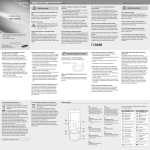
Phone layout
1
5
4-way navigation key
In ldle mode, access userdefined menus (depending
on your service provider,
pre-defined menus may differ)
or make a fake call (down);
In Menu mode, scroll through
menu options
► Make fake calls
Confirm key
In Idle mode, access Menu
mode; In Menu mode, select
the highlighted menu option or
confirm an input
6
Power/Menu exit key
Turn the phone on and off
(press and hold); End a call;
In Menu mode, cancel input
and return to Idle mode
2
Dial key
Make or answer a call; In Idle
mode, retrieve recently dialed,
missed, or received numbers
4
1
2
5
6
3
7
Voice mail service key
In ldle mode, access voice
mails (press and hold)
Signal strength
Call diverting activated
2.Insert the battery and replace the battery cover.
Roaming (outside of normal service area)
8
New text message (SMS)
New voice mail message
Normal profile activated
Silent profile activated
Battery
→
Followed by: the order of options or menus you
must select to perform a step; for example: In Menu
mode, select Messages → Create new message
(represents Messages, followed by Create new
message)
[
]
Square brackets: phone keys; for example: [
(represents the Power/Menu exit key)
<
>
Angled brackets: softkeys that control different
functions at each screen; for example: <OK>
(represents the OK softkey)
Turn your phone on or off
To turn your phone on,
Charge the battery
1.Plug the supplied travel
adapter.
Note: notes, usage tips, or additional information
SIM card
Battery cover
Call in progress
Synchronized with PC
Softkeys
Perform actions indicated at
the bottom of the display
8
Description
Alphanumeric keys
Silent profile key
In ldle mode, activate or
deactivate the silent profile
(press and hold)
4
Icon
1. Remove the battery cover and battery, and then
insert the SIM card.
Alarm activated
7
3
Your phone displays the following status indicators on
the top of the screen:
Instructional icons
2.When charging is
finished, unplug the
travel adapter.
Battery power level
1.Press and hold [
].
2.Enter your PIN and press <OK> (if necessary).
3.Set the time and date and press <Save> (if
necessary)
To turn your phone off, repeat step 1 above.
To AC power outlet
If you remove the battery, the time and date will be
reset.
Do not remove the battery while the phone is connected
to the travel charger. Otherwise, the phone may be
damaged.
Access menus
Answer a call
Change your ringtone
To access your phone's menus,
1.When a call comes in, press [
1. In Idle mode, press <Menu> to access Menu mode.
2.To end the call, press [
You may need to press the Confirm key to access Menu
mode depending on your region or service provider.
2.Use the Navigation key to scroll to a menu or option.
3.Press <Select>, <Save>, or the Confirm key to
confirm the highlighted option.
4.Press <Back> to move up one level; Press [
return to Idle mode.
].
].
Adjust the volume
To adjust the volume of the ringtone
1.In Menu mode, select Settings → Profiles.
] to
• When you access a menu requiring the PIN2, you
must enter the PIN2 supplied with the SIM card. For
details, contact your service provider.
• Samsung is not responsible for any loss of passwords
or private information or other damages caused by
illegal software.
2.Scroll to the phone profile you are using.
If you are using the silent or offline profile, you are not
allowed to adjust the volume of the ringtone.
3.Press <Options> → Edit → Volume.
1.In Idle mode, enter an area code and a phone
number.
2.Press [
] to dial the number.
3.To end the call, press [
2.Scroll to the profile you are using.
If you are using the silent or offline profile, you are not
allowed to change the ringtone.
3.Press <Options> → Edit → Call ringtone.
4.Select a ringtone.
5. Press <Back>.
To switch to another profile, select it from the list.
Call a recently dialed number
4.Scroll left or right to adjust the volume level.
1.In Idle mode, press [
5.Press <Save>.
2.Scroll left or right to a call type.
To adjust the volume of voice during a call
Make a call
1.In Menu mode, select Settings → Profiles.
While a call is in progress, press the Navigation key up
or down to adjust the volume.
].
3.Scroll up or down to a number or name.
Enter text
To change the text input mode
• Press and hold [ ] to switch between T9 and ABC
modes.
• Press [ ] to change case or switch to Number mode.
• Press [ ] to switch to Symbol mode.
• Press and hold [ ] to select an input mode or change
the input language.
T9 mode
1.Press appropriate alphanumeric keys to enter an
entire word.
2.When the word displays correctly, press [0] to insert
a space. If the correct word does not display, press
the Navigation key up or down to select an alternate
word.
4.Press the Confirm key to view details of the call or
[
] to dial the number.
In noisy environments, you may have difficulty hearing
the calls while using the speakerphone feature. For better
audio performance, use the normal phone mode.
].
Add a new contact
Your phone is preset to save contacts to the phone
memory. To change the memory location, in Menu
mode, select Phonebook → Management → Save
new contacts to → a memory location.
1.In Idle mode, enter a phone number and press
<Options>.
2.Select Create contact.
3.Select a number type (if necessary).
4.Enter contact information.
5.Press the Confirm key to add the contact to memory.
Set favorite numbers
1. In Menu mode, select Phonebook → Favorites.
2. Select an empty location.
3. Select a contact to assign to the number.
Send and view messages
To send a text message
1.In Menu mode, select Messages → Create new
message.
2.Enter a recipient number and scroll down.
3.Enter your message text. ► Enter text
4.Press the Confirm key to send the message.
To view text messages
1.In Menu mode, select Messages → Inbox.
Activate the mobile tracker 2.0
Set and use alarms
When someone inserts a new SIM card in your phone,
the mobile tracker feature will automatically send the
contact number to two recipients to help you locate and
recover your phone. To activate the mobile tracker,
1.In Menu mode, select Alarms.
1.In Menu mode, select Settings → Security →
Mobile Tracker 2.0 → Settings.
2.Enter the password for the mobile tracker (8 digits)
and press <OK>.
The first time you access Mobile tracker 2.0, you will be
prompted to create and confirm a password.
2.Select a text message.
3.Scroll left or right to On.
Make fake calls
4.Scroll down and press the Confirm key to open the
recipient list.
You can simulate an incoming call when you want to get
out of meetings or unwanted conversations.
To make a fake call
In Idle mode, press and hold the Navigation key down.
5.Press the Confirm key to open your contact list.
6.Select a contact.
7.Select a number (if necessary).
8.Press the Confirm key to save the recipients.
9.Scroll down and enter the sender's name.
10.Press the Confirm key → <Accept>.
To set a new alarm
2.Select an empty alarm location.
3.Set alarm details.
4.Press <Save>, or press <Options> → Save.
To stop an alarm
When the alarm sounds,
• Press <OK> or the Confirm key to stop the alarm
without snooze.
• Press <OK> or the Confirm key to stop the alarm with
snooze, or press <Snooze> to silence the alarm for
the snooze period.
To deactivate an alarm
1.In Menu mode, select Alarms.
2.Select the alarm you want to deactivate.
3.Scroll left or right to Off.
4.Press <Save>.
ABC mode
Press an appropriate alphanumeric key until the
character you want appears on the display.
Number mode
Press an appropriate alphanumeric key to enter a
number.
Symbol mode
Press an appropriate alphanumeric key to enter a
symbol.
• To move the cursor, press the Navigation key.
• To delete characters one by one, press <Clear>. To
delete the characters on the left side of the cursor,
press and hold <Clear>.
• To insert a space between characters, press [0].
• To enter punctuation marks, press [1].
]