1
Industrial
Industrial Monitor
Monitor
1
Application
Server
Platform
AFL-07M/08M/10M/12M
AFL-15M/17M/19M
4-in-1 Multiple Video Input System
5-in-1 Multiple Video Input System (DVI-D Added)
speaker
Standard VESA Mounting
Standard VESA mounting
Speaker
Speaker
2
Single
Board
Computer
12V DC Input
Audio (Line in)
S-Video
OSD KEY PAD
VGA
3
Component
Composite
USB for Touch screen
Speaker
USB for Touch screen
RS-232 for Touch screen
12V DC IN
RS-232 for Touch screen
Audio (Line in)
BNC Connector
DVI-D
IBX Series
POS PC
S-Video
Component
VGA
4
PIP Functions
AFOLUX
POS
Panel PC
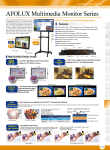
PIP enables a second video/image to be viewed in a small on-screen window.
Images from other sources including DVR and DVD devices can also be viewed
in the PIP window.
5
Video
Capture
Card
PIP Functions
6
KAMIO
RISC
The small onscreen window can be easily resized and moved to a specified
onscreen location. Alternatively, “picture-outside-picture” (POP) can be
implemented by dividing the screen into two equally sized portions with two
different outputs being displayed on either screen.
Main Source
Setting
PIP Zone
PIP Settings :
Three sizes including small, medium and large
Four positions including upper left, lower left, upper right and lower right.
Independent PIP widow color controls (brightness, contrast, hue and saturation)
A blend function makes the PIP transparent
7
IOVU
Open HMI
8
VITO
Universal
Controller
Main screen and sub screen
can’t display BNC/S-Video
or VGA/YPbPr inputs at the
same time
9
Picture In Picture
(Video on Video)
Side by Side
(Video & Video)
Picture In Picture
(Video on Graphics)
Side by Side
(Video & Graphics)
DINO
BLADE
10
Full OSD Functions
LCD
Product
Series
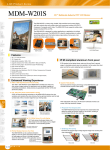
Integrated OSD functions under the front panel enables convenient monitor configuration. Image, display ,PIP,
color and system configurations can all be set with the hidden OSD.
11
Embedded
System
Full OSD Functions
below the monitor
12
Industrial
Computer
Chassis
Image
System
Right
MENU
Color
Down
Left
Auto UP
13
LCD ON/OFF
Power
Supply
OSD Keypad is designed for AFL-15M/17M/19M
PIP
14
Peripherals
Display
OSD Lock Secures Your Settings
Prevents changes to monitor settings and maintains an optimized image.
(For R11 revision models and above)
10-106 A F L M o n i t o r - I n t r o - V 2 0