1
K386
Fitting Kit
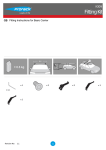
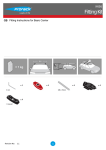
GB Fitting Instructions for Basic Carrier
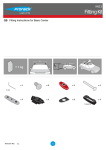
x4
x4
x4
x2
Revision No:
1.1
1
x2
GB
Fitting Kit
K386
First Time Installation
Remove parts from packaging and check
contents. Contact your Prorack dealer if parts
are missing or damaged.
This kit fits type A, B, C and D.
These instructions show type A crossbar
fitted. They also apply to type B, C and D.
Use keys to remove covers.
3
GB
Fitting Kit
K386
Use hex screwdriver to reverse adjusting
screw 10 turns.
Press adjusting screw and pull crossbar legs
out. Refer to the crossbar instructions for
crossbar adjustment.
Ensure each end of the crossbar is adjusted
equally.
Adjust crossbar in or out to suit vehicle.
Refer to the crossbar instructions for
crossbar adjustment.
Please check the rear of this manual for
information relating specifically to your
vehicle.
4
GB
Fitting Kit
K386
Tighten adjusting screw to 5 Nm.
Remove clamp block by pressing backwards.
Select plastic internal block (from fitting kit)
and insert into foot.
Repeat for all legs.
5
GB
Fitting Kit
K386
Refer to the underside of the pad for the part
number.
Letters refer to the pad part numbers and
position.
Note: Pads may be different to that shown.
Pad Part Number:
A = 11-04-222
B = 11-04-223
Fit rubber pads (supplied with fitting kit) to
foot. Pad may vary in shape to that shown.
Make sure the pad fits into the holes
underneath the foot.
6
GB
Fitting Kit
K386
Fitment
Open or remove fixed-point covers.
Store items away in a safe place.
Hook clamps into the fixed points on the
vehicle.
Ensure internal clamp sits upright.
Repeat for all four positions.
Mount crossbars over clamps.
7
GB
Fitting Kit
K386
Tighten the red plastic knob. The side with
the nut showing should be facing up.
Ensure the red plastic knob is in the position
shown when fully tightened.
Repeat for all legs.
Check crossbar is securely attached to the
vehicle.
Use keys to fit and lock covers
8