1
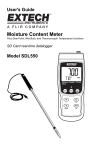
Getting Started Accessories The SDL600 includes batteries, SD card, windscreen, and carry case. If items are missing please contact the distributor through which this product was purchased An optional AC adaptor is available through Extech distributors Optional sound level calibrators are available through Extech distributors. Calibrators are highly recommended for best accuracy and repeatability. Power ON-OFF for at least 1.5 seconds to power ON the meter. Press and hold the power button Press and hold the power button for 1.5 seconds to power OFF the meter. This meter is powered by six (6) 1.5VDC ‘AA’ batteries or by optional AC adaptor. If the meter will not switch ON please check that fresh batteries are installed in the rear battery compartment or, in the case of the AC adaptor, check that the adaptor is connected correctly to the meter and to an AC source. Operation Measurement Considerations 1. Wind blowing across the microphone increases the noise measurement. Use the supplied windscreen to cover the microphone when applicable. 2. Calibrate the instrument before each use if possible. Especially if the meter has not been used for a long period of time. 3. Do not store or operate the instrument in areas of high temperature or humidity. 4. Keep meter and microphone dry. 5. Avoid severe vibration. Protect the meter from impact. Do not drop it. Transport the meter in the supplied case. 6. Remove the battery when the meter is to be stored for long periods of time. Basic Operation 1. 2. 3. 4. 7. Turn the meter ON by pressing and holding the button for 1.5 seconds. The meter defaults to AUTO RANGE, ‘A’ Frequency Weighting, and ‘FAST’ Time Response. Select ‘A’ or ‘C” frequency weighting in the SETUP Mode. Select ‘Fast’ or ‘Slow’ response time by pressing and holding the FUNCTION button. Release the button when the desired setting is displayed. Note that the PEAK HOLD mode of operation is also accessed in this way. Hold the meter in hand or use the tripod mount to affix the meter in the desired location. To select the range, press and hold the RANGE button until the desired range is shown (AUTO, 30 to 80, 50 to 100, or 80 to 130db). Use a range that puts the sound level reading in the center of the range. If dashes appear on the display select a new range if possible. Note that the overall range of the instrument is 30 to 130 db. The sound level reading is shown in large digits at the center of the LCD. 8. To turn the meter off, press and hold the 5. 6. button for 1.5 seconds. 3 SDL600-en-GB_V1.5 09/15