1
Couplers
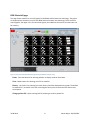
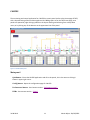
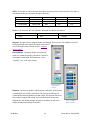
By right clicking a coupler symbol and selecting a signal, a coupler display containing a graph will pop up.
The selected signal will be displayed on this graph. More signals can be selected by either using the radio
buttons on the display, or right clicking another coupler symbol, and selecting again. Colors of the plots
can be changed by using the buttons to the right of the radio buttons. The coupler display can be closed
by clicking the X-button in the upper right corner.
Figure 10: CALIFES Coupler display
BPMs
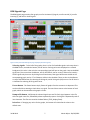
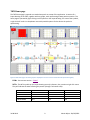
When moving cursor over the BPM symbol on the layout drawing, the corresponding graph will be
highlighted. By right clicking the BPM symbol you can show or hide the graph for that BPM.
The graph
The white area of the graph shows the beam position. The mean value of the horizontal position is on
the X- axis, and mean of vertical position is on the Y-axis. If the value is grater than 10, or less then -10 in
any direction, the white area of the graph becomes red.
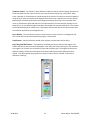
At the right side of the graph there is a slider that shows the beam intensity.
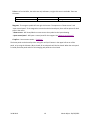
In the upper left corner of the Home page, there is a button called “HOLD”, by switching this button on,
The BPM graphs will store the last positions, and make a “trace” on the graph.
The CALIFES BPM graphs show only the intensity.
31.08.2010
16
Martin Nybø – EN/ICE/MTA