1
Controlling the Flow of Execution
45
Chapter 4: Controlling the Flow of Execution
The programs we have seen so far executed the codes line by line in the order we write them. But real
life isn't like this. We have to grow up and make some decisions. And because programs are to mimic
real life problems, they, as well, involve decisions. Decisions make the execution of the code lines out of
order. Some lines of code are executed according to a decision and some lines may never executed at
all. For example, you should get your coat on if the weather is cold or shouldn't if it is hot.
There is more. Controlling the flow of execution of our programs does not just made of decisions.
There are also repetitions, a thing that is not present at real life but a huge reason of why programming
languages are present. For example, you may want to do something thousands of times. The first
sample that comes to our minds is mathematical problems. Consider we want to find all the prime
numbers up to 100 billion. Trying this on paper with a pencil is obviously not good for your health.
Instead, we develop an algorithm to find whether a number is prime or not and then apply it on all the
numbers from 1 to 100 billion. Thanks to the hardware capabilities today, we can find the solution of
such problems in milliseconds and, importantly, without a mistake.
So we divide controlling into two main types: Selective and repetitive. Selective controlling selects a part
of our code to be executed according to a condition (decision). And repetitive controlling will allow us
to execute a part of the code over and over.
Before going on with how to do selective or repetitive controlling with GNU Smalltalk, we will see a
concept named block which we will extensively use along with controlling messages.
Blocks
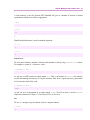
Blocks are objects to bring together some expressions and hold them together for later use. They are
nothing but a series of code written between square brackets. This is an example of a block:
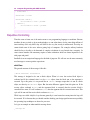
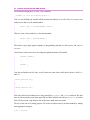
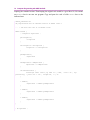
['Hello World!' printNl.
(3 + 7) printNl]
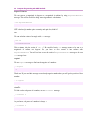
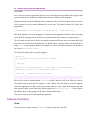
The key things are to remember that blocks are also objects and when you create a block, the code in it
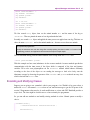
won't be executed right away. You should send it a message named value, like this:
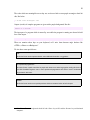
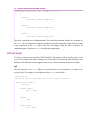
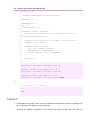
['Hello World!' printNl.
(3 + 7) printNl] value
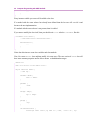
'Hello World!'
10
10
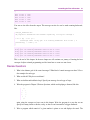
Note that the object 10 is printed twice because the last expression is returned as the result of the block
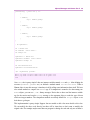
which is the object 10. Again, this is only the case when you are entering the codes above interactively