1
Objects, Messages and Classes: Part II
59
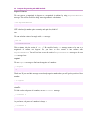
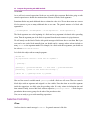
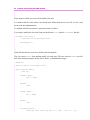
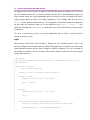
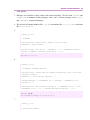
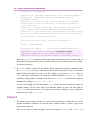
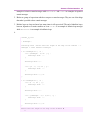
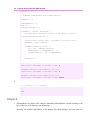
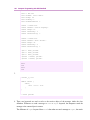
The general syntax for creating classes is below:
SuperclassName subclass: SubclassName [
| instanceVariable1 instanceVariable2 |
classVariable1 := anObject.
classVariable2 := anotherObject.
<comment: 'Comment to describe our class'>
SubclassName class >> aClassMethod: aParameter [
"Comment to describe this class method"
<category: 'Category of this class method'>
| localVariable1 localVariable2 |
...
^objectToReturn
]
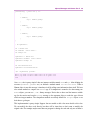
anInstanceMethod [
"Comment to describe this instance method"
<category: 'Category of this instance method'>
| localVariable1 localVariable2 |
...
^objectToReturn
]
]
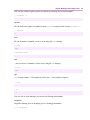
Above pseudo-code shows how to create a class, add class and instance variables, add class and instance
methods to it. We will explain it line by line but before that, we want to mention about some general
concepts. Most of the things above are optional, for example you don't need to have class variables or
methods. Or you don't need to write comments for anything or define the category of a method. But
these are good software engineering habits and we recommend you to always write comments and
define categories for methods.
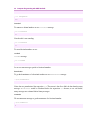
Also another interesting thing in above code is the usage of white spaces. Some lines are indented by
tabs or spaces, but why is that? It is just because for polishing the code for human eye, and there is no
rule for how to use them. Mostly, we will indent a body of some new structure. For example, when we
are writing the body of a class then we will indent it one level compared to the context. Interpretation of
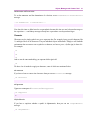
one level depends to the programmer. A programmer may choose as many spaces or tabs to insert as
she wants for indenting a line but the important thing is to be consistent throughout the program so that