1
CUBE-60_e.book 7 ページ 2006年9月7日 木曜日 午後9時5分
Panel Descriptions
* All product names mentioned in this document are trademarks or
registered trademarks of their respective owners, and are not
related to Roland Corporation.
In this manual, these names are used as appropriate ways to
indicate sounds that are simulated using COSM technology.
6. GAIN Knob
Adjusts the LEAD channel’s distortion level.
fig.05
TREMOLO
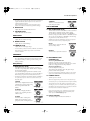
Tremolo is an effect that creates a
cyclic change in volume.
DELAY/REVERB
13. DELAY/REVERB Knob
Turn this knob to DELAY or REVERB to switch to that effect.
Turn the knob to adjust the amount of effect applied.
The ON indicator lights up when DELAY or REVERB is
turned on, and goes out when DELAY or REVERB is turned
off. You can also turn DELAY or REVERB on and off using
an optional foot switch (the BOSS FS-5U).
7. VOLUME Knob
Adjusts the LEAD channel volume.
EQUALIZER
8. BASS Knob
Adjusts the tone of the lower range.
9. MIDDLE Knob
Adjusts the tone of the midrange.
* Graduations for DELAY, REVERB on a panel are for reference.
Be sure to check the sound as you adjust the effects.
fig.05a
DELAY
Turn the knob to change the time and
amount of delay effects.
10.TREBLE Knob
Adjusts the tone of the upper range.
* No sound will be produced when BASS, MIDDLE, and TREBLE
knobs are all set to 0 while the Type switch is set to BLACK
PANEL or TWEED.
fig.05b
REVERB
Turn the knob to adjust the reverb level.
PRESENCE
11. PRESENCE Knob
Gives the midrange and high end a more lustrous contour.
Very effective when you want to give the sound a good
feeling of airiness.
14. RECORDING OUT/
PHONES Jack
When Using RECORDING OUT
EFX (Effects)
Connect to a recorder or other recording device.
Features COSM speaker modeling, allowing you to use the
CUBE-60 as a high-performance amp simulator.
12. EFX (Effects) Knob
When Using Headphones
Turn this knob to chorus, flanger, phaser, or tremolo to
select the corresponding effect. Turn the knob to adjust the
amount of effect applied.
The ON indicator lights up when EFX is turned on, and
goes out when EFX is turned off. You can also turn EFX on
and off using an optional foot switch (the BOSS FS-5U).
* Graduations for CHORUS, FLANGER, PHASER, TREMOLO
on a panel are for reference. Be sure to check the sound as you
adjust the effects.
fig.02
CHORUS
In this effect, a slightly detuned sound
is added to the original sound, giving
the sound greater breadth and
fullness.
fig.03
FLANGER
This creates a flanging effect that
creates a sort of spinning sensation
with the sound.
fig.04
PHASER
Connect headphones to this jack.
The COSM speaker modeling allows the guitar amp to
produce sounds with real punch.
* No sound is output from the CUBE-60’s speaker or any external
speaker when the RECORDING OUT/PHONES jack is in use.
15. POWER Switch
Turn the power on and off.
942
* This unit is equipped with a protection circuit. A brief interval (a few
seconds) after power up is required before the unit will operate normally.
943
* Always make sure to have the volume level turned down before
switching on power. Even with the volume all the way down, you
may still hear some sound when the power is switched on, but this
is normal, and does not indicate a malfunction.
945
* If you need to turn off the power completely, first turn off the
POWER switch, then unplug the power cord from the power
outlet. Refer to “Power Supply” (p. 5).
16. Power Indicator
This indicator lights when the unit is turned on.
This effect adds a variable phaseshifted signal to the direct sound,
giving the sound a swirling character.
7