1
8-5 Selected memory scanning
The Selected Memory Scanning function allows you to scan only a selection of the
frequencies that were previously saved as memory channels. A maximum of 100 channels
within a bank can be scanned.
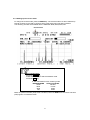
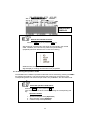
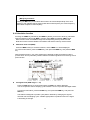
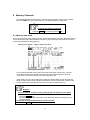
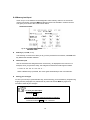
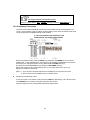
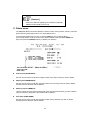
In this example, memory [mem 0-03] is chosen.
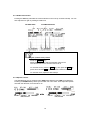
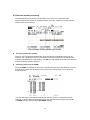
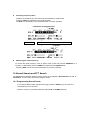
Accessing a selection (S SET)
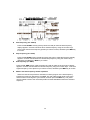
Once you are in the Memory Read mode (as shown above), the desired memory can be
chosen in the normal way, then it can be chosen as part of the select scan by pressing the
FUNC key followed by the 6 key (S.SET). The SEL icon will appear on the top of the screen to
show the memory has been selected.
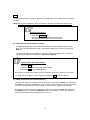
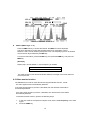
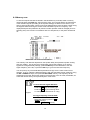
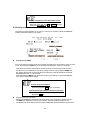
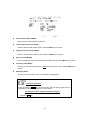
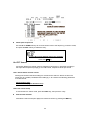
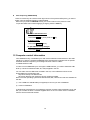
Activating select scan (S SCAN)
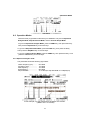
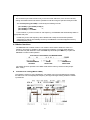
Press the FUNC key followed by the 5 key to activate the scanning of the selection you have
previously set. There must be at least one channel in the memory bank, for the scanning
mode to function.
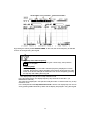
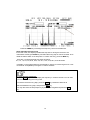
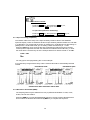
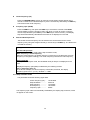
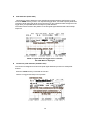
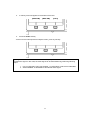
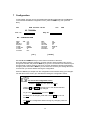
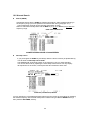
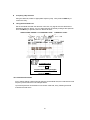
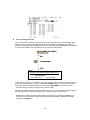
You can select any of the detected frequencies and copy it onto the VFO screen for live
analysis. To do so, select the desired frequency with the solid white triangle using the UP
or DOWN soft keys, then press the SET FREQ. soft key.
39