1
ETip
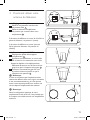
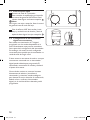
Where possible, choose a location near a
window which will give the antenna a clear view
of the transmitter.
1
ETip
Do not place the antenna on a metal surface.
3.2 Connect to your TV
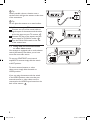
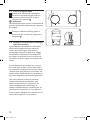
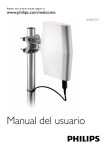
1 Connect one end of the coaxial cable to
signal output of the antenna and the other
end to the input on your TV receiver. 1
2 Connect DC plug to the antenna and the
power supply to a 120V AC outlet. 2
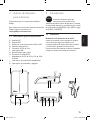
3 Turn the switch ON located on the side
of the antenna base.
3.3 Using with and external antenna or other video source
Your antenna is equipped with a mode selector
switch (A/B switch) that allows you to have
more than one video source.
2
3
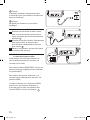
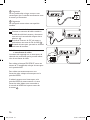
To use your SDV2750/27 as an internal
amplified TV antenna simply slide the switch
to ANT position.
To use an external antenna or other
video source simply slide the switch to
VIDEO position.
If you are using the antenna with the switch
in the VIDEO position, make sure that your
external antenna or other video source is
connected to the VIDEO input located on the
back of the antenna. 3
2750_27.indb 4
5/7/08 10:32:43 AM