1
Setting Up the Console
23
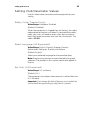
Setting Club Parameter Values
Use this information to customize the equipment for your
setting.
Safety Code (Treadmill only)
Value Range: Enabled or Disabled
(Default: Disabled)
When the equipment is shipped from the factory, the safety
code protection feature is disabled. If you enable the safety
code, your users will need to enter a four digit number to
begin their exercise session and start the running belt. The
code is 1 2 3 4.
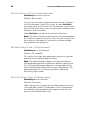
Select Language (All Equipment)
Value Range: English, Deutsch, Espanol, Francais,
Netherlands, Portugues, Rucckijj, and Italiano
(Default: English)
Select your preferred language for the console display.
Note: Programming prompts are not affected by language
selection. The prompts in this section continue to appear in
English.
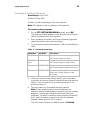
Set Units (All Equipment)
Value Range: U.S. or Metric
(Default: U.S.)
The equipment can display measurements in either Metric or
U.S. Standard.
Important: If you change the Unit of Measure on a treadmill, be
sure to check the speed setting to verify that it is correct.