1
MC-III™ WP Flow Analyzer
Section 3
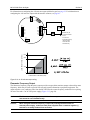
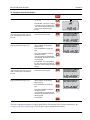
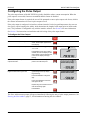
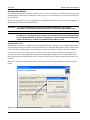
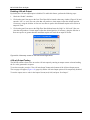
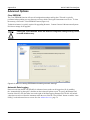
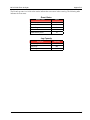
To Configure the 4-20 mA Output:
Enter the Output menu.
Press OUTPUT MENU.
Enable or disable the 4-20 mA output.
Press UP ARROW to toggle output to
“on” or “off”.
Press ENTER. If the 4-20 mA output
is enabled, the LCD will display the
“Low” flow rate and the decimal point
in the numeric display will begin
blinking.
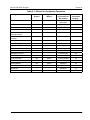
Enter the decimal point position for the
“Low” flow rate. The words “4-20 mA
LOW” should appear at the bottom of
the LCD.
Press UP ARROW to change the
position of the decimal point.
OUTPUT
MENU
TEST
Toggles between
“off” and “on”
ENTER
SAVE
TEST
00000000
.
CF
/MIN
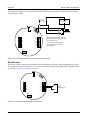
Enter the “Low” (4-mA) flow rate.
Digits are entered from right to left.
Press LEFT ARROW until the
rightmost digit in the top display
begins blinking.
Press UP ARROW to change the
digit.
Press LEFT ARROW to select the
next digit to the left.
Continue pressing UP ARROW and
LEFT ARROW alternately to enter all
remaining digits.
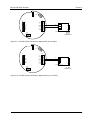
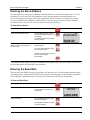
Press ENTER. The LCD will display
the “High” flow rate and the decimal
point in the numeric display will begin
blinking.
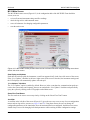
Enter the decimal point position for the
“High” flow rate. The words “4-20 mA
HIGH” should appear at the bottom of
the LCD.
Press UP ARROW to change the
position of the decimal point.
LOG
00000000
CF
/MIN
TEST
LOG
ENTER
SAVE
TEST
00000000
.
CF
/MIN
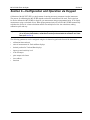
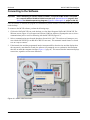
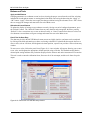
Enter the “High” (20-mA) flow rate.
Digits are entered from right to left.
Press LEFT ARROW until the
rightmost digit in the top display
begins blinking.
Press UP ARROW to change the
digit.
Press LEFT ARROW to select the
next digit to the left.
Continue pressing UP ARROW and
LEFT ARROW alternately to enter all
remaining digits.
Press ENTER.
LOG
00000000
CF
TEST
/MIN
LOG
ENTER
SAVE
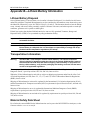
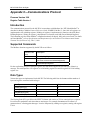
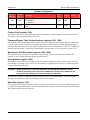
The Pulse Output menu prompt will appear immediately following the entry of 4-20 mA parameters. See
Configuring the Pulse Output, page 36, for the pulse output configuration procedure.
35