Transcript
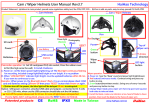
UPC-700 (Universal Portable Camcorder) User Manual Rev2.0
1. Bag
3. USB Cable
5. Adapter for car
7. Plastic clip
8. Metal clip
(1) First lock the bottom screw of
the metal clip "Be stable but
9. Waterproof sticker
Do not use screw lock tight ",
4. Sling
the screw , and locking the
2. Velcro
top screw then use the screw
lock the bottom screw tight
1. Stand alone to use(no connected to USB cable)
to start (Blue light flashing), if not then continue to press the "Top button" will flashing on start.
(2) Turn off : Video status (blue light flashing) or standby status (blue lights), the long press "Top button"
to see the blue lights in emergency flash 2 times → release button, to shutdown state (blue light goes out).
(3) Suspended (standby) mode: blue lights alone, means the suspended mode, if there is no action after,
UPC-700
(2) Sliping the metal clip to
6. Adapter for AC
(1) Film mode : Press the "Top button" once, blue lights → about 4 to 5 seconds thenalso press "Top button"
10. OTG Cable
Snorkeling (within 1M, 30min)
UPC-700
Close covering the USB slot
<Option>
Signal
of working
Voltage check
USB
Top button
blue lights will automatically turn off after 60 seconds.
(4) Take a picture : Video or standby status, press to"Bottom button", is photographed action (blue light
flashes once), then back to the standby mode.
*Note: During the video to press "Bottom button" video will stop, want to photography again must press
again to "Top button" and let the blue lights flashing.
2. While connected to the USB cable :
(1) If connected to room electric (110V / 220V), car charger (12V), mobile power bank (5V), this status is
Bottom
Reset button
Low power
green light
light
Using the needle softly
(Reset button is located on red left )
4. Battery power checking :
Press the voltage-button to view the voltage, voltage indicator just lights green light, indicating that
charge while recorded, Red light and blue lights flashing, if you want to shut down the power, remove the
electricity can also be maintained for at least two hours, When the red and green are lit, indicating that power
cable directly can be.
is insufficient (up to two hours), please timely supplement electricity.
(2) If connected to the computer or smartphone, this is for read the information standby mode,red and blue
light or only blue light,if you want to shut down the computer or smartphone must follow the procedure
of unload memory required.
(3) Charge mode : When connected to the USB cable, whether video while charge status or standby status,
long press the "Top button" to see the blue lights in emergency flash 2 times → release button, this is
charging status(red light, blue light off)after fully charged, the red light will automatically turn off.
3. Data reads
(1) Computer reads the data: the USB cable to the computer (red and blue light, or just blue light) → the
screen appears removable disk information, → please open the folder to view files, → safely release
hardware after reading
(2) Smartphone(android) reads data : phone download APP (MX Player or KM Player or Dice Player)First find
the Video Player, → then connected OTG cable, → connected to smartphone USB slot (red and blue light)
The screen show that USB device installation completed → read data after follow the procedure to release
the device.
*Note : a. When read data from smartphone, hearing sound only but no video, need to press the " hardware
5. Reset button :
When LED (blue light) can't off, or other unknown conditions can't be controlled, press the Reset button,
make the product back to the initial state.
Cautions :
A. The device will automatically shut down when it out of power as a result the time is needed to reset. Re-set
information : http://www.haihao.com.tw/upc/upc-700-Date&Time-Setting.htm
B. SD card repair program : http://www.haihao.com.tw/product/SDcardrepair.doc
C. How to connect the smart phone please watch : http://www.haihao.com.tw/upc/connectphone.html
D. When you use AC to charge be sure that the Voltage is below 5 and the Ampere is below 1
(especially Mobile Power Pack)
E. Please use the Shadowing USB cable when you use OTG cable to connect the phone or the tablet
(Do not use adopter directly)
Two Years Warranty
Made in Taiwan
decoding" and press the "software decoding" again.
b. SD card no need format action, if do that will let SD card can't record, SD card must do the program
of repair process.
BSMI
FCC
CE
IPX7
RoHS
HaiHao
www.haihao.com.tw