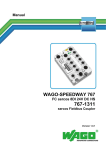
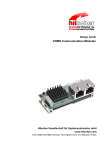
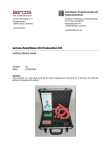
1
Operating Instruction Manual Generic Slave DTM for sercos Slave Devices Configuration of sercos Slave Devices Hilscher Gesellschaft für Systemautomation mbH www.hilscher.com DOC090302UM06EN | Revision 6 | English | 2013-09 | Released | Public Table of Contents 2/87 Table of Contents 1 INTRODUCTION.........................................................................................................4 1.1 About this Manual .......................................................................................................4 1.1.1 1.1.2 1.1.3 1.1.4 1.2 Legal Notes.................................................................................................................7 1.2.1 1.2.2 1.2.3 1.2.4 1.2.5 1.2.6 1.3 General Device Information................................................................................12 Navigation Area ..................................................................................................12 Dialog Panes ......................................................................................................13 OK, Cancel, Apply and Help...............................................................................14 Table Lines .........................................................................................................14 Status Bar...........................................................................................................15 GETTING STARTED.................................................................................................16 2.1 3 Requirements .....................................................................................................10 Dialog Structure of the Generic sercos Slave DTM ..................................................11 1.4.1 1.4.2 1.4.3 1.4.4 1.4.5 1.4.6 2 Copyright ..............................................................................................................7 Important Notes ....................................................................................................7 Exclusion of Liability .............................................................................................8 Warranty ...............................................................................................................8 Export Regulations ...............................................................................................9 Registered Trademarks........................................................................................9 About Generic sercos Slave DTM ............................................................................10 1.3.1 1.4 Descriptions of the Dialog Panes .........................................................................4 Online Help...........................................................................................................4 List of Revisions ...................................................................................................5 Conventions in this Manual ..................................................................................6 Configuration Steps ..................................................................................................16 OFFLINE PARAMETERIZATION..............................................................................18 3.1 Support for Multi-Slave Devices ...............................................................................18 3.2 Setting Slave Parameters - Offline Configuration .....................................................20 3.3 Electronic Label ........................................................................................................21 3.4 Overview Configuration ............................................................................................23 3.5 General .....................................................................................................................25 3.6 User-defined Parameters..........................................................................................27 3.6.1 3.6.2 3.6.3 3.6.4 3.7 Columns of upper Table .....................................................................................28 Rules for Input in Column ‘Action’ of upper Table..............................................30 Rules for Input in Column ‘Value’ of upper Table...............................................31 Columns of the lower Tree-List Grid...................................................................33 FSP IO ......................................................................................................................35 3.7.1 3.7.2 3.7.3 3.7.4 IO Modules .........................................................................................................36 IO Modules - Module Configuration Table .........................................................38 IO Modules - Register Card ‘General’ ................................................................40 IO Modules - Register Card ‘PDIN’ ...................................................................42 Generic Slave DTM for sercos Slave Devices | Configuration of sercos Slave Devices DOC090302UM06EN | Revision 6 | English | 2013-09 | Released | Public © Hilscher, 2009-2013 Table of Contents 3.7.5 3.7.6 3.7.7 3.7.8 Process Data ............................................................................................................48 3.9 FSP Drive .................................................................................................................50 3.10 SDDML Viewer ...................................................................................................59 ONLINE PARAMETERIZATION................................................................................61 4.1 List-IDNs ...................................................................................................................61 4.2 Invoking the Dialog Pane ‘Online Parameterization’.................................................62 4.3 Parts of Dialog Pane ‘Online Parameterization’........................................................64 4.3.1 4.3.2 4.4 Upper Part of Dialog Pane ‘Online Parameterization’ ........................................64 Lower Part of Dialog Pane ‘Online Parameterization’ ........................................71 Step-by-step Instructions for Dialog Pane ‘Online Parameterization’ .......................74 4.4.1 4.4.2 4.4.3 4.4.4 4.4.5 Display of List of all IDNs stored within a List-IDN .............................................74 Selection of IDNs of which more precise Information is to be displayed ...........75 Preselect a Data IDN for Read or Write Access ................................................76 Preselect a Procedure IDN for Execution ..........................................................77 Execute Action....................................................................................................78 ONLINE FUNCTIONS ...............................................................................................79 5.1 6 Producer Connections........................................................................................50 Consumer Connections......................................................................................53 Error Messages when editing Producer or Consumer Dialog Pane ..................56 Device Description....................................................................................................59 3.10.1 5 IO Modules - Register Card ‘PDOUT’ ................................................................43 IO Modules - Register Card ‘DIAGIN’................................................................44 IO Modules - Register Card ‘DIAGOUT’.............................................................45 IO Modules - Register Card ‘Parameter Set’......................................................46 3.8 3.9.1 3.9.2 3.9.3 4 3/87 Connecting/Disconnecting Device ............................................................................79 APPENDIX ................................................................................................................80 6.1 User Rights ...............................................................................................................80 6.1.1 Configuration ......................................................................................................80 6.2 References ...............................................................................................................80 6.3 List of Figures ...........................................................................................................81 6.4 List of Tables ............................................................................................................82 6.5 Glossary....................................................................................................................83 6.6 Contacts....................................................................................................................87 Generic Slave DTM for sercos Slave Devices | Configuration of sercos Slave Devices DOC090302UM06EN | Revision 6 | English | 2013-09 | Released | Public © Hilscher, 2009-2013 Introduction 1 4/87 Introduction 1.1 About this Manual This manual provides information on how to set up sercos Slave devices described with SDDML files. These devices can be configured with the sercos generic Slave DTM within an FDT Framework. 1.1.1 Descriptions of the Dialog Panes The table below gives an overview for the individual dialog panes descriptions: Section Subsection Manual Page Offline Parameterization Support for Multi-Slave Devices 18 Electronic Label 20 Overview Configuration 23 General 25 User-defined Parameters 27 FSP IO 35 FSP Drive 50 Device Description 59 SDDML Viewer 59 Parts of Dialog Pane ‘Online Parameterization’ 64 Online Parameterization Upper Part of Dialog Pane ‘Online Parameterization’ Lower Part of Dialog Pane 71 Step-by-step Instructions for Dialog Pane ‘Online Parameterization’ 74 Table 1: Descriptions Dialog Panes 1.1.2 Online Help The generic sercos Slave DTM contains an integrated online help facility. To open the online help, click on Help or press F1. . Generic Slave DTM for sercos Slave Devices | Configuration of sercos Slave Devices DOC090302UM06EN | Revision 6 | English | 2013-09 | Released | Public © Hilscher, 2009-2013 Introduction 1.1.3 5/87 List of Revisions Index Datum Version Component Chapter Revision 5 12-09-18 1.1.x.x, 1.1.x.x SIIIGenericSlaveDTM.dll, SIIIGenericSlaveGUI.ocx all, 3, Revised, Support for multiple slots in FSP IO, Small corrections, Section Requirements updated. 1.3.1 6 13-08-09 1.1.x.x, 1.1.x.x SIIIGenericSlaveDTM.dll, SIIIGenericSlaveGUI.ocx 3.2 4.2 Sections Setting Slave Parameters and Invoking the Dialog Pane ‘Online Parameterization’ rewritten 1.3.1 Section Requirements, Windows 8 added. Added description of checkboxes Hotplug and NRT. Added list of SCP Classes. All figures updated. Added description of column “Mask”. Figure 14 updated. Added description of column “Name”. Figure 27 updated. Added description of column “Name”. Figure 28 updated. Figure 18 updated as there are 2 new dialog panes, text changes Added this new section Added this new section 3.5 3.6 3.9.1 3.9.2 3.7.1 3.7.6 3.7.7 Generic Slave DTM for sercos Slave Devices | Configuration of sercos Slave Devices DOC090302UM06EN | Revision 6 | English | 2013-09 | Released | Public © Hilscher, 2009-2013 Introduction 1.1.4 6/87 Conventions in this Manual Notes, operation instructions and results of operation steps are marked as follows: Notes Important: <important note> Note: <note> <note, where to find further information> Operation Instructions 1. <instruction> 2. <instruction> or <instruction> Results <result> Generic Slave DTM for sercos Slave Devices | Configuration of sercos Slave Devices DOC090302UM06EN | Revision 6 | English | 2013-09 | Released | Public © Hilscher, 2009-2013 Introduction 1.2 1.2.1 7/87 Legal Notes Copyright © Hilscher, 2009-2013, Hilscher Gesellschaft für Systemautomation mbH All rights reserved. The images, photographs and texts in the accompanying material (user manual, accompanying texts, documentation, etc.) are protected by German and international copyright law as well as international trade and protection provisions. You are not authorized to duplicate these in whole or in part using technical or mechanical methods (printing, photocopying or other methods), to manipulate or transfer using electronic systems without prior written consent. You are not permitted to make changes to copyright notices, markings, trademarks or ownership declarations. The included diagrams do not take the patent situation into account. The company names and product descriptions included in this document may be trademarks or brands of the respective owners and may be trademarked or patented. Any form of further use requires the explicit consent of the respective rights owner. 1.2.2 Important Notes The user manual, accompanying texts and the documentation were created for the use of the products by qualified experts, however, errors cannot be ruled out. For this reason, no guarantee can be made and neither juristic responsibility for erroneous information nor any liability can be assumed. Descriptions, accompanying texts and documentation included in the user manual do not present a guarantee nor any information about proper use as stipulated in the contract or a warranted feature. It cannot be ruled out that the user manual, the accompanying texts and the documentation do not correspond exactly to the described features, standards or other data of the delivered product. No warranty or guarantee regarding the correctness or accuracy of the information is assumed. We reserve the right to change our products and their specification as well as related user manuals, accompanying texts and documentation at all times and without advance notice, without obligation to report the change. Changes will be included in future manuals and do not constitute any obligations. There is no entitlement to revisions of delivered documents. The manual delivered with the product applies. Hilscher Gesellschaft für Systemautomation mbH is not liable under any circumstances for direct, indirect, incidental or follow-on damage or loss of earnings resulting from the use of the information contained in this publication. Generic Slave DTM for sercos Slave Devices | Configuration of sercos Slave Devices DOC090302UM06EN | Revision 6 | English | 2013-09 | Released | Public © Hilscher, 2009-2013 Introduction 1.2.3 8/87 Exclusion of Liability The software was produced and tested with utmost care by Hilscher Gesellschaft für Systemautomation mbH and is made available as is. No warranty can be assumed for the performance and flawlessness of the software for all usage conditions and cases and for the results produced when utilized by the user. Liability for any damages that may result from the use of the hardware or software or related documents, is limited to cases of intent or grossly negligent violation of significant contractual obligations. Indemnity claims for the violation of significant contractual obligations are limited to damages that are foreseeable and typical for this type of contract. It is strictly prohibited to use the software in the following areas: for military purposes or in weapon systems; for the design, construction, maintenance or operation of nuclear facilities; in air traffic control systems, air traffic or air traffic communication systems; in life support systems; in systems in which failures in the software could lead to personal injury or injuries leading to death. We inform you that the software was not developed for use in dangerous environments requiring fail-proof control mechanisms. Use of the software in such an environment occurs at your own risk. No liability is assumed for damages or losses due to unauthorized use. 1.2.4 Warranty Although the hardware and software was developed with utmost care and tested intensively, Hilscher Gesellschaft für Systemautomation mbH does not guarantee its suitability for any purpose not confirmed in writing. It cannot be guaranteed that the hardware and software will meet your requirements, that the use of the software operates without interruption and that the software is free of errors. No guarantee is made regarding infringements, violations of patents, rights of ownership or the freedom from interference by third parties. No additional guarantees or assurances are made regarding marketability, freedom of defect of title, integration or usability for certain purposes unless they are required in accordance with the law and cannot be limited. Warranty claims are limited to the right to claim rectification. Generic Slave DTM for sercos Slave Devices | Configuration of sercos Slave Devices DOC090302UM06EN | Revision 6 | English | 2013-09 | Released | Public © Hilscher, 2009-2013 Introduction 1.2.5 9/87 Export Regulations The delivered product (including the technical data) is subject to export or import laws as well as the associated regulations of different counters, in particular those of Germany and the USA. The software may not be exported to countries where this is prohibited by the United States Export Administration Act and its additional provisions. You are obligated to comply with the regulations at your personal responsibility. We wish to inform you that you may require permission from state authorities to export, re-export or import the product. 1.2.6 Registered Trademarks Windows® XP, Windows® Vista, Windows® 7 and Windows® 8 are registered trademarks of Microsoft Corporation. sercos and sercos interface are registered trademarks of sercos international e. V., Suessen, Germany. All other mentioned trademarks are property of their respective legal owners. Generic Slave DTM for sercos Slave Devices | Configuration of sercos Slave Devices DOC090302UM06EN | Revision 6 | English | 2013-09 | Released | Public © Hilscher, 2009-2013 Introduction 1.3 10/87 About Generic sercos Slave DTM You can use the sercos generic Slave DTM to configure the sercos Slave devices described with SDDML files within a FDT Framework. The information necessary for the configuration of the sercos Slave devices is stored within the sercos Master device when using the sercos generic Slave DTM and thus the Master device is configured. 1.3.1 Requirements System Requirements PC with 1 GHz processor or higher Windows® XP SP3, Windows® Vista (32 bit) SP2, Windows® 7 (32 bit) SP1, Windows® 7 (64 bit) SP1, Windows® 8 (32 bit) or Windows® 8 (64 bit) Administrator privilege required for installation Internet Explorer 5.5 or higher RAM: min. 512 MByte, recommended 1024 MByte Graphic resolution: min. 1024 x 768 pixel Keyboard and Mouse Note: If the project file is saved and opened again or if it is used on another PC, the system requirements must match. Particularly the DTM must be installed on the used PC. Restriction Touch screen is not supported. Requirements sercos Generic Slave DTM Requirements for working with the sercos generic Slave DTM are: Installed FDT/DTM V 1.2 compliant frame application Installed sercos Master DTM SDDML file of the devices to be configured The user needs to reload the Device Catalog Loading SDDML files To add devices to the netDevice device catalog, you must import the SDDML file of the used device via netDevice menu Network > Import Device Descriptions …. into the SDDML folder of the DTM. Then the Device Cataloge must be reloaded. The folder SDDML inclusively Windows® XP is located in the application data directory (All Users) of the configuration software (or from with Windows® 7 on in the C:\ProgramData\ SYCONnet directory). Generic Slave DTM for sercos Slave Devices | Configuration of sercos Slave Devices DOC090302UM06EN | Revision 6 | English | 2013-09 | Released | Public © Hilscher, 2009-2013 Introduction 11/87 For further information refer to section Configuration Steps on page 16 , under step 1 and 2. 1.4 Dialog Structure of the Generic sercos Slave DTM The graphical user interface of the DTM is composed of different areas and elements listed hereafter: 1. A header area containing the General Device Information, 2. The Navigation Area (area on the left side), 3. The Dialog Pane (main area on the right side), 4. OK, Cancel, Apply, Help, 5. The Status Line containing information e. g. the online-state of the DTM. Figure 1: Dialog Structure of the Generic sercos Slave DTM Generic Slave DTM for sercos Slave Devices | Configuration of sercos Slave Devices DOC090302UM06EN | Revision 6 | English | 2013-09 | Released | Public © Hilscher, 2009-2013 Introduction 1.4.1 12/87 General Device Information Parameter Meaning IO Device Name of the device Vendor Vendor name of the device Device ID Identification string of the device Vendor ID Identification number of the vendor Table 2: General Device Information 1.4.2 Navigation Area The Navigation Area contains folders and subfolders to open the dialog panes of the DTM. Figure 2: Navigation Area To access a DTM dialog pane select the respective item of the navigation tree structure. Select the required folder and subfolder. The corresponding Dialog pane is displayed. Hide / display Navigation Hiding the navigation area (above right side). Opening the navigation area (below left side). Generic Slave DTM for sercos Slave Devices | Configuration of sercos Slave Devices DOC090302UM06EN | Revision 6 | English | 2013-09 | Released | Public © Hilscher, 2009-2013 Introduction 1.4.3 13/87 Dialog Panes At the dialog pane the Configuration or the Device Description (offline /online) panes are opened via the corresponding folder in the navigation area. Configuration (offline) Support for MultiSlave Devices Electronic Label Here you can see how to select a Slave within devices supporting multiple Slaves. See section Support for Multi-Slave Devices on page 18. At the Electronic Label pane all information about the device which has been stored in the electronic label can be displayed. More information on this topic is available in section Electronic Label on page 21 . General User-defined Parameters At the General pane the current Station Address of the Slave device is displayed. Further information to this you find in section General on page 25 . The User-defined Parameters pane displays information on the IDN parameter sets of different communication phases. See section User-defined Parameters on page 27. FSP IO The FSP IO pane allows it to change the parameter settings of the modules. This window is only present if supported by the device profile. You find a detailed description in section FSP IO on page 35. FSP Drive At the FSP Drive pane you can access inputs and outputs. This window is only present if supported by the device profile. It is described in detail in section FSP Drive on page 50. Configuration (online) Online Parameterization The Online Parameterization window is divided in two parts. The upper part of the window is described in section Upper Part of Dialog Pane ‘Online Parameterization’ on page 64. The lower part of the window is described in section Lower Part of Dialog Pane at page 71. Device Description SDDML By use of the SDDML-Viewer a SDDML file can be searched through. Further information on this you find in section Device Description on page 59. Table 3: Overview Dialog Panes Generic Slave DTM for sercos Slave Devices | Configuration of sercos Slave Devices DOC090302UM06EN | Revision 6 | English | 2013-09 | Released | Public © Hilscher, 2009-2013 Introduction 1.4.4 14/87 OK, Cancel, Apply and Help OK, Cancel, Apply and Help you can use as described hereafter. Meaning OK To confirm your latest settings, click OK. All changed values will be applied on the frame application database. The dialog then closes. Cancel To cancel your latest changes, click Cancel. Answer to the safety query Configuration data has been changed. Do you want to save the data? by Yes, No or Cancel. Yes: The changes are saved or the changed values are applied on the frame application database. The dialog then closes. No: The changes are not saved or the changed values are not applied on the frame application database. The dialog then closes. Cancel: Back to the DTM. Apply To confirm your latest settings, click Apply. All changed values will be applied on the frame application database. The dialog remains opened. Help To open the DTM online help, click Help. Table 4: OK, Cancel, Apply and Help 1.4.5 Table Lines In the DTM dialog pane table lines can be selected, inserted or deleted. Meaning To select the first line of a table use First Line. To select the previous line of a table use Previous Line. To select the next line of a table use Next Line. To select the last line of a table use Last Line. Create a new Line inserts new lines into the table. Delete selected Line deletes the selected line from the table. Table 5: Selecting, inserting, deleting Table Line Generic Slave DTM for sercos Slave Devices | Configuration of sercos Slave Devices DOC090302UM06EN | Revision 6 | English | 2013-09 | Released | Public © Hilscher, 2009-2013 Introduction 1.4.6 15/87 Status Bar The Status Bar displays information about the current state of the DTM. The current activity, e.g. the DTM connection state, is signaled graphically via icons in the status bar. Figure 3: Status Bar – Status Fields 1 to 6 Status Field Icon / Meaning 1 DTM Connection States Connected: Icon closed = Device is online Disconnected: Icon opened = Device is offline 2 Data Source States Data set: The displayed data are read out from the instance data set (database). Device: The displayed data are read out from the device. 3 States of the instance Date Set Valid Modified: Parameter is changed (not equal to data source). Table 6: Status Bar Icons [1] Offline State Online State Figure 4: Status Bar Display Example Generic Slave DTM for sercos Slave Devices | Configuration of sercos Slave Devices DOC090302UM06EN | Revision 6 | English | 2013-09 | Released | Public © Hilscher, 2009-2013 Getting started 2 2.1 16/87 Getting started Configuration Steps The following table describes the steps to configure a sercos Slave device with the sercos generic Slave DTM as it is typical for many cases. At this time it is presupposed that the sercos Master DTM installation was already done. For detailed information see section # Step Short Description 1 Add sercos Slave in the Device Catalog Add the Slave in the Device Catalog by importing the device description file to the Device Catalog. Depending of the FDT Container. For netDevice: - Network > Import Device Descriptions. Load device catalog Depending of the FDT Container. For netDevice: - select Network > Device Catalog, - select button Reload Catalog. Create new project / Open existing project Depending of the frame application. For the configuration software: - select File > New or File > Open. 4 Insert Master or Slave into configuration Depending of the FDT Container: For netDevice: - in the Device Catalog click to the Controller, - and insert the device via drag and drop to the line in the network view, - in the Device Catalog click to the Slave, - and insert the device via drag and drop to the Controller bus line in the network view. - - 5 Configure Slave Configure the Slave device offline. - Select the device icon of the Slave and select Offline Parameterization in the context menu - The Slave DTM configuration dialog is displayed. In the Slave DTM configuration dialog: - Select the Slave device to be configured, as described in section Support for Multi-Slave Devices on page 18 . - Select Electronic Label, - check the device-specific information, - select Configuration > General, - check the general information, - select Configuration > User-defined Parameters - set user-defined parameters of the device: In case of an FSP IO device: - select Configuration > FSP IO - and set the module Parameters. In case of an FSP Drive: - select Configuration > FSP Drive, and perform detailed parameterization. - Close the Slave DTM configuration dialog via the button OK. Setting Slave Parameters 20 Electronic Label 20 General 25 User-defined Parameters 27 FSP IO 35 FSP Drive 50 Depending of the FDT Container. For netDevice: - right click to the device icon of the Slave, - select Connect. Connecting/Disconnecting Device 79 2 3 Offine Parameterization 6 Connect Slave device Page - (See Operating Instruction Manual netDevice and netProject) (See Operating Instruction Manual netDevice and netProject) (See Operating Instruction Manual of the Frame Application) Generic Slave DTM for sercos Slave Devices | Configuration of sercos Slave Devices DOC090302UM06EN | Revision 6 | English | 2013-09 | Released | Public © Hilscher, 2009-2013 Getting started 17/87 For detailed information see section Page Depending of the FDT Container. For netDevice: - right click to the device icon of the Slave, - select Disconnect. Connecting/Disconnecting Device 79 Configuration Steps Master device Configure the Master device via sercos Master DTM. (See Operating Instruction Manual DTM for sercos Master devices) - Save project Depending of the frame application. For the configuration software: - select File > Save. # Step Short Description 7 Configure Slave Online Parameterization Configure the Slave device. - Select the device icon of the Slave and select entry Online Parameterization in context menu - The Slave DTM configuration dialog is displayed. In the Slave DTM configuration dialog: - select the desired configuration , - close the Slave DTM configuration dialog via the button OK. 8 Disconnect 9 10 (See Operating Instruction Manual of the Frame Application) Table 7: Getting started - Configuration Steps Generic Slave DTM for sercos Slave Devices | Configuration of sercos Slave Devices DOC090302UM06EN | Revision 6 | English | 2013-09 | Released | Public © Hilscher, 2009-2013 Offline Parameterization 3 3.1 18/87 Offline Parameterization Support for Multi-Slave Devices Device configuration is done by first clicking at the device in the netDevice frame with the right mouse button and afterwards selecting option “Configuration->Offline Parameterize” on the menu appearing then. The sercos generic Slave DTM supports Multi-Slave Devices with multiple Slaves within one single device. The information that will be displayed at the top of the navigation area will depend on the number of Slaves integrated within the IO Device. If the device contains only one single Slave (for instance, a compact IO device), at the top level of the navigation pane there will be an entry “Single-Slave Device” Figure 5: Navigation Area for Single-Slave Devices The corresponding dialog pane for a single Slave device looks like: Figure 6: Dialog Pane - Single-Slave Device Contrary to this, for a multi-Slave device, in the topmost line there will be written “Device with x Slaves” where x is the number of Slaves of the device. It must be at least 2. Generic Slave DTM for sercos Slave Devices | Configuration of sercos Slave Devices DOC090302UM06EN | Revision 6 | English | 2013-09 | Released | Public © Hilscher, 2009-2013 Offline Parameterization 19/87 Figure 7: Navigation Area for Multi-Slave Devices There is another difference compared to the single Slave device: In the third line, the entry “Configuration” is extended by the index and address of the Slave having been selected. Selection of the Slave device to parameterize in devices containing multiple Slaves is done by the Slave selection combo box appearing in the Devices with x Slaves window, see figure below: Figure 8: Dialog Pane - Multi-Slave Device - Slave Selection In the example above, it is possible to choose between a Slave with index 0 at address 2 and a Slave with index 1 at address 3. The following items are displayed in the dialog pane both in the singleSlave and the multi-Slave case: Name Meaning Description Contains a description of the device Component name Contains the name of the component Device name Contains the name of the device Table 8: Contents of Dialog Pane Single Slave Device /Multi Slave Device Generic Slave DTM for sercos Slave Devices | Configuration of sercos Slave Devices DOC090302UM06EN | Revision 6 | English | 2013-09 | Released | Public © Hilscher, 2009-2013 Offline Parameterization 3.2 20/87 Setting Slave Parameters - Offline Configuration The following steps are needed to set the Slave device parameters using the sercos generic Slave DTM: Electronic Label 1. Check device specific information about the sercos Slave: Select Electronic Label in the navigation area. The screen “Electronic Label” is displayed. Check for correctness of displayed information, if necessary. General 2. Check general information about sercos Slave: Select Configuration > General in the navigation area. The screen “General“ is displayed. It contains valuable information such as the sercos Address of the device and whether fixed or variable configuration is used. User-defined Parameters 3. Set user-defined parameters of the device: Select Configuration > User-defined Parameters in the navigation area. Special Parameters for FSP IO Devices 4. Only in case of an FSP IO Device: Set some essential parameters for FSP IO Devices. Select Configuration > FSP IO in the navigation area. Special Parameters for FSP Drives 5. Only in case of an FSP Drive: Set some essential parameters for FSP Drives: Select Configuration > FSP Drive in the navigation area. Close Generic Slave-DTM configuration dialog Click at OK in order to close the generic Slave-DTM configuration dialog and to store your chosen configuration. Further Information For more information according to the required steps for the offline configuration refer to the sections Electronic Label on page 20, General on page 25, User-defined Parameters on page 27, FSP IO on page 35 and FSP Drive on page 50. Generic Slave DTM for sercos Slave Devices | Configuration of sercos Slave Devices DOC090302UM06EN | Revision 6 | English | 2013-09 | Released | Public © Hilscher, 2009-2013 Offline Parameterization 3.3 21/87 Electronic Label Figure 9: Navigation Area - Electronic Label The menu entry Configuration > Electronic Label is available at all sercos generic Slave modules independently of being a FSP IO or FSP Drive module. It reflects the “Electronic Label” of the sercos device as defined in IDN S-0-1300 according to the specification of sercos in the third generation. Figure 10: Configuration > Electronic Label Generic Slave DTM for sercos Slave Devices | Configuration of sercos Slave Devices DOC090302UM06EN | Revision 6 | English | 2013-09 | Released | Public © Hilscher, 2009-2013 Offline Parameterization 22/87 The following items are displayed: Name Meaning Vendor ID Vendor Code as defined in IDN S-0-1300.x.03 Device ID Device ID as defined in IDN S-0-1300.x.05 Vendor name Vendor name as defined in IDN S-0-1300.x.02 Component name Component name as defined in IDN S-0-1300.x.01 Revision Revision as defined in IDN S-0-1300.x.07 Hardware revision Hardware revision as defined in IDN S-0-1300.x.08 Software revision Software revision as defined in IDN S-0-1300.x.09 Firmware loader revision Firmware loader revision as defined in IDN S-0-1300.x.10 Serial number Serial number as defined in IDN S-0-1300.x.12 Table 9: Device > Electronic Label For each item an associated check button can be checked (located at the most left part of the window): If this button is checked, the Master will check this item for correctness, otherwise the Master will assume the correctness without performing a check. The Vendor ID is a 16 bit wide unique code introduced for identification of devices within the sercos network. If the value differs from 0, the device comes from a registered vendor which has been assigned to that code by sercos international. If the value is 0, the device comes from an unregistered vendor. The Device ID is a unique string managed by the vendor for separating the various types of devices the vendor offers. The component name contains the name of the device as it would for instance be published in vendors price list. The revision is an integer numeric value (16 bit) which should be incremented each time when there is a significant change in the function of the device (i.e. a functional correction of the device). The hardware revision identifies the version number of the hardware of the device. This value is specified by the manufacturer. The software revision identifies the version number of the software or firmware of the device. This value is specified by the manufacturer. The firmware loader revision identifies the version number of the firmware loader which may be contained in the device. This value is specified by the manufacturer. The serial number. It identifies the unique number of the individual device which has been assigned to the device at the manufacturer. Generic Slave DTM for sercos Slave Devices | Configuration of sercos Slave Devices DOC090302UM06EN | Revision 6 | English | 2013-09 | Released | Public © Hilscher, 2009-2013 Offline Parameterization 3.4 23/87 Overview Configuration Dialog Panes “Configuration” The table below gives an overview about the available Configuration dialog panes descriptions: Section Subsection Manual Page Configuration General 25 User-defined Parameters 27 FSP IO 35 IO Modules 36 Process Data 48 FSP Drive 50 Table 10: Dialog Panes Configuration The sercos device model covers drives, IO devices and hybrid devices whereas the latter is the combination of drive and IO. sercos drive implements FSP Drive according to specification “Function Specific Profile Drives V1.1.2.11” sercos IO device implements FSP IO according to specification “Function Specific Profile IO V1.1.2.1.3, sercos hybrid device implements both FSP Drive and FSP IO. For FSP IO devices, the Configuration dialog pane looks like: Figure 11: Navigation Area - Configuration for FSP IO Modules Generic Slave DTM for sercos Slave Devices | Configuration of sercos Slave Devices DOC090302UM06EN | Revision 6 | English | 2013-09 | Released | Public © Hilscher, 2009-2013 Offline Parameterization 24/87 For drives according to FSP Drive, the Configuration dialog pane appears like: Figure 12: Navigation Area - Configuration for FSP Drive Modules In both example figures a device with 2 Slaves has been used. There would be no difference except the top level entry, if a single Slave device would have been used. Generic Slave DTM for sercos Slave Devices | Configuration of sercos Slave Devices DOC090302UM06EN | Revision 6 | English | 2013-09 | Released | Public © Hilscher, 2009-2013 Offline Parameterization 3.5 25/87 General Figure 13: Configuration > General On a single Slave device the headline is only “General“, on a device with multiple Slaves additionally index and address of the selected Slave are stated there. The menu entry Configuration > General is available at all sercos generic Slave modules independently of being a FSP IO or FSP Drive module. The following items are displayed: Name Meaning sercos address Contains the sercos address Table 11: Configuration > General Generic Slave DTM for sercos Slave Devices | Configuration of sercos Slave Devices DOC090302UM06EN | Revision 6 | English | 2013-09 | Released | Public © Hilscher, 2009-2013 Offline Parameterization 26/87 The following checkboxes are present: Optional: indicates that the item is optional and may be omitted. VAR_CFG: indicates that variable configuration is allowed (i.e. the user may at least partly change the configuration originating from the SDDML file of the device. Hotplug Indicates whether the device is capable of hotplugging. This checkbox cannot be edited. NRT Indicates whether the device supports non-real-time communication by providing an NRT channel. This checkbox cannot be edited. Furthermore a list of the applied SCP Classes and their version is displayed on this pane. In the example, the device supports SCP Class SCP_VarCfg in version 1. Generic Slave DTM for sercos Slave Devices | Configuration of sercos Slave Devices DOC090302UM06EN | Revision 6 | English | 2013-09 | Released | Public © Hilscher, 2009-2013 Offline Parameterization 3.6 27/87 User-defined Parameters This dialog pane displays information on the IDN parameter sets of different communication phases. Figure 14: User-defined Parameters Dialog Pane This dialog pane mainly consists of two tables: The upper table contains a list of parameters that are set during CP2, CP3 or CP4. The contents of the upper table depends on the choice of the combo box just above the table (which offers CP2, CP3 and CP4 as alternatives). The lower table is described in section ‘Columns of the lower Tree-List Grid’ on page 33. Generic Slave DTM for sercos Slave Devices | Configuration of sercos Slave Devices DOC090302UM06EN | Revision 6 | English | 2013-09 | Released | Public © Hilscher, 2009-2013 Offline Parameterization 3.6.1 28/87 Columns of upper Table The columns within the upper table have the following meaning: IDN This column identifies the IDN (including Structure Index and Structure Element) to be processed in CP2, CP3 or CP4. Action Here the action to be performed with the IDN has to be specified. The choice between three alternatives is offered here: Action code Performed action WR Write RDCMP Read and compare EXEC Execution of Procedure Command Table 12: Possible Actions to be performed with chosen IDN Format This column contains the information about the data type of the data associated with the IDN. The possible data types available for your choice are: Binary Unsigned decimal Signed decimal Hex Text IDN Float Data Length This column contains the length of the data associated with the IDN. Possible values are: 2 Octets 4 Octets 8 Octets 1 Octet List 2 Octet List 4 Octet List 8 Octet List Note: An octet corresponds to a byte in this context. Generic Slave DTM for sercos Slave Devices | Configuration of sercos Slave Devices DOC090302UM06EN | Revision 6 | English | 2013-09 | Released | Public © Hilscher, 2009-2013 Offline Parameterization 29/87 Not all combinations may be applied. The following table shows which combinations may be chosen: Data type 2 Octets 4 Octets 8 Octets Binary X X X Unsigned decimal X X X Signed decimal X X X Hex X X X Text IDN 1 Octet List X X 2 Octet List 4 Octet List 8 Octet List X X x X X X X X X X X X X X x X Float X X X X X Table 13: Allowed Data Length Value in Dependence of Format/Data Type An incorrect choice of the data length which does not match with the selected value of Format will be marked with a red exclamation mark in the cell where the incorrect choice was made. This looks like: Value This column contains The value to be written into the IDN (in case of Action code = WR, see below) The value to be compared with the contents of the IDN (in case of Action code = RDCMP, see below) In case of Action code = EXEC, there is no need to fill in a value here. The allowed input to be specified in column ‘value’ depends on the values specified in columns ‘Format’ and ‘Data Length’ according to the rules subsequently described in subsection Rules for Input in Column ‘Value’ of upper Table on page 31 of this document. If the value put in here is not compatible with the values specified at Format and Data Length, this will be indicated by You should then fill in a correct value. For an explanation of the navigation buttons see section “Table Lines” of this document. If data cells have been recognized as faulty (marked with a red exclamation ) or not sufficiently precise (such as mark such as ), a more precise error description can be obtained via „tool tip“. In order to obtain a detailed problem or error description, move the cursor of the mouse to the according problem or error icon, for which you want to have an explanation. Please wait for about a second. The desired explanation appears at the location of the cursor. Mask Here an applicable mask can be displayed. This column is not editable. Generic Slave DTM for sercos Slave Devices | Configuration of sercos Slave Devices DOC090302UM06EN | Revision 6 | English | 2013-09 | Released | Public © Hilscher, 2009-2013 Offline Parameterization 3.6.2 30/87 Rules for Input in Column ‘Action’ of upper Table EXEC is applicable only in case the IDN contains a Procedure Command. On the other hand, WR and RDCMP are applicable only if the IDN does not contain a Procedure Command. The following sercos IDNs are assigned to a procedure command: IDN Name (abbreviation) S-0-0099 Reset class 1 diagnostic S-0-0127 CP3 transition check S-0-0128 CP4 transition check S-0-0139 Park axis procedure command S-0-0146 Control unit controlled homing procedure command S-0-0148 Drive controlled homing procedure command S-0-0149 Positive stop drive procedure command S-0-0152 Position spindle procedure command S-0-0170 Probing cycle procedure command S-0-0171 Calculate displacement procedure command S-0-0172 Displacement to the referenced system procedure command S-0-0190 Drive controlled gear engaging procedure command S-0-0191 Cancel reference point procedure command S-0-0197 Set coordinate system procedure command S-0-0199 Shift coordinate system procedure command S-0-0216 Switch parameter set procedure command S-0-0223 Drive controlled synchronous operation procedure command S-0-0262 Load defaults procedure command S-0-0263 Load working memory procedure command S-0-0264 Backup working memory procedure command S-0-0276 Return to Module range procedure command S-0-0293 Selectively backup working memory procedure command S-0-0420 Activate parameterization level 1 procedure command (PL1) S-0-0422 Exit parameterization level procedure command S-0-0447 Set absolute position procedure command S-0-1024 SYNC delay measuring procedure command Table 14: List of commonly available Procedure Commands Additional IDNs assigned to procedure commands may also be contained in sercos profiles. For more information refer to the documentation of all sercos profiles you use. Use action code EXEC only with IDNs mentioned in Table 14: List of commonly available Procedure Commands on page 30 and with those IDNs which have been defined by sercos Profiles and relate to procedure commands (according to the profile specification). Use action codes WR and RDCMP only with IDNs not mentioned in Table 14: List of commonly available Procedure Commands on page 30 and with those IDNs which have been defined by sercos Profiles and do not relate to procedure commands (according to the profile specification). Generic Slave DTM for sercos Slave Devices | Configuration of sercos Slave Devices DOC090302UM06EN | Revision 6 | English | 2013-09 | Released | Public © Hilscher, 2009-2013 Offline Parameterization 3.6.3 31/87 Rules for Input in Column ‘Value’ of upper Table The following rules apply for input into the column ‚Value’ of the upper table. Rule for data type Float: When working with floating point values, the integer part and the fractional part have to be separated by a decimal point, not by a comma. 1. Rule for data type List: Single entries within list data types have to be separated by a semicolon. 2. Rule for input of single values For all data types besides list data types, no data may be separated with a semicolon as a semicolon would be interpreted as an error in such a case. 3. Rule for input of binary values: Values specified as Binary should also be represented in the binary format such as 10111000011100, for instance. 4. Rule for input of hexadecimal values: Hexadecimal values can be specified with but also without a preceding „0x“ such as „222“. This will be interpreted as „0x222“. 5. Rule for input of decimal values: Decimal values may not be specified in hexadecimal format. For instance, 0x1234 would cause an error. 6. Rule for input of IDN values: IDN values must be specified only in the format [S/P]-X-XXXX or [S/P]-X-XXXX.X.X. 7. Rule for input of negative values: Input of negative values (usage of minus sign) is only possible when using data type Signed Decimal. Note: Even syntactically correct entries may cause an error if one (or more) element(s) of these entries has(have) an incorrect data length. The following error situations might occur: Generic Slave DTM for sercos Slave Devices | Configuration of sercos Slave Devices DOC090302UM06EN | Revision 6 | English | 2013-09 | Released | Public © Hilscher, 2009-2013 Offline Parameterization 32/87 IDN Duplicate Error If the same IDN is entered twice for the same communication phase, the following error message box will appear (example picture applies to CP2): Figure 15: IDN Duplicate Error Similarly, the message box will also appear for CP3 and CP4 instead of CP2 used in the example. IDN Format Error At input of an IDN different from the given format, the following error message will appear: Figure 16: IDN Format Error Correct the format error then! Common Error If you try to store data although currently errors are indicated, the following message box will appear: Figure 17: Common Error In order to solve the problem, correct the errors indicated by Generic Slave DTM for sercos Slave Devices | Configuration of sercos Slave Devices DOC090302UM06EN | Revision 6 | English | 2013-09 | Released | Public or first! © Hilscher, 2009-2013 Offline Parameterization 3.6.4 33/87 Columns of the lower Tree-List Grid The lower tree-list grid is used as tool for easily filling the upper table with standard data. It is not editable. It contains representations of lists of proposed IDNs and their Structure Instances and Structure Elements: At first, the lower tree-list grid contains nothing. Clicking the button “Show standard parameters” right above the lower treelist grid will fill the tree-list grid with a list of the applicable functions (structured by their IDNs, Structure Instance and Structure Element). At the top of each such list, there is one line representing the entire IDN. In the first column there is a symbol allowing to expand or collapse the list of that IDN. Besides this column, there is only one column filled, namely the IDN column containing the complete denomination of the IDN. Under each IDN list entry, you can find one or more Structure Instance entries. These also have a node symbol in the structure tree in the first column which again can be expanded or collapsed. (These node symbols are shifted a bit to the right compared to the node symbols of the IDN list entries.) Besides this column, there is only one column filled, namely the IDN column containing the text Structure Instance and the number of the Structure Instance. Under each Structure Instance entry, you can find one or more Structure Element entries. Only these contain the relevant information to be selected and only for these the columns Format, Data Length, Name, Min.Value, Max.Value, Value, Unit, CP may be filled with data. In order to transfer the data of a single Structure Element entry of the lower tree-list grid to the upper table for the currently chosen communication phase: either click the button “Select entry ” , when the desired line of the lower tree-list grid is marked, or double click at the desired line of the lower tree-list grid. Note: It is not allowed to select more than one single line in the lower treelist grid. The columns within the lower tree-list grid have the following meaning: IDN This column identifies the IDN (including Structure Index and Structure Element) of the function proposed in the current line. For FSP Drives, only structure instances and structure elements of IDN S-0-1300 are available. Format This column contains the information about the data type of the data associated with the IDN. The possible data types allowed here are: Binary Unsigned decimal Signed decimal Hex Generic Slave DTM for sercos Slave Devices | Configuration of sercos Slave Devices DOC090302UM06EN | Revision 6 | English | 2013-09 | Released | Public © Hilscher, 2009-2013 Offline Parameterization 34/87 Text IDN Float Data Length This column contains the length of the data associated with the IDN. The possible data types that may appear here: 2 Octets 4 Octets 8 Octets 1 Octet List 2 Octet List 4 Octet List 8 Octet List Note: An octet represents a byte in this context. Name This column contains a descriptive text for the function associated with the IDN. Min.Value If the range of allowed values for this IDN is restricted, this column contains the minimum allowed value. Max.Value If the range of allowed values for this IDN is restricted, this column contains the maximum allowed value. Value This column contains the stored standard value of the respective IDN originating from the SDDML file. Unit This column contains a unit associated with the value, if one has been specified. CP This column contains the numbers of the communication phases, when the respective IDN is applicable. Allowed values are 2, 3 and 4 denoting the communication phases CP2, CP3 and CP4. Generic Slave DTM for sercos Slave Devices | Configuration of sercos Slave Devices DOC090302UM06EN | Revision 6 | English | 2013-09 | Released | Public © Hilscher, 2009-2013 Offline Parameterization 3.7 35/87 FSP IO In sercos there are three kinds of IO devices according to the FSP IO specification (reference [7]): Compact IO Devices Modular IO Devices Hybrid IO Devices A compact IO device contains one or more fixed IO functions, for instance a 16 bit digital input module could be considered to be a compact IO device. It is not structured into separate modules. A modular IO device contains a complex or variable configurable device which is structured into separate modules. A hybrid IO device combines an IO device with a drive. A function group within a sercos IO device is defined as a group of identical IO functions, such as a 16 bit digital input module or 4 bit analog output module. A function group is usually denominated like the associated IDN, see list below. Example of a Compact IO Device For example, a compact device may contain 16 digital Outputs according to FG S-0-1502 and 16 digital Inputs according to FG S-0-1503. So the bus head includes the function groups FG S-0-1500, FG S-0-1502 and FG S-01503. Example of a Modular IO Device For example, a modular device may contain Module 1: 8 digital Outputs according to FG S-0-1502 Module 2: 16 digital Outputs according to FG S-0-1502 Module 3: 4 analog Inputs according to FG S-0-1505 and 4 analog outputs according to FG S-0-1504. Module 4: 16 digital Inputs according to FG S-0-1503. So the bus head includes exactly one function groups FG S-0-1500 and there are four modules with together 5 function groups. Module 3 contains 2 function groups (FG S-0-1505 and FG S-0-1504) while all other modules contain only one single function group (Module 1 and module 2: FG S-01502, Module 4: FG S-0-1503) Generic Slave DTM for sercos Slave Devices | Configuration of sercos Slave Devices DOC090302UM06EN | Revision 6 | English | 2013-09 | Released | Public © Hilscher, 2009-2013 Offline Parameterization 3.7.1 36/87 IO Modules At the pane IO Modules compact or modular devices can be configured. For instance, the figure displays the configuration of a device with digital input, digital output and bus coupler. Figure 18: IO Modules Pane Upper part The upper part of the screen contains the module table, see section IO Modules - Module Configuration Table on page 38. The buttons have the following meaning: Meaning A new slot is added in the configuration below the marked slot The marked slot is being removed. Table 15: Buttons for Slots in Module Configuration The values of the slot numbers must be included in the range from 0 and 255. Each slot number can be assigned only once. For modular devices, this is already taken into account within the combo boxes opening when Generic Slave DTM for sercos Slave Devices | Configuration of sercos Slave Devices DOC090302UM06EN | Revision 6 | English | 2013-09 | Released | Public © Hilscher, 2009-2013 Offline Parameterization 37/87 clicking at the fields of column Slot. Thus, the choice of an already used slot number is prohibited. Changes of the slot number immediately cause the list to be sorted again. For modular IO devices, clicking at a field of column Name also opens a combo box allowing to change the module. For compact IO devices there is no possibility to select any other numbers than the preselected slot numbers. There is also no possibility to change the module. Lower part The contents of the lower part of the screen is a card register whose contents depends on: The module selected in the upper part of the screen (in the example: Digital Input IDN S-0-1503). The selected card of the card register There are six register cards available: Register Card ‘General’’ Register Card ‘PDIN’’ Register Card ‘’PDOUT’’ Register Card ‘DIAGIN’’ Register Card ‘’DIAGOUT’’ Register Card ‘Parameter Set’’ Generic Slave DTM for sercos Slave Devices | Configuration of sercos Slave Devices DOC090302UM06EN | Revision 6 | English | 2013-09 | Released | Public © Hilscher, 2009-2013 Offline Parameterization 3.7.2 38/87 IO Modules - Module Configuration Table The upper part of the screen displays the module configuration table:. Details may depend on whether the device is a compact or modular device. Figure 19: Configuration > Modules (Upper Part) The meaning of the various columns is the following: Slot The slot number where the module is plugged (indicating the order of modules). The value 0 is reserved for the bus head. If a compact device is shown, there will be only slot 0 as it only consists of a bus head. Module type code A code uniquely assigned to a specific module type of the list in section IO Modules on page 36.. (Module type code relates only to the upper line.) Name The name of the module or function group associated with the selected row of the module configuration table. Config Boolean value indicating whether or not the function group is configured. Component Name The component name as defined in the Electronic Label. The module configuration table is organized as follows: Each line, which is printed in strong and is not empty in the Slot column, represents an IO module in the sense of sercos FSP IO. Each other line (no entry in slot column, normally printed) represents a single function group (such as Digital Output and Digital Input in the example) within the IO module mentioned in the strongly printed line above. Generic Slave DTM for sercos Slave Devices | Configuration of sercos Slave Devices DOC090302UM06EN | Revision 6 | English | 2013-09 | Released | Public © Hilscher, 2009-2013 Offline Parameterization 39/87 The following function groups are defined within the sercos FSP IO specification (see reference 7): IDN Name of Function Group S-0-1501 Unknown S-0-1502 Digital Output S-0-1503 Digital Input S-0-1504 Analog Output S-0-1505 Analog Input S-0-1506 Counter S-0-1507 Complex Protocol S-0-1508 Sub bus Master S-0-1509 Sub bus Slave S-0-1510 Safety Output S-0-1511 Safety Input S-0-1512 Module-PLC S-0-1513 Motor starter S-0-1514 PWM S-0-1515 Positioning S-0-1516 Passive Table 16: Available Function Groups for IO Modules Generic Slave DTM for sercos Slave Devices | Configuration of sercos Slave Devices DOC090302UM06EN | Revision 6 | English | 2013-09 | Released | Public © Hilscher, 2009-2013 Offline Parameterization 3.7.3 40/87 IO Modules - Register Card ‘General’ This register card displays general information on the selected function group. Figure 20: Configuration > Modules (Lower Part), Register Card 'General' In detail, the following information is displayed: IDN of Function Group The IDN assigned to a specific function group of the list in Table 16: Available Function Groups for IO Modules on page 39 as defined by the sercos FSP IO specification. FG Name The name of the function group associated with the selected line of the IO Modules - Module Configuration Table on page38 . IO Type Here the IDN corresponding to the selected function group is listed. This is an IDN in the range between S-0-1501 and S-0-1516, see list in Table 16: Available Function Groups for IO Modules on page 39. Min delay time (μs) This value represents the minimum configurable delay time. The value is optional, so it may be missing as in the example above. Max delay time (μs) This value represents the maximum configurable delay time. The value is optional, so it may be missing as in the example above. Removable The Boolean value indicates whether the function group is removable from a module. Generic Slave DTM for sercos Slave Devices | Configuration of sercos Slave Devices DOC090302UM06EN | Revision 6 | English | 2013-09 | Released | Public © Hilscher, 2009-2013 Offline Parameterization 41/87 If this value it true, then user is allowed to change the “config” flag of this function group upper Module Configuration Table. Please note that removable flag is only a configuration concept, a function group cannot be physically removed from a module. Generic Slave DTM for sercos Slave Devices | Configuration of sercos Slave Devices DOC090302UM06EN | Revision 6 | English | 2013-09 | Released | Public © Hilscher, 2009-2013 Offline Parameterization 3.7.4 42/87 IO Modules - Register Card ‘PDIN’ This register card displays information on the PDIN data area of the selected function group. Figure 21: Configuration > Modules (Lower Part), Register Card ‘PDIN’ In detail, the following information is displayed: IDN of Function Group The IDN assigned to a specific function group of the list in Table 16: Available Function Groups for IO Modules on page 39 as defined by the sercos FSP IO specification. Data Location In some cases, the data location of the IDN is displayed here. Channel quantity This item is configured within the SDDML file of the device. It contains the number of channels of the Process Data Input PDIN. Channel width This item is configured within the SDDML file of the device. It contains the number of bits within one channel of the Process Data Input PDIN. Display Format In some cases, the display format of the IDN may be shown here. Configurable outside container This Boolean value is configured within the SDDML file of the device. It indicates whether the device is also configurable outside of the input data container or not. Configurable in CC related connection This Boolean value is configured within the SDDML file of the device. It indicates whether the device is also configurable in a connection related to cross communication. Generic Slave DTM for sercos Slave Devices | Configuration of sercos Slave Devices DOC090302UM06EN | Revision 6 | English | 2013-09 | Released | Public © Hilscher, 2009-2013 Offline Parameterization 3.7.5 43/87 IO Modules - Register Card ‘PDOUT’ This register card displays information on the PDOUT data area of the selected function group. Figure 22: Configuration > Modules (Lower Part), Register Card ‘PDOUT’ In detail, the following information is displayed: IDN of Function Group The IDN assigned to a specific function group of the list in Table 16: Available Function Groups for IO Modules on page 39 as defined by the sercos FSP IO specification. Data Location In some cases, the data location of the IDN is displayed here. Channel quantity This item is configured within the SDDML file of the device. It contains the number of channels of the Process Data Output PDOUT. Channel width This item is configured within the SDDML file of the device. It contains the number of bits within one channel of the Process Data Output PDOUT. Configurable outside container This Boolean value is configured within the SDDML file of the device. It indicates whether the device is also configurable outside of the output data container or not. Configurable in CC related connection This Boolean value is configured within the SDDML file of the device. It indicates whether the device is also configurable in a connection related to cross communication. If the selected item has no outputs, the register card ‘PDOUT’ is grayed out. Generic Slave DTM for sercos Slave Devices | Configuration of sercos Slave Devices DOC090302UM06EN | Revision 6 | English | 2013-09 | Released | Public © Hilscher, 2009-2013 Offline Parameterization 3.7.6 44/87 IO Modules - Register Card ‘DIAGIN’ This register card displays information on the DIAGIN data area of the selected function group. Figure 23: Configuration > Modules (Lower Part), Register Card ‘DIAGIN’ In detail, the following information is displayed: IDN of Function Group The IDN assigned to a specific function group of the list in Table 16: Available Function Groups for IO Modules on page 39 as defined by the sercos FSP IO specification. Data Location In some cases, the data location of the IDN is displayed here. Channel quantity This item is configured within the SDDML file of the device. It contains the number of channels of the Process Data Input DIAGIN. Channel width This item is configured within the SDDML file of the device. It contains the number of bits within one channel of the Process Data Input DIAGIN. Configurable outside container This Boolean value is configured within the SDDML file of the device. It indicates whether the device is also configurable outside of the input data container or not. Configurable in CC related connection This Boolean value is configured within the SDDML file of the device. It indicates whether the device is also configurable in a connection related to cross communication. Generic Slave DTM for sercos Slave Devices | Configuration of sercos Slave Devices DOC090302UM06EN | Revision 6 | English | 2013-09 | Released | Public © Hilscher, 2009-2013 Offline Parameterization 3.7.7 45/87 IO Modules - Register Card ‘DIAGOUT’ This register card displays information on the DIAGOUT data area of the selected function group. Figure 24: Configuration > Modules (Lower Part), Register Card ‘DIAGOUT’ In detail, the following information is displayed: IDN of Function Group The IDN assigned to a specific function group of the list in Table 16: Available Function Groups for IO Modules on page 39 as defined by the sercos FSP IO specification. Data Location In some cases, the data location of the IDN is displayed here. Channel quantity This item is configured within the SDDML file of the device. It contains the number of channels of the Process Data Output DIAGOUT. Channel width This item is configured within the SDDML file of the device. It contains the number of bits within one channel of the Process Data Output DIAGOUT. Configurable outside container This Boolean value is configured within the SDDML file of the device. It indicates whether the device is also configurable outside of the output data container or not. Configurable in CC related connection This Boolean value is configured within the SDDML file of the device. It indicates whether the device is also configurable in a connection related to cross communication. If the selected item has no outputs, the register card ‘DIAGOUT’ is grayed out. Generic Slave DTM for sercos Slave Devices | Configuration of sercos Slave Devices DOC090302UM06EN | Revision 6 | English | 2013-09 | Released | Public © Hilscher, 2009-2013 Offline Parameterization 3.7.8 46/87 IO Modules - Register Card ‘Parameter Set’ This register card displays information on the parameter set of selected function group. Figure 25: Configuration > Modules (Lower Part), Register Card ‘Parameter Set’ The following information is accessible on the upper part of this register card: Frame IDN of Function Group The IDN assigned to a specific function group of the list in Table 16: Available Function Groups for IO Modules on page 39 as defined by the sercos FSP IO specification. Text fields in upper part IDN This text field contains the number of the IDN. Phase This text field contains the affected communication phase. Length This text field contains the total length. Checkboxes Editable This checkbox decides whether only editable parameters of function groups or all parameters are displayed. Visible This checkbox decides whether only visible parameters of function groups or all parameters are displayed. Generic Slave DTM for sercos Slave Devices | Configuration of sercos Slave Devices DOC090302UM06EN | Revision 6 | English | 2013-09 | Released | Public © Hilscher, 2009-2013 Offline Parameterization 47/87 Download This checkbox specifies whether a download of parameters is performed. The following information is accessible on the lower part of this register card: Table in lower part The meaning of the various columns of the table in the lower part is the following: Name This column contains the name of the parameter associated with the selected line of the parameter set table. Length This column contains the length (specified in units of bits) of the parameter associated with the selected line of the parameter set table. Byte offset This value contains the position, i.e. the offset in bytes within the data container (for input or output data, respectively) of the data selected with this line. Bit offset This value is always 1 if the data are byte aligned. Otherwise it contains the bit offset within the respective byte. Value The numeric value of the data of the selected function group. Description This column contains a description of the meaning of the selected function group. Visible This Boolean value indicates whether the selected function group is visible or not. Editable This Boolean value indicates whether the selected function group is editable or not. Generic Slave DTM for sercos Slave Devices | Configuration of sercos Slave Devices DOC090302UM06EN | Revision 6 | English | 2013-09 | Released | Public © Hilscher, 2009-2013 Offline Parameterization 3.8 48/87 Process Data This dialog pane displays information on the process data (both input and output data) sorted according to modules and function groups. Figure 26: Process Data Pane This pane consists mainly of two tables: The upper table contains a list of channels defined of PDIN. The lower table contains a list of channels defined of PDOUT. Generic Slave DTM for sercos Slave Devices | Configuration of sercos Slave Devices DOC090302UM06EN | Revision 6 | English | 2013-09 | Released | Public © Hilscher, 2009-2013 Offline Parameterization 49/87 Both tables have the same structure. The columns have the following meaning: Type This column shows the type of the channel. It is not editable. Tag This column shows a tag (short name) of the channel. This column is the only editable one in this table. Local offset This column shows the local offset of the channel as a numeric value. It is not editable. Length This column shows the length of the channel (i.e. the number of bits contained within the channel) as a numeric value in units of bits. It is not editable. Comment This column may contain a comment (originating from the SDDML file). It is not editable. Generic Slave DTM for sercos Slave Devices | Configuration of sercos Slave Devices DOC090302UM06EN | Revision 6 | English | 2013-09 | Released | Public © Hilscher, 2009-2013 Offline Parameterization 3.9 3.9.1 50/87 FSP Drive Producer Connections In order to configure producer connections for drives, the pane Producer can be used: Figure 27: Drive Connections > Producer The upper part of the dialog pane displays a table containing all configured producer connections. Each entry in the table corresponds to a configured producer connection which can be selected. Generic Slave DTM for sercos Slave Devices | Configuration of sercos Slave Devices DOC090302UM06EN | Revision 6 | English | 2013-09 | Released | Public © Hilscher, 2009-2013 Offline Parameterization 51/87 The columns of this table have the following meaning: IDN The symbolic notation of a 4-byte IDN. Byte length If a row represents an IDN, the value in this column is the length of IDN. If a row represents a connection, the value in this column is the total IDN data length of this connection. Please note, the current connection length (IDN S-0-1050.x.5) contains this total data length plus 2 byte connection control word. If a row represents a connections’ list, the value in this column is the total data length of all connections. Name The name associated with the 4-byte IDN. Producer Cycle Time The producer cycle time (tPcyc, IDN S-0-1050.x.10) specified in units of microseconds. Each connection has a producer cycle time, which should be an integer multiple of the communication cycle time (tScyc) according to the following formula: tPcyc = tScyc × n where n is a natural number. The navigation buttons within the upper part of the dialog pane allow creation and deletion of producer connection entries. For a detailed explanation of the navigation buttons also see section “Table Line” on page 14 of this document. Within the lower part of the dialog pane (this is below the title ‘Connection Setup’) you can adjust and configure the following settings related to the selected producer connection (according to IDN S-0-1050.x.1) via a separate combo box each: Usage of configuration (D15) Possible choices for this combo box are Used and Not used. Used : If this option is chosen, the connection is allowed to be used by the sercos Slave. Not used : If this option is chosen, the sercos Slave will not use the connection. Function within connection (D14) This combo box is fixed to the value Producer. Source of connection configuration (D12-D13) The only allowed choice for this combo box is currently Master. Generic Slave DTM for sercos Slave Devices | Configuration of sercos Slave Devices DOC090302UM06EN | Revision 6 | English | 2013-09 | Released | Public © Hilscher, 2009-2013 Offline Parameterization 52/87 Type of configuration (D4-D5) Possible choices for this combo box are variable configuration of IDNs, configuration with connection length and standard telegram. variable configuration of IDNs This choice means that the producer connection is configured with variable length using IDN S-0-1050.x.6. configuration with connection length This choice means that the producer connection is configured with fixed length using C-CON IO-Control (IDN S-0-1500.x.5) and IO-Status (IDN S-01500.x.9). However, IDN S-0-1050.x.6 is not used in this case. standard telegram This choice means that a standard telegram according to IDN S-0-0015 is used to configure the producer connection. Mechanism of producing (D3) Possible choices for this combo box are: producer cycle synchronous and asynchronous. producer cycle synchronous This choice means the producing mechanism works synchronously to the cycle of the producer. asynchronous This choice means the producing mechanism works asynchronously. Mechanism of monitoring (D0-D1) Possible choices for this combo box are producer cycle synchronous operation, asynchronous operation with watchdog and asynchronous operation without watchdog. producer cycle synchronous operation Monitoring takes place synchronously to the cycle of the producer. asynchronous operation with watchdog There is an asynchronous monitoring mechanism with a watchdog timer. The timeout value of the watchdog time corresponds to the producer cycle time (IDN S-0-1050.x.10) of this connection. asynchronous operation without watchdog There is an asynchronous monitoring mechanism without any watchdog timer. Generic Slave DTM for sercos Slave Devices | Configuration of sercos Slave Devices DOC090302UM06EN | Revision 6 | English | 2013-09 | Released | Public © Hilscher, 2009-2013 Offline Parameterization 3.9.2 53/87 Consumer Connections In order to configure consumer connections for drives, the pane Consumer can be used: Figure 28: Drive Connections > Consumer The upper part of the dialog pane displays a table containing all configured consumer connections. Each entry in the table corresponds to a configured consumer connection which can be selected. The columns of this table have the following meaning: IDN The symbolic notation of 4-byte IDN. Byte length If a row represents an IDN, the value in this column is the length of IDN. If a row represents a connection, the value in this column is the total IDN data length of this connection. Please note, the current connection length (IDN S-0-1050.x.5) contains this total data length plus 2 byte connection control word. Generic Slave DTM for sercos Slave Devices | Configuration of sercos Slave Devices DOC090302UM06EN | Revision 6 | English | 2013-09 | Released | Public © Hilscher, 2009-2013 Offline Parameterization 54/87 If a row represents connections list, the value in this column is the total data length of all connections. Name The name associated with the 4-byte IDN. Allowed Data Losses This value represents the allowed number of consecutive data loss events for the chosen connection before it will be interrupted. It corresponds to IDN S-0-1050.x.11. Producer Cycle Time The producer cycle time (tPcyc, IDN S-0-1050.x.10) specified in units of microseconds. Each connection has a producer cycle time, which should be an integer multiple of the communication cycle time (tScyc) according to the following formula: tPcyc = tScyc × n where n is a natural number. The navigation buttons within the upper part of the dialog pane allow creation and deletion of consumer connection entries. For a detailed explanation of the navigation buttons also see section “Table Line” on page 14 of this document. Within the lower part of the dialog pane (this is below the title ‘Connection Setup’) you can adjust and configure the following settings related to the selected producer connection(according to IDN S-0-1050.x.1) via a separate combo box each: Usage of configuration (D15) Possible choices for this combo box are Used and Not used. Used : If this option is chosen, the connection is allowed to be used by the sercos Slave. Not used : If this option is chosen, the sercos Slave will not use the connection. Function within connection (D14) This combo box is fixed to the value Consumer. Source of connection configuration (D12-D13) The only allowed choice for this combo box is currently Master. Type of configuration (D4-D5) Possible choices for this combo box are variable configuration of IDNs, configuration with connection length and standard telegram. variable configuration of IDNs This choice means that the consumer connection is configured with variable length using IDN S-0-1050.x.6. configuration with connection length This choice means that the consumer connection is configured with fixed length using C-CON IO-Control (IDN S-0-1500.x.5) and IO-Status (IDN S-01500.x.9). However, IDN S-0-1050.x.6 is not used in this case. standard telegram Generic Slave DTM for sercos Slave Devices | Configuration of sercos Slave Devices DOC090302UM06EN | Revision 6 | English | 2013-09 | Released | Public © Hilscher, 2009-2013 Offline Parameterization 55/87 This choice means that a standard telegram according to IDN S-0-0015 is used to configure the consumer connection. Mechanism of producing (D3) Possible choices for this combo box are: producer cycle synchronous and asynchronous. producer cycle synchronous This choice means the producing mechanism works synchronously to the cycle of the producer. asynchronous This choice means the producing mechanism works asynchronously. Mechanism of monitoring (D0-D1) Possible choices for this combo box are producer cycle synchronous operation, asynchronous operation with watchdog and asynchronous operation without watchdog. producer cycle synchronous operation Monitoring takes place synchronously to the cycle of the producer. asynchronous operation with watchdog There is an asynchronous monitoring mechanism with a watchdog timer. The timeout value of the watchdog time corresponds to the producer cycle time (IDN S-0-1050.x.10) of this connection. asynchronous operation without watchdog There is an asynchronous monitoring mechanism without any watchdog timer. Generic Slave DTM for sercos Slave Devices | Configuration of sercos Slave Devices DOC090302UM06EN | Revision 6 | English | 2013-09 | Released | Public © Hilscher, 2009-2013 Offline Parameterization 3.9.3 56/87 Error Messages when editing Producer or Consumer Dialog Pane When editing either in the producer or consumer dialog pane, the following error situations might occur: IDN Format Error If deviations between the specified IDN and the expected format occur, the following error message will appear: Figure 29: IDN Format Error Correct the IDN format error then! Only the two formats [S/P]-X-XXXX or [S/P]-X-XXXX.X.X will be accepted as valid. Duplicate IDN Error If multiple identical IDNs are specified, you will receive the following error message: Figure 30: Duplicate IDN Error Last Connection IDN Error If there is only one single IDN configured below a connection instance and you try to delete the line representing this IDN. you will receive the following error message: Figure 31: Last Connection IDN Error Generic Slave DTM for sercos Slave Devices | Configuration of sercos Slave Devices DOC090302UM06EN | Revision 6 | English | 2013-09 | Released | Public © Hilscher, 2009-2013 Offline Parameterization 57/87 Range Error (concerning Byte Length) If an incorrect value for the byte length has been specified, the following message box is issued: Figure 32: Range Error (concerning Byte Length) The upper value of the range mentioned here might vary depending on how much bytes have already been used by other entries. Common Error If you try to store data although currently errors are indicated, the following message box will appear: Figure 33: Common Error, In order to solve the problem, correct the errors indicated by or first! Producer Cycle Time Error The following error message box will be displayed only when editing the Producer dialog pane. When entering the value of the Producer Cycle Time on the Producer dialog pane, values which are no integer multiple of the communication cycle time will cause this error message box to be displayed: Figure 34: Producer Cycle Time Error Generic Slave DTM for sercos Slave Devices | Configuration of sercos Slave Devices DOC090302UM06EN | Revision 6 | English | 2013-09 | Released | Public © Hilscher, 2009-2013 Offline Parameterization 58/87 Range Error (concerning Producer Cycle Time or allowed Number of lost Cycles) The following error message box will be displayed only when editing the Consumer dialog pane. When entering either the value of the Producer Cycle Time or the allowed number of lost cycles on the Consumer dialog pane, incorrect input might cause this error message box to be displayed: Figure 35: Range Error (concerning Producer Cycle Time or allowed Number of lost Cycles) Generic Slave DTM for sercos Slave Devices | Configuration of sercos Slave Devices DOC090302UM06EN | Revision 6 | English | 2013-09 | Released | Public © Hilscher, 2009-2013 Offline Parameterization 59/87 3.10 Device Description The generic Slave DTM for sercos allows to directly view the device description file by its integrated SDDML Viewer. Figure 36: Navigation Area - Device Description 3.10.1 SDDML Viewer The SDDML Viewer shows the content of the SDDML file in a text view. Under Filename the absolute file directory path and the file name of the displayed SDDML file is displayed. Find what offers a search feature to search for text contents within the text of the SDDML file. In the SDDML Viewer window on the left side, the line number is displayed for simple overview, the further entries show the SDDML file in text format. Parameter Meaning File name File directory path and the file name of the displayed SDDML file. Find what Search feature to search for text contents within the text of the SDDML file. Match case Search option Match whole word Search option Table 17: Device Description – SDDML Viewer Generic Slave DTM for sercos Slave Devices | Configuration of sercos Slave Devices DOC090302UM06EN | Revision 6 | English | 2013-09 | Released | Public © Hilscher, 2009-2013 Offline Parameterization 60/87 Figure 37: SDDML Viewer The SDDML Viewer page consists of the following elements: File name shows the absolute path of the DDF file. Find what offers searching for specific text within the DDF file. Using the Find Next button allows you to jump to the next occurrence of the text to be searched for within the XML DDF file. Check Match case if you want to perform a case-sensitive search. Check Match whole word if only entire words should match and fragments of words should be excluded from matching. Note: You can also access the search functionality of the SDDML Viewer by typing Ctrl-F on the keyboard. Generic Slave DTM for sercos Slave Devices | Configuration of sercos Slave Devices DOC090302UM06EN | Revision 6 | English | 2013-09 | Released | Public © Hilscher, 2009-2013 Online Parameterization 4 4.1 61/87 Online Parameterization List-IDNs sercos administers some lists of IDNs with a common context. These IDN lists can be accessed via an own, separate IDN. This IDN is also denominated as List IDN. The following table provides all List IDNs generally defined in the sercos standard, which should always be available. List IDN Associated IDN List S-0-0017 IDN-list of all operation data S-0-0021 IDN-list of invalid operation data for CP2 S-0-0022 IDN-list of invalid operation data for CP3 S-0-0026 Configuration list for signal status word S-0-0027 Configuration list for signal control word S-0-0025 IDN-list of all procedure commands S-0-0187 IDN-list of configurable data as producer S-0-0188 IDN-list of configurable data as consumer S-0-0192 IDN-list of all backup operation data S-0-0219 IDN–list of parameter set S-0-0270 IDN list of selected backup operation data S-0-0279 IDN list of password protected data S-0-0327 IDN list of checksum parameter S-0-0398 IDN list of configurable real-time/status bits S-0-0399 IDN list of configurable real-time/control bits S-0-0423 IDN-list of invalid data for parameterization level S-0-0428 IDN list of configurable measuring data S-0-0444 IDN-list of configurable data in the AT data container S-0-0445 IDN-list of configurable data in the MDT data container Table 18: Available IDN Lists Values of those IDNs belonging to one of these lists can be adjusted online. This is done using the dialog page „Online Parameterization“ which is described in the following. Vice versa, values of IDNs not belonging to one of these lists cannot be changed by this dialog page. Additionally, it is possible to execute functionality stored as procedure command within an IDN. A list of all IDNs containing stored procedure commands is accessible via IDN S-0-0025 Generic Slave DTM for sercos Slave Devices | Configuration of sercos Slave Devices DOC090302UM06EN | Revision 6 | English | 2013-09 | Released | Public © Hilscher, 2009-2013 Online Parameterization 4.2 62/87 Invoking the Dialog Pane ‘Online Parameterization’ You can access this dialog pane via right clicking on the Slave device icon and selecting the menu entry Configuration > Online Parameterization if the device has already been connected correctly. If this is not the case, you first have to connect the device before you are able to adjust the Slave parameters. For more information regarding this topic, see section „Connecting/Disconnecting Device“ on page 79. This dialog pane offers you the opportunity to manually read and write parameter data and to execute procedure commands associated with certain IDNs. In detail, the dialog pane Configuration > Online Parameterization looks like this: Figure 38: Configuration->Online Parameterization Generic Slave DTM for sercos Slave Devices | Configuration of sercos Slave Devices DOC090302UM06EN | Revision 6 | English | 2013-09 | Released | Public © Hilscher, 2009-2013 Online Parameterization 63/87 In the following, the elements of the dialog pane Configuration > Online Parameterization are described and the main workflows are explained step-by-step: To display a list of available IDN lists in sercos, follow the description in subsection „Display of List of all IDNs stored within a List-IDN“. You may choose an IDN list there for display of additional information. Out of this list multiple IDNs can be selected for which even more precise information can be displayed. In order to select the IDNs for which additional information shall be displayed, follow the description in section “Selection of IDNs of which more precise Information is to be displayed”. In order to select the IDNs for read and write access, follow the description in section “Preselect a Data IDN for Read or Write Access”. In order to select the IDNs for the execution of a procedure command stored within an IDN, follow the description in section “Preselect a Procedure IDN for Execution”. In order to perform read or write access to a Data IDN or execute a procedure command of a Procedure IDN, follow the description in section “Execute Action”. Generic Slave DTM for sercos Slave Devices | Configuration of sercos Slave Devices DOC090302UM06EN | Revision 6 | English | 2013-09 | Released | Public © Hilscher, 2009-2013 Online Parameterization 4.3 4.3.1 64/87 Parts of Dialog Pane ‘Online Parameterization’ Upper Part of Dialog Pane ‘Online Parameterization’ In the upper left corner of the dialog pane, you can find a drop-down box List IDNs . Each listed item in the drop-down box represents a so called “List IDN” i.e. an IDN really containing a list of other IDN numbers. These IDN numbers are listed in the list box below if you click on the Upload List button right below the List IDNs combo box. The columns provide the following information about each IDN: IDN The IDN whose information is displayed on the same line in the other columns. Attribute The numerical value of the attribute. This item is only displayed if the check box Attribute above the table has been checked. Format The format (i.e. the data representation) in which the data contained in the IDN are stored (such as hexadecimal or unsigned decimal storage). Data Length The reserved length for storage of that data. Value The stored value of the IDN itself. This item is only displayed if the check box Data above the table has been checked. Name The name of the IDN, if available. This item is only displayed if the check box Name above the table has been checked. Min. The minimum allowed value of the value of the IDN. This item is only displayed if the check box Min.,Max. above the table has been checked. Max. The maximum allowed value of the value of the IDN. This item is only displayed if the check box Min.,Max. above the table has been checked. Generic Slave DTM for sercos Slave Devices | Configuration of sercos Slave Devices DOC090302UM06EN | Revision 6 | English | 2013-09 | Released | Public © Hilscher, 2009-2013 Online Parameterization 65/87 Unit The unit associated with the value of the IDN, if any is associated at all. This item is only displayed if the check box Unit . above the table has been checked. For each displayed IDN, the table contains one line containing the above mentioned information about the IDN itself, and, if necessary, one or more additional lines for possibly present data (depending on the chosen IDN). In these additional lines, only the columns IDN and Value are filled. Some additional information on these columns follow here: 4.3.1.1 Attribute This column contains additional information required for administrative purposes. It is mandatory. It is a 32-bit wide bit mask to be interpreted according to the subsequent table: UTF8 is supported. Note: Coding of Attribute Information in IDN D31 D30 D29 D28 D27D24 D23 D22D20 D19 D18-D16 D15-D0 Conversion factor used for conversion of data to display format, specified as unsigned integer. Use 1 if not required (for instance for binary, character string or floating point number data) Data length (required for correct termination of data transmission on the service channel) 000 Reserved 001 Two bytes of operation data 010 Four bytes of operation data 011 Eight bytes of operation data 100 Length is variable/1-byte data strings 101 Length is variable/2-byte data strings 110 Length is variable/4-byte data strings 111 Length is variable/8-byte data strings Function 0 Operation data/parameter 1 Command Coding for data type and display format Data type Display format 000 Binary value Binary 001 Unsigned integer Decimal 010 Signed integer Decimal + sign 011 Unsigned integer Hexadecimal Generic Slave DTM for sercos Slave Devices | Configuration of sercos Slave Devices DOC090302UM06EN | Revision 6 | English | 2013-09 | Released | Public © Hilscher, 2009-2013 Online Parameterization 66/87 Coding of Attribute Information in IDN D31 D30 D29 D28 D27D24 D23 D22D20 D19 D18-D16 D15-D0 100 Extended character set Text 101 Unsigned integer IDN 110 ANSI 754-1985 floating point number (single precision) Decimal value with exponent (fraction after decimal point is not taken into account) 111 Reserved Reserved Reserved Position of decimal point for input and display (not applicable to floating point data) 0000 No places following the decimal point … 1111 15 places following the decimal point Write protection in CP2 0 Write protection not effective for operation data 1 Write protection effective for operation data Write protection in CP3 0 Write protection not effective for operation data 1 Write protection effective for operation data Write protection in CP4 0 Write protection not effective for operation data 1 Write protection effective for operation data Reserved Table 19: Coding of Attribute Information in IDN The display format and the data length must match. Corresponding combinations are marked in the table below: Data Length Binary Hex Text IDN Float Time decimal Signed decimal 2 octet Yes Yes Yes Yes No No No No 4 octet Yes Yes Yes Yes No Yes Yes No 8 octet Yes Yes Yes Yes No No Yes Yes 1 octet No Yes No Yes Yes No No No 2 octet list Yes Yes Yes Yes No No No No 4 octet list Yes Yes Yes Yes No Yes Yes No 8 octet list Yes Yes Yes Yes No No Yes Yes Unsigned Table 20: Allowed Combinations of Display Format and Data Length For more information on the extended character set see the specification of sercos in the third generation, appendix E. Generic Slave DTM for sercos Slave Devices | Configuration of sercos Slave Devices DOC090302UM06EN | Revision 6 | English | 2013-09 | Released | Public © Hilscher, 2009-2013 Online Parameterization 4.3.1.2 67/87 Value This column contains the stored value of the IDN itself. Note: This item is only displayed if the check box Data been checked. above the table has There are 3 formats defined in the sercos standard which can be applied here: Fixed length format with 2 bytes Fixed length format with 4 bytes Variable length format with support for up theoretically up to 65532 bytes (limited to 1368 bytes in the current implementation of the sercos firmware.) In case of the variable length format these bytes are structured as follows: The first two bytes contain the hexadecimally coded value of the current length of the data. This is the text the Master proposes to the Slave. If these two bytes are 0, no other data are required and a zero-length datum will be defined therefore. The next two bytes contain the hexadecimally coded value of the maximum allowed length of data if the Slave is permitted to change the text. (If this length is equal to 0, the Slave is not permitted to do so.) Beginning from the fifth byte there is a string consisting of up to 1368 bytes (characters) space for the data of the object assigned to the IDN. Characters exceeding the amount specified in the length bytes should be truncated by the sercos Slaves. Generic Slave DTM for sercos Slave Devices | Configuration of sercos Slave Devices DOC090302UM06EN | Revision 6 | English | 2013-09 | Released | Public © Hilscher, 2009-2013 Online Parameterization 4.3.1.3 68/87 Name This column holds the name of the operational data which are stored under the respective IDN. It is optional. The length is limited to at most 64 bytes. At least 2 bytes need to be used. These bytes are structured as follows: The first two bytes contain the hexadecimally coded value of the length of the programmed text. This is the text the Master proposes to the Slave. If these two bytes are 0, no other data are required and a zerolength name will be defined therefore. The next two bytes contain the hexadecimally coded value of the maximum allowed length of this text if the Slave is permitted to change the text. (If this length is equal to 0, the Slave is not permitted to do so.) Beginning from the fifth byte there is a string consisting of up to 60 bytes (characters) space for the actual name of the object assigned to the IDN. Characters exceeding the amount specified in the length bytes should be truncated by the sercos Slaves. Also see Figure 1: Name structure of the sercos Spec: For more information, refer to the specification of sercos in the third generation. 4.3.1.4 Min. This column holds the minimum value allowed for the operational data which are stored under the respective IDN. It is optional. Lower values cannot be processed by the Slave, i.e. when a write request occurs with a lower value, the original value will not be changed.. The length is fixed to 64 bytes. In the following cases this element is not applicable: Working with binary numbers Working with character strings Operation data have variable length Note: This item is only displayed if the check box Min.,Max. has been checked! Generic Slave DTM for sercos Slave Devices | Configuration of sercos Slave Devices DOC090302UM06EN | Revision 6 | English | 2013-09 | Released | Public above the table © Hilscher, 2009-2013 Online Parameterization 4.3.1.5 69/87 Max. This column holds the maximum value allowed for the operational data which are stored under the respective IDN. It is optional. Higher values cannot be processed by the Slave, i.e. when a write request occurs with a higher value, the original value will not be changed. The length is fixed to 64 bytes. In the following cases this element is not applicable: Working with binary numbers Working with character strings Operation data have variable length Note: This item is only displayed if the check box Min.,Max. has been checked! Generic Slave DTM for sercos Slave Devices | Configuration of sercos Slave Devices DOC090302UM06EN | Revision 6 | English | 2013-09 | Released | Public above the table © Hilscher, 2009-2013 Online Parameterization 4.3.1.6 70/87 Unit This column holds the name of unit to be applied to the operational data which are stored under the respective IDN. It is optional. Note: This item is only displayed if the check box Unit been selected! above the table has For each displayed IDN, the table contains one line containing the above mentioned information about the IDN itself, and, if necessary, one or more additional lines for eventually present data (depending on the chosen IDN). In these additional lines, only the columns IDN and Value are filled. The length is limited to at most 16 bytes. At least 2 bytes need to be used. These bytes are structured as follows: The first two bytes contain the hexadecimally coded value of the length of the programmed text. This is the text the Master proposes to the Slave. If these two bytes are 0, no other data are required and a zerolength name will be defined therefore. The next two bytes contain the hexadecimally coded value of the maximum allowed length of this text if the Slave is permitted to change the text. (If this length is equal to 0, the Slave is not permitted to do so.) Beginning from the fifth byte there is a string consisting of up to 12 bytes (characters) space for the actual unit of the object assigned to the IDN. Characters exceeding the amount specified in the length bytes should be truncated by the sercos Slaves. When the data type is either binary or character string, the data has no unit. Also see Figure 2: Unit structure of the specification of sercos in the third generation. Note: As the service channel transfers data in a word-aligned manner, it is recommended to use even values for the two length specifications described in this context. For more information, refer to the specification of sercos in the third generation. Generic Slave DTM for sercos Slave Devices | Configuration of sercos Slave Devices DOC090302UM06EN | Revision 6 | English | 2013-09 | Released | Public © Hilscher, 2009-2013 Online Parameterization 4.3.2 71/87 Lower Part of Dialog Pane ‘Online Parameterization’ You can highlight one single line of the large table in the upper right part of the dialog pane representing one specific IDN in order to be accessed within lower part of the dialog pane. (In the example given above in figure “Figure 44: Upper right part of dialog pane "Online Parameterization"” on page 75, this specific IDN is IDN S-0-1012.) Figure 39: Lower Part of the Dialog Pane The drop-down list Action on the left side of the lower part of the dialog pane allows you now to decide whether to read, write or execute the IDN Figure 40: Combo Box 'Action’ The IDN field shows the selected IDN according to the procedure described above: Figure 41: IDN field This field is editable. The Attribute field shows the attribute data of the selected IDN in hexadecimal representation. It is interpreted according to the procedure described in section Attribute. This field is not editable. The field Display format informs about the data format in which the data are stored and display depending on the data type. The following display formats are possible: Binary Unsigned decimal Signed decimal Hex Text IDN Float Time Generic Slave DTM for sercos Slave Devices | Configuration of sercos Slave Devices DOC090302UM06EN | Revision 6 | English | 2013-09 | Released | Public © Hilscher, 2009-2013 Online Parameterization 72/87 This field is not editable. The field Data length associated with the IDN. informs about the data length of the data The following values are possible: 2 octet 4 octet 8 octet 1 octet 2 octet list 4 octet list 8 octet list This field is not editable. The field Procedure command shows whether the IDN contains a procedure command which can be executed by selecting Execute in the drop-down list Action , or not. This field is not editable. The field Writable in displays the communication phase(s), when the IDN is writable. This field is not editable. Figure 42: Table for reading and writing values of IDN Data and for Execution of Procedure Commands The following is the meaning of the columns of table part of the dialog pane: in the right lower The column DB Element lists the elements of the selected IDNs such as data, name, unit, minimum and maximum value. The column Value contains the value of the DB Element. The value is editable. The column Status shows whether changes were successful (Ok) or unsuccessful (Error). Three kinds of actions can be performed with a single parameter of an IDN: Reading an IDN Writing an IDN Executing the procedure command associated to an IDN Generic Slave DTM for sercos Slave Devices | Configuration of sercos Slave Devices DOC090302UM06EN | Revision 6 | English | 2013-09 | Released | Public © Hilscher, 2009-2013 Online Parameterization 73/87 The first two actions are described in detail in subsection “Preselect a Data IDN for Read or Write Access” on page 76, the third “Preselect a Procedure IDN for Execution” on page 77. In order to make your changes effective, you can click the Execute Action button. For more details, see subsection “Execute Action” on page 78. Generic Slave DTM for sercos Slave Devices | Configuration of sercos Slave Devices DOC090302UM06EN | Revision 6 | English | 2013-09 | Released | Public © Hilscher, 2009-2013 Online Parameterization 4.4 4.4.1 Step-by-step Instructions Parameterization’ 74/87 for Dialog Pane ‘Online Display of List of all IDNs stored within a List-IDN Proceed as follows in order to fill the table in the left upper part of the dialog pane with those IDNs which belong to the selected List IDN: Figure 43: List of all IDNs stored within a List-IDN Select one of the displayed available List IDNs from the drop down list List IDNs Click at the button Upload list to upload the list associated with the chosen List IDN. The table in the left upper part of the dialog pane with the listed IDNs is now filled with the IDN numbers of all IDNs currently listed within the chosen List IDN. Generic Slave DTM for sercos Slave Devices | Configuration of sercos Slave Devices DOC090302UM06EN | Revision 6 | English | 2013-09 | Released | Public © Hilscher, 2009-2013 Online Parameterization 4.4.2 75/87 Selection of IDNs of which more precise Information is to be displayed In the next step, you may choose which IDNs should be displayed in detail in the large table in the upper right part of the dialog pane. This done by checking or unchecking the check boxes just left of the IDN numbers. You may choose none, a single, multiple or all IDN numbers for display in the large table on the upper right part of the dialog pane. To select all IDNs, check the check box at the List IDN itself (serving as the root item of the displayed tree view), and all subordinated IDNs will be checked as well immediately. To exclude all IDNs from selection, uncheck the List IDN itself similarly. To select or unselect a single IDN, only check or uncheck the check box located at that IDN. In order to display those selected IDNs, Just click the button Upload Selected Parameters. The large table in the upper right part of the dialog pane will now be filled with all relevant information about the selected IDNs. It looks like: Figure 44: Upper right part of dialog pane "Online Parameterization" For a description of the single columns see section „Parts of Dialog Pane ‘Online Parameterization’“. Generic Slave DTM for sercos Slave Devices | Configuration of sercos Slave Devices DOC090302UM06EN | Revision 6 | English | 2013-09 | Released | Public © Hilscher, 2009-2013 Online Parameterization 4.4.3 76/87 Preselect a Data IDN for Read or Write Access In order to preselect a single parameter of a specific Data IDN for read or write access do the following: Highlight the line of your choice in the large table in the upper right part of the dialog pane. Click on the button “Select IDN” in the center of the dialog pane. The row will optically be highlighted. Figure 45: Button 'Select IDN' The IDN associated to the chosen line is selected for single parameter access. Which specific IDN has been chosen is now displayed on the left side at IDN. Figure 46: IDN Display Everything displayed within the lower part of the dialog pane i.e. below the line with the text “Single parameter access” now just relates to this chosen IDN. The table on the right side of the lower part of the dialog pane is now filled with current data. It allows you to enter the data to be changed. Figure 47: Lower Part of the Dialog Pane In order to definitely perform the read or write access, follow the description in section „Execute Action““. Generic Slave DTM for sercos Slave Devices | Configuration of sercos Slave Devices DOC090302UM06EN | Revision 6 | English | 2013-09 | Released | Public © Hilscher, 2009-2013 Online Parameterization 4.4.4 77/87 Preselect a Procedure IDN for Execution In order to preselect a single parameter of a specific Procedure IDN for read or write access, proceed as follows: Highlight the line of your choice in the large table in the upper right part of the dialog pane. Click on the button “Select IDN“ in the center of the dialog pane. Figure 48: Button 'Select IDN' The IDN associated to the chosen line is selected for single parameter access. Which specific IDN has been chosen is now displayed on the left side at IDN. Figure 49: IDN Display Everything displayed within the lower part of the dialog pane i.e. below the line with the text “Single parameter access” now just relates to this preselected IDN. The table on the right side of the lower part of the dialog pane is now filled with current data. It allows you to enter the data to be changed. Figure 50: Lower Part of the Dialog Pane In order to definitely perform the procedure command stored within the IDN, follow the description in section „Execute Action““. Generic Slave DTM for sercos Slave Devices | Configuration of sercos Slave Devices DOC090302UM06EN | Revision 6 | English | 2013-09 | Released | Public © Hilscher, 2009-2013 Online Parameterization 4.4.5 78/87 Execute Action Um Lese- oder Schreibaufträge (bei Daten-IDNs) oder hinterlegte Prozedurkommandos (bei Prozedur-IDNs) endgültig auszuführen, verfahren Sie wie folgt: In order to definitely perform your read or write operations on Data IDNs or execution of stored procedure calls at Procedure IDNs which you made in the Value column of the table: Click the Execute action button in order to make your changes effective. Figure 51: Execute Action' Button Depending on the chosen action in the Action combo box, data are read, written or the procedure command associated to the IDN is executed. You can use the checkboxes above the table to display or inhibit displaying the items Data, Name, Unit, Minimum Value and Maximum Value: These are Figure 52: Checkboxes Data, Name, Unit, Minimum Value and Maximum Value Generic Slave DTM for sercos Slave Devices | Configuration of sercos Slave Devices DOC090302UM06EN | Revision 6 | English | 2013-09 | Released | Public © Hilscher, 2009-2013 Online Functions 5 5.1 79/87 Online Functions Connecting/Disconnecting Device Note: The online parameterization requires an online connection from the generic sercos Slave DTM to the sercos Master DTM. Connecting Device The following steps are needed to establish an online connection from the generic sercos Slave DTM to the sercos Master DTM: 1. Connect the Master DTM to the Master device and download the configuration. For further information on this question refer to the Operating Instruction Manual DTM for sercos Master devices. 2. Put a right-click on the device icon of the generic sercos Slave. 3. Select the Connect command from the context menu (right mouse button). The generic sercos Slave DTM now is connected to the sercos Master DTM via an online connection. In the network view the device description at the device icon is displayed with a green colored background. Disconnecting Device The following steps are needed to disconnect an online connection from the generic sercos Slave DTM to the sercos Master DTM: 1. Close the user dialog of the generic sercos Slave DTM via the OK button. 2. Right-click on the device icon of the generic sercos Slave. 3. Select the Disconnect command from the context menu (right mouse button). The online connection from the generic sercos Slave DTM to the sercos Master DTM is disconnected. In the network view the device description is displayed not any more with a green colored background. Generic Slave DTM for sercos Slave Devices | Configuration of sercos Slave Devices DOC090302UM06EN | Revision 6 | English | 2013-09 | Released | Public © Hilscher, 2009-2013 Appendix 6 80/87 Appendix 6.1 User Rights User-rights are set within the FDT-container. Depending on the level the configuration is accessible by the user or read-only. To access the Configuration and Device Description panes of the generic sercos Slave DTM you do not need special user rights. Also all users can select the decimal or hexadecimal Display mode or sort table entries. Note: To edit, set or configure the parameters of the Configuration panes, you need user rights for Maintenance, for Planning Engineer or for Administrator. The following tables give an overview of the user right groups and which user rights you need to configure the single parameters. 6.1.1 Configuration Observer Operator Maintenanc e Planning Engineer Administra tor General D D X X X Electronic Label D D X X X User-defined Parameters D D X X X FSP IO D D X X X FSP Drive D D X X X Table 21: Configuration (D = Displaying, X = Editing, Configuring) 6.2 References [1] Device Type Manager (DTM) Style Guide, Version 1.0 ; FDT-JIG - Order No. <0001-0008-000> [2] sercos Slave Protocol API Manual (V3), Revision 12, Hilscher GmbH 2013 (Hilscher Document ID DOC100205API11EN) [3] sercos General Overview and Architecture V1.3-1.3, sercos international 2011 [4] sercos Communication_V1.3-1.9, sercos international 2012 [5] sercos Parameter V1.3-1.3, sercos international 2011 [6] sercos Generic Device Profile V1.3-1.2, sercos international 2011 [7] sercos Function Specific Profile IO V 1.3-1.5, sercos international 2011 [8] sercos Function Specific Profile Drives V 1.3-2.15, sercos international 2011 Generic Slave DTM for sercos Slave Devices | Configuration of sercos Slave Devices DOC090302UM06EN | Revision 6 | English | 2013-09 | Released | Public © Hilscher, 2009-2013 Appendix 6.3 81/87 List of Figures Figure 1: Dialog Structure of the Generic sercos Slave DTM Figure 2: Navigation Area Figure 3: Status Bar – Status Fields 1 to 6 Figure 4: Status Bar Display Example Figure 5: Navigation Area for Single-Slave Devices Figure 6: Dialog Pane - Single-Slave Device Figure 7: Navigation Area for Multi-Slave Devices Figure 8: Dialog Pane - Multi-Slave Device - Slave Selection Figure 9: Navigation Area - Electronic Label Figure 10: Configuration > Electronic Label Figure 11: Navigation Area - Configuration for FSP IO Modules Figure 12: Navigation Area - Configuration for FSP Drive Modules Figure 13: Configuration > General Figure 14: User-defined Parameters Dialog Pane Figure 15: IDN Duplicate Error Figure 16: IDN Format Error Figure 17: Common Error Figure 18: IO Modules Pane Figure 19: Configuration > Modules (Upper Part) Figure 20: Configuration > Modules (Lower Part), Register Card 'General' Figure 21: Configuration > Modules (Lower Part), Register Card ‘PDIN’ Figure 22: Configuration > Modules (Lower Part), Register Card ‘PDOUT’ Figure 23: Configuration > Modules (Lower Part), Register Card ‘DIAGIN’ Figure 24: Configuration > Modules (Lower Part), Register Card ‘DIAGOUT’ Figure 25: Configuration > Modules (Lower Part), Register Card ‘Parameter Set’ Figure 26: Process Data Pane Figure 27: Drive Connections > Producer Figure 28: Drive Connections > Consumer Figure 29: IDN Format Error Figure 30: Duplicate IDN Error Figure 31: Last Connection IDN Error Figure 32: Range Error (concerning Byte Length) Figure 33: Common Error, Figure 34: Producer Cycle Time Error Figure 35: Range Error (concerning Producer Cycle Time or allowed Number of lost Cycles) Figure 36: Navigation Area - Device Description Figure 37: SDDML Viewer Figure 38: Configuration->Online Parameterization Figure 39: Lower Part of the Dialog Pane Figure 40: Combo Box 'Action’ Figure 41: IDN field Figure 42: Table for reading and writing values of IDN Data and for Execution of Procedure Commands Figure 43: List of all IDNs stored within a List-IDN Figure 44: Upper right part of dialog pane "Online Parameterization" Figure 45: Button 'Select IDN' Figure 46: IDN Display Figure 47: Lower Part of the Dialog Pane Figure 48: Button 'Select IDN' Figure 49: IDN Display Figure 50: Lower Part of the Dialog Pane Figure 51: Execute Action' Button Generic Slave DTM for sercos Slave Devices | Configuration of sercos Slave Devices DOC090302UM06EN | Revision 6 | English | 2013-09 | Released | Public 11 12 15 15 18 18 19 19 21 21 23 24 25 27 32 32 32 36 38 40 42 43 44 45 46 48 50 53 56 56 56 57 57 57 58 59 60 62 71 71 71 72 74 75 76 76 76 77 77 77 78 © Hilscher, 2009-2013 Appendix Figure 52: Checkboxes Data, Name, Unit, Minimum Value and Maximum Value 6.4 82/87 78 List of Tables Table 1: Descriptions Dialog Panes Table 2: General Device Information Table 3: Overview Dialog Panes Table 4: OK, Cancel, Apply and Help Table 5: Selecting, inserting, deleting Table Line Table 6: Status Bar Icons [1] Table 7: Getting started - Configuration Steps Table 8: Contents of Dialog Pane Single Slave Device /Multi Slave Device Table 9: Device > Electronic Label Table 10: Dialog Panes Configuration Table 11: Configuration > General Table 12: Possible Actions to be performed with chosen IDN Table 13: Allowed Data Length Value in Dependence of Format/Data Type Table 14: List of commonly available Procedure Commands Table 15: Buttons for Slots in Module Configuration Table 16: Available Function Groups for IO Modules Table 17: Device Description – SDDML Viewer Table 18: Available IDN Lists Table 19: Coding of Attribute Information in IDN Table 20: Allowed Combinations of Display Format and Data Length Table 21: Configuration (D = Displaying, X = Editing, Configuring) Generic Slave DTM for sercos Slave Devices | Configuration of sercos Slave Devices DOC090302UM06EN | Revision 6 | English | 2013-09 | Released | Public 4 12 13 14 14 15 17 19 22 23 25 28 29 30 36 39 59 61 66 66 80 © Hilscher, 2009-2013 Appendix 6.5 83/87 Glossary Bus Head The part of an IO Device which couples the device to the bus and does not belong to any function group. In the IO Modules - Module Configuration Table, the bus head is always located at slot 0. CC Cross communication between two Slaves Communication phase During getting operational, a sercos device runs through various phases. These are called communication phases. For a detailed description see references [3] and [4]. Compact IO Device A compact IO device is an IO Device which contains one or more fixed IO functions, for instance a 16 bit digital input module could be considered to be a compact IO device. It is not structured into separate function groups or modules. Consumer The consumer of a connection is a participant in unidirectional communication who receives (“consumes”) data. Within a producerconsumer model, each connection can have one or multiple consumers. CP See Communication phase Cross communication Communication between participants which are not in a Master-Slaverelation, for instance between 2 Slaves or between 2 Masters. Device Type Manager The Device Type Manager (DTM) is a software module with graphical user interface for the configuration and/or for diagnosis of devices. DTM See Device Type Manager Drive A drive is a device according to FSP Drive specification. Electronic Label For each sercos device an electronic label holds device-related information. It can be accessed via IDN S-0-1300. The following items may be stored in the electronic label: S-0-1300.x.01 Component Name S-0-1300.x.02 Vendor Name Generic Slave DTM for sercos Slave Devices | Configuration of sercos Slave Devices DOC090302UM06EN | Revision 6 | English | 2013-09 | Released | Public © Hilscher, 2009-2013 Appendix 84/87 S-0-1300.x.03 Vendor Code S-0-1300.x.04 Device Name S-0-1300.x.05 Vendor Device ID S-0-1300.x.06 Connected to sub-device S-0-1300.x.07 Function revision S-0-1300.x.08 Hardware Revision S-0-1300.x.09 Software Revision S-0-1300.x.10 Firmware Loader Revision S-0-1300.x.11 Order number S-0-1300.x.12 Serial Number S-0-1300.x.13 Manufacturing Date S-0-1300.x.14 QS Date S-0-1300.x.20 Operational Hours S-0-1300.x.21 Service Date S-0-1300.x.22 Calibration Date S-0-1300.x.23 Calibration Due Date Field Device Tool FDT specifies an interface, in order to be able to use DTM (Device Type Manager) in different applications of different manufacturers. FDT See Field Device Tool FSP Drive A specification for mechanical drives to be controlled by sercos, see reference [8]. FSP IO A specification for IO Devices to be controlled by sercos, see reference [7]. Function Group A function group combines related functions of a module within a modular IO Device. For instance, all digital input channels of a specific module would set up a function group “Digital Inputs” for that module. Hybrid IO Device A hybrid IO device combines an IO device (compact or modular IO Device) with a drive. IDN An IDN is a unique identification number for a parameter or procedure command within sercos. For a list of generally applicable IDNs see reference [5]. Generic Slave DTM for sercos Slave Devices | Configuration of sercos Slave Devices DOC090302UM06EN | Revision 6 | English | 2013-09 | Released | Public © Hilscher, 2009-2013 Appendix 85/87 IO Device An IO Device is a sercos device according to the FSP IO specification (reference [7]) In sercos there are three kinds of IO devices defined, see there: Compact IO Devices Modular IO Devices Hybrid IO Devices Master sercos Master devices initiate the data traffic on the bus. In the sercos protocol Master devices are called active participants. A Master may send messages without external request. Modular IO Device A modular IO device contains a complex or variable configurable device which is structured into separate modules. For these modules, there are separate function groups defined. Multi-Slave Device A multi-Slave device contains multiple Slaves in one device in a common housing which can be separately accessed but commonly administered. PDIN This is an area in which process data input is stored. PDOUT This is an area in which process data output is stored. Procedure Command Some IDNs do not store values, but are connected to an action (the execution of a command). These are denominated as command procedures. Producer The producer of a connection is a participant in unidirectional communication who sends (“produces”) data. Within a producer-consumer model, each connection can have only one unique producer. SDDML SDDML = sercos Device Description Markup Language The device description file describes the technical characteristics of a device type in an exactly defined format. SDDML descriptions are generated by the device manufacturer individually for each device type and provided to the user as SDDML files. As the file format is standardized, the projecting system can easily access the description and take these data into account during system configuration. Generic Slave DTM for sercos Slave Devices | Configuration of sercos Slave Devices DOC090302UM06EN | Revision 6 | English | 2013-09 | Released | Public © Hilscher, 2009-2013 Appendix 86/87 sercos address A sercos address is a numerical value in the range between 0 and 127, which is used for unique identification of a device within the sercos network. Slave Slave devices are peripheral devices, like for example I/O devices or drives. Slave devices are also called passive participants. They do not receive the bus access authorization. That means, they may only accept received messages from the Master or send a message to the Master after enquiry of the Master. Structure Element A structure instance may be divided in one or multiple structure elements. Structure Instance An IDN may be divided in one or multiple structure instances. Each structure instance may contain one or multiple structure elements Generic Slave DTM for sercos Slave Devices | Configuration of sercos Slave Devices DOC090302UM06EN | Revision 6 | English | 2013-09 | Released | Public © Hilscher, 2009-2013 Appendix 6.6 87/87 Contacts Headquarters Germany Hilscher Gesellschaft für Systemautomation mbH Rheinstrasse 15 65795 Hattersheim Phone: +49 (0) 6190 9907-0 Fax: +49 (0) 6190 9907-50 E-Mail: [email protected] Support Phone: +49 (0) 6190 9907-99 E-Mail: [email protected] Subsidiaries China Japan Hilscher Systemautomation (Shanghai) Co. Ltd. 200010 Shanghai Phone: +86 (0) 21-6355-5161 E-Mail: [email protected] Hilscher Japan KK Tokyo, 160-0022 Phone: +81 (0) 3-5362-0521 E-Mail: [email protected] Support Support Phone: +86 (0) 21-6355-5161 E-Mail: [email protected] Phone: +81 (0) 3-5362-0521 E-Mail: [email protected] France Korea Hilscher France S.a.r.l. 69500 Bron Phone: +33 (0) 4 72 37 98 40 E-Mail: [email protected] Hilscher Korea Inc. Seongnam, Gyeonggi, 463-400 Phone: +82 (0) 31-789-3715 E-Mail: [email protected] Support Phone: +33 (0) 4 72 37 98 40 E-Mail: [email protected] India Hilscher India Pvt. Ltd. New Delhi - 110 065 Phone: +91 11 26915430 E-Mail: [email protected] Switzerland Hilscher Swiss GmbH 4500 Solothurn Phone: +41 (0) 32 623 6633 E-Mail: [email protected] Support Phone: +49 (0) 6190 9907-99 E-Mail: [email protected] Italy USA Hilscher Italia S.r.l. 20090 Vimodrone (MI) Phone: +39 02 25007068 E-Mail: [email protected] Hilscher North America, Inc. Lisle, IL 60532 Phone: +1 630-505-5301 E-Mail: [email protected] Support Support Phone: +39 02 25007068 E-Mail: [email protected] Phone: +1 630-505-5301 E-Mail: [email protected] Generic Slave DTM for sercos Slave Devices | Configuration of sercos Slave Devices DOC090302UM06EN | Revision 6 | English | 2013-09 | Released | Public © Hilscher, 2009-2013