1
Charging the battery
■■About batteries that you can use with this unit
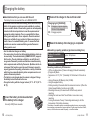
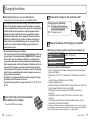
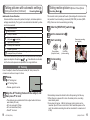
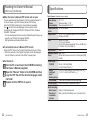
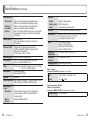
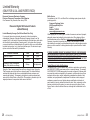
Connect the charger to the electrical outlet
The battery that can be used with this unit is DMW-BCG10PP.
It has been found that counterfeit battery packs which look very
similar to the genuine products are made available to purchase
in some markets. Some of these battery packs are not adequately
protected with internal protection to meet the requirements of
appropriate safety standards. There is a possibility that these
battery packs may lead to fire or explosion. Please be advised
that we are not liable for any accident or failure occurring as a
result of use of a counterfeit battery pack. To ensure that safe
products are used we recommend that a genuine Panasonic
battery pack is used.
••Use the dedicated charger and battery.
••The camera has a function for distinguishing batteries which can
be used safely. The dedicated battery (DMW-BCG10PP) supports
this function. The only batteries suitable for use with this unit
are genuine Panasonic products and batteries manufactured by
other companies and certified by Panasonic. (Batteries which do
not support this function cannot be used.) Panasonic cannot in
any way guarantee the quality, performance or safety of batteries
which have been manufactured by other companies and are not
genuine Panasonic products.
••The battery is not charged when the camera is shipped. Charge
the battery and set the clock before use.
••Charge the battery with the charger indoors (10 °C - 30 °C (50 °F 86 °F)).
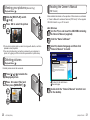
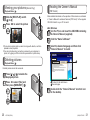
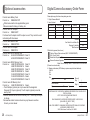
Insert the battery terminals and attach
the battery to the charger
Ensure [LUMIX] faces outwards.
10
VQT3H25 (ENG)
1
2
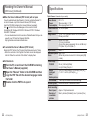
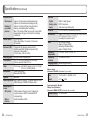
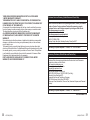
Charging light ([CHARGE])
On:C
harging in progress (approx.
130 min. if fully depleted)
Off: Charging complete
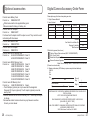
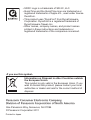
Detach the battery after charging is completed
■■Recording capacity guidelines (pictures/recording time)
Number of recordable
pictures
Recording time
Playback time
Approx. 340 pictures
Approx. 170 min
Approx. 300 min
Recording conditions by CIPA standard
••CIPA is an abbreviation of [Camera & Imaging Products Association].
••[Program AE] Mode.
••Temperature: 23 °C (73.4 °F)/Humidity: 50 %RH when LCD monitor is
on.
••Using a Panasonic SD Memory Card (32 MB).
••Using the supplied battery.
••Starting recording 30 seconds after the camera is turned on. (When the
Optical Image Stabilizer function is set to [ON].)
••Recording once every 30 seconds with full flash every second
recording.
••Rotating the zoom lever from Tele to Wide or vice versa in every
recording.
••Turning the camera off every 10 recordings and leaving it until the
temperature of the battery decreases.
The number of recordable pictures or available operating time may vary according
to surrounding environment and usage conditions. Figures may be reduced if flash,
zoom, or other functions are used frequently, or in colder climates.
(ENG) VQT3H25
11