1
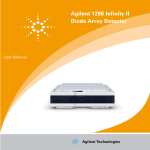
Agilent 1200 Infinity Series
Diode Array Detectors
User Manual
Agilent Technologies
Notices
© Agilent Technologies, Inc. 2010-2011,
2012, 2013
No part of this manual may be reproduced
in any form or by any means (including electronic storage and retrieval or translation
into a foreign language) without prior agreement and written consent from Agilent
Technologies, Inc. as governed by United
States and international copyright laws.
Manual Part Number
G4212-90013
Edition
02/2013
Printed in Germany
Agilent Technologies
Hewlett-Packard-Strasse 8
76337 Waldbronn
This product may be used as a component of an in vitro diagnostic system if the system is registered with
the appropriate authorities and complies with the relevant regulations.
Otherwise, it is intended only for general laboratory use.
Warranty
The material contained in this document is provided “as is,” and is subject to being changed, without notice,
in future editions. Further, to the maximum extent permitted by applicable
law, Agilent disclaims all warranties,
either express or implied, with regard
to this manual and any information
contained herein, including but not
limited to the implied warranties of
merchantability and fitness for a particular purpose. Agilent shall not be
liable for errors or for incidental or
consequential damages in connection
with the furnishing, use, or performance of this document or of any
information contained herein. Should
Agilent and the user have a separate
written agreement with warranty
terms covering the material in this
document that conflict with these
terms, the warranty terms in the separate agreement shall control.
receive no greater than Restricted Rights as
defined in FAR 52.227-19(c)(1-2) (June
1987). U.S. Government users will receive
no greater than Limited Rights as defined in
FAR 52.227-14 (June 1987) or DFAR
252.227-7015 (b)(2) (November 1995), as
applicable in any technical data.
Safety Notices
CAUTION
A CAUTION notice denotes a
hazard. It calls attention to an
operating procedure, practice, or
the like that, if not correctly performed or adhered to, could
result in damage to the product
or loss of important data. Do not
proceed beyond a CAUTION
notice until the indicated conditions are fully understood and
met.
Technology Licenses
The hardware and/or software described in
this document are furnished under a license
and may be used or copied only in accordance with the terms of such license.
Restricted Rights Legend
If software is for use in the performance of a
U.S. Government prime contract or subcontract, Software is delivered and licensed as
“Commercial computer software” as
defined in DFAR 252.227-7014 (June 1995),
or as a “commercial item” as defined in FAR
2.101(a) or as “Restricted computer software” as defined in FAR 52.227-19 (June
1987) or any equivalent agency regulation
or contract clause. Use, duplication or disclosure of Software is subject to Agilent
Technologies’ standard commercial license
terms, and non-DOD Departments and
Agencies of the U.S. Government will
WA R N I N G
A WARNING notice denotes a
hazard. It calls attention to an
operating procedure, practice,
or the like that, if not correctly
performed or adhered to, could
result in personal injury or
death. Do not proceed beyond a
WARNING notice until the indicated conditions are fully understood and met.
Agilent 1200 Infinity Series DAD User Manual
In This Book
In This Book
This manual covers
• the Agilent 1290 Infinity Diode Array Detector (G4212A) and
• the Agilent 1260 Infinity Diode Array Detector (G4212B).
Find information on other Agilent Diode Array Detectors in separate manuals.
1 Introduction
This chapter gives an introduction to the detector and an instrument overview.
2 Site Requirements and Specifications
This chapter provides information on environmental requirements, physical
and performance specifications.
3 Installing the Module
This chapter provides information on unpacking, checking on completeness,
stack considerations and installation of the module.
4 Using the Module
This chapter provides information on how to set up the module for an analysis
and explains the basic settings.
5 Optimizing the Detector
This chapter provides information on how to optimize the detector.
6 Troubleshooting and Diagnostics
Overview about the troubleshooting and diagnostic features.
7 Error Information
This chapter describes the meaning of error messages, and provides
information on probable causes and suggested actions how to recover from
error conditions.
Agilent 1200 Infinity Series DAD User Manual
3
In This Book
8 Test Functions and Calibration
This chapter describes the tests for the module.
9 Maintenance
This chapter describes the maintenance of the module.
10 Parts and Materials for Maintenance
This chapter provides information on parts for maintenance.
11 Identifying Cables
This chapter provides information on cables used with the Agilent 1260
Infinity/1290 Infinity LC modules.
12 Hardware Information
This chapter describes the detector in more detail on hardware and
electronics.
13 LAN Configuration
This chapter provides information on connecting the module to the Agilent
ChemStation PC.
14 Appendix
This chapter provides addition information on safety, legal and web.
4
Agilent 1200 Infinity Series DAD User Manual
Contents
Contents
1 Introduction
9
Overview of the Module
Optical System 11
Bio-inert Materials 17
10
2 Site Requirements and Specifications
19
Site Requirements 20
Physical Specifications 23
Performance Specifications 24
3 Installing the Module
29
Unpacking the Module 30
Optimizing the Stack Configuration 32
Installing the Detector 41
Flow Connections to the Detector 44
Initial Recalibration 48
4 Using the Module
49
Preparing the Detector 50
Setting up the Detector with Agilent ChemStation 51
Main Screens of the Detector with Agilent Instant Pilot (G4208A)
Solvent Information 73
5 Optimizing the Detector
77
Introduction 78
Optimization Overview 79
Optimizing for Sensitivity, Selectivity, Linearity and Dispersion
Optimizing Selectivity 96
Optimizing the Detector Regarding to the System 100
Warm up of the Detector 107
Agilent 1200 Infinity Series DAD User Manual
69
85
5
Contents
6 Troubleshooting and Diagnostics
109
Overview of the Module’s Indicators and Test Functions 110
Status Indicators 111
Available Tests vs User Interfaces 113
Agilent Lab Advisor Software 114
Intermittent Issues 115
Board Type does not match when replacing the main board 116
7 Error Information
117
What Are Error Messages 118
General Error Messages 119
Detector Error Messages 126
8 Test Functions and Calibration
133
Introduction 134
Use of Max-Light Cartridge Test Cell
Conditions of Detector 136
Failing a Test 137
Self-Test 138
Intensity Test 140
Cell Test 143
Quick Noise Test 145
ASTM Drift and Noise Test 148
Slit Test 151
Wavelength Verification Test 154
Wavelength Calibration 156
D/A Converter (DAC) Test 159
Dark Current Test 161
9 Maintenance
135
163
Warnings and Cautions 164
Introduction to Maintenance 166
Overview of Maintenance 167
Cleaning the Module 168
Replacing the Deuterium Lamp 169
Replacing the Max-Light Cartridge Cell 173
Cleaning of Max-Light Cartridge Cell 178
6
Agilent 1200 Infinity Series DAD User Manual
Contents
Storage of Max-Light Cartridge Cell 179
Drying the Leak Sensor 180
Replacing Leak Handling System Parts 181
Replacing Module Firmware 183
Information from Module’s Assemblies 185
10 Parts and Materials for Maintenance
Overview of Maintenance Parts
Kits 190
11 Identifying Cables
187
188
191
Cable Overview 192
Analog Cables 194
Remote Cables 196
BCD Cables 199
CAN/LAN Cables 201
RS-232 Cables 202
12 Hardware Information
203
Firmware Description 204
Electrical Connections 207
Interfaces 210
Setting the 8-bit Configuration Switch
Instrument Layout 220
Early Maintenance Feedback 221
13 LAN Configuration
217
223
What You Have to Do First 224
TCP/IP parameter configuration 225
Configuration Switch 226
Initialization mode selection 227
Dynamic Host Configuration Protocol (DHCP)
Link configuration selection 234
Automatic Configuration with BootP 235
Manual Configuration 245
PC and Agilent ChemStation Setup 251
Agilent 1200 Infinity Series DAD User Manual
231
7
Contents
14 Appendix
261
Safety 262
The Waste Electrical and Electronic Equipment Directive
Radio Interference 267
Sound Emission 268
Solvent Information 269
Agilent Technologies on Internet 270
8
266
Agilent 1200 Infinity Series DAD User Manual
Agilent 1200 Infinity Series DAD User Manual
1
Introduction
Overview of the Module
10
Optical System 11
Lamp 12
Max-Light Cartridge Flow Cell
Slit Assembly 14
Grating and Diode Array 16
Bio-inert Materials
13
17
This chapter gives an introduction to the detector and an instrument overview.
Agilent Technologies
9
1
Introduction
Overview of the Module
Overview of the Module
The detector is designed for highest optical performance, GLP compliance and
easy maintenance. It includes the following features:
• Maximum of 160 Hz (G4212A) or 80 Hz (G4212B) data acquisition rate.
• Higher sensitivity for conventional LC as well as ultra fast applications by
using next generation optical design.
• Increased sensitivity with 60 mm Max-Light cartridge flow cell.
• Optimized cell geometry for less peak dispersion for narrow bore
applications.
• Max-Light cartridge flow cells for standard and bio-inert applications are
available.
• More reliable and robust peak integration process (automated) due to less
baseline noise/drift/refractive index and thermal effects especially under
ultra fast gradient conditions.
• RFID tracking technology is used for the UV-lamp and the Max-Light
cartridge flow cells.
• Multiple wavelength and full spectral detection at 160 Hz (G4212A)/80 Hz
(G4212B) sampling rate, keeping up with the analysis speed of ultra-fast
LC.
• Programmable 1 – 8 nm slit (G4212A) or fixed 4 nm slit (G4212B) for rapid
optimization of sensitivity, linearity and spectral resolution provides
optimum incident light conditions.
• Improved Electronic temperature control (ETC) provides maximum
baseline stability and practical sensitivity under fluctuating ambient
temperature and humidity conditions.
• Additional diagnostic signals for temperature and lamp voltage monitoring.
• Easy exchange of flow cell by cartridge design.
For specifications, see “Performance Specifications G4212A” on page 24 or
“Performance Specifications G4212B” on page 26.
10
Agilent 1200 Infinity Series DAD User Manual
Introduction
Optical System
1
Optical System
The optical system of the detector is shown in Figure 1 on page 11.
Figure 1
Optical System of the Detector
1
UV-lamp
2
Lamp mirror
3
Flow cell
4
Fold mirror
5
Programmable (G4212A) or Fixed (G4212B) slit
6
Grating
7
Array
The illumination source is a deuterium-arc-discharge lamp [1] for the
ultraviolet (UV) wavelength range. Its light is focused by a lamp mirror [2]
onto the entrance of the Max-light cartridge flow cell [3] with optofluidic
waveguides. The light leaves the Max-light cartridge flow cell at the other side
and is focused by the fold mirror [4] through the slit assembly [5] onto a
holographic grating [6] light being dispersed onto the diode array [7]. This
allows simultaneous access to all wavelength information.
Agilent 1200 Infinity Series DAD User Manual
11
1
Introduction
Optical System
Lamp
The light source for the UV-wavelength range is a long-life UV-lamp with RFID
tag. As a result of plasma discharge in low-pressure deuterium gas, the lamp
emits light over the 190 nm to approximately 800 nm wavelength range.
Figure 2
12
UV-Lamp
Agilent 1200 Infinity Series DAD User Manual
Introduction
Optical System
1
Max-Light Cartridge Flow Cell
The detector allows easy access to flow cells via a cartridge. A variety of
optional flow cells can be inserted using the same quick, simple mounting
system.
Max-Light Cartridge Flow Cells for standard and bio-inert applications are
available. For testing of the detector, a Max-Light Cartridge Test Cell is
available.
p/n
Description
G4212-60008
Max-Light Cartridge Cell (10 mm, V(σ) 1.0 µL)
G4212-60007
Max-Light Cartridge Cell (60 mm, V(σ) 4.0 µL)
G5615-60018
Max-Light Cartridge Cell Bio-inert (10 mm, V(σ) 1.0 µL)
includes Peek Capillary 1.5 m i.d. 0.18 mm (0890-1763) and PEEK Fittings 10/PK (5063-6591)
G5615-60017
Max-Light Cartridge Cell Bio-inert (60 mm, V(σ) 4.0 µL)
includes Peek Capillary 1.5 m i.d. 0.18 mm (0890-1763) and PEEK Fittings 10/PK (5063-6591)
G4212-60032
HDR Max-Light Cartridge Cell (3.7 mm, V(σ) 0.4 µL)
G4212-60038
ULD Max-Light Cartridge Cell (10 mm, V(σ) 0.6 µL)
G4212-60011
Max-Light Cartridge Test Cell
The optical principle of the Max-Light Cartridge cell is based on opto-fluidic
waveguides. Nearly 100 % light transmission is achieved by utilizing total
internal reflection in a non-coated silica fiber. Compromising refractive index
and thermal effects are almost completely eliminated, resulting in significantly
less baseline drift.
Figure 3
NOTE
Max-Light Cartridge Flow Cell
For additional information on the Max-Light Cartridge flow cell refer to “Choosing a Flow
Cell” on page 80 and “Inline Pressure Relief Valve Kit (G4212-68001)” on page 82.
Agilent 1200 Infinity Series DAD User Manual
13
1
Introduction
Optical System
Slit Assembly
Programmable Slit (G4212A)
The micro-slit system makes use of the mechanical properties of silicon
combined with the precise structuring capabilities of bulk micro-machining. It
combines the required optical functions — slit and shutter — in a simple and
compact component. The slit width is directly controlled by the
micro-processor of the instrument and can be set as method parameter.
Figure 4
Slit Assembly
The slit width influences the spectral resolution and noise.
14
Agilent 1200 Infinity Series DAD User Manual
1
Introduction
Optical System
Figure 5
Influence of slitwidth on resolution and noise level
Fixed Slit (G4212B)
The fixed slit combines the required optical functions - slit and shutter - in a
simple and compact component. The slit width is directly controlled by the
micro-processor of the instrument and is fixed to 4 nm.
NOTE
In March 2011 the optical unit type of the G4212B DAD changed from "Programmable Slit
(like in the G4212A) fixed to 4 nm" to a real "Fixed Slit 4 nm". First serial number was
DEAA301100.
Agilent 1200 Infinity Series DAD User Manual
15
1
Introduction
Optical System
Grating and Diode Array
The combination of dispersion and spectral imaging is accomplished by using
a concave holographic grating. The grating separates the light beam into all its
component wavelengths and reflects the light onto the photodiode array.
The diode array is a series of 1024 individual photodiodes and control circuits
located on a ceramic carrier. It has a wavelength range from 190 – 640 nm and
the sampling interval is ∼0.5 nm.
Figure 6
16
Grating and diode array
Agilent 1200 Infinity Series DAD User Manual
Introduction
Bio-inert Materials
1
Bio-inert Materials
For the Agilent 1260 Infinity Bio-inert LC system, Agilent Technologies uses
highest quality materials in the flow path (also referred to as wetted parts),
which are widely accepted by life scientists, as they are known for optimum
inertness to biological samples and ensure best compatibility with common
samples and solvents over a wide pH range. Explicitly, the complete flow path
is free of stainless steel and free of other alloys containing metals such as iron,
nickel, cobalt, chromium, molybdenum or copper, which can interfere with
biological samples. The flow downstream of the sample introduction contains
no metals whatsoever.
Max-Light Cartridge Cell Bio-inert ( 60 mm, V(σ) 4.0 μL) (G5615-60017) and
Max-Light Cartridge Cell Bio-inert ( 10 mm, V(σ) 1.0 μL) (G5615-60018) offer
highest sensitivity for bio-inert reverse phase applications. Please note that at
low salt SEC or ion exchange chromatography potentially peak tailing might
occur, and therefore for these applications the universal Bio-inert DAD
(G1315C or D) or MWD (G1365C or D) is recommended.
Table 1
Bio-inert materials used in Agilent 1260 Infinity Systems
Module
Materials
Agilent 1260 Infinity Bio-inert Quaternary Pump
(G5611A)
Titanium, gold, platinum-iridium,
ceramic, ruby, PTFE, PEEK
Agilent 1260 Infinity Bio-inert High-Performance Autosampler Upstream of sample introduction:
(G5667A)
• Titanium, gold, PTFE, PEEK,
ceramic
Downstream of sample
introduction:
• PEEK, ceramic
Agilent 1260 Infinity Bio-inert Manual Injector
(G5628A)
PEEK, ceramic
Agilent 1260 Infinity Bio-inert Analytical Fraction Collector
(G5664A)
PEEK, ceramic, PTFE
Agilent 1200 Infinity Series DAD User Manual
17
1
Introduction
Bio-inert Materials
Table 1
Bio-inert materials used in Agilent 1260 Infinity Systems
Module
Materials
Bio-inert Flow Cells:
Standard flow cell bio-inert, 10 mm, 13 µL, 120 bar ( 12 MPa)
for MWD/DAD, includes Capillary Kit Flow Cells BIO
(p/n G5615-68755) (G5615-60022)
(for Agilent 1260 Infinity Diode Array Detectors DAD
G1315C/D)
PEEK, ceramic, sapphire, PTFE
Max-Light Cartridge Cell Bio-inert ( 10 mm, V(σ) 1.0 µL)
(G5615-60018) and
Max-Light Cartridge Cell Bio-inert ( 60 mm, V(σ) 4.0 µL)
(G5615-60017)
(for Agilent 1200 Infinity Series Diode Array Detectors DAD
G4212A/B)
PEEK, fused silica
Bio-inert flow cell, 8 µL, 20 bar (pH 1–12) includes Capillary Kit PEEK, fused silica, PTFE
Flow Cells BIO (p/n G5615-68755) (G5615-60005)
(for Agilent 1260 Infinity Fluorescence Detector FLD G1321B)
Bio-inert heat-exchanger G5616-60050
PEEK (steel-cladded)
(for Agilent 1290 Infinity Thermostatted Column Compartment
G1316C)
Bio-inert Valve heads
G4235A, G5631A, G5639A: PEEK,
ceramic (Al2O3 based)
Bio-inert Connection capillaries
Upstream of sample introduction:
• Titanium
Downstream of sample
introduction:
• Agilent uses
stainless-steel-cladded PEEK
capillaries, which keep the flow
path free of steel and provide
pressure stability to more than
600 bar.
NOTE
18
To ensure optimum bio-compatibility of your Agilent 1260 Infinity Bio-inert LC system, do
not include non-inert standard modules or parts to the flow path. Do not use any parts that
are not labeled as Agilent “Bio-inert”. For solvent compatibility of these materials, see
“Solvent information for parts of the 1260 Infinity Bio-inert LC system” on page 73.
Agilent 1200 Infinity Series DAD User Manual
Agilent 1200 Infinity Series DAD User Manual
2
Site Requirements and Specifications
Site Requirements
20
Physical Specifications
23
Performance Specifications 24
Specifications 24
Specification Conditions 28
This chapter provides information on environmental requirements, physical and
performance specifications.
Agilent Technologies
19
2
Site Requirements and Specifications
Site Requirements
Site Requirements
A suitable environment is important to ensure optimal performance of the
module.
Power Consideration
The module power supply has wide ranging capabilities and accepts any line
voltage in the range mentioned in Table 2 on page 23. Consequently, there is
no voltage selector in the rear of the module. There are also no externally
accessible fuses, because automatic electronic fuses are implemented in the
power supply.
WA R N I N G
Module is partially energized when switched off, as long as the power cord is
plugged in.
Repair work at the module can lead to personal injuries, e.g. shock hazard, when the
cover is opened and the module is connected to power.
➔ Make sure that it is always possible to access the power plug.
➔ Remove the power cable from the instrument before opening the cover.
➔ Do not connect the power cable to the Instrument while the covers are removed.
WA R N I N G
Incorrect line voltage at the module
Shock hazard or damage of your instrument can result if the devices are connected
to line voltage higher than specified.
➔ Connect your module to the specified line voltage.
CAUTION
Inaccessible power plug.
In case of emergency it must be possible to disconnect the instrument from the power
line at any time.
➔ Make sure the power connector of the instrument can be easily reached and
unplugged.
➔ Provide sufficient space behind the power socket of the instrument to unplug the
cable.
20
Agilent 1200 Infinity Series DAD User Manual
2
Site Requirements and Specifications
Site Requirements
Power Cords
Different power cords are offered as options with the module. The female end
of all power cords is identical. It plugs into the power-input socket at the rear.
The male end of each power cord is different and designed to match the wall
socket of a particular country or region.
WA R N I N G
Absence of ground connection or use of unspecified power cord
The absence of ground connection or the use of unspecified power cord can lead to
electric shock or short circuit.
➔ Never operate your instrumentation from a power outlet that has no ground
connection.
➔ Never use a power cord other than the Agilent Technologies power cord designed
for your region.
WA R N I N G
Use of unsupplied cables
Using cables not supplied by Agilent Technologies can lead to damage of the
electronic components or personal injury.
➔ Never use cables other than the ones supplied by Agilent Technologies to ensure
proper functionality and compliance with safety or EMC regulations.
WA R N I N G
Unintended use of supplied power cords
Using power cords for unintended purposes can lead to personal injury or damage of
electronic equipment.
➔ Never use the power cords that Agilent Technologies supplies with this instrument
for any other equipment.
Agilent 1200 Infinity Series DAD User Manual
21
2
Site Requirements and Specifications
Site Requirements
Bench Space
The module dimensions and weight (see Table 2 on page 23) allow you to place
the module on almost any desk or laboratory bench. It needs an additional
2.5 cm (1.0 inches) of space on either side and approximately 8 cm
(3.1 inches) in the rear for air circulation and electric connections.
If the bench shall carry a complete HPLC system, make sure that the bench is
designed to bear the weight of all modules.
The module should be operated in a horizontal position.
Environment
Your module will work within the specifications at ambient temperatures and
relative humidity described in Table 2 on page 23.
ASTM drift tests require a temperature change below 2 °C/hour (3.6 F/hour)
over one hour period. Our published drift specification (refer also to
“Specifications” on page 24) is based on these conditions. Larger ambient
temperature changes will result in larger drift.
Better drift performance depends on better control of the temperature
fluctuations. To realize the highest performance, minimize the frequency and
the amplitude of the temperature changes to below 1 °C/hour (1.8 F/hour).
Turbulences around one minute or less can be ignored.
CAUTION
Condensation within the module
Condensation will damage the system electronics.
➔ Do not store, ship or use your module under conditions where temperature
fluctuations could cause condensation within the module.
➔ If your module was shipped in cold weather, leave it in its box and allow it to warm
slowly to room temperature to avoid condensation.
NOTE
22
This module is designed to operate in a typical electromagnetic environment, i.e. where RF
transmitters such as mobile telephones may not be used in close proximity.
Agilent 1200 Infinity Series DAD User Manual
2
Site Requirements and Specifications
Physical Specifications
Physical Specifications
Table 2
Physical Specifications
Type
Specification
Weight
11.5 kg (26 lbs)
Dimensions
(height × width × depth)
140 x 345 x 435 mm
(5.5 x 13.5 x 17 inches)
Line voltage
100 – 240 VAC, ± 10 %
Line frequency
50 or 60 Hz, ± 5 %
Power consumption
160 VA / 130 W / 444 BTU
Ambient operating
temperature
4–40 °C (39–104 °F)
Ambient non-operating
temperature
-40 – 70 °C (-40 – 158 °F)
Humidity
< 80 % r.h. at 40 °C (104 °F)
Operating altitude
Up to 2000 m (6562 ft)
Non-operating altitude
Up to 4600 m (15091 ft)
For storing the module
Safety standards:
IEC, CSA, UL
Installation category II, Pollution degree 2
For indoor use only.
Agilent 1200 Infinity Series DAD User Manual
Comments
Wide-ranging
capability
Maximum
Non-condensing
23
2
Site Requirements and Specifications
Performance Specifications
Performance Specifications
Specifications
Performance Specifications G4212A
Table 3
Performance Specifications G4212A
Type
Specification
Detection type
1024-element photodiode array
Light source
Deuterium lamp
Wavelength range
190 – 640 nm
Short term noise
(ASTM) Single and
Multi-Wavelength
< ± 3 × 10⁻⁶ AU at 230 nm/4 nm, with 10 mm Max-Light
cartridge cell
Typically < ± 0.6 × 10⁻⁶ AU/cm at 230 nm/4 nm, with 60 mm
Max-Light cartridge cell
see "Specification Conditions"
below
Drift
< 0.5 × 10⁻³ AU/hr at 230 nm
see "Specification Conditions"
below
Linear absorbance
range
> 2.0 AU (5 %) at 265 nm
see "Specification Conditions"
below
Wavelength
accuracy
± 1 nm
After recalibration with
deuterium lines
Wavelength
bunching
2 – 400 nm
Programmable in steps of 1 nm
Slit width
1, 2, 4, 8 nm
Programmable slit
Diode width
~ 0.5 nm
Signal data rate
up to 160 Hz
Spectra Data rate
up to 160 Hz
24
Comments
Equipped with RFID tag that holds
lamp typical information.
Agilent 1200 Infinity Series DAD User Manual
Site Requirements and Specifications
Performance Specifications
Table 3
2
Performance Specifications G4212A
Type
Specification
Comments
Flow cells
Max-Light Cartridge Cell ( 10 mm, V(σ) 1.0 µL) (G4212-60008),
Max-Light Cartridge Cell ( 60 mm, V(σ) 4.0 µL) (G4212-60007),
HDR Max-Light Cartridge Cell ( 3.7 mm, V(σ) 0.4 µL)
(G4212-60032)
ULD Max-Light Cartridge Cell ( 10 mm, V(σ) 0.6 µL)
(G4212-60038)
Max-Light Cartridge Cell Bio-inert ( 10 mm, V(σ) 1.0 µL)
(G5615-60018)
Max-Light Cartridge Cell Bio-inert ( 60 mm, V(σ) 4.0 µL)
(G5615-60017)
Max-Light Cartridge Test Cell (G4212-60011)
70 bar (1015 psi) Maximum
Operating Pressure (MOP)1
150 bar (2175 psi) Maximum
Incidential Pressure (MIP)2
pH range 1.0 —12.5 (solvent
dependent) available as standard
and bio-inert versions.
Cartridge type, equipped with
RFID tags that holds cell typical
information.
Local Control
Agilent Instant Pilot (G4208A)
B.02.11 or above
Test and
troubleshooting
software
Agilent LabAdvisor
B.01.03 SP4 or above
Analog outputs
Recorder/integrator: 100 mV or 1 V, output range
0.001 – 2 AU, one output
Communications
Controller-area network (CAN), RS-232C, APG Remote: ready,
start, stop and shut-down signals, LAN
Safety and
maintenance
Extensive support for troubleshooting and maintenance is
provided by the Instant Pilot, Agilent Lab Advisor, and the
Chromatography Data System. Safety-related features are leak
detection, safe leak handling, leak output signal for shutdown
of pumping system, and low voltages in major maintenance
areas.
GLP features
Early maintenance feedback (EMF) for continuous tracking of
instrument usage in terms of lamp burn time with user-setable
limits and feedback messages. Electronic records of
maintenance and errors. Verification of wavelength accuracy
with the emission lines of the deuterium lamp.
Housing
All materials recyclable.
1
Maximum Operating Pressure (MOP): The maximum pressure at which the system can operate continuously under normal
conditions.
2
Maximum Incidential Pressure (MIP): The maximum pressure which the system can experience during a short time.
Agilent 1200 Infinity Series DAD User Manual
25
2
Site Requirements and Specifications
Performance Specifications
Performance Specifications G4212B
Table 4
Performance Specifications G4212B
Type
Specification
Detection type
1024-element photodiode array
Light source
Deuterium lamp
Wavelength range
190 – 640 nm
Short term noise
(ASTM) Single and
Multi-Wavelength
< ± 3 × 10⁻⁶ AU at 230 nm/4 nm, with 10 mm Max-Light
cartridge cell
Typically < ± 0.6 × 10⁻⁶ AU/cm at 230 nm/4 nm, with 60 mm
Max-Light cartridge cell
see "Specification Conditions"
below
Drift
< 0.5 × 10⁻³ AU/hr at 230 nm
see "Specification Conditions"
below
Linear absorbance
range
> 2.0 AU (5 %) at 265 nm
see "Specification Conditions"
below
Wavelength
accuracy
± 1 nm
After recalibration with
deuterium lines
Wavelength
bunching
2 – 400 nm
Programmable in steps of 1 nm
Slit width
4 nm
Fixed slit
Diode width
~ 0.5 nm
Signal data rate
80 Hz
Spectra Data rate
80 Hz
26
Comments
Equipped with RFID tag that holds
lamp typical information.
Agilent 1200 Infinity Series DAD User Manual
Site Requirements and Specifications
Performance Specifications
Table 4
2
Performance Specifications G4212B
Type
Specification
Comments
Flow cells
Max-Light Cartridge Cell ( 10 mm, V(σ) 1.0 µL) (G4212-60008),
Max-Light Cartridge Cell ( 60 mm, V(σ) 4.0 µL) (G4212-60007),
HDR Max-Light Cartridge Cell ( 3.7 mm, V(σ) 0.4 µL)
(G4212-60032)
ULD Max-Light Cartridge Cell ( 10 mm, V(σ) 0.6 µL)
(G4212-60038)
Max-Light Cartridge Cell Bio-inert ( 10 mm, V(σ) 1.0 µL)
(G5615-60018)
Max-Light Cartridge Cell Bio-inert ( 60 mm, V(σ) 4.0 µL)
(G5615-60017)
Max-Light Cartridge Test Cell (G4212-60011)
70 bar (1015 psi) Maximum
Operating Pressure (MOP)1
150 bar (2175 psi) Maximum
Incidential Pressure (MIP)2
pH range 1.0 —12.5 (solvent
dependent) available as standard
and bio-inert versions.
Cartridge type, equipped with
RFID tags that holds cell typical
information.
Local Control
Agilent Instant Pilot (G4208A)
B.02.11 or above
Test and
troubleshooting
software
Agilent LabAdvisor
B.01.03 SP4 or above
Analog outputs
Recorder/integrator: 100 mV or 1 V, output range
0.001 – 2 AU, one output
Communications
Controller-area network (CAN), RS-232C, APG Remote: ready,
start, stop and shut-down signals, LAN
Safety and
maintenance
Extensive support for troubleshooting and maintenance is
provided by the Instant Pilot, Agilent Lab Advisor, and the
Chromatography Data System. Safety-related features are leak
detection, safe leak handling, leak output signal for shutdown
of pumping system, and low voltages in major maintenance
areas.
GLP features
Early maintenance feedback (EMF) for continuous tracking of
instrument usage in terms of lamp burn time with user-setable
limits and feedback messages. Electronic records of
maintenance and errors. Verification of wavelength accuracy
with the emission lines of the deuterium lamp.
Housing
All materials recyclable.
1
Maximum Operating Pressure (MOP): The maximum pressure at which the system can operate continuously under normal
conditions.
2
Maximum Incidential Pressure (MIP): The maximum pressure which the system can experience during a short time.
Agilent 1200 Infinity Series DAD User Manual
27
2
Site Requirements and Specifications
Performance Specifications
Specification Conditions
ASTM: “Standard Practice for Variable Wavelength Photometric Detectors
Used in Liquid Chromatography”.
Reference conditions:
• Wavelength: 230 nm/4 nm with Reference Wavelength 360 nm/100 nm,
Slitwidth 4 nm, TC 2 s, (or with RT = 2.2 * TC), ASTM
• Max-Light Cartridge Cell ( 10 mm, V(σ) 1.0 μL) (G4212-60008) with flow of
0.5 mL/min LC grade water or Max-Light Cartridge Test Cell (G4212-60011)
Linearity:
Linearity is measured with caffeine at 265 nm/4 nm with slit width 4 nm and
TC 1 s (or with RT 2 s) with Max-Light Cartridge Cell ( 10 mm, V(σ) 1.0 μL)
(G4212-60008) > 2.0 AU (5 %) [ typical 2.5 AU (5 %) ].
NOTE
The specifications are based on the standard RFID tag lamp (5190-0917) and may be not
achieved when other lamp types or aged lamps are used.
ASTM drift tests require a temperature change below 2 °C/hour (3.6 F/hour)
over one hour period. Our published drift specification is based on these
conditions. Larger ambient temperature changes will result in larger drift.
Better drift performance depends on better control of the temperature
fluctuations. To realize the highest performance, minimize the frequency and
the amplitude of the temperature changes to below 1 °C/hour (1.8 F/hour).
Turbulences around one minute or less can be ignored.
Performance tests should be done with a completely warmed up optical unit (>
two hours). ASTM measurements require that the detector should be turned
on at least 24 h before start of testing.
Time Constant versus Response Time
According to ASTM E1657-98 „Standard Practice of Testing
Variable-Wavelength Photometric Detectors Used in Liquid Chromatography”
the time constant is converted to response time by multiplying by the factor
2.2.
28
Agilent 1200 Infinity Series DAD User Manual
Agilent 1200 Infinity Series DAD User Manual
3
Installing the Module
Unpacking the Module 30
Damage to the module 30
Delivery Checklist 31
Detector Accessory Kit Contents
Optimizing the Stack Configuration
One Stack Configuration 33
Two Stack Configuration 37
Installing the Detector
32
41
Flow Connections to the Detector
Initial Recalibration
31
44
48
This chapter provides information on unpacking, checking on completeness,
stack considerations and installation of the module.
Agilent Technologies
29
3
Installing the Module
Unpacking the Module
Unpacking the Module
Damage to the module
Damaged Packaging
If the delivery packaging shows signs of external damage, please call your
Agilent Technologies sales and service office immediately. Inform your service
representative that the instrument may have been damaged during shipment.
CAUTION
"Defective on arrival" problems
If there are signs of damage, please do not attempt to install the module. Inspection by
Agilent is required to evaluate if the instrument is in good condition or damaged.
➔ Notify your Agilent sales and service office about the damage.
➔ An Agilent service representative will inspect the instrument at your site and
initiate appropriate actions.
Condensation
CAUTION
Condensation within the module
Condensation will damage the system electronics.
➔ Do not store, ship or use your module under conditions where temperature
fluctuations could cause condensation within the module.
➔ If your module was shipped in cold weather, leave it in its box and allow it to warm
slowly to room temperature to avoid condensation.
30
Agilent 1200 Infinity Series DAD User Manual
3
Installing the Module
Unpacking the Module
Delivery Checklist
Ensure all parts and materials have been delivered with the module. The
delivery checklist is shown below. Please report missing or damaged parts to
your local Agilent Technologies sales and service office.
Table 5
Detector Checklist
Description
Quantity
Detector
1
Power cable
1
Cross-over network cable
1
Twisted pair network cable
1
Max-Light Cartridge Cell (as ordered)
1
User Manual
on Documentation CD (part of the
shipment - not module specific)
Accessory kit
1
Detector Accessory Kit Contents
Detector Accessory Kit Contents (p/n G4212-68755)
p/n
Description
5062-2462
PTFE Tubing flexible i.d. 0.8 mm, o.d. 1.6 mm, 2 m, re-order 5 m (flow cell
to waste)
5063-6527
Tubing assembly, i.d. 6 mm, o.d. 9 mm, 1.2 m (to waste)
5042-9967
Tubing clip (set of 5 clips)
0100-1516
Fitting male PEEK, 2/pk
5067-4660
Inlet Capillary SST 0.12 mm I.D., 220 mm long
5181-1516
CAN cable, Agilent module to module, 0.5 m
Agilent 1200 Infinity Series DAD User Manual
31
3
Installing the Module
Optimizing the Stack Configuration
Optimizing the Stack Configuration
If your module is part of a complete Agilent 1260 Infinity/1290 Infinity LC
System, you can ensure optimum performance by installing the following
configurations. These configurations optimize the system flow path, ensuring
minimum delay volume.
For other possible configurations, please refer to the Agilent 1260
Infinity/1290 Infinity LC System Manual.
32
Agilent 1200 Infinity Series DAD User Manual
Installing the Module
Optimizing the Stack Configuration
3
One Stack Configuration
One Stack Configuration for Agilent 1260 Infinity LC
Ensure optimum performance by installing the modules of the Agilent 1260
Infinity LC System in the following configuration (See Figure 7 on page 33 and
Figure 8 on page 34). This configuration optimizes the flow path for minimum
delay volume and minimizes the bench space required.
HdakZciXVW^cZi
KVXjjbYZ\VhhZg
Ejbe
>chiVciE^adi
6jidhVbeaZg
8dajbcXdbeVgibZci
9ZiZXidg
Figure 7
Recommended Stack Configuration for 1260 Infinity (Front View)
Agilent 1200 Infinity Series DAD User Manual
33
3
Installing the Module
Optimizing the Stack Configuration
GZbdiZXVWaZ
86C7jhXVWaZid
>chiVciE^adi
68edlZg
86C7jhXVWaZ
6cVad\YZiZXidg
h^\cVa
&dg'djiejih
eZgYZiZXidg
A6CidA88]ZbHiVi^dc
adXVi^dcYZeZcYhdcYZiZXidg
Figure 8
34
Recommended Stack Configuration for 1260 Infinity (Rear View)
Agilent 1200 Infinity Series DAD User Manual
Installing the Module
Optimizing the Stack Configuration
3
One Stack Configuration for Agilent 1290 Infinity LC
Ensure optimum performance by installing the modules of the Agilent 1290
Infinity Binary LC System in the following configuration (See Figure 9 on
page 35 and Figure 10 on page 36). This configuration optimizes the flow path
for minimum delay volume and minimizes the bench space required.
The Agilent 1290 Infinity Binary Pump should always be installed at the
bottom of the stack.
>chiVciE^adi
HdakZciXVW^cZi
9ZiZXidg
8dajbcXdbeVgibZci
6jidhVbeaZg
Ejbe
Figure 9
Recommended stack configuration for 1290 Infinity with binary pump (front view)
Agilent 1200 Infinity Series DAD User Manual
35
3
Installing the Module
Optimizing the Stack Configuration
A6CidA88]ZbHiVi^dc
86C7jhXVWaZ
id>chiVciE^adi
6cVad\YZiZXidgh^\cVa
dei^dcVa
68EdlZg
86C7jhXVWaZ
Figure 10
36
Recommended stack configuration 1290 Infinity with binary pump (rear view)
Agilent 1200 Infinity Series DAD User Manual
Installing the Module
Optimizing the Stack Configuration
3
Two Stack Configuration
Two Stack Configuration for Agilent 1260 Infinity LC
To avoid excessive height of the stack when the autosampler thermostat is
added to the system it is recommended to form two stacks. Some users prefer
the lower height of this arrangement even without the autosampler
thermostat. A slightly longer capillary is required between the pump and
autosampler. (See Figure 11 on page 37 and Figure 12 on page 38).
>chiVciE^adi
9ZiZXidg
8dajbcXdbeVgibZci
HdakZciXVW^cZi
9Z\VhhZgdei^dcVa
Ejbe
6jidhVbeaZg6AH$;gVXi^dcXdaaZXidg
I]ZgbdhiVi[dgi]Z6AH$;gVXi^dcXdaaZXidgdei^dcVa
Figure 11
Recommended Two Stack Configuration for 1260 Infinity (Front View)
Agilent 1200 Infinity Series DAD User Manual
37
3
Installing the Module
Optimizing the Stack Configuration
A6CidXdcigdahd[ilVgZ
86C7jhXVWaZ
id>chiVciE^adi
6jidhVbeaZg$;gVXi^dc
8daaZXidg8VWaZ
GZbdiZXVWaZ
86C7jhXVWaZ
68EdlZg
Figure 12
38
Recommended Two Stack Configuration for 1260 Infinity (Rear View)
Agilent 1200 Infinity Series DAD User Manual
3
Installing the Module
Optimizing the Stack Configuration
Two Stack Configuration for Agilent 1290 Infinity LC
In case the autosampler thermostat is added to the system, a two-stack
configuration is recommended, which places both heavy modules (1290
Infinity pump and thermostat) at the bottom of each stack and avoids high
stacks. Some users prefer the lower height of this arrangement even without
the autosampler thermostat. A slightly longer capillary is required between
the pump and autosampler. (See Figure 13 on page 39 and Figure 14 on
page 40).
>chiVciE^adi
9ZiZXidg
8dajbcXdbeVgibZci
HdakZciXVW^cZi
Ejbe
6jidhVbeaZg
I]ZgbdhiVi[dgi]Z6AHdei^dcVa
Figure 13
Recommended two stack configuration for 1290 Infinity with binary pump
(front view)
Agilent 1200 Infinity Series DAD User Manual
39
3
Installing the Module
Optimizing the Stack Configuration
A6CidA88]ZbHiVi^dc
86C7jhXVWaZid>chiVciE^adi
6cVad\YZiZXidgh^\cVa
dei^dcVa
86C7jhXVWaZ
I]ZgbdXVWaZ
dei^dcVa
68EdlZg
Figure 14
40
Recommended two stack configuration for 1290 Infinity with binary pump
(rear view)
Agilent 1200 Infinity Series DAD User Manual
3
Installing the Module
Installing the Detector
Installing the Detector
Parts required
#
Description
1
Detector
1
Power cord
1
LAN cable (cross-over or twisted pair network cable)
Other cables see below and section “Cable Overview” on page 192.
Software required
Instant Pilot and/or one of the following software solutions for control and data evaluation with the
appropriate revisions:
1 Agilent ChemStation for LC (B.04.02 DSP3 or above)
2 EZChrome Elite (3.3.2 SP2 or above)
3 MassHunter (B.04.00 and B.03.01 SP2 or above)
Test and diagnostic software:
• Agilent LabAdvisor (B.01.03 SP4 or above)
Preparations
Locate bench space
Provide power connections
Unpack the module
WA R N I N G
Module is partially energized when switched off, as long as the power cord is
plugged in.
Repair work at the module can lead to personal injuries, e.g. shock hazard, when the
cover is opened and the module is connected to power.
➔ Make sure that it is always possible to access the power plug.
➔ Remove the power cable from the instrument before opening the cover.
➔ Do not connect the power cable to the Instrument while the covers are removed.
Agilent 1200 Infinity Series DAD User Manual
41
3
Installing the Module
Installing the Detector
1 Note the MAC address of the LAN interface (rear of the module, under the
configuration switch, see Figure 56 on page 224). It’s required for LAN
Configuration (see Chapter "LAN Configuration").
Figure 15
Rear View of Detector – Electrical Connections and Label
2 Set the Configuration Switch according the required initialization mode
(default, fixed IP or Bootp), see Chapter "LAN Configuration".
3 Place the module in the stack, see “Optimizing the Stack Configuration” on
page 32.
4 Ensure the line power switch at the front of the module is OFF.
5 Connect the power cable to the power connector at the rear of the module.
6 Connect the CAN cable to other Agilent modules.
7 Connect the LAN cable (e.g. from an Agilent ChemStation as controller) to
the detector's LAN connector.
8 Connect the analog cable (optional).
9 Connect the APG remote cable (optional) for non-Agilent instruments.
10 Turn on power by pushing the button at the lower left hand side of the
module. The status LED should be green.
NOTE
42
The module is turned on when the line power switch is pressed and the green indicator
lamp is illuminated. The module is turned off when the line power switch is protruding and
the green light is off.
Agilent 1200 Infinity Series DAD User Manual
Installing the Module
Installing the Detector
3
NOTE
The module was shipped with default configuration settings. To change these settings see
chapter "LAN Configuration".
NOTE
After turn-on of the detector, it goes through a cycle of different states of heating up the
optical unit and controlling the temperature. This is described in “Warm up of the
Detector” on page 107.
Give the optical unit enough time to warm-up and stabilize (> 60 minutes).
Agilent 1200 Infinity Series DAD User Manual
43
3
Installing the Module
Flow Connections to the Detector
Flow Connections to the Detector
For bio-inert modules use bio-inert parts only!
Parts required
CAUTION
#
Description
1
System
1
Max-Light cartridge flow cell
1
Capillaries and tubing from Accessory Kit.
Sample degradation and contamination of the instrument
Metal parts in the flow path can interact with the bio-molecules in the sample leading
to sample degradation and contamination.
➔ For bio-inert applications, always use dedicated bio-inert parts, which can be
identified by the bio-inert symbol or other markers described in this manual.
➔ Do not mix bio-inert and non-inert modules or parts in a bio-inert system.
NOTE
This procedure shows the detector outside of a system. In an Agilent 1260 Infinity Liquid
Chromatograph, the detector is located below a G1316 TCC on the bench. In an Agilent 1290
Infinity Liquid Chromatograph, the detector is located between a G1316 TCC (below) and the
Solvent Compartment (above). (See “Optimizing the Stack Configuration” on page 32.
1 Remove the front cover.
2 Remove the black hoods from the cell interfaces (in/out)
and store them in the plastic case provided with the
Max-Light Cartridge Flow Cell.
44
Agilent 1200 Infinity Series DAD User Manual
Installing the Module
Flow Connections to the Detector
3 Locate the flow cell cartridge.
3
4 Unlock the flow cell cartridge by pulling the lever to the
front.
5 The lever should be in the final down position.
6 Pull the flow cell cartridge completely out towards the
front.
Agilent 1200 Infinity Series DAD User Manual
45
3
Installing the Module
Flow Connections to the Detector
7 Remove the black hoods from the cell interfaces (in/out) 8 Slide the cell cartridge holder completely into the
and insert the cell into the cell cartridge holder.
9 Lift the two levers into the upper final position to fix the
cell.
46
module.
10 Remove the plugs from the CELL-IN and CELL-OUT (keep
them safe).
Agilent 1200 Infinity Series DAD User Manual
3
Installing the Module
Flow Connections to the Detector
11 Connect the inlet capillary to CELL-IN (left) and the waste 12 Close the front cover.
tubing to CELL-OUT (right).
13 Route the inlet capillary and waste tubing towards their destinations.
NOTE
The detector should be operated with the front cover in place to protect the flow cell area
against strong drafts from the outside.
NOTE
If the flow cell is replaced by a different flow cell, it should be flushed with isopropanol and
the CELL-IN and CELL-OUT should be closed with the plugs.
NOTE
To protect the flow cell against overpressure please refer to “Inline Pressure Relief Valve Kit
(G4212-68001)” on page 82.
Agilent 1200 Infinity Series DAD User Manual
47
3
Installing the Module
Initial Recalibration
Initial Recalibration
The detector has been calibrated with a factory flow cell initially. After
installation of the detector with the delivered or a new Max-Light Cartridge
flow cell and an initial warm-up of at least 2 hours, a recalibration should be
performed (“Wavelength Calibration” on page 156). This recalibration will
correct slight changes due to
• significant environmental condition changes (temperature, humidity)
during transport and storage,
• significant environmental condition changes (temperature, humidity) in
final location and
• variances between factory test cell and the installed flow cell.
48
Agilent 1200 Infinity Series DAD User Manual
Agilent 1200 Infinity Series DAD User Manual
4
Using the Module
Preparing the Detector
50
Setting up the Detector with Agilent ChemStation 51
The Detector GUI 53
Control Settings 56
Method Parameter Settings 57
General Method Settings 58
Advanced Method Parameter Settings 60
Spectrum Settings 61
Other Advanced Method Parameter Settings 63
Time Table Settings 64
Instrument Curves 66
Instrument Configuration 67
Main Screens of the Detector with Agilent Instant Pilot (G4208A)
Solvent Information
69
73
This chapter provides information on how to set up the module for an analysis
and explains the basic settings.
Agilent Technologies
49
4
Using the Module
Preparing the Detector
Preparing the Detector
For best performance of the detector
• Let the lamp warm-up and stabilize for at least one hour (initial turn on of
the module requires a longer time depending on the environment and the
application needs); refer to “Specification Conditions” on page 28.
• For high sensitivity measurements, a stable environment is required; refer
to “Environment” on page 22. Prevent drafts from air condition systems.
• Setting an appropriate reference wavelength could improve the baseline
behavior. Alternatively use the 1.6 μL heat exchanger from the G1316C
TCC.
• Do not work with removed front panels. When the front panel of the
G1316C TCC (typically located below the detector) is removed while the
TCC is set to high temperatures, the up-streaming air could influence the
stability of the detector baseline.
50
Agilent 1200 Infinity Series DAD User Manual
Using the Module
Setting up the Detector with Agilent ChemStation
4
Setting up the Detector with Agilent ChemStation
The setup of the detector is shown with the Agilent ChemStation B.04.02
based on the 1290 Infinity DAD (G4212A). Depending on the controller (e.g.
Agilent Instant Pilot, EZChrom Elite, MassHunter) the screens look different.
For the Instant Pilot refer to “Main Screens of the Detector with Agilent
Instant Pilot (G4208A)” on page 69.
NOTE
This section describes the detector settings only. For information of the Agilent
ChemStation or other Agilent 1260 Infinity/1290 Infinity Series modules refer to the
corresponding documentation or system manual.
After successful load of the ChemStation, you should see the module as an
active item in the graphical user interface (GUI).
Agilent 1200 Infinity Series DAD User Manual
51
4
Using the Module
Setting up the Detector with Agilent ChemStation
Figure 16
52
ChemStation Method & Run
Agilent 1200 Infinity Series DAD User Manual
Using the Module
Setting up the Detector with Agilent ChemStation
4
The Detector GUI
Within the detector GUI, there are active areas. If you
move the mouse cursor across the icons the cursor will
change and you may click on the button (1) to
• “Make Device Ready/Turn device off (standby)”
• turn on/off the lamp
&
&
Agilent 1200 Infinity Series DAD User Manual
Signal Information, activated by button (1), shows actual
values of all selected signals
• Signal name (A, B, C, ...)
• Sample wavelength/bandwidth
• Reference wavelength/bandwidth
• Absorbance
If more signals are activated, the size of the detector GUI
will change accordingly.
53
4
Using the Module
Setting up the Detector with Agilent ChemStation
A right-click into the Active Area will open a menu to
• Show the Control Interface (special module settings)
• Show the Method interface (similar as via menu
Instrument – Setup Instrument Method)
• Set Error Method
• Identify Module (Status LED will blink)
• Perform a Balance
• Switch the UV-lamp on/off (same as click on button
“Make Device Ready/Turn device off (standby)”)
Module Status shows Run / Ready / Error state and “Not
Ready text” or “Error text”.
• Error (Red)
• Not ready (yellow)
• Ready (green)
• Pre run, Post run (purple)
• Run (blue)
• Idle (green)
• Offline (dark gray)
• Standby (light gray)
54
Agilent 1200 Infinity Series DAD User Manual
Using the Module
Setting up the Detector with Agilent ChemStation
4
EMF Status shows
• Offline (gray)
• Ok. No Maintenance required
• EMF warning. Maintenance or check might be required
(yellow)
• EMF warning. Maintenance required (red)
Important: The EMF settings can be accessed via the
Agilent Lab Advisor or the Instant Pilot only. The limit(s)
can be changed. Based on the limit, the User Interface
displays the above status.
RFID tag information is displayed when moving with the
mouse cursor on to the tag attached to the flow cell or
lamp. The information provides flow cell and lamp related
information like
• Part number
• Production date
• Serial number
and other details.
Agilent 1200 Infinity Series DAD User Manual
55
4
Using the Module
Setting up the Detector with Agilent ChemStation
Control Settings
Lamps: can be turned ON/OFF.
At Power On: automatic lamp-on at power on.
Analog Output Range: can be set to either 100 mV or 1 V
full scale (1 V = default).
UV lamp Tag: Automatic detects a lamp with RFID tag. If
no RFID tag lamp is used, “UV lamp not ready” is
displayed and it cannot be ignited. A compatible mode has
to be selected based on the used lamp; see Non-RFID-tag
lamp information below.
Automatic Turn On: The module can be turned on at a
specified date/time. If “Turn UV lamp on” at power on is
set, the lamp is turned on as well.
Non-RFID-tag lamp
In case a non-RFID-tag lamp is used, the user interface
will show this when selecting a compatible mode.
You may operate the detector outside of the guaranteed
specification.
56
Agilent 1200 Infinity Series DAD User Manual
Using the Module
Setting up the Detector with Agilent ChemStation
4
Method Parameter Settings
These settings are available via Menu – Instrument – Setup Instrument Method or
via right click on the active area of the detector GUI.
NOTE
The Instrument Curves tab is not shown when opening the method parameter settings via
right mouse click on the detector GUI.
Switches to
additional instrument
signals for
troubleshooting
Toggles to Advanced
Settings (actual
window)
Toggles to Timetable
Settings
Opens the Time table
graph
Agilent 1200 Infinity Series DAD User Manual
57
4
Using the Module
Setting up the Detector with Agilent ChemStation
General Method Settings
Signals
Up to 8 individual signals can be set. For each of the signals,
the wavelength and bandwidth can be set for sample and
reference.
Limits:
Wavelength: 190.0 to 640.0 nm in steps of 0.1 nm
Bandwidth: 1.0 to 400.0 nm in steps of 0.1 nm
Setting an appropriate reference wavelength could improve
the baseline behavior. Alternatively use the 1.6 µL heat
exchanger from the G1316C TCC or an optional DAD heat
exchanger (if available).
Peakwidth
Peakwidth enables you to select the peak width (response
time) for your analysis. The peak width is defined as the
width of a peak, in minutes, at half the peak height. Set the
peak width to the narrowest expected peak in your
chromatogram. The peak width sets the optimum response
time for your detector. The peak detector ignores any peaks
that are considerably narrower, or wider, than the peak
width setting. The response time is the time between 10 %
and 90 % of the output signal in response to an input step
function. When the All spectrum storage option is selected,
then spectra are acquired continuously depending on the
setting of the peak width. The time specified by the peak
width is used as a factor in the acquisition of spectra. The
acquisition time for one spectrum is slightly less than the
peak width divided by 8, which is the acquisition time.
Limits: When you set the peak width (in minutes), the
corresponding response time is set automatically and the
appropriate data rate for signal and spectra acquisition is
selected.
• Do not use peak width shorter than necessary.
• G4212B: Do not use 0.025 seconds response time (no
filtering/high noise and no need (actually ultra-fast LC
doesn't deliver peaks < 0.0025 min/ < 0.15 sec).
NOTE
The 1290 Infinity DAD (G4212A) has a data rate of up to 160 Hz.
The 1260 Infinity DAD (G4212B) has a data rate of up to 80 Hz.
58
Agilent 1200 Infinity Series DAD User Manual
Using the Module
Setting up the Detector with Agilent ChemStation
4
Peakwidth (time programmed)
These selections can be made during time programmed
operation.
When used in a timetable, Peakwidth changes the filters
used for peak-controlled spectra acquisition, but not the
data rate of a chromatographic signal.
NOTE
This setting makes sense only with peak-controlled
spectra; it allows you to change the peakwidth setting
to account for broadening peaks at the end of the run.
Stoptime / Posttime
The stoptime is the time where either the complete system
stops (As Pump/Injector) or the module (if different from
system stop time). The data collection is stopped at this
time.
A posttime period can be used to allow module’s items to
equilibrate (e.g. after gradient change or temperature
change).
Agilent 1200 Infinity Series DAD User Manual
59
4
Using the Module
Setting up the Detector with Agilent ChemStation
Advanced Method Parameter Settings
These settings are available via a click on the Advanced link of the Method
Parameter Settings (in case the Time Table Settings are open).
This screen shows the default settings.
Figure 17
NOTE
60
Method Parameter Settings
The 1260 Infinity DAD (G4212B) has a fixed slit width of 4 nm.
Agilent 1200 Infinity Series DAD User Manual
Using the Module
Setting up the Detector with Agilent ChemStation
4
Spectrum Settings
Store
Defines at which points on “signal A” spectra will be
taken and saved. Signal A is used to control the “peak
controlled spectra acquisition”; the other signals have no
influence on spectra acquisition.
Limits:
190.0 to 640.0 nm in steps of 0.1 nm for both low and high
values. The high value must be greater than the low value
by at least 0.1 nm.
None
No spectra are taken.
Apex
Spectra are taken at the apex of the peak.
Apex + Baselines
Spectra are taken at the apex and baselines of the peak.
Apex + Slopes
Spectra are taken at the apex, upslope, and down slope of
the peak.
Apex + Slopes + Baselines
Spectra are taken at the apex, baselines, upslope, and
down slope of the peak.
All in Peak
All spectra within the peak are taken.
Every 2nd spectrum
Spectra are taken continuously as for All, but only every
second spectrum is stored; other spectra are discarded.
This reduces the amount of data storage necessary.
Range
Range defines the wavelength range for spectral storage.
Limits: 190 to 640 nm in steps of 1 nm for both low and
high values. The high value must be greater than the low
value by at least 2 nm.
Agilent 1200 Infinity Series DAD User Manual
61
4
Using the Module
Setting up the Detector with Agilent ChemStation
Step
Step defines the wavelength resolution for spectral
storage.
Limits: 0.10 to 100.00 nm nm in steps of 0.1 nm.
Threshold
The threshold is the height in mAU of the smallest
expected peak. The peak detector ignores any peaks
which are lower than the threshold value and does not
save spectra.
Limits: 0.001 to 1000.00 mAU in steps of 0.001 mAU.
62
Agilent 1200 Infinity Series DAD User Manual
Using the Module
Setting up the Detector with Agilent ChemStation
4
Other Advanced Method Parameter Settings
This screen (part of the Advanced Method Settings)
shows the default settings.
Analog Output
The Range can be set to either 100 mV or 1 V full scale,
see “Control Settings” on page 56.
Zero Offset
1 to 99 % in steps of 1 % (5 % equal to 50 mV).
Attenuation
0.98 to 2000 mAU at discrete values for either 100 mV or
1 V full scale.
Margin for Negative Absorbance
Use this field to modify the detector’s signal handling to
increase the margin for negative absorbance. Use this
option if, for example, your solvent gradient produces a
decreasing baseline absorbance, and for GPC analyses.
Limits: 100 to 4000 mAU.
The higher the value the greater the baseline noise. Set
this value only if you expect negative absorbance greater
than -100 mAU.
Slit (G4212A)
You can select the optical bandwidth (1, 2, 4 or 8 nm) of
the detector; the narrower the slit, the smaller the optical
bandwidth of the instrument, but the lower its sensitivity.
The smaller the optical bandwidth the higher the spectral
resolution.
NOTE
The 1260 Infinity DAD (G4212B) has a fixed slit width of
4 nm.
Autobalance
Defines, whether a balance is performed prior to a run
and/or after a run has finished.
Lamp on required for analysis
If unchecked, the lamp will be turned off after the analysis
has finished.
Agilent 1200 Infinity Series DAD User Manual
63
4
Using the Module
Setting up the Detector with Agilent ChemStation
Time Table Settings
Timetable window
You may set up time events to change functions with their
parameters over the run time. Add lines as required.
Time Limits:
0.00 to 99999.00 minutes in steps of 0.01 min.
Via the buttons in the bottom area, time table lines can be
added, removed, cut copied, pasted or completely cleared.
Functions
You may set up time events to change functions with their
parameters over the run time. Add lines as required.
Limits:
0.00 to 99999.00 minutes in steps of 0.01 min.
Parameter
Based on the chosen function, a certain parameter can be
selected.
64
Agilent 1200 Infinity Series DAD User Manual
Using the Module
Setting up the Detector with Agilent ChemStation
4
Time Table Graph
In this view the activated signals are shown how they change according the
time table.
Agilent 1200 Infinity Series DAD User Manual
65
4
Using the Module
Setting up the Detector with Agilent ChemStation
Instrument Curves
The detector has several signals (internal temperatures,
voltages of lamps) that can be used for diagnosing
problems. These can be baseline problems deriving from
deuterium lamps wander / drift problems due to
temperature changes.
These signals can be used in addition to the normal
baseline signal to determine whether correlation to
temperature or voltage/current of the lamp.
These signals are available via the Agilent ChemStation
Online Plot/Data Signal and/or Agilent Lab Advisor
Software.
66
Agilent 1200 Infinity Series DAD User Manual
Using the Module
Setting up the Detector with Agilent ChemStation
4
Instrument Configuration
These settings are available via menu Instrument – Instrument Configuration.
Figure 18
Menu Instrument Configuration
Via the Instrument Configuration screen additional modules can be added to a
system.
Agilent 1200 Infinity Series DAD User Manual
67
4
Using the Module
Setting up the Detector with Agilent ChemStation
Use the Auto Configuration to define the LAN
communication between the Agilent ChemStation and the
host module (usually the Agilent detector).
Changing parameters become active after reboot of the
ChemStation.
Device name: based on the module.
Type ID: based on the module (product number). Some
modules may allow changing the type based on
hardware/firmware. This results in a change of features
and functions.
Serial number: based on the module.
Firmware revision: based on the module.
Options: lists installed options.
68
Agilent 1200 Infinity Series DAD User Manual
Using the Module
Main Screens of the Detector with Agilent Instant Pilot (G4208A)
4
Main Screens of the Detector with Agilent Instant Pilot (G4208A)
Below the main screens for the use of the detector are shown.
The Welcome screen shows all modules of the system.
The Control screen allows
• Lamp On/Off
• Get Ready
• Reset of Errors
• Balance
• Take Spectrum
Agilent 1200 Infinity Series DAD User Manual
69
4
Using the Module
Main Screens of the Detector with Agilent Instant Pilot (G4208A)
The System Info screen list details of the detector
• Firmware revision
• On-time
• LAN settings
• Main Board information
• Lamp RFID tag Information
• Flow cell RFID tag Information
The Configuration screen allows to configure
• Symbolic name of module
• Temperature control
• Lamp and cell RFID tag use
• Analog Output range
• UV lamp at power on
• LAN settings
70
Agilent 1200 Infinity Series DAD User Manual
Using the Module
Main Screens of the Detector with Agilent Instant Pilot (G4208A)
4
The Method screen lists all method parameters of the
detector. These can be edited.
Agilent 1200 Infinity Series DAD User Manual
71
4
Using the Module
Main Screens of the Detector with Agilent Instant Pilot (G4208A)
The Maintenance screen allows
• EMF setup
• Maintenance (calibrate, cell/lamp info)
• logging of maintenance activities
• module identification (blinking LED)
Firmware Updates can be done via the System
Maintenance screen.
The Diagnose screen provides access to module specific
tests
• Lamp Intensity
• Calibration
• Cell
72
Agilent 1200 Infinity Series DAD User Manual
Using the Module
Solvent Information
4
Solvent Information
Observe the following recommendations on the use of solvents.
• Follow recommendations for avoiding the growth of algae, see pump
manuals.
• Small particles can permanently block capillaries and valves. Therefore,
always filter solvents through 0.4 μm filters.
• Avoid or minimize the use of solvents that may corrode parts in the flow
path. Consider specifications for the pH range given for different materials
like flow cells, valve materials etc. and recommendations in subsequent
sections.
Solvent information for parts of the 1260 Infinity Bio-inert LC system
For the Agilent 1260 Infinity Bio-inert LC system, Agilent Technologies uses
highest quality materials (see “Bio-inert Materials” on page 17) in the flow
path (also referred to as wetted parts), which are widely accepted by life
scientists, as they are known for optimum inertness to biological samples, and
ensure best compatibility to common samples and solvents over a wide pH
range. Explicitly, the complete flow path is free from stainless steel and free
from other alloys containing metals such as iron, nickel, cobalt, chromium,
molybdenum or copper, which can interfere with biological samples. The flow
downstream of the sample introduction contains no metals whatsoever.
However, there are no materials that combine suitability for versatile HPLC
instrumentation (valves, capillaries, springs, pump heads, flow cells etc.) with
complete compatibility with all possible chemicals and application conditions.
This section recommends the preferred solvents. Chemicals that are known to
cause issues should be avoided, or exposure should be minimized, for
example, for short-term cleaning procedures. After potentially aggressive
chemicals have been used, the system should be flushed with compatible
standard HPLC solvents.
Agilent 1200 Infinity Series DAD User Manual
73
4
Using the Module
Solvent Information
PEEK
PEEK (Polyether-Ether Ketones) combines excellent properties with regard to
biocompatibility, chemical resistance, mechanical and thermal stability and is
therefore the material of choice for biochemical instrumentation. It is stable in
the specified pH range, and inert to many common solvents. There is still a
number of known incompatibilities with chemicals such as chloroform,
methylene chloride, THF, DMSO, strong acids (nitric acid > 10 %, sulphuric
acid > 10 %, sulfonic acids, trichloroacetic acid), halogenes or aequous
halogene solutions, phenol and derivatives (cresols, salicylic acid etc.).
When used above room temperature, PEEK is sensitive to bases and various
organic solvents, which can cause it to swell. As normal PEEK capillaries are
very sensitive to high pressure, especially under such conditions, Agilent uses
stainless-steel cladded PEEK capillaries to keep the flow path free of steel and
to ensure pressure stability to at least 600 bar. If in doubt, consult the
available literature about the chemical compatibility of PEEK.
Titanium
Titanium is highly resistant to oxidizing acids (for example, nitric, perchloric
and hypochlorous acid) over a wide range of concentrations and temperatures.
This is due to a thin oxide layer on the surface, which is stabilized by oxidizing
compounds. Reducing acids (for example, hydrochloric, sulfuric and
phosphoric acid) can cause slight corrosion, which increases with acid
concentration and temperature. For example, the corrosion rate with 3 % HCl
(about pH 0.1) at room temperature is about 13 μm/year. At room
temperature, titanium is resistant to concentrations of about 5 % sulfuric acid
(about pH 0.3). The addition of nitric acid to hydrochloric or sulfuric acids
significantly reduces corrosion rates. Titanium is subject to corrosion in
anhydrous methanol, which can be avoided by adding a small amount of water
(about 3 %). Slight corrosion is possible with ammonia > 10 %.
Fused silica
Fused silica is inert against all common solvents and acids except hydrofluoric
acid. It is corroded by strong bases and should not be used above pH 12 at
room temperature. The corrosion of flow cell windows can negatively affect
measurement results. For a pH greater than 12, the use of flow cells with
sapphire windows is recommended.
74
Agilent 1200 Infinity Series DAD User Manual
Using the Module
Solvent Information
4
Gold
Gold is inert to all common HPLC solvents, acids and bases within the
specified pH range. It can be corroded by complexing cyanides and
concentrated acids like aqua regia (a mixture of concentrated hydrochloric
and nitric acid).
Zirconium Oxide
Zirconium Oxide (ZrO2) is inert to almost all common acids, bases and
solvents. There are no documented incompatibilities for HPLC applications.
Platinum/Iridium
Platinum/Iridium is inert to almost all common acids, bases and solvents.
There are no documented incompatibilities for HPLC applications.
PTFE
PTFE (polytetrafluorethen) is inert to almost all common acids, bases and
solvents. There are no documented incompatibilities for HPLC applications.
Sapphire, Ruby and Al2O3-based ceramics
Sapphire, ruby and ceramics based on Al2O3 are inert to almost all common
acids, bases and solvents. There are no documented incompatibilities for
HPLC applications.
Data above were collected from external resources and are meant as a
reference. Agilent cannot guarantee the completeness and correctness of such
information. Information can also not be generalized due to catalytic effects of
impurities like metal ions, complexing agents, oxygen etc. Most data available
refers to room temperature (typically 20 – 25 °C, 68 – 77 °F). If corrosion is
possible, it usually increases at higher temperatures. If in doubt, consult
additional resources.
Agilent 1200 Infinity Series DAD User Manual
75
4
76
Using the Module
Solvent Information
Agilent 1200 Infinity Series DAD User Manual
Agilent 1200 Infinity Series DAD User Manual
5
Optimizing the Detector
Introduction
78
Optimization Overview 79
Choosing a Flow Cell 80
Inline Pressure Relief Valve Kit (G4212-68001) 82
Application Information 82
Special Information of 60 mm Cartridge Flow Cell 83
Special Information for Bio-Inert Cartridge Flow Cells 84
Optimizing for Sensitivity, Selectivity, Linearity and Dispersion
Flow Cell Path Length 85
Peak width (response time) 87
Sample and Reference Wavelength and Bandwidth 89
Slit Width (G4212A) 92
Optimizing Spectral Acquisition 94
Margin for Negative Absorbance 95
85
Optimizing Selectivity 96
Quantifying Coeluting Peaks by Peak Suppression 96
Ratio Qualifiers for Selective Detection of Compound Classes
98
Optimizing the Detector Regarding to the System 100
Delay Volume and Extra-Column Volume 100
How to Configure the Optimum Delay Volume 100
How to Achieve Higher Sensitivity 101
Warm up of the Detector
107
This chapter provides information on how to optimize the detector.
Agilent Technologies
77
5
Optimizing the Detector
Introduction
Introduction
The detector has a variety of parameters that can be used to optimize
performance. Depending on whether signal or spectral data need to be
optimized, different settings are recommended. The following sections
describe optimization for:
• signal sensitivity, selectivity and linearity,
• spectral sensitivity and resolution (DAD only), and
• disk space required for storing data.
NOTE
The information in this chapter should be seen as a basic introduction to diode array
detector techniques. Some of these techniques may not be available in the instrument
software controlling the detector.
How to Get the Best Detector Performance
The information below will guide you on how to get the best detector
performance. Follow these rules as a start for new applications. It gives
rules-of-thumb for optimizing detector parameters.
78
Agilent 1200 Infinity Series DAD User Manual
5
Optimizing the Detector
Optimization Overview
Optimization Overview
Table 6
Optimization Overview
Parameter
Impact
1 Selection of flow cell
•
peak resolution versus sensitivity
2 Connection of flow cell
•
chromatographic resolution
3 Setting the peak width (response time)
•
peak resolution versus sensitivity
versus disk space
•
•
•
Choose flow cell according to used column (“Choosing a Flow Cell” on page 80).
Use peak width according “Choosing a Flow Cell” on page 80 as starting point.
Set the peak-width close to the width of a narrow peak of interest in your
chromatogram.
4 Setting wavelength and bandwidth
•
•
Sample wavelength:
• Never miss a peak by the use of a browser wavelength like 250 nm with
•
100 nm bandwidth.
• Select specific wavelength with reduced optical bandwidth if you need
•
selectivity, e.g. 254.0 nm / 4 nm and 360.0 nm / 100 nm as reference
wavelength.
• Set the sample wavelength to a peak or valley to get best linearity in general;
select a valley to get best linearity for high concentrations.
Reference wavelength:
• Select the reference wavelength with broad bandwidth (30...100 nm)
wavelength range where your analytes have little or no absorbance
(e.g. sample at 254 nm, reference at 320 nm).
• Select the reference wavelength as near as possible to the UV range.
•
sensitivity versus selectivity
sensitivity versus linearity
baseline drift due to RI effects.
5 Setting the slit width (G4212A only)
•
•
•
•
•
•
•
Use 4 nm slit for normal applications.
•
Use narrow slit (e.g 1 nm) if your analytes have narrow absorbance bands and
for high concentrations.
Use a wide slit (e.g. 8 nm) to detect very low concentrations.
Optimizing spectral acquisition (DAD only)
Select spectra acquisition mode according to your needs (see “Spectrum
Settings” on page 61).
Set the spectral wavelength range (for colorless samples 190...400 nm is
sufficient).
Set step to 4 nm for normal use; set small step (and slit width) if high resolution
of spectra with fine structure is wanted.
Agilent 1200 Infinity Series DAD User Manual
spectral resolution, sensitivity and
linearity.
79
5
Optimizing the Detector
Optimization Overview
Choosing a Flow Cell
Several flavors of the Max-Light Cartridge Flow Cell are available, see (Table 7
on page 80).
Table 7
Specifications for Max-Light Cartridge Flow Cells
Cartridge Cells
•
•
•
•
•
•
•
Max-Light Cartridge Cell ( 10 mm, V(σ) 1.0 µL) (G4212-60008)
Max-Light Cartridge Cell Bio-inert ( 10 mm, V(σ) 1.0 µL) (G5615-60018)
Max-Light Cartridge Cell ( 60 mm, V(σ) 4.0 µL) (G4212-60007)
Max-Light Cartridge Cell Bio-inert ( 60 mm, V(σ) 4.0 µL) (G5615-60017)
HDR Max-Light Cartridge Cell ( 3.7 mm, V(σ) 0.4 µL) (G4212-60032)
ULD Max-Light Cartridge Cell ( 10 mm, V(σ) 0.6 µL) (G4212-60038)
Max-Light Cartridge Test Cell (G4212-60011)
Maximum
pressure
70 bar (1015 psi) Maximum Operating Pressure (MOP)1
150 bar (2175 psi) Maximum Incidential Pressure (MIP)2
pH range
1.0-12.5 (solvent dependent)
1
Maximum Operating Pressure (MOP): The maximum pressure at which the system can operate
continuously under normal conditions.
2
Maximum Incidential Pressure (MIP): The maximum pressure which the system can experience
during a short time.
Normal Applications
The Max-Light Cartridge Cell ( 10 mm, V(σ) 1.0 μL) (G4212-60008) covers a
wide range of applications:
• all column diameter down to at least 2.1 mm ID or even less
• applications with peak dispersion (Peakwidth x flow) down to ~2 μL
[example: pw = 0.04 min at flow = 0.1 mL/min gives peak dispersion of
0.04 min x 0.1 mL/min = 0.004 mL = 4 μL]
High Sensitiviy
If higher sensitivity is necessary, the Max-Light Cartridge Cell ( 60 mm,
V(σ) 4.0 μL) (G4212-60007) can be used. This cell enhances the detector by
lowering the limit of detection (LOD) by a factor of about 3 (depending on the
application).
80
Agilent 1200 Infinity Series DAD User Manual
Optimizing the Detector
Optimization Overview
5
Ultra-Low Dispersion
The Max-Light Cartridge ULD cell can be used with the G4212A DAD and
G4212B DAD. The cell is a requirement for the Ultra-Low Dispersion Kit
solution which currently exists as 1290 Infinity Ultra-Low Dispersion Kit
(5067-5189). The cell should be part of the ultra-low dispersion solution.
High Dynamic Range
The Max-Light Cartridge HDR cell can be used with the G4212A DAD and
G4212B DAD. The cell is required as a part of the High Dynamic Range (HDR)
solution which will be introduced March/April 2013.
NOTE
To protect the flow cell against overpressure (e.g. in systems with LC/MS) install Inline
Pressure Relief Valve Kit (G4212-68001), see “Inline Pressure Relief Valve Kit
(G4212-68001)” on page 82.
Recommendations
For G4212-60007 and G4212-60008
The use of Peek-FS capillaries is not recommended. In combination with the
SST zero dead volume fitting (e.g. at the inlet) the capillary could break and
the glass particles could block/damage the flow cell.
Agilent 1200 Infinity Series DAD User Manual
81
5
Optimizing the Detector
Optimization Overview
Inline Pressure Relief Valve Kit (G4212-68001)
When several detectors are installed in a system the connecting capillary and
fittings between the detectors must be carefully chosen to keep
chromatographic influence on peak shape small. On the other hand narrow
bore connection capillaries generate a significant pressure drop dependent on
flow rate and solvent properties.
The pressure relief valve is designed to protect the flow cell of a Agilent 1200
Series Infinity Diode Array Detector (G4212A DAD and G4212B DAD ). Agilent
strongly recommends installing the pressure relief valve at the outlet of the
detector as soon as a second detector is installed like in LC/MS applications.
The pressure relief valve with a low internal volume check valve. The dead
volume is smaller than 100 nL delay volume (inlet to outlet). The ball of the
check valve is spring loaded and adjusted to open at typically 100 bar. On
overpressure (typically around 100 bar) it releases the pressure to waste.
Application Information
For the analysis and characterization of proteins and large biomolecules for
SEC, AEX and RP applications add 100 mM salt into mobile phase or 10 %
organic to prevent secondary interaction.
For cation exchange chromatography the usage of an Agilent Diode Array
Detector G1315C/D with the respective bio-inert flow cell is highly
recommended to avoid unspecific interaction of the protein with the flow cell.
For applications with mobile phases of a pH above 12.5 use an Agilent Diode
Array Detector G1315C/D and the respective bio-inert flow cell.
82
Agilent 1200 Infinity Series DAD User Manual
5
Optimizing the Detector
Optimization Overview
Special Information of 60 mm Cartridge Flow Cell
Application Information
The geometrical volume of the 60 mm cell is 6 times larger than the 10 mm
cell. However, the chromatographic relevant dispersion volume, the square
roots of variances, accounting for cell specific geometrical volume shape and
fluidic flow pattern, have been determined as σV = 4 μL and σV = 1 μL in for
the 10 mm cell.
Due to the larger dispersion volume, the 60 mm cell is primarily designed for
4.6 mm column applications to achieve highest sensitivity with no additional
peak broadening. However, if sensitivity is important the 60 mm cell will also
be advantageous in case of smaller columns (3 mm, 2.1 mm) but depending on
the chromatographic system and method additional peak broadening might
occur.
The upper limit of concentration
Care should be taken in methods where high background absorption of
solvents or modifiers are present. When using the 60 mm cell the detector will
measure 6 times the background absorption as in case of the 10 mm cell,
which will reduce the remaining dynamic absorbance range for sample peaks.
Furthermore those UV absorbing modifiers could compromise the sensitivity
gain (signal/noise) of 60 mm cell.
The linearity limit of the detector is seen at about 2 AU for both, the 10 mm
and the 60 mm Max-Light Cartridge Flow Cell. Using firmware revision
B.06.25 and below, the 60 mm Max-Light Cartridge Cell linearity limit would
be 333 mAU/cm.
Required Detector Firmware
For use of the 60 mm Max-Light Cartridge Flow Cell a detector firmware
B.06.26 (introduced December 2009) or later is required.
NOTE
If the 60 mm Max-Light Cartridge Flow Cell is used with detector firmware B.06.25 and
below, the detector output (digital and analog) is normalized to 1 cm. This means the peak
height would be the same as on the 10 mm Cartridge Flow Cell, the noise is reduced by a
factor of 6 and the linearity limit would be 333 mAU/cm.
Agilent 1200 Infinity Series DAD User Manual
83
5
Optimizing the Detector
Optimization Overview
Special Information for Bio-Inert Cartridge Flow Cells
Special Information for Bio-Inert Cartridge Flow Cells
For bio-inert applications use the specified BIO Max-Light Cartridge Flow Cell
only.
Both bio-inert Max-Light Cartridge Flow Cells include
• PEEK tubing 1/16” (0890-1763) and
• Fingertight fitting long (5062-8541)
Recommendations
Assure the following:
• The capillary ends are right-angled when cutting capillaries.
• No pliers or wrenches are used to fix the PEEK fittings at the flow cell.
• No metal ferrules are used at the cell unions to prevent contaminations and
damage.
• the flow cell is bypassed when flush procedures at pH > 12.5 are used.
Application Information
For the analysis and characterization of proteins and large biomolecules for
SEC, AEX and RP applications add 100 mM salt into mobile phase or 10 %
organic to prevent secondary interaction.
For cation exchange chromatography the usage of an Agilent 1260 Infinity
Diode Array Detector G1315C/D with the respective bio-inert flow cell is
highly recommended to avoid unspecific interaction of the protein with the
flow cell.
For applications with mobile phases of a pH above 12.5 use an Agilent 1260
Infinity Diode Array Detector G1315C/D and the respective bio-inert flow cell.
84
Agilent 1200 Infinity Series DAD User Manual
5
Optimizing the Detector
Optimizing for Sensitivity, Selectivity, Linearity and Dispersion
Optimizing for Sensitivity, Selectivity, Linearity and Dispersion
Flow Cell Path Length
Lambert-Beer’s law shows a linear relationship between the flow cell path
length and absorbance.
where
T is the transmission, defined as the quotient of the intensity of the
transmitted light I divided by the intensity of the incident light, I0,
ε is the extinction coefficient, which is a characteristic of a given substance
under a precisely-defined set of conditions of wavelength, solvent,
temperature and other parameters,
C [mol/L] is the concentration of the absorbing species, and
d [cm] is the path length of the cell used for the measurement.
The detector can now output the signal in two forms:
1 In Absorbance divide by the path length AU/cm, that is then similar to [ε x
C]. Advantage: samples with same concentration have same peak height
also at cells with different path lengths.
The upper limit of concentration: the linearity limit of the detector is then
seen at about 2 AU/path length, so for the 6 cm Max-Light Cartridge Cell the
linearity limit is 333 mAU/cm].
2 In AU that is equal to ε x C x d like normal done in the past: now for
recalculation to your concentration C the path length must be considered.
Therefore, flow cells with longer path lengths yield higher signals. Although
noise usually increases little with increasing path length, there is a gain in
signal-to-noise ratio.
When increasing the path length, the cell volume could increase. Depending on
the peak volume, this could cause more peak dispersion.
Agilent 1200 Infinity Series DAD User Manual
85
5
Optimizing the Detector
Optimizing for Sensitivity, Selectivity, Linearity and Dispersion
As a rule-of-thumb the flow cell volume should be about 1/3 of the peak
volume at half height. To determine the volume of your peaks, take the peak
width as reported in the integration results multiply it by the flow rate and
divide it by 3).
NOTE
This may result in problems when the used peak width is set to large and all peaks are
filtered accordingly.
Traditionally LC analysis with UV detectors is based on comparing
measurements with internal or external standards. To check photometric
accuracy of the Agilent detector it is necessary to have more precise
information on path lengths of the detector flow cells.
Part Number
Path Length
Cell Volume (σ)
G4212-60008/G5615-60018
1.0 cm
1.0 µL
G4212-60007/G5615-60017
6.0 cm
4.0 µL
86
Agilent 1200 Infinity Series DAD User Manual
Optimizing the Detector
Optimizing for Sensitivity, Selectivity, Linearity and Dispersion
5
Peak width (response time)
Response time describes how fast the detector signal follows a sudden change
of absorbance in the flow cell. The detector uses digital filters to adapt
response time to the width of the peaks in your chromatogram. These filters
do not affect peak area nor peak symmetry. When set correctly, such filters
reduce baseline noise significantly ( Figure 19 on page 87), but reduce peak
height only slightly. In addition, these filters reduce the data rate to allow
optimum integration and display of your peaks and to minimize disk space
required to store chromatograms and spectra.
GZhedchZi^bZ2'h
GZhedchZi^bZ2%#%&+h
Ha^il^Yi]2)cb
Figure 19
Influence of Response Time on Signal and Noise
Table 8 on page 88 lists the filter choices of the detector. To get optimum
results, set peak width as close as possible to a narrow peak of interest in your
chromatogram. Response time will the be approximately 1/3 of the peak
width, resulting in less than 5 % peak-height reduction and less than 5 %
additional peak dispersion. Decreasing the peak width setting in the detector
will result in less than 5 % gain in peak height but baseline noise will increase
by a factor of 1.4 for a factor of 2 response-time reduction. Increasing peak
width (response time) by factor of two from the recommended setting
(over-filtering) will reduce peak height by about 20 % and reduce baseline
noise by a factor of 1.4. This gives you the best possible signal-to-noise ratio,
but may affect peak resolution.
Agilent 1200 Infinity Series DAD User Manual
87
5
Optimizing the Detector
Optimizing for Sensitivity, Selectivity, Linearity and Dispersion
Table 8
Peak Width — Response Time — Data Rate
Peak width at half
height [min]1
Response
[s]
Signal data
rate [Hz]
Scan data rate
[HZ]
≤126 pts/scan
Scan data rate
[HZ]
≤251 pts/scan
Scan data rate
[HZ]
≤501 pts/scan
Scan data rate
[HZ]
>501 pts/scan
< 0.0016
0.016
1602
1602
80
40
20
> 0.0016
0.03
1602
1602
80
40
20
> 0.003
0.062
80
80
80
80
40
> 0.006
0.12
40
40
40
40
40
> 0.012
0.25
20
20
20
20
20
> 0.025
0.5
10
10
10
10
10
> 0.05
1.0
5
5
5
5
5
> 0.10
2.0
2.5
2.5
2.5
2.5
2.5
> 0.20
4.0
1.25
1.25
1.25
1.25
1.25
> 0.40
8.0
0.625
0.62
0.625
0.625
0.625
> 0.85
16.0
0.3125
0.31
0.3125
0.3125
0.3125
1
Values in the User Interface may be rounded.
2
G4212A only
NOTE
88
The maximum spectra scan rate depends on the data points per scan, see Table 8 on
page 88. Running at 160 Hz, the spectra scan data rate is reduced automatically if the
spectra scan data rate is more than 251 points/scan.
Agilent 1200 Infinity Series DAD User Manual
5
Optimizing the Detector
Optimizing for Sensitivity, Selectivity, Linearity and Dispersion
Sample and Reference Wavelength and Bandwidth
The detector measures absorbance simultaneously at wavelengths from 190 to
640 nm. A UV-lamp provides good sensitivity over the whole wavelength range.
If you know little about the analytes in your sample, store all spectra over the
full wavelength range. This provides full information but fills up your disk
space rather quickly. Spectra can be used to check a peak’s purity and
identity. Spectral information is also useful to optimize wavelength settings
for your chromatographic signal.
The detector can compute and store at run time up to 8 signals with these
properties:
• sample wavelength, the center of a wavelength band with the width of
sample bandwidth (BW), and optionally
• reference wavelength, the center of a wavelength band with the width of
reference bandwidth.
The signals comprises a series of data points over time, with the average
absorbance in the sample wavelength band minus the average absorbance of
the reference wavelength band.
Signal A in the detector default method is set to sample 254.0/4, reference
360.0/100, that is, the average absorbance from 252 – 256 nm minus the
average absorbance from 310 – 410 nm. As all analytes show higher
absorbance at 252 – 256 nm than at 310 – 410 nm, this signal will show you
virtually every compound which can be detected by UV absorbance.
Many compounds show absorbance bands in the spectrum. Figure 20 on
page 90 shows the spectrum of anisic acid as an example. To optimize for
lowest possible detectable concentrations of anisic acid, set the sample
wavelength to the peak of the absorbance band (that is, 252 nm) and the
sample bandwidth to the width of the absorbance band (that is, 30 nm). A
reference of 360,100 is adequate. Anisic acid does not absorb in this range.
If you work with high concentrations, you may get better linearity above
1.5 AU by setting the sample wavelength to a valley in the spectrum, like
225 nm for anisic acid.
Agilent 1200 Infinity Series DAD User Manual
89
5
Optimizing the Detector
Optimizing for Sensitivity, Selectivity, Linearity and Dispersion
6c^h^XVX^Y
hVbeaZlVkZaZc\i]'*'cb
6WhdgWVcXZb6J
GZ[ZgZcXZWVcYl^Yi]&%%cb
(%cb
WVcYl^Yi]
GZ[ZgZcXZlVkZaZc\i](+%
LVkZaZc\i]cb
Figure 20
Optimization of Wavelength Setting
A wide bandwidth has the advantage of reducing noise by averaging over a
wavelength range — compared to a 4 nm bandwidth, the baseline noise is
reduced by a factor of approximately 2.5, whereas the signal is about 75 % of a
4 nm wide band. The signal-to-noise ratio for a 30 nm bandwidth is twice that
for a 4 nm bandwidth in our example.
7VcYl^Yi]
(%cb
&'cb
)cb
Figure 21
90
Influence of Bandwidth on Signal and Noise
Agilent 1200 Infinity Series DAD User Manual
Optimizing the Detector
Optimizing for Sensitivity, Selectivity, Linearity and Dispersion
5
Because the detector averages absorbance values that are calculated for each
wavelength, using a wide bandwidth does not negatively impact linearity.
The use of a reference wavelength is highly recommended to further reduce
baseline drift and wander induced by room temperature fluctuations or
refractive index changes during a gradient.
EI="E=:
EI="EGD
EI="6G<
EI="6A6
EI="6HC
An example of the reduction of baseline drifts is shown in Figure 22 on
page 91 for PTH-amino acids. Without a reference wavelength, the
chromatogram drifts downwards due to refractive index changes induced by
the gradient. This is almost completely eliminated by using a reference
wavelength. With this technique, PTH-amino acids can be quantified in the low
picomole range even in a gradient analysis.
&ebdaZVX]
LVkZaZc\i]
'+,cb
GZ[ZgZcXZ(-%cb
LVkZaZc\i]
'+,cb
CdgZ[ZgZcXZ
I^bZb^c
<gVY#/%#%'b@=ED$68C[gdb&'68Cid)*68C^c&'b^c
' )
Figure 22
Gradient Analysis of PTH-Amino Acids (1 pmol each), with and without
Reference
Agilent 1200 Infinity Series DAD User Manual
91
5
Optimizing the Detector
Optimizing for Sensitivity, Selectivity, Linearity and Dispersion
Slit Width (G4212A)
The 1290 Infinity DAD (G4212A) has a variable slit at the entrance of the
spectrograph. This is an effective tool to adapt the detector to changing
demand of different analytical problems.
A narrow slit provides spectral resolution for analytes with very fine
structures in the absorbance spectrum. An example of such a spectrum is
benzene. The five main absorbance bands (fingers) are only 2.5 nm wide and
just 6 nm apart from each other.
)cb
&cb
Figure 23
Benzene at 1 and 4 nm slit width (principle)
A wide slit uses more of the light shining through the flow cell. This gives
lower baseline noise as shown in Figure 24 on page 93.
92
Agilent 1200 Infinity Series DAD User Manual
5
Optimizing the Detector
Optimizing for Sensitivity, Selectivity, Linearity and Dispersion
Ha^il^Yi]2-cb
Ha^il^Yi]2&cb
9ViVGViZ2&+%=o
Figure 24
Influence of the Slit Width on Baseline Noise
However, with a wider slit, the spectrograph’s optical resolution (its ability to
distinguish between different wavelengths) diminishes. Any photodiode
receives light within a range of wavelength determined by the slit width. This
explains why the fine spectral structure of benzene disappears when using a
8 nm wide slit.
Furthermore, the absorbance is no longer strictly linear with concentration
for wavelengths at a steep slope of a compound’s spectrum.
Substances with fine structures and steep slopes like benzene are very rare.
In most cases the width of absorbance bands in the spectrum is more like
30 nm as with anisic acid ( Figure 20 on page 90).
In most situations, a slit width of 4 nm will give the best results.
Use a narrow slit (1 or 2 nm) if you want to identify compounds with fine
spectral structures or if you need to quantify at high concentrations
(> 1000 mAU) with a wavelength at the slope of the spectrum. Signals with a
wide bandwidth can be used to reduce baseline noise. Because (digital)
bandwidth is computed as average of absorbance, there is no impact on linearity.
Use a wide (8 nm) slit when your sample contains very small concentrations.
Always use signals with bandwidth at least as wide as the slit width.
Agilent 1200 Infinity Series DAD User Manual
93
5
Optimizing the Detector
Optimizing for Sensitivity, Selectivity, Linearity and Dispersion
Optimizing Spectral Acquisition
Storage of all spectra consumes a lot of disk space. It is very useful to have all
spectra available during optimization of a method or when analyzing unique
samples. However when running many samples of the same type, the large size
of data files with all spectra may become a burden. The detector provides
functions to reduce the amount of data, yet retaining the relevant spectral
information.
For spectra options see “Spectrum Settings” on page 61.
Range
Only the wavelength range where the compounds in your sample absorb
contains information that is useful for purity checks and library searches.
Reducing the spectrum storage range saves disk space.
Step
Most substances have broad absorbance bands. Display of spectra, peak purity
and library search works best if a spectrum contains 5 to 10 data points per
width of the absorbance bands. For anisic acid (the example used before) a
step of 4 nm would be sufficient. However a step of 2 nm gives a more optimal
display of the spectrum.
Threshold
Sets the peak detector. Only spectra from peaks higher than threshold will be
stored when a peak-controlled storage mode is selected.
94
Agilent 1200 Infinity Series DAD User Manual
5
Optimizing the Detector
Optimizing for Sensitivity, Selectivity, Linearity and Dispersion
Margin for Negative Absorbance
The detector adjusts its gain during balance such that the baseline may drift
slightly negative (about -100 mAU). In some special case, for example, when
gradient with absorbing solvents are used, the baseline may drift to more
negative values.
Only for such cases, increase the margin for negative absorbance to avoid
overflow of the analog-to-digital converter.
Agilent 1200 Infinity Series DAD User Manual
95
5
Optimizing the Detector
Optimizing Selectivity
Optimizing Selectivity
Quantifying Coeluting Peaks by Peak Suppression
In chromatography, two compounds may often elute together. A conventional
dual-signal detector can only detect and quantify both compounds
independently from each other if their spectra do not overlap. However, in
most cases this is highly unlikely.
With a dual-channel detector based on diode-array technology, quantifying
two compounds is possible even when both compounds absorb over the whole
wavelength range. The procedure is called peak suppression or signal
subtraction. As an example, the analysis of hydrochlorothiazide in the
presence of caffeine is described. If hydrochlorothiazide is analyzed in
biological samples, there is always a risk that caffeine is present which might
interfere chromatographically with hydrochlorothiazide. As the spectra in
Figure 25 on page 96 shows, hydrochlorothiazide is best detected at 222 nm,
where caffeine also shows significant absorbance. It would therefore be
impossible, with a conventional variable wavelength detector, to detect
hydrochlorothiazide quantitatively when caffeine is present.
LA&'%)cb!XV[[Z^cZ
LA''''cb!]nYgdX]adgdi]^Vo^YZ
LA('+%cb!gZ[ZgZcXZidhjeegZhh
]nYgdX]adgdi]^Vo^YZ
LA)'-'cb!gZ[ZgZcXZidhjeegZhhXV[[Z^cZ
LA(
LA&
Figure 25
96
LA'
LA)
LVkZaZc\i]cb
Wavelength Selection for Peak Suppression
Agilent 1200 Infinity Series DAD User Manual
Optimizing the Detector
Optimizing Selectivity
5
With a UV-visible detector based on a diode array and the correct choice of a
reference wavelength setting, quantitative detection is possible. To suppress
caffeine, the reference wavelength must be set to 282 nm. At this wavelength,
caffeine shows exactly the same absorbance as at 222 nm. When the
absorbance values are subtracted from each another, any indication of the
presence of caffeine is eliminated. In the same way, hydrochlorothiazide can
be suppressed if caffeine is to be quantified. In this case the wavelength is set
to 204 nm and the reference wavelength to 260 nm. Figure 26 on page 97
shows the chromatographic results of the peak suppression technique.
The trade-off for this procedure is a loss in sensitivity. The sample signal
decreases by the absorbance at the reference wavelength relative to the signal
wavelength. Sensitivity may be decreased by as much as 10–30 %.
=nYgdX]adgdi]^Vo^YZ
VcYXV[[Z^cZ
LVkZaZc\i]'%)cb
CdgZ[ZgZcXZ
=nYgdX]adgdi]^Vo^YZ
VcYXV[[Z^cZ
LVkZaZc\i]'''cb
CdgZ[ZgZcXZ
=nYgdX]adgdi]^Vo^YZh
jeegZhhZY
LVkZaZc\i]'%)cb
GZ[ZgZcXZ'+%cb
8V[[Z^cZhjeegZhhZY
I^bZb^c
Figure 26
LVkZaZc\i]'''cb
GZ[ZgZcXZ'-'cb
I^bZb^c
Peak Suppression Using Reference Wavelength
Agilent 1200 Infinity Series DAD User Manual
97
5
Optimizing the Detector
Optimizing Selectivity
Ratio Qualifiers for Selective Detection of Compound Classes
Ratio qualifiers can be used where, in a complex sample, only one particular
class needs to be analyzed — a parent drug and its metabolites in a biological
sample, for example. Another example is the selective analysis of derivatives
after pre- or post-column derivatization. Specifying a signal ratio that is
typical for the sample class is one way of selectively plotting only those peaks
that are of interest. The signal output remains at zero so long as the ratio is out
of the user-specified ratio range. When the ratio falls within the range, the
signal output corresponds to the normal absorbance, giving single, clear peaks
on a flat baseline. An example is shown in Figure 27 on page 98 and Figure 28
on page 99.
HZaZXi'X]VgVXiZg^hi^X
lVkZaZc\i]h
H^\cVa2LA&$LA''%
d"IZge]Zcna
HXVaZY
7^e]Zcna
LA'
LA&
LVkZaZc\i]cb
Figure 27
98
Wavelength Selection for Ratio Qualifiers
Agilent 1200 Infinity Series DAD User Manual
Optimizing the Detector
Optimizing Selectivity
5
H^\cVahVi'*%cb
7^e]Zcna
d"IZge]Zcna
CdhZaZXi^k^in
L^i]gVi^dfjVa^[^Zg
').$'')cb2(#*'%
I^bZb^c
Figure 28
Selectivity by Ratio Qualifiers
In a four-component mixture, only biphenyl was recorded. The other three
peaks were suppressed because they did not meet the ratio-qualifier criterion
and therefore the output was set to zero. The characteristic wavelengths
249 nm (λ1) and 224 nm (λ2) were found from the spectra shown in Figure 27
on page 98. The ratio range was set at 2 – 2.4 (2.2 ±10%). Only when the ratio
between 249 and 224 nm was within this range, is the signal plotted. Of all
four peaks, only the third fulfilled the criterion (Figure 28 on page 99). The
others were not plotted.
Agilent 1200 Infinity Series DAD User Manual
99
5
Optimizing the Detector
Optimizing the Detector Regarding to the System
Optimizing the Detector Regarding to the System
Delay Volume and Extra-Column Volume
The delay volume is defined as the system volume between the point of mixing
in the pump and the top of the column.
The extra-column volume is defined as the volume between the injection point
and the detection point, excluding the volume in the column.
Extra-Column Volume
Extra-column volume is a source of peak dispersion that will reduce the
resolution of the separation and so should be minimized. Smaller diameter
columns require proportionally smaller extra-column volumes to keep peak
dispersion at a minimum.
In a liquid chromatograph the extra-column volume will depend on the
connection tubing between the autosampler, column and detector; and on the
volume of the flow cell in the detector. The extra-column volume is minimized
with the Agilent 1290 Infinity/Agilent 1260 Infinity LC system due to the
narrow-bore (0.12 mm i.d.) tubing, the low-volume heat exchangers in the
column compartment and the Max-Light cartridge cell in the detector.
How to Configure the Optimum Delay Volume
To maintain resolution in the Agilent 1290 Infinity/Agilent 1260 Infinity
Diode-array Detector the 10 mm Max-Light cartridge cell has a low dispersion
volume (σ volume 1.0 μL) and no further volume optimization is required. In
situations where the alternative 60 mm Max-Light high sensitivity cell is used
to get higher sensitivity the cell volume is optimized for the use with 3 mm and
4.6 mm inner diameter columns.
100
Agilent 1200 Infinity Series DAD User Manual
Optimizing the Detector
Optimizing the Detector Regarding to the System
5
How to Achieve Higher Sensitivity
The detector has a number of parameters that are used to optimize
performance. The following sections describe how the detector parameters
affect performance characteristics:
• Flow cell affects sensitivity,
• Wavelength and bandwidth affect sensitivity, selectivity and linearity,
• Slit Width affects sensitivity, spectral resolution and linearity,
• Peak Width affects sensitivity and resolution.
Flow Cell
The Max-Light cartridge flow cell has a standard 10 mm path length and is
optimized for minimal volume and dispersion (σ volume 1.0 μL). It has high
light transmission minimizing noise to reduce noise due to the optofluidic
waveguide. It is suitable for use with a wide range of analytical columns from
short narrow-bore columns to long standard diameter (4.6 mm) columns.
Generally the peak dispersion volume (calculated from peak width x flow rate)
should be greater than about 2 μL for this cell (for example 0.02 min x
200 μL/min = 4 μL).
The Max-Light high sensitivity cell has a path length of 60 mm and this will
give between three and five times increase in signal-to-noise values depending
on the application conditions. The dispersion volume is fractionally increased
compared to the standard cell.
Agilent 1200 Infinity Series DAD User Manual
101
5
Optimizing the Detector
Optimizing the Detector Regarding to the System
Wavelength and Bandwidth
The detector measures absorbance simultaneously at wavelengths from
190 nm to 640 nm using diode-array detection. A UV-lamp provides good
sensitivity over the whole wavelength range. The diode-array detector (DAD)
can simultaneously compute and send to the data system up to eight
chromatographic signals and the full-range spectra at every time point.
A UV chromatogram or signal is a plot of absorbance data versus time and is
defined by its wavelength and bandwidth.
• The wavelength indicates the center of the detection band.
• The bandwidth defines the wavelength range over which the absorbance
values are averaged to give the result at each time point.
For example, a signal at wavelength 250 nm with a bandwidth of 16 nm will be
an average of the absorbance data from 242 nm to 258 nm. Additionally, a
reference wavelength and reference bandwidth can be defined for each signal.
The average absorbance from the reference bandwidth centered on the
reference wavelength will be subtracted from its equivalent value at the signal
wavelength to produce the output chromatogram.
The signal wavelength and bandwidth can be chosen so that they are
optimized for:
• Broad band universal detection
• Narrow band selective detection
• Sensitivity for a specific analyte.
Broad band or universal detection works by having a wide bandwidth to
detect any species with absorbance in that range. For example, to detect all
absorbing molecules between 200 nm and 300 nm set a signal at 250 nm with a
bandwidth of 100 nm. The disadvantage is that sensitivity will not be optimal
for any one of those molecules. Narrow band or selective detection is used
most often. The UV spectrum for a particular molecule is examined and an
appropriate absorbance maximum is selected. If possible, the range where
solvents absorb strongly should be avoided (below 220 nm for methanol, below
210 nm for acetonitrile). For example, in Figure 29 on page 104, anisic acid
has a suitable absorbance maximum at 252 nm. A narrow bandwidth of 4 nm
to 12 nm generally gives good sensitivity and is specific for absorbance in a
narrow range.
The narrow band can be optimized for sensitivity for a specific molecule. As
the bandwidth is increased the signal is reduced but so is the noise and there
102
Agilent 1200 Infinity Series DAD User Manual
5
Optimizing the Detector
Optimizing the Detector Regarding to the System
will be an optimum for best S/N. As an approximate guide, this optimum is
often close to the natural bandwidth at half-height of the absorption band in
the UV spectrum. In the anisic acid example this is 30 nm.
The analytical wavelength is usually set at a wavelength maximum to increase
sensitivity to that molecule. The detector is linear up to 2 AU and beyond for
many applications. This offers a wide linear range for concentration. For high
concentration analysis the concentration linear range can be extended by
setting the wavelength to one with a lower absorbance such as a wavelength
minimum or by taking a wider bandwidth which usually includes lower
absorbance values. The use of wavelength maxima and minima for
quantitation dates back to conventional UV detectors which because of
mechanical tolerances in moving gratings needed to avoid steeply sloping
parts of the spectrum. Diode-array based detectors do not have this limitation
but for reasons of convention maxima and minima are chosen in preference to
other parts of the spectrum.
The reference bandwidth is normally set on a region of the UV spectrum in
which the analyte has no absorbance. This is shown in the spectrum for anisic
acid in Figure 29 on page 104. This spectrum is typical of many small
molecules containing a UV chromophore. For best results the reference has
been set so that it is a wide band as close to the signal wavelength as possible
but on a zero absorbance region. Reference bandwidths of 60 nm to 100 nm
are commonly used. The default reference is 360 nm with a bandwidth of
100 nm. A wide bandwidth is used because this reduces the noise in the
reference signal (from statistical theory, the error, i.e. noise in this case, is
reduced by the square root of the number of determinations). It is important
that the reference bandwidth does not extend to a part of the spectrum that
has some absorbance as this would then reduce the resulting signal and
sensitivity would be reduced. The use of a reference wavelength can help to
reduce drift or wander in the chromatogram caused by refractive index
changes due to room temperature fluctuation or gradient operation. The effect
of a reference signal can be easily tested by setting two otherwise identical
signals, one with and one without a reference signal. If there is no part of the
spectrum with zero absorbance then it will be better to have the reference
signal turned off.
Agilent 1200 Infinity Series DAD User Manual
103
5
Optimizing the Detector
Optimizing the Detector Regarding to the System
Figure 29
104
Spectrum of Anisic Acid
Agilent 1200 Infinity Series DAD User Manual
Optimizing the Detector
Optimizing the Detector Regarding to the System
5
Peak Width, Response Time and Data Collection Rate
The peak width setting, response time and data rate in the detector are all
linked. The available settings are shown in Table 9 on page 106. It is important
to set this correctly for optimum sensitivity and to preserve the resolution
achieved in the separation.
The detector internally acquires data points faster than is needed for a
chromatogram and processes them to produce the signal seen by the data
system. Part of the processing reduces the data to an appropriate data rate
which allows the chromatographic peaks to be accurately drawn. As with most
analytical determinations groups of readings are effectively averaged to
reduce error in the result. The detector bunches raw data points and produces
the output signal data at the required data collection rate by an electronic
filtering process. If the resulting data rate is too slow (over filtering) the peak
heights will be reduced and the resolution between them reduced; too fast and
the data is noisier than it need be to accurately profile narrow peaks.
The peak width setting in the detector allows the user to correctly set these
parameters without needing any knowledge other than sight of the
chromatogram integration results to see how wide the peaks are. The peak
width setting should be set for the narrowest peak width observed in the
chromatogram. If it is set too wide it will make the peaks appear lower in
height and wider (and potentially less resolved) and if it is set too narrow it
will increase the baseline noise unnecessarily. Essentially the software uses
this value to set the data collection rate such that it collects enough data
points over the narrowest peaks and it is aiming for 15 to 25 points across a
peak. The 1290 Infinity DAD can collect at a maximum 160 Hz if required
which would allow enough data points to be collected over a peak that is only
0.1 s wide. The response time setting is another way of indicating how this
filtering is set. It is measured in seconds and is about one-third of the peak
width value (which is measured in minutes). It effectively shows how quickly
the plotted signal responds to a step change in the input signal.
NOTE
The full spectra is not available under all conditions.
Based on the data points, the scan data rate is reduced, see Table 9 on page 106.
Agilent 1200 Infinity Series DAD User Manual
105
5
Optimizing the Detector
Optimizing the Detector Regarding to the System
Table 9
Peak Width — Response Time — Data Rate
Peak width at half
height [min]1
Response
[s]
Signal data
rate [Hz]
Scan data rate
[HZ]
≤126 pts/scan
Scan data rate
[HZ]
≤251 pts/scan
Scan data rate
[HZ]
≤501 pts/scan
Scan data rate
[HZ]
>501 pts/scan
< 0.0016
0.016
1602
1602
80
40
20
> 0.0016
0.03
1602
1602
80
40
20
> 0.003
0.062
80
80
80
80
40
> 0.006
0.12
40
40
40
40
40
> 0.012
0.25
20
20
20
20
20
> 0.025
0.5
10
10
10
10
10
> 0.05
1.0
5
5
5
5
5
> 0.10
2.0
2.5
2.5
2.5
2.5
2.5
> 0.20
4.0
1.25
1.25
1.25
1.25
1.25
> 0.40
8.0
0.625
0.62
0.625
0.625
0.625
> 0.85
16.0
0.3125
0.31
0.3125
0.3125
0.3125
1
Values in the User Interface may be rounded.
2
G4212A only
NOTE
106
The maximum spectra scan rate depends on the data points per scan, see Table 9 on
page 106. Running at 160 Hz, the spectra scan data rate is reduced automatically if the
spectra scan data rate is more than 251 points/scan.
Agilent 1200 Infinity Series DAD User Manual
5
Optimizing the Detector
Warm up of the Detector
Warm up of the Detector
Give the optical unit enough time to warm-up and stabilize (> 60 minutes). The
detector is temperature controlled. After turn-on of the detector, it goes
through a cycle of different states:
• 0 to 0.5 minutes the heater control is OFF and the heater element runs at
0 % duty cycle.
• 0.5 to 1 minutes the heater control is OFF and the heater element runs at
66% duty cycle. This first minute is used as self-test of the heater
functionality.
• 1 to 30 minutes the heater control is OFF and the heater element runs at
40% duty cycle.
• After 30 minutes the heater control is ON and is working with optimized
parameters to get the optical unit into the optimal temperature window
stabilized.
This cycle starts
• when the detector is turned off/on
• when the lamp is turned off/on
to ensure that the temperature control operates in a defined control range.
NOTE
The times to stabilize the baseline may vary from instrument to instrument and depends on
the environment. The example below was done under stable environmental conditions.
The figures below show the first two hours of a detector warm-up phase. The
lamp was turned on immediately after turn on of the detector.
Agilent 1200 Infinity Series DAD User Manual
107
5
108
Optimizing the Detector
Warm up of the Detector
Figure 30
Detector Warm-up – 1st hour
Figure 31
Detector Warm-up – 2nd hour
Agilent 1200 Infinity Series DAD User Manual
Agilent 1200 Infinity Series DAD User Manual
6
Troubleshooting and Diagnostics
Overview of the Module’s Indicators and Test Functions
110
Status Indicators 111
Power Supply Indicator 111
Module Status Indicator 112
Available Tests vs User Interfaces
Agilent Lab Advisor Software
113
114
Intermittent Issues 115
Loose Optical Cable 115
Board Type does not match when replacing the main board
116
Overview about the troubleshooting and diagnostic features.
Agilent Technologies
109
6
Troubleshooting and Diagnostics
Overview of the Module’s Indicators and Test Functions
Overview of the Module’s Indicators and Test Functions
Status Indicators
The module is provided with two status indicators which indicate the
operational state (prerun, run, and error states) of the module. The status
indicators provide a quick visual check of the operation of the module.
Error Messages
In the event of an electronic, mechanical or hydraulic failure, the module
generates an error message in the user interface. For each message, a short
description of the failure, a list of probable causes of the problem, and a list of
suggested actions to fix the problem are provided (see chapter Error
Information).
Test Functions
A series of test functions are available for troubleshooting and operational
verification after exchanging internal components (see Tests and
Calibrations).
Diagnostic Signals
The module has several signals (internal temperatures, voltages and currents
of lamps) that can be used for diagnosing baseline problems. These can be
added like normal signals in the Agilent ChemStation software.
For details see “Instrument Curves” on page 66.
110
Agilent 1200 Infinity Series DAD User Manual
6
Troubleshooting and Diagnostics
Status Indicators
Status Indicators
Two status indicators are located on the front of the module. The lower left
indicates the power supply status, the upper right indicates the module status.
HiVijh^cY^XVidg
EdlZghjeean^cY^XVidg
Figure 32
Location of Status Indicators
Power Supply Indicator
The power supply indicator is integrated into the main power switch. When
the indicator is illuminated (green) the power is ON.
Agilent 1200 Infinity Series DAD User Manual
111
6
Troubleshooting and Diagnostics
Status Indicators
Module Status Indicator
The module status indicator indicates one of six possible module conditions:
• When the status indicator is OFF (and power switch light is on), the module
is in a prerun condition, and is ready to begin an analysis.
• A green status indicator, indicates the module is performing an analysis
(run mode).
• A yellow indicator indicates a not-ready condition. The module is in a
not-ready state when it is waiting for a specific condition to be reached or
completed (for example, immediately after changing a set point), or while a
self-test procedure is running.
• An error condition is indicated when the status indicator is red. An error
condition indicates the module has detected an internal problem which
affects correct operation of the module. Usually, an error condition requires
attention (e.g. leak, defective internal components). An error condition
always interrupts the analysis.
If the error occurs during analysis, it is propagated within the LC system,
i.e. a red LED may indicate a problem of a different module. Use the status
display of your user interface for finding the root cause/module of the
error.
• A blinking indicator indicates that the module is in resident mode (e.g.
during update of main firmware).
• A fast blinking indicator indicates that the module is in a low-level error
mode. In such a case try to re-boot the module or try a cold-start (see
“Special Settings” on page 219). Then try a firmware update (see “Replacing
Module Firmware” on page 183). If this does not help, a main board
replacement is required.
112
Agilent 1200 Infinity Series DAD User Manual
Troubleshooting and Diagnostics
Available Tests vs User Interfaces
6
Available Tests vs User Interfaces
• Depending on the user interface, the available tests and the screens/reports
may vary (see chapter "Test Functions and Calibrations").
• Preferred tool should be the Agilent Lab Advisor software, see “Agilent Lab
Advisor Software” on page 114.
• The Agilent ChemStation B.04.02 and above may not include any
maintenance/test functions.
• Screenshots used within these procedures are based on the Agilent Lab
Advisor software.
Agilent 1200 Infinity Series DAD User Manual
113
6
Troubleshooting and Diagnostics
Agilent Lab Advisor Software
Agilent Lab Advisor Software
The Agilent Lab Advisor software is a standalone product that can be used
with or without data system. Agilent Lab Advisor software helps to manage
the lab for high quality chromatographic results and can monitor in real time a
single Agilent LC or all the Agilent GCs and LCs configured on the lab
intranet.
Agilent Lab Advisor software provides diagnostic capabilities for all Agilent
1200 Infinity Series modules. This includes diagnostic capabilities, calibration
procedures and maintenance routines for all the maintenance routines.
The Agilent Lab Advisor software also allows users to monitor the status of
their LC instruments. The Early Maintenance Feedback (EMF) feature helps to
carry out preventive maintenance. In addition, users can generate a status
report for each individual LC instrument. The tests and diagnostic features as
provided by the Agilent Lab Advisor software may differ from the descriptions
in this manual. For details refer to the Agilent Lab Advisor software help files.
The Instrument Utilities is a basic version of the Lab Advisor with limited
functionality required for installation, use and maintenance. No advanced
repair, troubleshooting and monitoring functionality is included.
114
Agilent 1200 Infinity Series DAD User Manual
Troubleshooting and Diagnostics
Intermittent Issues
6
Intermittent Issues
Loose Optical Cable
Following intermittent problems may occur:
• Baseline (drift/noise)
• No peaks
• Lamp intensity test fails
• WL verification fails
• Other effects related to the optics
In such a case check the cable connection between optical unit (under the
cover, see Figure 33 on page 115) and the main board. If this is loose,
intermittent or constant effects can be seen.
NOTE
Do not start replacements (optical or main board) before above check.
Figure 33
Location of Cover at Optical Unit
Agilent 1200 Infinity Series DAD User Manual
115
6
Troubleshooting and Diagnostics
Board Type does not match when replacing the main board
Board Type does not match when replacing the main board
When replacing a main board in the DAD, it may wake up with the wrong type.
In this case it has been used by another person in another DAD before.
G4212B DAD boots as G4212A DAD
If the Main board was used previously in a G4212A DAD
• The module stays in resident mode (G4212A-R) and the RED error LED is on.
• Use the latest Agilent Lab Advisor.
• Connect to the DAD.
• Open Service & Diagnostics.
• Run Board Check and Change.
• Change the type to G4212B.
• Enter the correct serial number (as written on the module label).
• Apply the changes.
• Reboot the DAD (if not done automatically).
G4212A DAD boots as G4212B DAD
If the Main board was used previously in a G4212B/K4212B DAD
• The detector will boot as a G4212B DAD (no error).
• The DAD has the functionality of the G4212B/K4212B DAD.
• Enter the correct serial number (as written on the module label).
• The DAD can be reverted back to G4212A with Lab Advisor Board Check and
Change.
• Reboot the DAD (if not done automatically).
Normal Routine
The normal routine is as follows:
• The main board has no type information.
• During boot of the DAD it retrieves the module type (G4212A or G4212B
DAD) from the installed optical unit and keeps it.
• Via Board Check and Change add the serial number.
• Reboot the DAD (if not done automatically).
116
Agilent 1200 Infinity Series DAD User Manual
Agilent 1200 Infinity Series DAD User Manual
7
Error Information
What Are Error Messages
118
General Error Messages 119
Timeout 119
Shutdown 120
Remote Timeout 120
Lost CAN Partner 121
Leak Sensor Short 121
Leak Sensor Open 122
Compensation Sensor Open 122
Compensation Sensor Short 123
Fan Failed 123
Leak 124
Open Cover 124
Cover Violation 125
Detector Error Messages 126
Diode Current Leakage 126
UV Lamp Current 126
UV Lamp Voltage 127
UV Ignition Failed 127
UV Heater Current 128
Calibration Values Invalid 128
Wavelength Recalibration Lost 129
Illegal Temperature Value from Sensor on Main Board 129
Illegal Temperature Value from Sensor at Fan Assembly 130
Heater at fan assembly failed 130
Heater Power At Limit 131
This chapter describes the meaning of error messages, and provides
information on probable causes and suggested actions how to recover from
error conditions.
Agilent Technologies
117
7
Error Information
What Are Error Messages
What Are Error Messages
Error messages are displayed in the user interface when an electronic,
mechanical, or hydraulic (flow path) failure occurs which requires attention
before the analysis can be continued (for example, repair, or exchange of
consumables is necessary). In the event of such a failure, the red status
indicator at the front of the module is switched on, and an entry is written
into the module logbook.
If an error occurs outside a method run, other modules will not be informed
about this error. If it occurs within a method run, all connected modules will
get a notification, all LEDs get red and the run will be stopped. Depending on
the module type, this stop is implemented differently. For example, for a pump
the flow will be stopped for safety reasons. For a detector, the lamp will stay
on in order to avoid equilibration time. Depending on the error type, the next
run can only be started, if the error has been resolved, for example liquid from
a leak has been dried. Errors for presumably single time events can be
recovered by switching on the system in the user interface.
Special handling is done in case of a leak. As a leak is a potential safety issue
and may have occurred at a different module from where it has been observed,
a leak always causes a shutdown of all modules, even outside a method run.
In all cases, error propagation is done via the CAN bus or via an APG remote
cable (see documentation for the APG interface).
118
Agilent 1200 Infinity Series DAD User Manual
Error Information
General Error Messages
7
General Error Messages
General error messages are generic to all Agilent series HPLC modules and
may show up on other modules as well.
Timeout
Error ID: 0062
The timeout threshold was exceeded.
Probable cause
Suggested actions
1 The analysis was completed successfully,
Check the logbook for the occurrence and
source of a not-ready condition. Restart the
analysis where required.
and the timeout function switched off the
module as requested.
2 A not-ready condition was present during a
sequence or multiple-injection run for a
period longer than the timeout threshold.
Agilent 1200 Infinity Series DAD User Manual
Check the logbook for the occurrence and
source of a not-ready condition. Restart the
analysis where required.
119
7
Error Information
General Error Messages
Shutdown
Error ID: 0063
An external instrument has generated a shutdown signal on the remote line.
The module continually monitors the remote input connectors for status
signals. A LOW signal input on pin 4 of the remote connector generates the
error message.
Probable cause
Suggested actions
1 Leak detected in another module with a
Fix the leak in the external instrument before
restarting the module.
CAN connection to the system.
2 Leak detected in an external instrument
with a remote connection to the system.
3 Shut-down in an external instrument with a
remote connection to the system.
Fix the leak in the external instrument before
restarting the module.
Check external instruments for a shut-down
condition.
Remote Timeout
Error ID: 0070
A not-ready condition is still present on the remote input. When an analysis is
started, the system expects all not-ready conditions (for example, a not-ready
condition during detector balance) to switch to run conditions within one
minute of starting the analysis. If a not-ready condition is still present on the
remote line after one minute the error message is generated.
Probable cause
Suggested actions
1 Not-ready condition in one of the
Ensure the instrument showing the not-ready
condition is installed correctly, and is set up
correctly for analysis.
instruments connected to the remote line.
2 Defective remote cable.
Exchange the remote cable.
3 Defective components in the instrument
Check the instrument for defects (refer to the
instrument’s documentation).
showing the not-ready condition.
120
Agilent 1200 Infinity Series DAD User Manual
7
Error Information
General Error Messages
Lost CAN Partner
Error ID: 0071
During an analysis, the internal synchronization or communication between
one or more of the modules in the system has failed.
The system processors continually monitor the system configuration. If one or
more of the modules is no longer recognized as being connected to the system,
the error message is generated.
Probable cause
Suggested actions
1 CAN cable disconnected.
•
Ensure all the CAN cables are connected
correctly.
•
Ensure all CAN cables are installed
correctly.
2 Defective CAN cable.
Exchange the CAN cable.
3 Defective main board in another module.
Switch off the system. Restart the system, and
determine which module or modules are not
recognized by the system.
Leak Sensor Short
Error ID: 0082
The leak sensor in the module has failed (short circuit).
The current through the leak sensor is dependent on temperature. A leak is
detected when solvent cools the leak sensor, causing the leak sensor current to
change within defined limits. If the current increases above the upper limit,
the error message is generated.
Probable cause
Suggested actions
1 Defective leak sensor.
Please contact your Agilent service
representative.
2 Leak sensor incorrectly routed, being
•
Please contact your Agilent service
representative.
•
Correct the routing of the cable.
•
If cable defective, exchange the leak sensor.
pinched by a metal component.
Agilent 1200 Infinity Series DAD User Manual
121
7
Error Information
General Error Messages
Leak Sensor Open
Error ID: 0083
The leak sensor in the module has failed (open circuit).
The current through the leak sensor is dependent on temperature. A leak is
detected when solvent cools the leak sensor, causing the leak-sensor current to
change within defined limits. If the current falls outside the lower limit, the
error message is generated.
Probable cause
Suggested actions
1 Leak sensor not connected to the main
Please contact your Agilent service
representative.
board.
2 Defective leak sensor.
Please contact your Agilent service
representative.
3 Leak sensor incorrectly routed, being
Please contact your Agilent service
representative.
pinched by a metal component.
Compensation Sensor Open
Error ID: 0081
The ambient-compensation sensor (NTC) on the main board in the module has
failed (open circuit).
The resistance across the temperature compensation sensor (NTC) on the
main board is dependent on ambient temperature. The change in resistance is
used by the leak circuit to compensate for ambient temperature changes. If the
resistance across the sensor increases above the upper limit, the error
message is generated.
122
Probable cause
Suggested actions
1 Defective main board.
Please contact your Agilent service
representative.
Agilent 1200 Infinity Series DAD User Manual
7
Error Information
General Error Messages
Compensation Sensor Short
Error ID: 0080
The ambient-compensation sensor (NTC) on the main board in the module has
failed (short circuit).
The resistance across the temperature compensation sensor (NTC) on the
main board is dependent on ambient temperature. The change in resistance is
used by the leak circuit to compensate for ambient temperature changes. If the
resistance across the sensor falls below the lower limit, the error message is
generated.
Probable cause
Suggested actions
1 Defective main board.
Please contact your Agilent service
representative.
Fan Failed
Error ID: 0068
The cooling fan in the module has failed.
The hall sensor on the fan shaft is used by the main board to monitor the fan
speed. If the fan speed falls below a certain limit for a certain length of time,
the error message is generated.
Depending on the module, assemblies (e.g. the lamp in the detector) are
turned off to assure that the module does not overheat inside.
Probable cause
Suggested actions
1 Fan cable disconnected.
Please contact your Agilent service
representative.
2 Defective fan.
Please contact your Agilent service
representative.
3 Defective main board.
Please contact your Agilent service
representative.
Agilent 1200 Infinity Series DAD User Manual
123
7
Error Information
General Error Messages
Leak
Error ID: 0064
A leak was detected in the module.
The signals from the two temperature sensors (leak sensor and
board-mounted temperature-compensation sensor) are used by the leak
algorithm to determine whether a leak is present. When a leak occurs, the leak
sensor is cooled by the solvent. This changes the resistance of the leak sensor
which is sensed by the leak-sensor circuit on the main board.
Probable cause
Suggested actions
1 Loose fittings.
Ensure all fittings are tight.
2 Broken capillary.
Exchange defective capillaries.
Open Cover
Error ID: 0205
The top foam has been removed.
124
Probable cause
Suggested actions
1 Foam not activating the sensor.
Please contact your Agilent service
representative.
2 Defective sensor or main board.
Please contact your Agilent service
representative.
Agilent 1200 Infinity Series DAD User Manual
Error Information
General Error Messages
7
Cover Violation
Error ID: 7461
The top foam has been removed.
The sensor on the main board detects when the top foam is in place. If the
foam is removed while the lamps are on (or if an attempt is made to switch on
for example the lamps with the foam removed), the lamps are switched off,
and the error message is generated.
Probable cause
Suggested actions
1 The top foam was removed during
Please contact your Agilent service
representative.
operation.
2 Foam not activating the sensor.
Agilent 1200 Infinity Series DAD User Manual
Please contact your Agilent service
representative.
125
7
Error Information
Detector Error Messages
Detector Error Messages
These errors are detector specific.
Diode Current Leakage
Error ID: 1041
When the detector is switched on, the processor checks the leakage current of
each of the optical diodes. If the leakage current exceeds the upper limit, the
error message is generated.
Probable cause
Suggested actions
1 Defective PDA/optical unit.
Please contact your Agilent service
representative.
2 Defective connector or cable.
Please contact your Agilent service
representative.
UV Lamp Current
Error ID: 7450
The UV lamp current is missing.
The processor continually monitors the anode current drawn by the lamp
during operation. If the anode current falls below the lower current limit, the
error message is generated.
126
Probable cause
Suggested actions
1 Lamp disconnected.
Ensure the UV lamp connector is seated firmly.
2 Defective UV lamp or non-Agilent lamp.
Exchange the UV lamp.
3 Defective detector main board.
Please contact your Agilent service representative.
4 Defective power supply.
Please contact your Agilent service representative.
Agilent 1200 Infinity Series DAD User Manual
7
Error Information
Detector Error Messages
UV Lamp Voltage
Error ID: 7451
The UV lamp anode voltage is missing.
The processor continually monitors the anode voltage across the lamp during
operation. If the anode voltage falls below the lower limit, the error message is
generated.
Probable cause
Suggested actions
1 Defective UV lamp or non-Agilent lamp.
Exchange the UV lamp.
2 Defective detector main board.
Please contact your Agilent service representative.
3 Defective power supply.
Please contact your Agilent service representative.
UV Ignition Failed
Error ID: 7452
The UV lamp failed to ignite.
The processor monitors the UV lamp current during the ignition cycle. If the
lamp current does not rise above the lower limit within 2 – 5 seconds, the
error message is generated.
Probable cause
Suggested actions
1 Lamp too hot. Hot gas discharge lamps may
Switch off the lamp and allow it to cool down for at
least 15 minutes.
not ignite as easily as cold lamps.
2 Lamp disconnected.
Ensure the lamp is connected.
3 Defective UV lamp or non-Agilent lamp.
Exchange the UV lamp.
4 Defective detector main board.
Please contact your Agilent service representative.
5 Defective power supply.
Please contact your Agilent service representative.
Agilent 1200 Infinity Series DAD User Manual
127
7
Error Information
Detector Error Messages
UV Heater Current
Error ID: 7453
The UV lamp heater current is missing.
During UV lamp ignition, the processor monitors the heater current. If the
current does not rise above the lower limit within one second, the error
message is generated.
Probable cause
Suggested actions
1 Lamp disconnected.
Ensure the UV lamp is connected.
2 Ignition started without the top foam in
Please contact your Agilent service
representative.
place.
3 Defective UV lamp or non-Agilent lamp.
Exchange the UV lamp.
4 Defective detector main board.
Please contact your Agilent service
representative.
5 Defective power supply.
Please contact your Agilent service
representative.
Calibration Values Invalid
Error ID: 1036
The calibration values read from the spectrometer ROM are invalid.
After recalibration, the calibration values are stored in ROM. The processor
periodically checks if the calibration data are valid. If the data are invalid or
cannot be read from the spectrometer ROM, the error message is generated.
128
Probable cause
Suggested actions
1 Defective connector or cable.
Please contact your Agilent service
representative.
2 Defective PDA/optical unit.
Please contact your Agilent service
representative.
Agilent 1200 Infinity Series DAD User Manual
Error Information
Detector Error Messages
7
Wavelength Recalibration Lost
Error ID: 1037
The calibration information needed for your detector to operate correctly has
been lost.
During calibration of the detector the calibration values are stored in ROM. If
no data is available in the spectrometer ROM, the error message is generated.
Probable cause
Suggested actions
1 The detector is new.
Recalibrate the detector.
2 The detector has been repaired.
Please contact your Agilent service
representative.
Illegal Temperature Value from Sensor on Main Board
Error ID: 1071
This temperature sensor (located on the detector main board) delivered a
value outside the allowed range. The parameter of this event equals the
measured temperature in 1/100 centigrade. As a result the temperature
control is switched off.
Probable cause
Suggested actions
1 Defective sensor or main board.
Please contact your Agilent service
representative.
2 Detector is exposed to illegal ambient
Verify that the ambient conditions are within
the allowed range.
conditions.
Agilent 1200 Infinity Series DAD User Manual
129
7
Error Information
Detector Error Messages
Illegal Temperature Value from Sensor at Fan Assembly
Error ID: 1072
This temperature sensor (located close to the fan) delivered a value outside
the allowed range. The parameter of this event equals the measured
temperature in 1/100 centigrade. As a result the temperature control is
switched off.
Probable cause
Suggested actions
1 The temperature sensor is defect.
Please contact your Agilent service
representative.
2 Defective main board.
Please contact your Agilent service
representative.
3 Detector is exposed to illegal ambient
Verify that the ambient conditions are within
the allowed range.
conditions.
Heater at fan assembly failed
Error ID: 1073
Every time the deuterium lamp or the tungsten lamp (DAD only) is switched
on or off a heater self-test is performed. If the test fails an error event is
created. As a result the temperature control is switched off.
130
Probable cause
Suggested actions
1 Defective connector or cable.
Please contact your Agilent service
representative.
2 Defective heater.
Please contact your Agilent service
representative.
Agilent 1200 Infinity Series DAD User Manual
Error Information
Detector Error Messages
7
Heater Power At Limit
Error ID: 1074
The available power of the heater reached either the upper or lower limit. This
event is sent only once per run. The parameter determines which limit has
been hit:
0 means upper power limit hit (excessive ambient temperature drop).
1 means lower power limit hit (excessive ambient temperature increase).
Probable cause
Suggested actions
1 Excessive ambient temperature change.
Wait until temperature control equilibrates.
Agilent 1200 Infinity Series DAD User Manual
131
7
132
Error Information
Detector Error Messages
Agilent 1200 Infinity Series DAD User Manual
Agilent 1200 Infinity Series DAD User Manual
8
Test Functions and Calibration
Introduction
134
Use of Max-Light Cartridge Test Cell
Conditions of Detector
Failing a Test
Self-Test
135
136
137
138
Intensity Test 140
Test Failed 142
Cell Test 143
Test Failed (low ratio value)
144
Quick Noise Test 145
Test Failed 147
ASTM Drift and Noise Test
Test Failed 150
Slit Test 151
Slit Test (G4212A)
Test Failed 152
Slit Test (G4212B)
148
151
153
Wavelength Verification Test
154
Wavelength Calibration 156
Wavelength Recalibration Fails
D/A Converter (DAC) Test
Test Evaluation 160
158
159
Dark Current Test 161
Test Failed 162
This chapter describes the tests for the module.
Agilent Technologies
133
8
Test Functions and Calibration
Introduction
Introduction
All tests are described based on the Agilent Lab Advisor Software B.01.03.
Other user interfaces may not provide any test or just a few.
Table 10
Interfaces and available test functions
Interface
Comment
Available Function
Agilent Instrument Utilities
Maintenance tests are
available
•
•
•
Intensity
Cell
WL Calibration
Agilent Lab Advisor
All tests are available
•
•
•
•
•
•
•
•
•
•
•
•
•
•
Self-Test
Intensity
Quick Noise
ASTM Drift and Noise
Cell
Dark Current
D/A Converter
Slit (G4212A only)
WL Verification
WL Calibration
Test Chromatogram (Tools)
Spectra Scan (Tools)
Module Infos (Tools)
Diagnostic (Tools)
Agilent ChemStation
No tests available
Adding of temperature/lamp
signals to chromatographic
signals possible
•
•
•
Temperature main board
Temperature optical unit
Lamp anode voltage
Agilent Instant Pilot
Some tests are available
•
•
•
Intensity
WL Calibration
Cell
For details on the use of the interface refer to the interface documentation.
134
Agilent 1200 Infinity Series DAD User Manual
8
Test Functions and Calibration
Use of Max-Light Cartridge Test Cell
Use of Max-Light Cartridge Test Cell
The Max-Light Cartridge Test Cell is recommended to be used for several tests
instead of the Max-Light Cartridge Cell (10 mm, V( σ) = 1 μL) or the Max-Light
Cartridge Cell (60 mm, V( σ) = 4 μL) because it allows running the test(s)
without any influence of the rest of the system (degasser, pump, sampler and
others).
The results of the test cell are comparable with the Max-Light Cartridge Cell
(10 mm, V( σ) = 1 μL) filled with water, e.g. Intensity Profile. Only the
Absorbance value is higher on the Max-Light Cartridge Cell.
If the profile of the Max-Light Cartridge Cell differs in the low UV range, then
absorbing solvents are in the cell and should be flushed out. See also “Cleaning
of Max-Light Cartridge Cell” on page 178.
NOTE
When using the Max-Light Cartridge Cell for tests/calibrations, it should be run at
0.5 mL/min constant flow with water. This assures that the light path is always flushed.
Below table gives an idea on the signal height variation of the Max-Light
Cartridge Cells compared to Max-Light Cartridge Test Cell.
Table 11
Max-Light Cartridge Cells compared to Max-Light Cartridge Test Cell
Part Number
Description
Signal Height (typical)
G4212-60011
Max-Light Cartridge Test Cell
100 %
G4212-60008
Max-Light Cartridge Cell 10 mmV( σ) = 1 µL
~ 100 %
G4212-60007
Max-Light Cartridge Cell 60 mmV( σ) = 4 µL
~ 100 %
G5615-60018
Max-Light Cartridge Cell Bio-inert 10 mmV( σ) = 1 µL
~ 100 %
G5615-60017
Max-Light Cartridge Cell Bio-inert 60 mmV( σ) = 4 µL
~ 100 %
G4212-60032
Max-Light Cartridge Cell HDR (3.7 mm, V(σ) 0.4 µL)
100 %
G4212-60017
Max-Light Cartridge Cell ULD (10 mm, V(σ) 0.6 µL)
100 %
Agilent 1200 Infinity Series DAD User Manual
135
8
Test Functions and Calibration
Conditions of Detector
Conditions of Detector
The test usually should be performed with a detector turned on for at least one
hour, so that the temperature regulation of the optical unit is working (not
active during the first 30 minutes after turn on). If the detector is on, tests can
be performed usually 10 minutes after the UV-lamp has been turned on.
136
Agilent 1200 Infinity Series DAD User Manual
Test Functions and Calibration
Failing a Test
8
Failing a Test
If a test fails with the Max-Light Cartridge Cell repeat the test with the
Max-Light Cartridge Test Cell and compare. If the test fails also, then start
with proposed actions mentioned in the details of the tests.
Agilent 1200 Infinity Series DAD User Manual
137
8
Test Functions and Calibration
Self-Test
Self-Test
The self-test runs a series of individual tests (described on the next pages),
and evaluates the results automatically. The following tests are run:
• Slit Test (G4212A only)
• Dark Current Test
• Intensity Test
• Wavelength Verification Test
• ASTM Noise Test, a simplified version of the ASTM Drift and Noise Test
(without testing the Drift)
When
Parts required
OR
Preparations
138
For complete detector check.
#
Description
1
Max-Light Cartridge Cell (filled with water)
1
Max-Light Cartridge Test Cell
•
•
•
Lamp must be on for at least 10 minutes.
For noise test a longer warm-up time may be required (> 2 hours).
When using a Max-Light Cartridge Cell a flow rate of 0.5 mL/min with water is required.
Agilent 1200 Infinity Series DAD User Manual
Test Functions and Calibration
Self-Test
8
1 Run the Self-Test with the recommended user interface (for further
information see Online-Help of user interface).
Figure 34
Self-Test – Results
Agilent 1200 Infinity Series DAD User Manual
139
8
Test Functions and Calibration
Intensity Test
Intensity Test
The intensity test measures the intensity of the UV-lamp over the full
wavelength range (190 - 640 nm). Four spectral ranges are used to evaluate
the intensity spectrum. The test is used to determine the performance of the
lamp and optics (see also “Cell Test” on page 143). When the test is started, the
1-nm slit is moved into the light path automatically (G4212A only). On the
G4212B, the 4 nm fixed slit is used. To eliminate effects due to absorbing
solvents, the test should be done with water in the Max-Light Cartridge Cell or
with the Max-Light Cartridge Test Cell. The shape of the intensity spectrum is
primarily dependent on the lamp, grating, and diode array characteristics.
Therefore, intensity spectra will differ slightly between instruments.
When
Parts required
OR
Preparations
140
In case of UV-lamp problem (drift, noise).
#
Description
1
Max-Light Cartridge Cell (filled with water)
1
Max-Light Cartridge Test Cell
Lamp must be on for at least 10 minutes.
Agilent 1200 Infinity Series DAD User Manual
Test Functions and Calibration
Intensity Test
8
1 Run the Intensity-Test with the recommended user interface (for further
information see Online-Help of user interface).
Figure 35
Intensity Test – Results
Figure 36
Intensity Test – Signals
Agilent 1200 Infinity Series DAD User Manual
141
8
Test Functions and Calibration
Intensity Test
Test Failed
Intensity Test Evaluation
NOTE
142
Probable cause
Suggested actions
1 Absorbing solvent or air bubble in flow cell.
•
Ensure the flow cell is filled with water, and
free from air bubbles.
•
Repeat test with Max-Light Cartridge Test
Cell and compare results.
2 Incorrect calibration
Recalibrate and repeat the test.
3 Dirty or contaminated flow cell.
Run the cell test. If the test fails, flush the flow
cell. See also “Cleaning of Max-Light Cartridge
Cell” on page 178.
4 Dirty or contaminated optical components.
Please contact your Agilent service
representative.
5 Old UV-lamp.
Exchange the UV-lamp.
6 Defect optical unit.
If the test fails with Max-Light Cartridge Test
Cell and new UV-lamp, please contact your
Agilent service representative.
If only one range fails and the application does not require this range, the lamp may not be
changed.
Agilent 1200 Infinity Series DAD User Manual
Test Functions and Calibration
Cell Test
8
Cell Test
The cell test measures the intensity of the UV-lamp over the full wavelength
range (190 - 690 nm), once with the Max-Light Cartridge Cell installed, and
once with the Max-Light Cartridge Test Cell. The resulting intensity ratio is a
measure of the amount of light absorbed by the Max-Light Cartridge flow cell.
The test can be used to check for dirty or contaminated flow cell windows.
When the test is started, the 1-nm slit is moved into the light path
automatically (G4212A only). On the G4212B, the 4 nm fixed slit is used.
This test should be performed initially with a new detector/flow cell. The
values should be kept for later reference/comparison.
When
Parts required
Preparations
In case of low intensity or noise and drift problem.
#
Description
1
Max-Light Cartridge Cell (filled with water)
1
Max-Light Cartridge Test Cell
•
•
Lamp must be on for at least 10 minutes.
When using a Max-Light Cartridge Cell a flow rate of 0.5 mL/min with water is required.
1 Run the Cell-Test with the recommended user interface (for further
information see Online-Help of user interface).
Figure 37
Cell Test – Results
Agilent 1200 Infinity Series DAD User Manual
143
8
Test Functions and Calibration
Cell Test
Figure 38
Cell Test – Signals
Test Failed (low ratio value)
Cell Test Evaluation
144
Probable cause
Suggested actions
1 Absorbing solvent or air bubble in flow cell.
Ensure the flow cell is filled with water, and free
from air bubbles.
2 Dirty or contaminated flow cell.
Clean the flow cell as described in “Cleaning of
Max-Light Cartridge Cell” on page 178.
Agilent 1200 Infinity Series DAD User Manual
8
Test Functions and Calibration
Quick Noise Test
Quick Noise Test
The quick noise test measures the noise of the detector, with Max-Light
Cartridge Cell or with Max-Light Cartridge Test Cell installed, in one minute
intervals over a total of 5 minutes.
The noise of the detector is calculated by using the maximum amplitude for all
random variations of the detector signal of frequencies greater than one cycle
per hour. The noise is determined for 5 one minute intervals and is based on
the accumulated peak-to-peak noise for the intervals. At least seven data
points per cycles are used in the calculation. The cycles in the noise
determination are not overlapping.
If the test is performed with the Max-Light Cartridge Test Cell, the test results
are not influenced by solvent or pump effects.
When
In case of noise and drift problem.
Parts required
#
Description
1
Max-Light Cartridge Cell (filled with water)
1
Max-Light Cartridge Test Cell
OR
Preparations
•
•
•
Detector and UV-lamp must be on for at least 2 hours.
ASTM measurements based on specifications may require longer stabilization times.
When using a Max-Light Cartridge Cell a flow rate of 0.5 mL/min with water is required.
Agilent 1200 Infinity Series DAD User Manual
145
8
Test Functions and Calibration
Quick Noise Test
1 Run the Quick Noise Test with the recommended user interface (for further
information see Online-Help of user interface).
146
Figure 39
Quick Noise Test – Results
Figure 40
Quick Noise Test — Signals
Agilent 1200 Infinity Series DAD User Manual
8
Test Functions and Calibration
Quick Noise Test
Test Failed
Quick Noise Test Evaluation
Probable cause
Suggested actions
1 Insufficient lamp warm-up time.
Allow detector and UV-lamp turned on for at
least 2 hours.
2 Absorbing solvent or air bubble in flow cell.
Ensure the flow cell is filled with water, and free
from air bubbles.
3 Dirty or contaminated flow cell.
•
Flush flow cell.
•
Clean the flow cell as described in
“Cleaning of Max-Light Cartridge Cell” on
page 178.
4 Old UV-lamp.
Agilent 1200 Infinity Series DAD User Manual
Exchange the UV-lamp.
147
8
Test Functions and Calibration
ASTM Drift and Noise Test
ASTM Drift and Noise Test
The ASTM noise test determines the detector noise over a period of
20 minutes. The test is done with installed Max-Light Cartridge Cell or
Max-Light Cartridge Test Cell.
This test does also check for the drift. It is also part of the “Self Test” (without
checking for the drift).
If the test is performed with the Max-Light Cartridge Test Cell, the test results
are not influenced by solvent or pump effects.
When
In case of noise and drift problem.
Parts required
#
Description
1
Max-Light Cartridge Cell (filled with water)
1
Max-Light Cartridge Test Cell
OR
Preparations
148
•
•
•
Detector and UV-lamp must be on for at least 2 hours.
ASTM measurements based on specifications may require longer stabilization times.
When using a Max-Light Cartridge Cell a flow rate of 0.5 mL/min with water is required.
Agilent 1200 Infinity Series DAD User Manual
Test Functions and Calibration
ASTM Drift and Noise Test
8
1 Run the ASTM Drift and Noise Test with the recommended user interface (for
further information see Online-Help of user interface).
Figure 41
ASTM Drift and Noise Test – Results
Figure 42
ASTM Drift and Noise Test – Signals
Agilent 1200 Infinity Series DAD User Manual
149
8
Test Functions and Calibration
ASTM Drift and Noise Test
Test Failed
ASTM Noise Test Evaluation
Probable cause
Suggested actions
1 Insufficient lamp warm-up time.
Allow detector and UV-lamp turned on for at
least 2 hours.
2 Absorbing solvent or air bubble in flow cell.
Ensure the flow cell is filled with water, and free
from air bubbles.
3 Dirty or contaminated flow cell.
•
Flush flow cell.
•
Clean the flow cell as described in
“Cleaning of Max-Light Cartridge Cell” on
page 178.
4 Old UV-lamp.
Exchange the UV-lamp.
5 Environment not according to
Improve environment.
specifications.
150
Agilent 1200 Infinity Series DAD User Manual
Test Functions and Calibration
Slit Test
8
Slit Test
Slit Test (G4212A)
The slit test verifies correct operation of the micromechanical slit.
During the test, the slit is moved through all slit positions while the detector
monitors the lamp intensity change. When the slit position is changed, the
intensity drop (move to smaller slit) or intensity increase (move to larger slit)
must be within a defined range.
If the intensity changes are outside the expected range, the test fails.
When
Parts required
OR
Preparations
In case of problems.
#
Description
1
Max-Light Cartridge Cell (filled with water)
1
Max-Light Cartridge Test Cell
•
•
Lamp must be on for at least 10 minutes.
When using a Max-Light Cartridge Cell a flow rate of 0.5 mL/min with water is required.
1 Run the Slit Test with the recommended user interface (for further
information see Online-Help of user interface).
Figure 43
Slit Test – Results
Agilent 1200 Infinity Series DAD User Manual
151
8
Test Functions and Calibration
Slit Test
Figure 44
Slit Test – Signals
Test Failed
Slit Test Evaluation
152
Probable cause
Suggested actions
1 Air bubble in Max-Light Cartridge Cell.
Flush the flow cell or use the Max-Light Cartridge
Test Cell.
2 Old lamp.
Run the “Intensity Test”. Exchange the lamp if old
or defective.
3 Defective slit assembly.
Please contact your Agilent service representative.
4 Defective detector main board.
Please contact your Agilent service representative.
5 Defective optical unit.
Please contact your Agilent service representative.
Agilent 1200 Infinity Series DAD User Manual
Test Functions and Calibration
Slit Test
8
Slit Test (G4212B)
There is no dedicated slit test for the G4212B DAD. To verify the proper
function perform the following tests:
• Intensity Test (tests the normal position)
• Dark Current Test (tests the dark position)
Agilent 1200 Infinity Series DAD User Manual
153
8
Test Functions and Calibration
Wavelength Verification Test
Wavelength Verification Test
The detector uses the alpha (656.1 nm) and beta (486 nm) emission lines of
the UV-lamp for wavelength calibration. The sharp emission lines enable
accurate calibration. When verification is started, the 1-nm slit is moved into
the light path automatically. The test is run with the Max-Light Cartridge Cell
or with Max-Light Cartridge Test Cell installed.
If the test is performed with the Max-Light Cartridge Test Cell, the test results
are not influenced by solvent or pump effects.
When
Parts required
Preparations
154
The detector is calibrated at the factory, and under normal operating conditions should not require
recalibration. However, it is advisable to recalibrate:
• after repair of components in the optical unit,
• after exchange of the optical unit or main board,
• after replacing the Max-Light Cartridge Cell or UV-lamp,
• after significant environmental condition changes (temperature, humidity),
• at a regular interval, at least once per year (for example, prior to an Operational
Qualification/Performance Verification procedure), and
• when chromatographic results indicate the detector may require recalibration.
#
Description
1
Max-Light Cartridge Test Cell or
1
Max-Light Cartridge Cell
•
•
Lamp must be on for at least 10 minutes.
When using a Max-Light Cartridge Cell a flow rate of 0.5 mL/min with water is required.
Agilent 1200 Infinity Series DAD User Manual
Test Functions and Calibration
Wavelength Verification Test
8
1 Run the Wavelength Verification Test with the recommended user interface
(for further information see Online-Help of user interface).
Figure 45
Wavelength Verification - Results
Agilent 1200 Infinity Series DAD User Manual
155
8
Test Functions and Calibration
Wavelength Calibration
Wavelength Calibration
The detector uses the alpha (656.1 nm) and beta (486 nm) emission lines of
the deuterium lamp for wavelength calibration. The sharp emission lines
enable more accurate calibration than is possible with holmium oxide. When
recalibration is started, the 1 nm slit is moved into the light path automatically
(G4212A). The gain is set to zero.
On completion of the scan, the alpha- and beta-line deviations (in nm) are
displayed. These values indicate how far the detector calibration deviates from
the actual positions of the alpha and beta emission lines. After calibration, the
deviation is zero.
To eliminate effects due to absorbing solvents, install the Max-Light Cartridge
Test Cell before starting the test.
Improved wavelength calibration algorithm
The wavelength calibration algorithm has been changed to higher accuracy in
UV wavelength range for G4212A/B DAD and K4212B DAD Clincal ed. with
firmware B.06.33.
It has been found, that after a wavelength re-calibration (using the Agilent
LabAdvisor or Instant Pilot), the measured wavelength in the lower UV might
be out of the specified range of +1/-1 nm.
Example: Using Caffeine and measuring at 205 nm.
The higher wavelength range is not effected.
When
The detector is calibrated at the factory, and under normal operating conditions should not require
recalibration. However, it is advisable to recalibrate:
• after maintenance (flow cell or UV-lamp),
• after repair of components in the optical unit,
• after exchange of the optical unit or main board,
• after significant environmental condition changes (temperature, humidity),
• at a regular interval, at least once per year (for example, prior to an Operational
Qualification/Performance Verification procedure), and
• when chromatographic results indicate the detector may require recalibration.
Parts required
#
1
1
Preparations
•
•
156
Description
Max-Light Cartridge Test Cell or
Max-Light Cartridge Cell
Detector/lamp must be on for more than 1 hour.
When using a Max-Light Cartridge Cell a flow rate of 0.5 mL/min with water is required.
Agilent 1200 Infinity Series DAD User Manual
8
Test Functions and Calibration
Wavelength Calibration
NOTE
If the detector is operated in a lab environment that differs at average from the final test
environment (25 °C) then the detector should be recalibrated for this temperature.
NOTE
If the detector was repaired (opened covers), the wavelength calibration can be done
10 minutes after lamp on. A final wavelength calibration should be repeated after complete
warm-up of the detector.
1 Run the Wavelength Calibration with the recommended user interface (for
further information see Online-Help of user interface).
Figure 46
Wavelength Calibration – Results
Agilent 1200 Infinity Series DAD User Manual
157
8
Test Functions and Calibration
Wavelength Calibration
Wavelength Recalibration Fails
Probable cause
Suggested actions
1 Absorbing solvent or air bubble in Max-Light
Repeat calibration with Max-Light Cartridge
Test Cell and compare results.
Cartridge Cell.
2 Dirty or contaminated Max-Light Cartridge
•
Ensure the Max-Light Cartridge Cell is filled
with water.
•
Recalibrate.
Cell.
NOTE
158
3 Old UV-lamp.
Exchange the UV-lamp.
4 Dirty or contaminated optical components.
Run the Cell Test. If the test fails, flush the flow
cell. See also “Cleaning of Max-Light Cartridge
Cell” on page 178.
If the test fails with Max-Light Cartridge Test Cell and new UV-lamp, the optical unit must
be replaced.
Agilent 1200 Infinity Series DAD User Manual
8
Test Functions and Calibration
D/A Converter (DAC) Test
D/A Converter (DAC) Test
The detector provides analog output of chromatographic signals for use with
integrators, chart recorders or data systems. The analog signal is converted
from the digital format by the digital-analog-converter (DAC).
The DAC test is used to verify correct operation of the digital-analog-converter
by applying a digital test signal to the DAC.
The DAC outputs an analog signal of approximately 50 mV (if the zero offset of
the analog output is set to the default value of 5 %) which can be plotted on an
integrator. A continuous square wave with an amplitude of 10 μV and a
frequency of approximately 1 cycle/24 seconds is applied to the signal.
The amplitude of the square wave and the peak-to-peak noise are used to
evaluate the DAC test.
When
If the analog detector signal is noisy or missing.
Preparations
Lamp must be on for at least 10 minutes. Connect integrator, chart recorder or data system to the
detector analog output.
Running the test with Agilent LabAdvisor
1 Run the D/A Converter (DAC) Test (for further information see Online-Help of
user interface).
Figure 47
D/A Converter (DAC) Test – Results
Agilent 1200 Infinity Series DAD User Manual
159
8
Test Functions and Calibration
D/A Converter (DAC) Test
Figure 48
D/A Converter (DAC) Test – Example of Integrator Plot
Running the Test with Instant Pilot
The test can be started via the command line.
1 To start the test
TEST: DAC 1
Reply: RA 00000 TEST:DAC 1
2 To stop the test
TEST:DAC 0
Reply: RA 00000 TEST:DAC 0
Test Evaluation
The noise on the step should be less than 3 μV.
Probable cause
Suggested actions
1 Bad cable or grounding problem between
Check or replace the cable.
detector and external device.
2 Defective detector main board.
160
Please contact your Agilent service
representative.
Agilent 1200 Infinity Series DAD User Manual
Test Functions and Calibration
Dark Current Test
8
Dark Current Test
The dark-current test measures the leakage current from each diode. The test
is used to check for leaking diodes which may cause non-linearity at specific
wavelengths. During the test, the slit assembly moves to the dark position,
cutting off all light falling onto the diode array. Next, the leakage current from
each diode is measured, and displayed graphically. The leakage current
(represented in counts) for each diode should fall within the limits.
When
In case of problem.
1 Run the Dark Current Test with the recommended user interface (for further
information see Online-Help of user interface).
Figure 49
Dark Current Test – Results
Agilent 1200 Infinity Series DAD User Manual
161
8
Test Functions and Calibration
Dark Current Test
Figure 50
Dark Current Test – Signals
Test Failed
162
Probable cause
Suggested actions
1 Defective slit assembly (stray light).
Run the “Slit Test (G4212A)” on page 151 (part
of the “Self-Test” on page 138).
2 Defective detector main board.
Please contact your Agilent service
representative.
3 Defective PDA/optical unit.
Please contact your Agilent service
representative.
Agilent 1200 Infinity Series DAD User Manual
Agilent 1200 Infinity Series DAD User Manual
9
Maintenance
Warnings and Cautions
164
Introduction to Maintenance
Overview of Maintenance
Cleaning the Module
166
167
168
Replacing the Deuterium Lamp
169
Replacing the Max-Light Cartridge Cell
Cleaning of Max-Light Cartridge Cell
Storage of Max-Light Cartridge Cell
Drying the Leak Sensor
173
178
179
180
Replacing Leak Handling System Parts
Replacing Module Firmware
181
183
Information from Module’s Assemblies
185
This chapter describes the maintenance of the module.
Agilent Technologies
163
9
Maintenance
Warnings and Cautions
Warnings and Cautions
WA R N I N G
Toxic, flammable and hazardous solvents, samples and reagents
The handling of solvents, samples and reagents can hold health and safety risks.
➔ When working with these substances observe appropriate safety procedures (for
example by wearing goggles, safety gloves and protective clothing) as described in
the material handling and safety data sheet supplied by the vendor, and follow good
laboratory practice.
➔ The volume of substances should be reduced to the minimum required for the
analysis.
➔ Do not operate the instrument in an explosive atmosphere.
WA R N I N G
Eye damage by detector light
Eye damage may result from directly viewing the UV-light produced by the lamp of
the optical system used in this product.
➔ Always turn the lamp of the optical system off before removing it.
WA R N I N G
Electrical shock
Repair work at the module can lead to personal injuries, e.g. shock hazard, when the
cover is opened.
➔ Do not remove the cover of the module.
➔ Only certified persons are authorized to carry out repairs inside the module.
164
Agilent 1200 Infinity Series DAD User Manual
9
Maintenance
Warnings and Cautions
WA R N I N G
Personal injury or damage to the product
Agilent is not responsible for any damages caused, in whole or in part, by improper
use of the products, unauthorized alterations, adjustments or modifications to the
products, failure to comply with procedures in Agilent product user guides, or use of
the products in violation of applicable laws, rules or regulations.
➔ Use your Agilent products only in the manner described in the Agilent product user
guides.
CAUTION
Safety standards for external equipment
➔ If you connect external equipment to the instrument, make sure that you only use
accessory units tested and approved according to the safety standards appropriate
for the type of external equipment.
Agilent 1200 Infinity Series DAD User Manual
165
9
Maintenance
Introduction to Maintenance
Introduction to Maintenance
The module is designed for easy maintenance. Maintenance can be done from
the front with module in place in the system stack.
NOTE
There are no serviceable parts inside.
Do not open the module.
166
Agilent 1200 Infinity Series DAD User Manual
9
Maintenance
Overview of Maintenance
Overview of Maintenance
The following pages describe maintenance (simple repairs) of the detector that
can be carried out without opening the main cover.
Table 12
Overview of Maintenance
Procedure
Typical Frequency
Cleaning of module
If required
Deuterium lamp
exchange
If noise and/or drift exceeds your application limits or
lamp does not ignite.
A wavelength calibration test and an
intensity test should be performed after
replacement.
Flow cell exchange
If leaking or if intensity drops due to contaminated flow
cell.
A wavelength calibration test should be
performed after replacement.
Leak sensor drying
If leak has occurred.
Check for leaks.
Leak handling System
replacement
If broken or corroded.
Check for leaks.
Agilent 1200 Infinity Series DAD User Manual
Notes
167
9
Maintenance
Cleaning the Module
Cleaning the Module
To keep the module case clean, use a soft cloth slightly dampened with water,
or a solution of water and mild detergent.
WA R N I N G
Liquid dripping into the electronic compartment of your module can cause shock
hazard and damage the module
➔ Do not use an excessively damp cloth during cleaning.
➔ Drain all solvent lines before opening any connections in the flow path.
168
Agilent 1200 Infinity Series DAD User Manual
Maintenance
Replacing the Deuterium Lamp
9
Replacing the Deuterium Lamp
When
Tools required
If noise or drift exceeds application limits or lamp does not ignite.
Description
Screwdriver POZI 1 PT3
Parts required
Preparations
WA R N I N G
#
p/n
Description
1
5190-0917
Long-life Deuterium lamp (8-pin) with RFID tag
Turn the lamp off.
Injury by touching hot lamp
If the detector has been in use, the lamp may be hot.
➔ If so, wait for lamp to cool down.
1 Remove the front cover.
Agilent 1200 Infinity Series DAD User Manual
2 Locate the lamp area.
169
9
Maintenance
Replacing the Deuterium Lamp
3 Unscrew the 3 screws of the lamp housing cover and
4 Locate the two screws that fix the lamp and unscrew.
remove the cover.
5 Disconnect the lamp connector and remove the lamp.
6 Place the lamp on a clean place.
NOTE
Do not touch the glass bulb with your fingers. It may
reduce the light output.
170
Agilent 1200 Infinity Series DAD User Manual
Maintenance
Replacing the Deuterium Lamp
7 Insert the lamp and reconnect the lamp connector.
8 Locate the two screws and fix the lamp.
9 Fit the lamp wires in the lamp house cover so that they
10 Replace the lamp housing cover and fix the 3 screws.
9
are not scratched by the cover.
Agilent 1200 Infinity Series DAD User Manual
171
9
Maintenance
Replacing the Deuterium Lamp
11 Close the front cover.
12 Perform a Wavelength Re-calibration after lamp
warm-up.
172
Agilent 1200 Infinity Series DAD User Manual
Maintenance
Replacing the Max-Light Cartridge Cell
9
Replacing the Max-Light Cartridge Cell
For bio-inert modules use bio-inert parts only!
When
If leaking or if intensity drops due to contaminated flow cell.
Tools required
Description
Wrench. hexagonal
Parts required
Preparations
CAUTION
#
p/n
Description
1
G4212-60008
Max-Light Cartridge Cell (10 mm, V(σ) 1.0 µL)
1
G4212-60007
Max-Light Cartridge Cell (60 mm, V(σ) 4.0 µL)
1
G4212-60011
Max-Light Cartridge Test Cell
1
G5615-60018
Max-Light Cartridge Cell Bio-inert (10 mm, V(σ) 1.0 µL)
includes Peek Capillary 1.5 m i.d. 0.18 mm (0890-1763) and PEEK
Fittings 10/PK (5063-6591)
1
G5615-60017
Max-Light Cartridge Cell Bio-inert (60 mm, V(σ) 4.0 µL)
includes Peek Capillary 1.5 m i.d. 0.18 mm (0890-1763) and PEEK
Fittings 10/PK (5063-6591)
1
G4212-60032
HDR Max-Light Cartridge Cell (3.7 mm, V(σ) 0.4 µL)
1
G4212-60038
ULD Max-Light Cartridge Cell (10 mm, V(σ) 0.6 µL)
Turn the pump off.
Sample degradation and contamination of the instrument
Metal parts in the flow path can interact with the bio-molecules in the sample leading
to sample degradation and contamination.
➔ For bio-inert applications, always use dedicated bio-inert parts, which can be
identified by the bio-inert symbol or other markers described in this manual.
➔ Do not mix bio-inert and non-inert modules or parts in a bio-inert system.
NOTE
The flow cell is shipped with a filling of isopropanol. This is to avoid breakage due to
subambient conditions. In case the flow cell is not used for some time (stored), then flush
the flow cell with iso-propanol.
Agilent 1200 Infinity Series DAD User Manual
173
9
Maintenance
Replacing the Max-Light Cartridge Cell
1 Remove the front cover.
2 Locate the cell area.
3 Disconnect the inlet capillary to CELL-IN (left) and the
4 Unlock the cell cartridge holder by pulling the lever to the
waste tubing to CELL-OUT (right).
174
front.
Agilent 1200 Infinity Series DAD User Manual
9
Maintenance
Replacing the Max-Light Cartridge Cell
5 The lever should be in the final down position.
6 Pull the cell cartridge holder completely out towards the
front.
7 Remove the cell from the cartridge holder.
8 Replace the black hoods [A] to the cell interfaces (in/out)
and insert plugs [B] for save storage.
6
6
7
7
NOTE
The hoods and the plugs should be always in place to
protect the flow cell.
For longer storage, the flow cell should be flushed and
filled with isopropanol to prevent the grow of algae.
Store it in the plastic case provided with the Max-Light
Cartridge Flow Cell.
Agilent 1200 Infinity Series DAD User Manual
175
9
Maintenance
Replacing the Max-Light Cartridge Cell
9 Remove the black hoods from the cell interfaces (in/out) 10 Slide the cell cartridge holder completely into the
and insert the cell into the cell cartridge holder.
11 Lift the two levers into the upper final position to fix the
cell.
176
module.
12 Remove the plugs from the CELL-IN and CELL-OUT (keep
them safe).
Agilent 1200 Infinity Series DAD User Manual
Maintenance
Replacing the Max-Light Cartridge Cell
9
13 Connect the inlet capillary to CELL-IN (left) and the waste 14 Close the front cover.
tubing to CELL-OUT (right).
Agilent 1200 Infinity Series DAD User Manual
177
9
Maintenance
Cleaning of Max-Light Cartridge Cell
Cleaning of Max-Light Cartridge Cell
When
Low counts on Intensity Test or Cell Test (failed tests)
Tools required
p/n
Description
Alcohol (Iso-propanol or Ethanol)
Lens tissue or Q-tips ®
5062-8529
Cell cleaning fluid, 1 L
1 Flush the flow cell with the alcohol for some time.
2 Remove the cell from the cartridge holder (see “Replacing the Max-Light
Cartridge Cell” on page 173).
3 Carefully clean the light inlet and outlet of the cell using lens tissue or
Q-tips® with alcohol.
NOTE
If Q-tips® are used, ensure that no cotton fluff remains at the inlet or outlet.
NOTE
Do not touch the light inlet and outlet of the cell with your fingers. This will add a layer of
contamination on the window and reduce the light throughput.
4 Flush the flow cell with water and repeat the Intensity Test and or Cell Test.
5 If tests fail again, the flow cell might be replaced if the chromatographic
performace cannot be accepted.
NOTE
178
If the cleaning with the alcohol did not improve, you may use Cell cleaning fluid, 1 L
(5062-8529).
Agilent 1200 Infinity Series DAD User Manual
Maintenance
Storage of Max-Light Cartridge Cell
9
Storage of Max-Light Cartridge Cell
1 Flush the Max-Light Cartridge Flow Cell with iso-propanol or methanol and
insert the plugs into the cell inlet and outlet (see “Replacing the Max-Light
Cartridge Cell” on page 173).
2 Remove the Max-Light Cartridge Cell from the cartridge holder of the
detector.
3 Replace the black hoods, that secure the cell light inlet and outlet.
4 Store the Max-Light Cartridge Cell in plastic case provided with the
Max-Light Cartridge Flow Cell.
Agilent 1200 Infinity Series DAD User Manual
179
9
Maintenance
Drying the Leak Sensor
Drying the Leak Sensor
When
Tools required
If leak has occurred.
Description
Tissue
Preparations
Turn the pump off.
1 Remove the front cover.
2 Locate the leak sensor area.
3 Dry the leak sensor and the area around. Check loose
4 Close the front cover.
fittings at the flow cell. Note that the leak sensor does
not touch the panel (clearance of about 1 mm).
180
Agilent 1200 Infinity Series DAD User Manual
Maintenance
Replacing Leak Handling System Parts
9
Replacing Leak Handling System Parts
When
Tools required
If the parts are corroded or broken.
Description
Tissue
Parts required
Preparations
#
p/n
Description
1
5061-3388
Leak funnel
1
5041-8389
Leak funnel holder
1
5062-2463
Corrugated tubing, PP, 6.5 mm id, 5 m
1
G4212-40027
Leak downpipe
Turn the pump off.
1 Remove the front cover.
Agilent 1200 Infinity Series DAD User Manual
2 Locate the leak interface area.
181
9
Maintenance
Replacing Leak Handling System Parts
3 Pull the leak funnel out of the leak funnel holder and slide 4 Insert the leak interface system parts. Ensure the tubing
the Leak downpipe up for removal.
is fitted correctly in the bottom.
5 Close the front cover.
182
Agilent 1200 Infinity Series DAD User Manual
Maintenance
Replacing Module Firmware
9
Replacing Module Firmware
When
The installation of newer firmware might be necessary
• if a newer version solves problems of older versions or
• to keep all systems on the same (validated) revision.
The installation of older firmware might be necessary
• to keep all systems on the same (validated) revision or
• if a new module with newer firmware is added to a system or
• if third party control software requires a special version.
Tools required
Description
LAN/RS-232 Firmware Update Tool
OR
Agilent Lab Advisor software
OR
Instant Pilot G4208A
(only if supported by module)
Parts required
Preparations
#
Description
1
Firmware, tools and documentation from Agilent web site
Read update documentation provided with the Firmware Update Tool.
To upgrade/downgrade the module’s firmware carry out the following
steps:
1 Download the required module firmware, the latest LAN/RS-232 FW
Update Tool and the documentation from the Agilent web.
• http://www.chem.agilent.com/_layouts/agilent/downloadFirmware.aspx?whid=69761
2 For loading the firmware into the module follow the instructions in the
documentation.
Agilent 1200 Infinity Series DAD User Manual
183
9
Maintenance
Replacing Module Firmware
Table 13
Module Specific Information (G4212A/G4212B)
Initial firmware (main
and resident)
G4212A - 1290 DAD
G4212B - 1260 DAD
B.06.23
B.06.30
Compatibility with
When using the G4212A in a system, all other
1100/1200/1260/1290 modules must have firmware revision A.06.1x or
series modules
B.06.1x and above (main and resident).
Otherwise the communication will not work.
When using the G4212B in a system, all other
modules must have firmware revision A.06.3x or
B.06.3x and above (main and resident).
Otherwise the communication will not work.
Compatibility with VSA Introduced 07/2012. Firmware B.06.51, B.06.43 or B.06.26 or later (depends on the used firmware
Optical
set). Earlier revisions are not compatible with the VSA Optical. These revisions are the required
versions for the new VSA Optical Unit and Main Boards.
Conversion to /
emulation
184
N/A
N/A
Agilent 1200 Infinity Series DAD User Manual
9
Maintenance
Information from Module’s Assemblies
Information from Module’s Assemblies
Lamp and Flow Cell RFID Tag
The detector is equipped with a UV lamp and flow cell identification system
using RFID (radio frequency identification) tags attached to the assemblies
and RFID tag readers at the optical unit. The table below lists all parameters
stored in the RFID tag.
Table 14
NOTE
RFID Tag Data
Lamp information
Flow cell information
•
product number
•
product number
•
serial number
•
serial number
•
production date
•
production date
•
accumulated UV on time (in hours)
•
nominal path length of the cell (in
mm)
•
actual UV lamp on time (in hours)
•
cell volume (σ) in µL
•
number of ignitions
•
maximum pressure (in bar)
•
date of last intensity test
•
date of last cell test
The pressure value is always displayed in bar, even if the user interface uses other units,
e.g. PSI.
Serial Number and Firmware Revision
The user interface provides module specific information that is stored in the
main board. These are for example the serial number, firmware revision.
Agilent 1200 Infinity Series DAD User Manual
185
9
186
Maintenance
Information from Module’s Assemblies
Agilent 1200 Infinity Series DAD User Manual
Agilent 1200 Infinity Series DAD User Manual
10
Parts and Materials for Maintenance
Overview of Maintenance Parts
188
Kits 190
Accessory Kit 190
Inline Pressure Relief Valve Kit (G4212-68001)
190
This chapter provides information on parts for maintenance.
Agilent Technologies
187
10 Parts and Materials for Maintenance
Overview of Maintenance Parts
Overview of Maintenance Parts
For bio-inert modules use bio-inert parts only!
NOTE
Item
p/n
Description
1
5190-0917
Long-life Deuterium lamp (8-pin) with RFID tag
2
G4212-60008
Max-Light Cartridge Cell (10 mm, V(σ) 1.0 µL)
2
G5615-60018
Max-Light Cartridge Cell Bio-inert (10 mm, V(σ) 1.0 µL)
includes Peek Capillary 1.5 m i.d. 0.18 mm (0890-1763) and PEEK
Fittings 10/PK (5063-6591)
3
G4212-60007
Max-Light Cartridge Cell (60 mm, V(σ) 4.0 µL)
3
G5615-60017
Max-Light Cartridge Cell Bio-inert (60 mm, V(σ) 4.0 µL)
includes Peek Capillary 1.5 m i.d. 0.18 mm (0890-1763) and PEEK
Fittings 10/PK (5063-6591)
3
G4212-60032
HDR Max-Light Cartridge Cell (3.7 mm, V(σ) 0.4 µL)
3
G4212-60038
ULD Max-Light Cartridge Cell (10 mm, V(σ) 0.6 µL)
4
G4212-60011
Max-Light Cartridge Test Cell
5
5067-4660
Inlet Capillary SST 0.12 mm I.D., 220 mm long
6
5062-2462
PTFE Tubing flexible i.d. 0.8 mm, o.d. 1.6 mm, 2 m, re-order 5 m
(flow cell to waste)
7
5067-4691
Front Panel DAD/VWD/FLD (1260/1290)
8
5041-8388
Leak funnel
9
5041-8389
Leak funnel holder
10
5063-6527
Tubing assembly, i.d. 6 mm, o.d. 9 mm, 1.2 m (to waste)
11
G4212-40027
Leak downpipe
12
G4208A
Instant Pilot
Instant Pilot G4208A (requires firmware B.02.11 or above).
For cables refer to “Cable Overview” on page 192.
188
Agilent 1200 Infinity Series DAD User Manual
Parts and Materials for Maintenance
Overview of Maintenance Parts
,
10
.
&%
&&
&'
'!(
&
)
+
*
Agilent 1200 Infinity Series DAD User Manual
189
10 Parts and Materials for Maintenance
Kits
Kits
Accessory Kit
Accessory kit (G4212-68755 ) contains some specific accessories and materials
needed for the installation of the detector.
p/n
Description
5062-2462
PTFE Tubing flexible i.d. 0.8 mm, o.d. 1.6 mm, 2 m, re-order 5 m (flow cell
to waste)
5063-6527
Tubing assembly, i.d. 6 mm, o.d. 9 mm, 1.2 m (to waste)
5042-9967
Tubing clip (set of 5 clips)
0100-1516
Fitting male PEEK, 2/pk
5067-4660
Inlet Capillary SST 0.12 mm I.D., 220 mm long
5181-1516
CAN cable, Agilent module to module, 0.5 m
Inline Pressure Relief Valve Kit (G4212-68001)
NOTE
190
To protect the flow cell against overpressure please refer to “Inline Pressure Relief Valve Kit
(G4212-68001)” on page 82.
Agilent 1200 Infinity Series DAD User Manual
Agilent 1200 Infinity Series DAD User Manual
11
Identifying Cables
Cable Overview
192
Analog Cables
194
Remote Cables
196
BCD Cables
199
CAN/LAN Cables
RS-232 Cables
201
202
This chapter provides information on cables used with the Agilent 1260
Infinity/1290 Infinity LC modules.
Agilent Technologies
191
11 Identifying Cables
Cable Overview
Cable Overview
NOTE
Never use cables other than the ones supplied by Agilent Technologies to ensure proper
functionality and compliance with safety or EMC regulations.
Analog cables
p/n
Description
35900-60750
Agilent module to 3394/6 integrators
35900-60750
Agilent 35900A A/D converter
01046-60105
Analog cable (BNC to general purpose, spade lugs)
Remote cables
p/n
Description
03394-60600
Agilent module to 3396A Series I integrators
3396 Series II / 3395A integrator, see details in section “Remote
Cables” on page 196
03396-61010
Agilent module to 3396 Series III / 3395B integrators
5061-3378
Remote Cable
01046-60201
Agilent module to general purpose
BCD cables
192
p/n
Description
03396-60560
Agilent module to 3396 integrators
G1351-81600
Agilent module to general purpose
Agilent 1200 Infinity Series DAD User Manual
Identifying Cables
Cable Overview
11
CAN cables
p/n
Description
5181-1516
CAN cable, Agilent module to module, 0.5 m
5181-1519
CAN cable, Agilent module to module, 1 m
LAN cables
p/n
Description
5023-0203
Cross-over network cable, shielded, 3 m (for point to point connection)
5023-0202
Twisted pair network cable, shielded, 7 m (for point to point connection)
RS-232 cables
p/n
Description
G1530-60600
RS-232 cable, 2 m
RS232-61601
RS-232 cable, 2.5 m
Instrument to PC, 9-to-9 pin (female). This cable has special pin-out, and
is not compatible with connecting printers and plotters. It's also called
"Null Modem Cable" with full handshaking where the wiring is made
between pins 1-1, 2-3, 3-2, 4-6, 5-5, 6-4, 7-8, 8-7, 9-9.
5181-1561
RS-232 cable, 8 m
Agilent 1200 Infinity Series DAD User Manual
193
11 Identifying Cables
Analog Cables
Analog Cables
One end of these cables provides a BNC connector to be connected to Agilent
modules. The other end depends on the instrument to which connection is
being made.
Agilent Module to 3394/6 Integrators
p/n 35900-60750
Pin 3394/6
Pin Agilent
module
1
Signal Name
Not connected
2
Shield
Analog -
3
Center
Analog +
Pin BNC
Pin Agilent
module
Signal Name
Shield
Shield
Analog -
Center
Center
Analog +
Agilent Module to BNC Connector
p/n 8120-1840
194
Agilent 1200 Infinity Series DAD User Manual
Identifying Cables
Analog Cables
11
Agilent Module to General Purpose
p/n 01046-60105
Pin
Pin Agilent
module
1
Agilent 1200 Infinity Series DAD User Manual
Signal Name
Not connected
2
Black
Analog -
3
Red
Analog +
195
11 Identifying Cables
Remote Cables
Remote Cables
One end of these cables provides a Agilent Technologies APG (Analytical
Products Group) remote connector to be connected to Agilent modules. The
other end depends on the instrument to be connected to.
Agilent Module to 3396A Integrators
p/n 03394-60600
Pin 3396A
Pin Agilent
module
Signal Name
9
1 - White
Digital ground
NC
2 - Brown
Prepare run
Low
3
3 - Gray
Start
Low
NC
4 - Blue
Shut down
Low
NC
5 - Pink
Not
connected
NC
6 - Yellow
Power on
High
5,14
7 - Red
Ready
High
1
8 - Green
Stop
Low
NC
9 - Black
Start request
Low
13, 15
Active
(TTL)
Not
connected
Agilent Module to 3396 Series II / 3395A Integrators
Use the cable Agilent module to 3396A Series I integrators (03394-60600) and
cut pin #5 on the integrator side. Otherwise the integrator prints START; not
ready.
196
Agilent 1200 Infinity Series DAD User Manual
Identifying Cables
Remote Cables
11
Agilent Module to 3396 Series III / 3395B Integrators
p/n 03396-61010
Pin 33XX
Pin Agilent
module
Signal Name
9
1 - White
Digital ground
NC
2 - Brown
Prepare run
Low
3
3 - Gray
Start
Low
NC
4 - Blue
Shut down
Low
NC
5 - Pink
Not
connected
NC
6 - Yellow
Power on
High
14
7 - Red
Ready
High
4
8 - Green
Stop
Low
NC
9 - Black
Start request
Low
13, 15
Active
(TTL)
Not
connected
Agilent Module to Agilent 35900 A/D Converters
p/n 5061-3378
Agilent 1200 Infinity Series DAD User Manual
Pin 35900
A/D
Pin Agilent
module
Signal Name
Active
(TTL)
1 - White
1 - White
Digital ground
2 - Brown
2 - Brown
Prepare run
Low
3 - Gray
3 - Gray
Start
Low
4 - Blue
4 - Blue
Shut down
Low
5 - Pink
5 - Pink
Not
connected
6 - Yellow
6 - Yellow
Power on
High
7 - Red
7 - Red
Ready
High
8 - Green
8 - Green
Stop
Low
9 - Black
9 - Black
Start request
Low
197
11 Identifying Cables
Remote Cables
Agilent Module to General Purpose
p/n 01046-60201
198
Wire Color
Pin Agilent
module
Signal Name
Active
(TTL)
White
1
Digital ground
Brown
2
Prepare run
Low
Gray
3
Start
Low
Blue
4
Shut down
Low
Pink
5
Not
connected
Yellow
6
Power on
High
Red
7
Ready
High
Green
8
Stop
Low
Black
9
Start request
Low
Agilent 1200 Infinity Series DAD User Manual
Identifying Cables
BCD Cables
11
BCD Cables
One end of these cables provides a 15-pin BCD connector to be connected to
the Agilent modules. The other end depends on the instrument to be
connected to
Agilent Module to General Purpose
p/n G1351-81600
Agilent 1200 Infinity Series DAD User Manual
Wire Color
Pin Agilent
module
Signal Name
BCD Digit
Green
1
BCD 5
20
Violet
2
BCD 7
80
Blue
3
BCD 6
40
Yellow
4
BCD 4
10
Black
5
BCD 0
1
Orange
6
BCD 3
8
Red
7
BCD 2
4
Brown
8
BCD 1
2
Gray
9
Digital ground
Gray
Gray/pink
10
BCD 11
800
Red/blue
11
BCD 10
400
White/green
12
BCD 9
200
Brown/green
13
BCD 8
100
not connected
14
not connected
15
+5V
Low
199
11 Identifying Cables
BCD Cables
Agilent Module to 3396 Integrators
p/n 03396-60560
200
Pin 3396
Pin Agilent
module
Signal Name
BCD Digit
1
1
BCD 5
20
2
2
BCD 7
80
3
3
BCD 6
40
4
4
BCD 4
10
5
5
BCD0
1
6
6
BCD 3
8
7
7
BCD 2
4
8
8
BCD 1
2
9
9
Digital ground
NC
15
+5V
Low
Agilent 1200 Infinity Series DAD User Manual
Identifying Cables
CAN/LAN Cables
11
CAN/LAN Cables
Both ends of this cable provide a modular plug to be connected to
Agilent modules CAN or LAN connectors.
CAN Cables
p/n
Description
5181-1516
CAN cable, Agilent module to module, 0.5 m
5181-1519
CAN cable, Agilent module to module, 1 m
LAN Cables
p/n
Description
5023-0203
Cross-over network cable, shielded, 3 m (for point to point connection)
5023-0202
Twisted pair network cable, shielded, 7 m (for point to point
connection)
Agilent 1200 Infinity Series DAD User Manual
201
11 Identifying Cables
RS-232 Cables
RS-232 Cables
202
p/n
Description
G1530-60600
RS-232 cable, 2 m
RS232-61601
RS-232 cable, 2.5 m
Instrument to PC, 9-to-9 pin (female). This cable has special pin-out, and is
not compatible with connecting printers and plotters. It's also called "Null
Modem Cable" with full handshaking where the wiring is made between
pins 1-1, 2-3, 3-2, 4-6, 5-5, 6-4, 7-8, 8-7, 9-9.
5181-1561
RS-232 cable, 8 m
Agilent 1200 Infinity Series DAD User Manual
Agilent 1200 Infinity Series DAD User Manual
12
Hardware Information
Firmware Description
204
Electrical Connections 207
Rear view of the module 208
Information on Instrument Serial Number
Interfaces 210
Overview Interfaces
213
Setting the 8-bit Configuration Switch
Special Settings 219
Instrument Layout
209
217
220
Early Maintenance Feedback
221
This chapter describes the detector in more detail on hardware and electronics.
Agilent Technologies
203
12 Hardware Information
Firmware Description
Firmware Description
The firmware of the instrument consists of two independent sections:
• a non-instrument specific section, called resident system
• an instrument specific section, called main system
Resident System
This resident section of the firmware is identical for all Agilent
1100/1200/1220/1260/1290 series modules. Its properties are:
• the complete communication capabilities (CAN, LAN and RS-232C)
• memory management
• ability to update the firmware of the 'main system'
Main System
Its properties are:
• the complete communication capabilities (CAN, LAN and RS-232C)
• memory management
• ability to update the firmware of the 'resident system'
In addition the main system comprises the instrument functions that are
divided into common functions like
• run synchronization through APG remote,
• error handling,
• diagnostic functions,
• or module specific functions like
• internal events such as lamp control, filter movements,
• raw data collection and conversion to absorbance.
204
Agilent 1200 Infinity Series DAD User Manual
Hardware Information
Firmware Description
12
Firmware Updates
Firmware updates can be done using your user interface:
• PC and Firmware Update Tool with local files on the hard disk
• Instant Pilot (G4208A) with files from a USB Flash Disk
• Agilent Lab Advisor software B.01.03 and above
The file naming conventions are:
PPPP_RVVV_XXX.dlb, where
PPPP is the product number, for example, 1315AB for the G1315A/B DAD,
R the firmware revision, for example, A for G1315B or B for the G1315C DAD,
VVV is the revision number, for example 102 is revision 1.02,
XXX is the build number of the firmware.
For instructions on firmware updates refer to section Replacing Firmware in
chapter "Maintenance" or use the documentation provided with the
Firmware Update Tools.
NOTE
Update of main system can be done in the resident system only. Update of the resident
system can be done in the main system only.
Main and resident firmware must be from the same set.
BV^c;LjeYViZ
BV^cHnhiZb
GZh^YZciHnhiZb
GZh^YZci;LJeYViZ
Figure 51
Firmware Update Mechanism
Agilent 1200 Infinity Series DAD User Manual
205
12 Hardware Information
Firmware Description
NOTE
Some modules are limited in downgrading due to their main board version or their initial
firmware revision. For example, a G1315C DAD SL cannot be downgraded below firmware
revision B.01.02 or to a A.xx.xx.
Some modules can be re-branded (e.g. G1314C to G1314B) to allow operation in specific
control software environments. In this case the feature set of the target type are use and
the feature set of the original are lost. After re-branding (e.g. from G1314B to G1314C), the
original feature set is available again.
All these specific informations are described in the documentation provided with the
firmware update tools.
The firmware update tools, firmware and documentation are available from
the Agilent web.
• http://www.chem.agilent.com/_layouts/agilent/downloadFirmware.aspx?whid=69761
206
Agilent 1200 Infinity Series DAD User Manual
12
Hardware Information
Electrical Connections
Electrical Connections
• The CAN bus is a serial bus with high speed data transfer. The two
connectors for the CAN bus are used for internal module data transfer and
synchronization.
• One analog output provides signals for integrators or data handling
systems.
• The REMOTE connector may be used in combination with other analytical
instruments from Agilent Technologies if you want to use features such as
start, stop, common shut down, prepare, and so on.
• With the appropriate software, the RS-232C connector may be used to
control the module from a computer through a RS-232C connection. This
connector is activated and can be configured with the configuration switch.
• The power input socket accepts a line voltage of 100 – 240 VAC ± 10 % with
a line frequency of 50 or 60 Hz. Maximum power consumption varies by
module. There is no voltage selector on your module because the power
supply has wide-ranging capability. There are no externally accessible
fuses, because automatic electronic fuses are implemented in the power
supply.
NOTE
Never use cables other than the ones supplied by Agilent Technologies to ensure proper
functionality and compliance with safety or EMC regulations.
Agilent 1200 Infinity Series DAD User Manual
207
12 Hardware Information
Electrical Connections
Rear view of the module
Figure 52
NOTE
208
Rear View of Detector – Electrical Connections and Label
The CompactFlash Card Slot is not active yet. It may be used for future enhancements.
Agilent 1200 Infinity Series DAD User Manual
Hardware Information
Electrical Connections
12
Information on Instrument Serial Number
Serial Number Information 1200 Series and 1290 Infinity
The serial number information on the instrument labels provide the following
information:
CCYWWSSSSS
Format
CC
country of manufacturing
• DE = Germany
• JP = Japan
• CN = China
YWW
year and week of last major manufacturing change, e.g. 820
could be week 20 of 1998 or 2008
SSSSS
real serial number
Serial Number Information 1260 Infinity
The serial number information on the instrument labels provide the following
information:
CCXZZ00000
Format
CC
Country of manufacturing
• DE = Germany
• JP = Japan
• CN = China
X
Alphabetic character A-Z (used by manufacturing)
ZZ
Alpha-numeric code 0-9, A-Z, where each combination
unambiguously denotes a module (there can be more than one
code for the same module)
00000
Serial number
Agilent 1200 Infinity Series DAD User Manual
209
12 Hardware Information
Interfaces
Interfaces
The Agilent 1200 Infinity Series modules provide the following interfaces:
Table 15
Agilent 1200 Infinity Series Interfaces
Module
CAN
LAN/BCD
(optional)
LAN
(on-board)
RS-232
Analog
APG
Remote
Special
G1310B Iso Pump
G1311B Quat Pump
G1311C Quat Pump VL
G1312B Bin Pump
K1312B Bin Pump Clinical Ed.
G1312C Bin Pump VL
1376A Cap Pump
G2226A Nano Pump
G5611A Bio-inert Quat Pump
2
Yes
No
Yes
1
Yes
G4220A/B Bin Pump
G4204A Quat Pump
2
No
Yes
Yes
No
Yes
CAN-DC- OUT for
CAN slaves
G1361A Prep Pump
2
Yes
No
Yes
No
Yes
CAN-DC- OUT for
CAN slaves
G1329B ALS
G2260A Prep ALS
2
Yes
No
Yes
No
Yes
THERMOSTAT for
G1330B/K1330B
G1364B FC-PS
G1364C FC-AS
G1364D FC-μS
G1367E HiP ALS
K1367E HiP ALS Clinical Ed.
G1377A HiP micro ALS
G2258A DL ALS
G5664A Bio-inert FC-AS
G5667A Bio-inert
Autosampler
2
Yes
No
Yes
No
Yes
THERMOSTAT for
G1330B/K1330B
CAN-DC- OUT for
CAN slaves
G4226A ALS
2
Yes
No
Yes
No
Yes
Pumps
Samplers
210
Agilent 1200 Infinity Series DAD User Manual
Hardware Information
Interfaces
Table 15
12
Agilent 1200 Infinity Series Interfaces
Module
CAN
LAN/BCD
(optional)
LAN
(on-board)
RS-232
Analog
APG
Remote
Special
G1314B VWD VL
G1314C VWD VL+
2
Yes
No
Yes
1
Yes
G1314E/F VWD
K1314F Clinical Ed.
2
No
Yes
Yes
1
Yes
G4212A/B DAD
K4212B DAD Clinical Ed.
2
No
Yes
Yes
1
Yes
G1315C DAD VL+
G1365C MWD
G1315D DAD VL
G1365D MWD VL
2
No
Yes
Yes
2
Yes
G1321B FLD
K1321B FLD Clinical Ed.
2
Yes
No
Yes
2
Yes
G1362A RID
2
Yes
No
Yes
1
Yes
G4280A ELSD
No
No
No
Yes
Yes
Yes
EXT Contact
AUTOZERO
G1170A Valve Drive
2
No
No
No
No
No
1
G1316A/C TCC
K1316C TCC Clinical Ed.
2
No
No
Yes
No
Yes
G1322A DEG
K1322A DEG Clinical Ed.
No
No
No
No
No
Yes
G1379B DEG
No
No
No
Yes
No
Yes
G4225A DEG
K4225A DEG Clinical Ed.
No
No
No
Yes
No
Yes
Detectors
Others
Agilent 1200 Infinity Series DAD User Manual
AUX
211
12 Hardware Information
Interfaces
Table 15
Agilent 1200 Infinity Series Interfaces
Module
CAN
LAN/BCD
(optional)
LAN
(on-board)
RS-232
Analog
APG
Remote
Special
G4227A Flex Cube
2
No
No
No
No
No
CAN-DC- OUT for
CAN slaves
1
G4240A CHIP CUBE
1
2
Yes
No
Yes
No
Yes
CAN-DC- OUT for
CAN slaves
THERMOSTAT for
G1330A/B (NOT
USED), K1330B
Requires a HOST module with on-board LAN (e.g. G4212A or G4220A with minimum firmware B.06.40 or C.06.40) or with
additional G1369C LAN Card
NOTE
The detector (DAD/MWD/FLD/VWD/RID) is the preferred access point for control via
LAN. The inter-module communication is done via CAN.
• CAN connectors as interface to other modules
• LAN connector as interface to the control software
• RS-232C as interface to a computer
• REMOTE connector as interface to other Agilent products
• Analog output connector(s) for signal output
212
Agilent 1200 Infinity Series DAD User Manual
12
Hardware Information
Interfaces
Overview Interfaces
CAN
The CAN is inter-module communication interface. It is a 2-wire serial bus
system supporting high speed data communication and real-time requirement.
LAN
The modules have either an interface slot for an LAN card (e.g. Agilent
G1369B/C LAN Interface) or they have an on-board LAN interface (e.g.
detectors G1315C/D DAD and G1365C/D MWD). This interface allows the
control of the module/system via a PC with the appropriate control software.
Some modules have neither on-board LAN nor an interface slot for a LAN card
(e.g. G1170A Valve Drive or G4227A Flex Cube). These are hosted modules and
require a Host module with firmware B.06.40 or later or with additional
G1369C LAN Card.
NOTE
If an Agilent detector (DAD/MWD/FLD/VWD/RID) is in the system, the LAN should be
connected to the DAD/MWD/FLD/VWD/RID (due to higher data load). If no Agilent
detector is part of the system, the LAN interface should be installed in the pump or
autosampler.
RS-232C (Serial)
The RS-232C connector is used to control the module from a computer
through RS-232C connection, using the appropriate software. This connector
can be configured with the configuration switch module at the rear of the
module. Refer to Communication Settings for RS-232C.
NOTE
There is no configuration possible on main boards with on-board LAN. These are
pre-configured for
• 19200 baud,
• 8 data bit with no parity and
• one start bit and one stop bit are always used (not selectable).
Agilent 1200 Infinity Series DAD User Manual
213
12 Hardware Information
Interfaces
The RS-232C is designed as DCE (data communication equipment) with a
9-pin male SUB-D type connector. The pins are defined as:
Table 16
RS-232C Connection Table
Pin
Direction
Function
1
In
DCD
2
In
RxD
3
Out
TxD
4
Out
DTR
5
Ground
6
In
DSR
7
Out
RTS
8
In
CTS
9
In
RI
>chigjbZci
BVaZ
Figure 53
E8
;ZbVaZ
;ZbVaZ BVaZ
RS-232 Cable
Analog Signal Output
The analog signal output can be distributed to a recording device. For details
refer to the description of the module’s main board.
214
Agilent 1200 Infinity Series DAD User Manual
Hardware Information
Interfaces
12
APG Remote
The APG Remote connector may be used in combination with other analytical
instruments from Agilent Technologies if you want to use features as common
shut down, prepare, and so on.
Remote control allows easy connection between single instruments or systems
to ensure coordinated analysis with simple coupling requirements.
The subminiature D connector is used. The module provides one remote
connector which is inputs/outputs (wired- or technique).
To provide maximum safety within a distributed analysis system, one line is
dedicated to SHUT DOWN the system’s critical parts in case any module detects
a serious problem. To detect whether all participating modules are switched
on or properly powered, one line is defined to summarize the POWER ON state
of all connected modules. Control of analysis is maintained by signal readiness
READY for next analysis, followed by START of run and optional STOP of run
triggered on the respective lines. In addition PREPARE and START REQUEST may
be issued. The signal levels are defined as:
• standard TTL levels (0 V is logic true, + 5.0 V is false),
• fan-out is 10 ,
• input load is 2.2 kOhm against + 5.0 V, and
• output are open collector type, inputs/outputs (wired- or technique).
NOTE
All common TTL circuits operate with a 5 V power supply. A TTL signal is defined as "low"
or L when between 0 V and 0.8 V and "high" or H when between 2.0 V and 5.0 V (with
respect to the ground terminal).
Agilent 1200 Infinity Series DAD User Manual
215
12 Hardware Information
Interfaces
Table 17
Remote Signal Distribution
Pin
Signal
Description
1
DGND
Digital ground
2
PREPARE
(L) Request to prepare for analysis (for example, calibration, detector
lamp on). Receiver is any module performing pre-analysis activities.
3
START
(L) Request to start run / timetable. Receiver is any module
performing run-time controlled activities.
4
SHUT DOWN
(L) System has serious problem (for example, leak: stops pump).
Receiver is any module capable to reduce safety risk.
5
Not used
6
POWER ON
(H) All modules connected to system are switched on. Receiver is
any module relying on operation of others.
7
READY
(H) System is ready for next analysis. Receiver is any sequence
controller.
8
STOP
(L) Request to reach system ready state as soon as possible (for
example, stop run, abort or finish and stop injection). Receiver is any
module performing run-time controlled activities.
9
START REQUEST
(L) Request to start injection cycle (for example, by start key on any
module). Receiver is the autosampler.
Special Interfaces
There is no special interface for this module.
216
Agilent 1200 Infinity Series DAD User Manual
Hardware Information
Setting the 8-bit Configuration Switch
12
Setting the 8-bit Configuration Switch
The 8-bit configuration switch is located at the rear of the module. Switch
settings provide configuration parameters for LAN, serial communication
protocol and instrument specific initialization procedures.
All modules with on-board LAN:
• Default is ALL switches DOWN (best settings).
• Bootp mode for LAN and
• 19200 baud, 8 data bit / 1 stop bit with no parity for RS-232
• For specific LAN modes switches 3-8 must be set as required.
• For boot/test modes switches 1+2 must be UP plus required mode.
NOTE
For normal operation use the default (best) settings.
Figure 54
Location of Configuration Switch (example shows a G4212A DAD)
Agilent 1200 Infinity Series DAD User Manual
217
12 Hardware Information
Setting the 8-bit Configuration Switch
NOTE
Table 18
To perform any LAN configuration, SW1 and SW2 must be set to OFF. For details on the
LAN settings/configuration refer to chapter LAN Configuration.
8-bit Configuration Switch (with on-board LAN)
Mode
Function
SW 1
SW 2
0
0
LAN
SW 3
SW 4
SW 5
SW 6
Link Configuration
SW 7
SW 8
Init Mode Selection
Auto-negotiation
0
x
x
x
x
x
10 MBit, half-duplex
1
0
0
x
x
x
10 MBit, full-duplex
1
0
1
x
x
x
100 MBit, half-duplex
1
1
0
x
x
x
100 MBit, full-duplex
1
1
1
x
x
x
Bootp
x
x
x
0
0
0
Bootp & Store
x
x
x
0
0
1
Using Stored
x
x
x
0
1
0
DHCP
x
x
x
1
0
0
Using Default
x
x
x
0
1
1
TEST
1
1
System
NVRAM
Boot Resident System
1
x
Revert to Default Data (Coldstart)
x
x
x
1
Legend:
0 (switch down), 1 (switch up), x (any position)
218
NOTE
When selecting the mode TEST, the LAN settings are: Auto-Negotiation & Using Stored.
NOTE
For explanation of "Boot Resident System" and "Revert to Default Data (Coldstart)" refer to
“Special Settings” on page 219.
Agilent 1200 Infinity Series DAD User Manual
12
Hardware Information
Setting the 8-bit Configuration Switch
Special Settings
The special settings are required for specific actions (normally in a service case).
NOTE
The tables include both settings for modules – with on-board LAN and without on-board
LAN. They are identified as LAN and no LAN.
Boot-Resident
Firmware update procedures may require this mode in case of firmware
loading errors (main firmware part).
If you use the following switch settings and power the instrument up again,
the instrument firmware stays in the resident mode. It is not operable as a
module. It only uses basic functions of the operating system for example, for
communication. In this mode the main firmware can be loaded (using update
utilities).
Table 19
Boot Resident Settings (On-board LAN)
Mode Select
SW1
SW2
SW3
SW4
SW5
SW6
SW7
SW8
TEST/BOOT
1
1
1
0
0
0
0
0
Forced Cold Start
A forced cold start can be used to bring the module into a defined mode with
default parameter settings.
CAUTION
Loss of data
Forced cold start erases all methods and data stored in the non-volatile memory. Exceptions
are calibration settings, diagnosis and repair log books which will not be erased.
➔ Save your methods and data before executing a forced cold start.
If you use the following switch settings and power the instrument up again, a
forced cold start has been completed.
Table 20
Forced Cold Start Settings (On-board LAN)
Mode Select
SW1
SW2
SW3
SW4
SW5
SW6
SW7
SW8
TEST/BOOT
1
1
0
0
0
0
0
1
Agilent 1200 Infinity Series DAD User Manual
219
12 Hardware Information
Instrument Layout
Instrument Layout
The industrial design of the module incorporates several innovative features.
It uses Agilent’s E-PAC concept for the packaging of electronics and
mechanical assemblies. This concept is based upon the use of expanded
polypropylene (EPP) layers of foam plastic spacers in which the mechanical
and electronic boards components of the module are placed. This pack is then
housed in a metal inner cabinet which is enclosed by a plastic external
cabinet. The advantages of this packaging technology are:
• virtual elimination of fixing screws, bolts or ties, reducing the number of
components and increasing the speed of assembly/disassembly,
• the plastic layers have air channels molded into them so that cooling air can
be guided exactly to the required locations,
• the plastic layers help cushion the electronic and mechanical parts from
physical shock, and
• the metal inner cabinet shields the internal electronics from
electromagnetic interference and also helps to reduce or eliminate radio
frequency emissions from the instrument itself.
220
Agilent 1200 Infinity Series DAD User Manual
Hardware Information
Early Maintenance Feedback
12
Early Maintenance Feedback
Maintenance requires the exchange of components which are subject to wear
or stress. Ideally, the frequency at which components are exchanged should be
based on the intensity of usage of the module and the analytical conditions,
and not on a predefined time interval. The early maintenance feedback (EMF)
feature monitors the usage of specific components in the instrument, and
provides feedback when the user-selectable limits have been exceeded. The
visual feedback in the user interface provides an indication that maintenance
procedures should be scheduled.
EMF Counters
EMF counters increment with use and can be assigned a maximum limit which
provides visual feedback in the user interface when the limit is exceeded.
Some counters can be reset to zero after the required maintenance procedure.
Using the EMF Counters
The user-settable EMF limits for the EMF Counters enable the early maintenance
feedback to be adapted to specific user requirements. The useful maintenance
cycle is dependent on the requirements for use. Therefore, the definition of the
maximum limits need to be determined based on the specific operating
conditions of the instrument.
Setting the EMF Limits
The setting of the EMF limits must be optimized over one or two maintenance
cycles. Initially the default EMF limits should be set. When instrument
performance indicates maintenance is necessary, take note of the values
displayed by the EMF counters. Enter these values (or values slightly less than
the displayed values) as EMF limits, and then reset the EMF counters to zero.
The next time the EMF counters exceed the new EMF limits, the EMF flag will be
displayed, providing a reminder that maintenance needs to be scheduled.
Agilent 1200 Infinity Series DAD User Manual
221
12 Hardware Information
Early Maintenance Feedback
222
Agilent 1200 Infinity Series DAD User Manual
Agilent 1200 Infinity Series DAD User Manual
13
LAN Configuration
What You Have to Do First
224
TCP/IP parameter configuration
Configuration Switch
225
226
Initialization mode selection
227
Dynamic Host Configuration Protocol (DHCP)
General Information (DHCP) 231
Setup (DHCP) 232
Link configuration selection
231
234
Automatic Configuration with BootP 235
About Agilent BootP Service 235
How BootP Service Works 236
Situation: Cannot Establish LAN Communication 236
Installation of BootP Service 237
Two Methods to Determine the MAC Address 239
Assigning IP Addresses Using the Agilent BootP Service 240
Changing the IP Address of an Instrument Using the Agilent BootP
Service 243
Manual Configuration 245
With Telnet 246
With the Instant Pilot (G4208A)
250
PC and Agilent ChemStation Setup 251
PC Setup for Local Configuration 251
Agilent ChemStation Setup 254
This chapter provides information on connecting the module to the Agilent
ChemStation PC.
Agilent Technologies
223
13 LAN Configuration
What You Have to Do First
What You Have to Do First
The module has an on-board LAN communication interface.
1 Note the MAC (Media Access Control) address for further reference. The
MAC or hardware address of the LAN interfaces is a world wide unique
identifier. No other network device will have the same hardware address.
The MAC address can be found on a label at the rear of the module
underneath the configuration switch (see Figure 56 on page 224).
EVgicjbWZgd[i]ZYZiZXidgbV^cWdVgY
GZk^h^dc8dYZ!KZcYdg!NZVgVcYLZZ`d[VhhZbWan
B68VYYgZhh
8djcignd[Dg^\^c
Figure 55
MAC-Label
2 Connect the instrument's LAN interface (see Figure 56 on page 224) to
• the PC network card using a crossover network cable (point-to-point) or
• a hub or switch using a standard LAN cable.
A6C^ciZg[VXZ
B68aVWZa
Figure 56
224
Location of LAN interfaces and MAC label
Agilent 1200 Infinity Series DAD User Manual
LAN Configuration
TCP/IP parameter configuration
13
TCP/IP parameter configuration
To operate properly in a network environment, the LAN interface must be
configured with valid TCP/IP network parameters. These parameters are:
• IP address
• Subnet Mask
• Default Gateway
The TCP/IP parameters can be configured by the following methods:
• by automatically requesting the parameters from a network-based BOOTP
Server (using the so-called Bootstrap Protocol)
• by automatically requesting the parameters from a network-based DHCP
Server (using the so-called Dynamic Host Configuration Protocol). This
mode requires a LAN-onboard Module or a G1369C LAN Interface card, see
“Setup (DHCP)” on page 232
• by manually setting the parameters using Telnet
• by manually setting the parameters using the Instant Pilot (G4208A)
The LAN interface differentiates between several initialization modes. The
initialization mode (short form ‘init mode’) defines how to determine the
active TCP/IP parameters after power-on. The parameters may be derived
from a Bootp cycle, non-volatile memory or initialized with known default
values. The initialization mode is selected by the configuration switch, see
Table 22 on page 227.
Agilent 1200 Infinity Series DAD User Manual
225
13 LAN Configuration
Configuration Switch
Configuration Switch
The configuration switch can be accessed at the rear of the module.
Figure 57
Location of Configuration Switch
The module is shipped with all switches set to OFF, as shown above.
NOTE
To perform any LAN configuration, SW1 and SW2 must be set to OFF.
Table 21
226
Factory Default Settings
Initialization (‘Init’) Mode
Bootp, all switches down. For details see “Initialization mode
selection” on page 227
Link Configuration
speed and duplex mode determined by auto-negotiation, for
details see “Link configuration selection” on page 234
Agilent 1200 Infinity Series DAD User Manual
LAN Configuration
Initialization mode selection
13
Initialization mode selection
The following initialization (init) modes are selectable:
Table 22
1
Initialization Mode Switches
SW 6
SW 7
SW 8
Init Mode
OFF
OFF
OFF
Bootp
OFF
OFF
ON
Bootp & Store
OFF
ON
OFF
Using Stored
OFF
ON
ON
Using Default
ON
OFF
OFF
DHCP 1
Requires firmware B.06.40 or above. Modules without LAN on board, see G1369C LAN Interface Card
Bootp
When the initialization mode Bootp is selected, the module tries to download
the parameters from a Bootp Server. The parameters obtained become the
active parameters immediately. They are not stored to the non-volatile
memory of the module. Therefore, the parameters are lost with the next power
cycle of the module.
7ddie
HZgkZg
Figure 58
6Xi^kZ
EVgVbZiZg
Bootp (Principle)
Agilent 1200 Infinity Series DAD User Manual
227
13 LAN Configuration
Initialization mode selection
Bootp & Store
When Bootp & Store is selected, the parameters obtained from a Bootp Server
become the active parameters immediately. In addition, they are stored to the
non-volatile memory of the module. Thus, after a power cycle they are still
available. This enables a kind of bootp once configuration of the module.
Example: The user may not want to have a Bootp Server be active in his
network all the time. But on the other side, he may not have any other
configuration method than Bootp. In this case he starts the Bootp Server
temporarily, powers on the module using the initialization mode Bootp & Store,
waits for the Bootp cycle to be completed, closes the Bootp Server and powers
off the module. Then he selects the initialization mode Using Stored and
powers on the module again. From now on, he is able to establish the TCP/IP
connection to the module with the parameters obtained in that single Bootp
cycle.
6Xi^kZ
EVgVbZiZg
7ddie
HZgkZg
Cdc"KdaVi^aZ
G6B
HidgZY
EVgVbZiZg
Figure 59
NOTE
228
Bootp & Store (Principle)
Use the initialization mode Bootp & Store carefully, because writing to the non-volatile
memory takes time. Therefore, when the module shall obtain its parameters from a Bootp
Server every time it is powered on, the recommended initialization mode is Bootp!
Agilent 1200 Infinity Series DAD User Manual
LAN Configuration
Initialization mode selection
13
Using Stored
When initialization mode Using Stored is selected, the parameters are taken
from the non-volatile memory of the module. The TCP/IP connection will be
established using these parameters. The parameters were configured
previously by one of the described methods.
Cdc"KdaVi^aZ
G6B
6Xi^kZ
EVgVbZiZg
HidgZY
EVgVbZiZg
Figure 60
Using Stored (Principle)
Using Default
When Using Default is selected, the factory default parameters are taken
instead. These parameters enable a TCP/IP connection to the LAN interface
without further configuration, see Table 23 on page 229.
6Xi^kZ
EVgVbZiZg
9Z[Vjai
EVgVbZiZg
Figure 61
NOTE
Using Default (Principle)
Using the default address in your local area network may result in network problems. Take
care and change it to a valid address immediately.
Table 23
Using Default Parameters
IP address:
192.168.254.11
Subnet Mask:
255.255.255.0
Default Gateway
not specified
Agilent 1200 Infinity Series DAD User Manual
229
13 LAN Configuration
Initialization mode selection
Since the default IP address is a so-called local address, it will not be routed by
any network device. Thus, the PC and the module must reside in the same
subnet.
The user may open a Telnet session using the default IP address and change
the parameters stored in the non-volatile memory of the module. He may then
close the session, select the initialization mode Using Stored, power-on again
and establish the TCP/IP connection using the new parameters.
When the module is wired to the PC directly (e.g. using a cross-over cable or a
local hub), separated from the local area network, the user may simply keep
the default parameters to establish the TCP/IP connection.
NOTE
230
In the Using Default mode, the parameters stored in the memory of the module are not
cleared automatically. If not changed by the user, they are still available, when switching
back to the mode Using Stored.
Agilent 1200 Infinity Series DAD User Manual
LAN Configuration
Dynamic Host Configuration Protocol (DHCP)
13
Dynamic Host Configuration Protocol (DHCP)
General Information (DHCP)
The Dynamic Host Configuration Protocol (DHCP) is an auto configuration
protocol used on IP networks. The DHCP functionality is available on all
Agilent HPLC modules with on-board LAN Interface or LAN Interface Card,
and “B”-firmware (B.06.40 or above).
When the initialization mode “DHCP” is selected, the card tries to download
the parameters from a DHCP Server. The parameters obtained become the
active parameters immediately. They are not stored to the non-volatile
memory of the card.
Besides requesting the network parameters, the card also submits its
hostname to the DHCP Server. The hostname equals the MAC address of the
card, e.g. 0030d3177321. It is the DHCP server's responsibility to forward the
hostname/address information to the Domain Name Server. The card does not
offer any services for hostname resolution (e.g. NetBIOS).
6Xi^kZ
EVgVbZiZg
9=8E
HZgkZg
Figure 62
NOTE
DHCP (Principle)
1 It may take some time until the DHCP server has updated the DNS server with the
hostname information.
2 It may be necessary to fully qualify the hostname with the DNS suffix, e.g.
0030d3177321.country.company.com.
3 The DHCP server may reject the hostname proposed by the card and assign a name
following local naming conventions.
Agilent 1200 Infinity Series DAD User Manual
231
13 LAN Configuration
Dynamic Host Configuration Protocol (DHCP)
Setup (DHCP)
Software required
The modules in the stack must have at least firmware from set A.06.34 and the above mentioned
modules B.06.40 or above (must from the same firmware set).
1 Note the MAC address of the LAN interface (provided with G1369C LAN
Interface Card or Main Board). This MAC address is on a label on the card
or at the rear of the main board, e.g. 0030d3177321.
On the Instant Pilot the MAC address can be found under Details in the LAN
section.
Figure 63
LAN Setting on Instant Pilot
2 Set the Configuration Switch to DHCP either on the G1369C LAN Interface
Card or the main board of above mentioned modules.
232
Table 24
G1369C LAN Interface Card (configuration switch on the card)
SW 4
SW 5
SW 6
SW 7
SW 8
Initialization Mode
ON
OFF
OFF
OFF
OFF
DHCP
Agilent 1200 Infinity Series DAD User Manual
LAN Configuration
Dynamic Host Configuration Protocol (DHCP)
Table 25
LC Modules inclusive 1120/1220 (configuration switch at rear of the instrument)
SW 6
SW 7
SW 8
Initialization Mode
ON
OFF
OFF
DHCP
13
3 Turn on the module that hosts the LAN interface.
4 Configure your Control Software (e.g. Agilent ChemStation, LabAdvisor,
Firmware Update Tool) and use MAC address as host name, e.g.
0030d3177321.
The LC system should become visible in the control software (see Note in
section “General Information (DHCP)” on page 231).
Agilent 1200 Infinity Series DAD User Manual
233
13 LAN Configuration
Link configuration selection
Link configuration selection
The LAN interface supports 10 or 100 Mbps operation in full- or half-duplex
modes. In most cases, full-duplex is supported when the connecting network
device - such as a network switch or hub - supports IEEE 802.3u
auto-negotiation specifications.
When connecting to network devices that do not support auto-negotiation, the
LAN interface will configure itself for 10- or 100-Mbps half-duplex operation.
For example, when connected to a non-negotiating 10-Mbps hub, the LAN
interface will be automatically set to operate at 10-Mbps half-duplex.
If the module is not able to connect to the network through auto-negotiation,
you can manually set the link operating mode using link configuration
switches on the module.
Table 26
234
Link Configuration Switches
SW 3
SW 4
SW 5
Link Configuration
OFF
-
-
speed and duplex mode determined by
auto-negotiation
ON
OFF
OFF
manually set to 10 Mbps, half-duplex
ON
OFF
ON
manually set to 10 Mbps, full-duplex
ON
ON
OFF
manually set to 100 Mbps, half-duplex
ON
ON
ON
manually set to 100 Mbps, full-duplex
Agilent 1200 Infinity Series DAD User Manual
LAN Configuration
Automatic Configuration with BootP
13
Automatic Configuration with BootP
NOTE
All examples shown in this chapter will not work in your environment. You need your own
IP-, Subnet-Mask- and Gateway addresses.
NOTE
Assure that the detector configuration switch is set properly. The setting should be either
BootP or BootP & Store, see Table 22 on page 227.
NOTE
Assure that the detector connected to the network is powered off.
NOTE
If the Agilent BootP Service program is not already installed on your PC, then install it from
your Agilent ChemStation DVD, located in folder BootP.
About Agilent BootP Service
The Agilent BootP Service is used to assign the LAN Interface with an IP
address.
The Agilent BootP Service is provided on the ChemStation DVD. The Agilent
BootP Service is installed on a server or PC on the LAN to provide central
administration of IP addresses for Agilent instruments on a LAN. The BootP
service must be running TCP/IP network protocol and cannot run a DHCP
server.
Agilent 1200 Infinity Series DAD User Manual
235
13 LAN Configuration
Automatic Configuration with BootP
How BootP Service Works
When an instrument is powered on, an LAN Interface in the instrument
broadcasts a request for an IP address or host name and provides its hardware
MAC address as an identifier. The Agilent BootP Service answers this request
and passes a previously defined IP address and host name associated with the
hardware MAC address to the requesting instrument.
The instrument receives its IP address and host name and maintains the IP
address as long as it is powered on. Powering down the instrument causes it to
lose its IP address, so the Agilent BootP Service must be running every time
the instrument powers up. If the Agilent BootP Service runs in the
background, the instrument will receive its IP address on power-up.
The Agilent LAN Interface can be set to store the IP address and will not lose
the IP address if power cycled.
Situation: Cannot Establish LAN Communication
If a LAN communication with BootP service cannot be established, check the
following on the PC:
• Is the BootP service started? During installation of BootP, the service is not
started automatically.
• Does the Firewall block the BootP service? Add the BootP service as an
exception.
• Is the LAN Interface using the BootP-mode instead of "Using Stored" or
"Using Default" modes?
236
Agilent 1200 Infinity Series DAD User Manual
13
LAN Configuration
Automatic Configuration with BootP
Installation of BootP Service
Before installing and configuring the Agilent BootP Service, be sure to have
the IP addresses of the computer and instruments on hand.
1 Log on as Administrator or other user with Administrator privileges.
2 Close all Windows programs.
3 Insert the Agilent ChemStation software DVD into the drive. If the setup
program starts automatically, click Cancel to stop it.
4 Open Windows Explorer.
5 Go to the BootP directory on the Agilent ChemStation DVD and double-click
BootPPackage.msi.
6 If necessary, click the Agilent BootP Service... icon in the task bar.
7 The Welcome screen of the Agilent BootP Service Setup Wizard appears. Click
Next.
8 The End-User License Agreement screen appears. Read the terms, indicate
acceptance, then click Next.
9 The Destination Folder selection screen appears. Install BootP to the default
folder or click Browse to choose another location. Click Next.
The default location for installation is:
C:\Program Files\Agilent\BootPService\
10 Click Install to begin installation.
Agilent 1200 Infinity Series DAD User Manual
237
13 LAN Configuration
Automatic Configuration with BootP
11 Files load; when finished, the BootP Settings screen appears.
Figure 64
BootP Settings screen
12 In the Default Settings part of the screen, if known, you can enter the subnet
mask and gateway.
Defaults can be used:
• The default subnet mask is 255.255.255.0
• The default gateway is 192.168.254.11
13 On the BootP Settings screen, click OK. The Agilent BootP Service Setup screen
indicates completion.
14 Click Finish to exit the Agilent BootP Service Setup screen.
15 Remove the DVD from the drive.
This completes installation.
16 Start BootP Service in the Windows® services: On the Windows® desktop
click right on Computer icon, select Manage > Services and Applications >
Services. Select the Agilent BootP Service and click Start.
238
Agilent 1200 Infinity Series DAD User Manual
LAN Configuration
Automatic Configuration with BootP
13
Two Methods to Determine the MAC Address
Enabling logging to discover the MAC address using BootP
If you want to see the MAC address, select the Do you want to log BootP requests?
check box.
1 Open BootP Settings from Start > All Programs > Agilent BootP Service >
EditBootPSettings.
2 In BootP Settings... check Do you want to log BootP requests? to enable logging.
Figure 65
Enable BootP logging
The log file is located in
C:\Documents and Settings\All Users\Application Data\Agilent\BootP\LogFile
It contains a MAC address entry for each device that requests configuration
information from BootP.
3 Click OK to save the values or Cancel to discard them. The editing ends.
4 After each modification of the BootP settings (i.e. EditBootPSettings) a stop
or start of the BootP service is required for the BootP service to accept
changes. See “Stopping the Agilent BootP Service” on page 243 or
“Restarting the Agilent BootP Service” on page 244.
5 Uncheck the Do you want to log BootP requests? box after configuring
instruments; otherwise, the log file will quickly fill up disk space.
Agilent 1200 Infinity Series DAD User Manual
239
13 LAN Configuration
Automatic Configuration with BootP
Determining the MAC address directly from the LAN Interface card label
1 Turn off the instrument.
2 Read the MAC address from the label and record it.
The MAC address is printed on a label on the rear of the module.
See Figure 55 on page 224 and Figure 56 on page 224.
3 Turn on the instrument.
Assigning IP Addresses Using the Agilent BootP Service
The Agilent BootP Service assigns the Hardware MAC address of the
instrument to an IP address.
Determining the MAC address of the instrument using BootP Service
1 Power cycle the Instrument.
2 After the instrument completes self-test, open the log file of the BootP
Service using Notepad.
• The default location for the logfile is C:\Documents and Settings\All Users\
Application Data\Agilent\BootP\LogFile.
• The logfile will not be updated if it is open.
The contents will be similar to the following:
02/25/10 15:30:49 PM
Status: BootP Request received at outermost layer
Status: BootP Request received from hardware address: 0010835675AC
Error: Hardware address not found in BootPTAB: 0010835675AC
Status: BootP Request finished processing at outermost layer
3 Record the hardware (MAC) address (for example, 0010835675AC).
240
Agilent 1200 Infinity Series DAD User Manual
LAN Configuration
Automatic Configuration with BootP
13
4 The Error means the MAC address has not been assigned an IP address and
the Tab File does not have this entry. The MAC address is saved to the Tab
File when an IP address is assigned.
5 Close the log file before turning on another instrument.
6 Uncheck the Do you want to log BootP requests? box after configuring
instruments to avoid having the logfile use up excessive disk space.
Adding each instrument to the network using BootP
1 Follow Start > All Programs > Agilent BootP Service and select Edit BootP
Settings. The BootP Settings screen appears.
2 Uncheck the Do you want to log BootP requests? once all instruments have been
added.
The Do you want to log BootP requests? box must be unchecked when you have
finished configuring instruments; otherwise, the log file will quickly fill up
disk space.
3 Click Edit BootP Addresses... The Edit BootP Addresses screen appears.
4 Click Add... The Add BootP Entry screen appears.
Figure 66
Enable BootP logging
Agilent 1200 Infinity Series DAD User Manual
241
13 LAN Configuration
Automatic Configuration with BootP
5 Make these entries for the instrument:
• MAC address
• Host name, Enter a Hostname of your choice.
The Host Name must begin with "alpha" characters (i.e. LC1260)
• IP address
• Comment (optional)
• Subnet mask
• Gateway address (optional)
The configuration information entered is saved in the Tab File.
6 Click OK.
7 Leave Edit BootP Addresses by pressing Close.
8 Exit BootP Settings by pressing OK.
9 After each modification of the BootP settings (i.e. EditBootPSettings) a stop
or start of the BootP service is required for the BootP service to accept
changes. See “Stopping the Agilent BootP Service” on page 243 or
“Restarting the Agilent BootP Service” on page 244.
10 Power cycle the Instrument.
OR
If you changed the IP address, power cycle the instrument for the changes
to take effect.
11 Use the PING utility to verify connectivity by opening a command window
and typing:
Ping 192.168.254.11 for example.
The Tab File is located at
C:\Documents and Settings\All Users\Application Data\Agilent\BootP\TabFile
242
Agilent 1200 Infinity Series DAD User Manual
LAN Configuration
Automatic Configuration with BootP
13
Changing the IP Address of an Instrument Using the Agilent BootP
Service
Agilent BootP Service starts automatically when your PC reboots. To change
Agilent BootP Service settings, you must stop the service, make the changes,
and then restart the service.
Stopping the Agilent BootP Service
1 From the Windows control panel, select Administrative Tools > Services. The
Services screen appears.
Figure 67
Windows Services screen
2 Right-click Agilent BootP Service.
3 Select Stop.
4 Close the Services and Administrative Tools screen.
Editing the IP address and other parameters in EditBootPSettings
1 Select Start > All Programs > Agilent BootP Service and select Edit BootP Settings.
The BootP Settings screen appears.
2 When the BootP Settings screen is first opened, it shows the default settings
from installation.
Agilent 1200 Infinity Series DAD User Manual
243
13 LAN Configuration
Automatic Configuration with BootP
3 Press Edit BootP Addresses… to edit the Tab File.
Figure 68
Edit BootP Adresses screen
4 In the Edit BootP Addresses... screen press Add... to create a new entry or
select an existing line from the table and press Modify... or Delete to change
the IP address, comment, subnet mask, for example, in the Tab File.
If you change the IP address, it will be necessary to power cycle the
instrument for the changes to take effect.
5 Leave Edit BootP Addresses... by pressing Close.
6 Exit BootP Settings by pressing OK.
Restarting the Agilent BootP Service
1 In the Windows control panel, select Administrative Tools > Services. The
Services screen appears, see Figure 67 on page 243.
2 Right-click Agilent BootP Service and select Start.
3 Close the Services and Administrative Tools screens.
244
Agilent 1200 Infinity Series DAD User Manual
LAN Configuration
Manual Configuration
13
Manual Configuration
Manual configuration only alters the set of parameters stored in the
non-volatile memory of the module. It never affects the currently active
parameters. Therefore, manual configuration can be done at any time. A
power cycle is mandatory to make the stored parameters become the active
parameters, given that the initialization mode selection switches are allowing
it.
I:AC:I
HZhh^dc
Cdc"KdaVi^aZ
G6B
HidgZY
EVgVbZiZg
8dcigda
BdYjaZ
Figure 69
Manual Configuration (Principle)
Agilent 1200 Infinity Series DAD User Manual
245
13 LAN Configuration
Manual Configuration
With Telnet
Whenever a TCP/IP connection to the module is possible (TCP/IP parameters
set by any method), the parameters may be altered by opening a Telnet
session.
1 Open the system (DOS) prompt window by clicking on Windows START
button and select “Run...”. Type “cmd” and press OK.
2 Type the following at the system (DOS) prompt:
• c:\>telnet <IP address> or
• c:\>telnet <host name>
Figure 70
Telnet - Starting a session
where <IP address> may be the assigned address from a Bootp cycle, a
configuration session with the Handheld Controller, or the default IP
address (see “Configuration Switch” on page 226).
When the connection was established successfully, the module responds
with the following:
Figure 71
A connection to the module is made
3 Type
? and press enter to see the available commands.
Figure 72
246
Telnet Commands
Agilent 1200 Infinity Series DAD User Manual
LAN Configuration
Manual Configuration
Table 27
13
Telnet Commands
Value
Description
?
displays syntax and descriptions of commands
/
displays current LAN settings
ip <x.x.x.x>
sets new ip address
sm <x.x.x.x>
sets new subnet mask
gw <x.x.x.x>
sets new default gateway
exit
exits shell and saves all changes
4 To change a parameter follows the style:
• parameter value, for example:
ip 134.40.28.56
Then press [Enter], where parameter refers to the configuration parameter
you are defining, and value refers to the definitions you are assigning to
that parameter. Each parameter entry is followed by a carriage return.
Agilent 1200 Infinity Series DAD User Manual
247
13 LAN Configuration
Manual Configuration
5 Use the “/” and press Enter to list the current settings.
information about the LAN interface
MAC address, initialization mode
Initialization mode is Using Stored
active TCP/IP settings
Figure 73
Telnet - Current settings in "Using Stored" mode
TCP/IP status - here ready
connected to PC with controller software (e.g. Agilent
ChemStation), here not connected
6 Change the IP address (in this example 192.168.254.12) and type “/” to list
current settings.
change of IP setting to
Initialization mode is Using Stored
active TCP/IP settings
stored TCP/IP settings in non-volatile memory
connected to PC with controller software (e.g. Agilent
ChemStation), here not connected
Figure 74
248
Telnet - Change IP settings
Agilent 1200 Infinity Series DAD User Manual
LAN Configuration
Manual Configuration
13
7 When you have finished typing the configuration parameters, type
exit and press Enter to exit with storing parameters.
Figure 75
NOTE
Closing the Telnet Session
If the Initialization Mode Switch is changed now to “Using Stored” mode, the instrument
will take the stored settings when the module is re-booted. In the example above it would
be 192.168.254.12.
Agilent 1200 Infinity Series DAD User Manual
249
13 LAN Configuration
Manual Configuration
With the Instant Pilot (G4208A)
To configure the TCP/IP parameters before connecting the module to the
network, the Instant Pilot (G4208A) can be used.
1 From the Welcome screen press the More button.
2 Select Configure.
3 Press the DAD button.
4 Scroll down to the LAN settings.
Figure 76
Instant Pilot - LAN Configuration (Edit mode)
5 Press the Edit button (only visible if not in Edit mode), perform the required
changes and press the Done button.
6 Leave the screen by clicking Exit.
250
Agilent 1200 Infinity Series DAD User Manual
LAN Configuration
PC and Agilent ChemStation Setup
13
PC and Agilent ChemStation Setup
PC Setup for Local Configuration
This procedure describes the change of the TCP/IP settings on your PC to
match the module’s default parameters in a local configuration (see Table 23
on page 229).
1 Open the Local Area Connection Properties and select Internet Protocol
(TCP/IP). Then click on Properties.
Agilent 1200 Infinity Series DAD User Manual
251
13 LAN Configuration
PC and Agilent ChemStation Setup
2 You may enter here the fixed IP address of the module or use the Alternative
Configuration.
252
Agilent 1200 Infinity Series DAD User Manual
LAN Configuration
PC and Agilent ChemStation Setup
13
3 We will use the direct LAN access via Cross-over LAN cable with the
module’s IP address.
4 Click on OK to save the configuration.
Agilent 1200 Infinity Series DAD User Manual
253
13 LAN Configuration
PC and Agilent ChemStation Setup
Agilent ChemStation Setup
This procedure describes the Agilent ChemStation B.04.02 setup for the 1290
Infinity system using the 1290 Infinity DAD (G4212A) as the interfacing
module. The setup works in the same way for all other systems.
NOTE
The LAN must be connected to detector due to high data load on communication to Control
Software.
1 Open the ChemStation Configuration Editor.
2 Select from the menu Configure - Instruments.
3 Select Modular 3D LC System.
4 Give the Instrument a name.
254
Agilent 1200 Infinity Series DAD User Manual
LAN Configuration
PC and Agilent ChemStation Setup
13
5 Click on OK.
6 Select LC System Access — Access Point and click on Add.
Agilent 1200 Infinity Series DAD User Manual
255
13 LAN Configuration
PC and Agilent ChemStation Setup
7 Click on OK.
The Configuration Editor shows now the new instrument.
8 If required, change under Configure – Path the folder locations.
9 Save the current configuration via File – Save.
10 Exit the Configuration Editor.
11 Start the Agilent ChemStation.
During first startup or when the system configuration has changed, a
notification shows up.
256
Agilent 1200 Infinity Series DAD User Manual
LAN Configuration
PC and Agilent ChemStation Setup
13
12 The left column shows the modules that could be configured. You may select
the module manually from the list. We use the Auto Configuration mode.
Click on Yes.
13 Enter the IP address or the Hostname of the module with the LAN-access.
14 Click on OK.
The selected module is shown now in the right window (with serial
number). In addition all other modules connected via CAN to the detector
are shown as well.
Agilent 1200 Infinity Series DAD User Manual
257
13 LAN Configuration
PC and Agilent ChemStation Setup
15 Click on OK to continue the ChemStation loading.
16 You may see the details of the module by selecting the module and clicking on
Configure.
Under Connection Settings you may change the IP/Hostname of the module
(may require a re-start of the ChemStation).
After successful load of the ChemStation, you should see the module(s) as
active item in the graphical user interface (GUI).
258
Agilent 1200 Infinity Series DAD User Manual
LAN Configuration
PC and Agilent ChemStation Setup
Figure 77
13
Screen After Successful Load of ChemStation
Agilent 1200 Infinity Series DAD User Manual
259
13 LAN Configuration
PC and Agilent ChemStation Setup
260
Agilent 1200 Infinity Series DAD User Manual
Agilent 1200 Infinity Series DAD User Manual
14
Appendix
Safety
262
The Waste Electrical and Electronic Equipment Directive
Radio Interference
Sound Emission
266
267
268
Solvent Information
269
Agilent Technologies on Internet
270
This chapter provides addition information on safety, legal and web.
Agilent Technologies
261
14 Appendix
Safety
Safety
Safety Symbols
Table 28
Safety Symbols
Symbol
Description
The apparatus is marked with this symbol when the user should refer to
the instruction manual in order to protect risk of harm to the operator and
to protect the apparatus against damage.
Indicates dangerous voltages.
Indicates a protected ground terminal.
Indicates eye damage may result from directly viewing the light produced
by the deuterium lamp used in this product.
The apparatus is marked with this symbol when hot surfaces are available
and the user should not touch it when heated up.
WA R N I N G
A WARNING
alerts you to situations that could cause physical injury or death.
➔ Do not proceed beyond a warning until you have fully understood and met the
indicated conditions.
CAUTION
A CAUTION
alerts you to situations that could cause loss of data, or damage of equipment.
➔ Do not proceed beyond a caution until you have fully understood and met the
indicated conditions.
262
Agilent 1200 Infinity Series DAD User Manual
14
Appendix
Safety
General Safety Information
The following general safety precautions must be observed during all phases of
operation, service, and repair of this instrument. Failure to comply with these
precautions or with specific warnings elsewhere in this manual violates safety
standards of design, manufacture, and intended use of the instrument. Agilent
Technologies assumes no liability for the customer’s failure to comply with
these requirements.
WA R N I N G
Ensure the proper usage of the equipment.
The protection provided by the equipment may be impaired.
➔ The operator of this instrument is advised to use the equipment in a manner as
specified in this manual.
Safety Standards
This is a Safety Class I instrument (provided with terminal for protective
earthing) and has been manufactured and tested according to international
safety standards.
Agilent 1200 Infinity Series DAD User Manual
263
14 Appendix
Safety
Operation
Before applying power, comply with the installation section. Additionally the
following must be observed.
Do not remove instrument covers when operating. Before the instrument is
switched on, all protective earth terminals, extension cords,
auto-transformers, and devices connected to it must be connected to a
protective earth via a ground socket. Any interruption of the protective earth
grounding will cause a potential shock hazard that could result in serious
personal injury. Whenever it is likely that the protection has been impaired,
the instrument must be made inoperative and be secured against any intended
operation.
Make sure that only fuses with the required rated current and of the specified
type (normal blow, time delay, and so on) are used for replacement. The use of
repaired fuses and the short-circuiting of fuse holders must be avoided.
Some adjustments described in the manual, are made with power supplied to
the instrument, and protective covers removed. Energy available at many
points may, if contacted, result in personal injury.
Any adjustment, maintenance, and repair of the opened instrument under
voltage should be avoided whenever possible. When inevitable, this has to be
carried out by a skilled person who is aware of the hazard involved. Do not
attempt internal service or adjustment unless another person, capable of
rendering first aid and resuscitation, is present. Do not replace components
with power cable connected.
Do not operate the instrument in the presence of flammable gases or fumes.
Operation of any electrical instrument in such an environment constitutes a
definite safety hazard.
Do not install substitute parts or make any unauthorized modification to the
instrument.
264
Agilent 1200 Infinity Series DAD User Manual
Appendix
Safety
14
Capacitors inside the instrument may still be charged, even though the
instrument has been disconnected from its source of supply. Dangerous
voltages, capable of causing serious personal injury, are present in this
instrument. Use extreme caution when handling, testing and adjusting.
When working with solvents, observe appropriate safety procedures (for
example, goggles, safety gloves and protective clothing) as described in the
material handling and safety data sheet by the solvent vendor, especially when
toxic or hazardous solvents are used.
Agilent 1200 Infinity Series DAD User Manual
265
14 Appendix
The Waste Electrical and Electronic Equipment Directive
The Waste Electrical and Electronic Equipment Directive
Abstract
The Waste Electrical and Electronic Equipment (WEEE) Directive
(2002/96/EC), adopted by EU Commission on 13 February 2003, is
introducing producer responsibility on all electric and electronic appliances
starting with 13 August 2005.
NOTE
This product complies with the WEEE Directive (2002/96/EC) marking requirements. The
affixed label indicates that you must not discard this electrical/electronic product in
domestic household waste.
Product Category:
With reference to the equipment types in the WEEE Directive Annex I, this product is
classed as a Monitoring and Control Instrumentation product.
NOTE
Do not dispose off in domestic household waste
To return unwanted products, contact your local Agilent office, or see www.agilent.com for
more information.
266
Agilent 1200 Infinity Series DAD User Manual
Appendix
Radio Interference
14
Radio Interference
Cables supplied by Agilent Technologies are screened to provide optimized
protection against radio interference. All cables are in compliance with safety
or EMC regulations.
Test and Measurement
If test and measurement equipment is operated with unscreened cables, or
used for measurements on open set-ups, the user has to assure that under
operating conditions the radio interference limits are still met within the
premises.
Agilent 1200 Infinity Series DAD User Manual
267
14 Appendix
Sound Emission
Sound Emission
Manufacturer’s Declaration
This statement is provided to comply with the requirements of the German
Sound Emission Directive of 18 January 1991.
This product has a sound pressure emission (at the operator position) < 70 dB.
• Sound Pressure Lp < 70 dB (A)
• At Operator Position
• Normal Operation
• According to ISO 7779:1988/EN 27779/1991 (Type Test)
268
Agilent 1200 Infinity Series DAD User Manual
Appendix
Solvent Information
14
Solvent Information
Flow Cell
To protect optimal functionality of your flow-cell:
• The recommended pH range of the cell is 1.0 - 12.5 (solvent dependent).
• If the flow cell is transported while temperatures are below 5 degree C, it
must be assured that the cell is filled with alcohol.
• Aqueous solvents in the flow cell can built up algae. Therefore do not leave
aqueous solvents sitting in the flow cell. Add a small % of organic solvents
(e.g. acetonitrile or methanol ~5%).
Use of Solvents
Observe the following recommendations on the use of solvents.
• Brown glass ware can avoid growth of algae.
• Avoid the use of the following steel-corrosive solvents:
• Solutions of alkali halides and their respective acids (for example,
lithium iodide, potassium chloride, and so on),
• High concentrations of inorganic acids like sulfuric acid and nitric acid,
especially at higher temperatures (if your chromatography method
allows, replace by phosphoric acid or phosphate buffer which are less
corrosive against stainless steel),
• Halogenated solvents or mixtures which form radicals and/or acids, for
example:
2CHCl3 + O2 → 2COCl2 + 2HCl
This reaction, in which stainless steel probably acts as a catalyst, occurs
quickly with dried chloroform if the drying process removes the
stabilizing alcohol,
• Chromatographic grade ethers, which can contain peroxides (for
example, THF, dioxane, di-isopropylether) such ethers should be filtered
through dry aluminium oxide which adsorbs the peroxides,
• Solvents containing strong complexing agents (e.g. EDTA),
• Mixtures of carbon tetrachloride with 2-propanol or THF.
Agilent 1200 Infinity Series DAD User Manual
269
14 Appendix
Agilent Technologies on Internet
Agilent Technologies on Internet
For the latest information on products and services visit our worldwide web
site on the Internet at:
http://www.agilent.com
270
Agilent 1200 Infinity Series DAD User Manual
Index
Index
8
8-bit configuration switch
on-board LAN 217
A
accessory kit parts 190
accessory kit 31
advanced method parameter settings
using 60
Agilent Lab Advisor software 114
Agilent Lab Advisor 114
Agilent
ChemStation Setup 251
on internet 270
algae 269, 269
ambient non-operating temperature 23
ambient operating temperature 23
analog signal output 25, 27
analog signal 214
analog
cable 194
apg remote 215
array
diode 16
astm drift 148
ASTM
environmental conditions 22
automatic configuration with Bootp 235
B
bandwidth 103
BCD
cable 199
Beer-Lambert (law) 85
bench space 22
bio-inert 44, 173
materials 17
BootP service
installation 237
restart 244
settings 243
stop 243
Bootp
& Store 228
automatic configuration 235
initialization modes 227
using default 229
using stored 229
C
cable
analog 194
BCD 199
CAN 201
connecting APG remote 38
connecting CAN 38
connecting LAN 38
connecting the ChemStation 38
connecting the power 38
LAN 201
remote 196
RS-232 202
cables
analog 192
BCD 192
CAN 193
LAN 193
overview 192
Agilent 1200 Infinity Series DAD User Manual
remote 192
RS-232 193
CAN
cable 201
cartridge
cleaning 178
max-light 178
storage 179
cautions and warnings 164
cell test 143
ChemStation
setup 254
cleaning
flow cell 178
compensation sensor open 122
compensation sensor short 123
condensation 22, 30
configuration switche 226
configuration
one stack 33, 33, 35
stack 32
two stack front 39
two stack rear 40
two stack 37, 39
control settings
using 56
correction factors for flow cells 86
D
D/A converter 159
DAC
Agilent LabAdvisor
Instant Pilot 160
dark current 161
159
271
Index
data collection rate 105
defect on arrival 30
delay volume 100
delivery checklist 31
detection
compound classes 98
detector warm up 107
detector
achieving higher sensitivity 101
installation 41
preparation 50
setup with ChemStation 51
DHCP
general information 231
setup 232
dimensions 23
diode
width 24, 26
drift (ASTM) and noise 24, 26
E
electrical connections
descriptions of 207
electronic waste 266
EMF
early maintenance feedback 221
environment 22
error messages
compensation sensor open 122
compensation sensor short 123
diode current leakage 126
fan failed 123
heater failed 130
heater power at limit 131
ignition without cover 124, 124
illegal temperature value from sensor
at fan assembly 130
illegal value from sensor on main
board 129
leak sensor open 122
272
leak sensor short 121
leak 124
lost CAN partner 121
remote timeout 120
shutdown 120
timeout 119
uv heater current 128
uv ignition failed 127
uv lamp current 126
uv lamp voltage 127
wavelength calibration failed
wavelength recalibration lost
extra-column volume
description 100
grating 16
GUI
detector
H
humidity
128
129
fan failed 123
features
safety and maintenance 25, 27
firmware
description 204
main system 204
resident system 204
update tool 205
updates 205, 183
upgrade/downgrade 183
flow cell
correction factors 86
Max-Light cartridge flow cell 101
Max-Light high sensitivity cell 101
solvent information 269
specifications 25, 27
flow connections 44, 44
frequency range 23
general error messages 119
general method settings
using 58
GLP features 25, 27
23
I
F
G
53
initialization mode selection 227
inline pressure relief valve kit 82, 190
installation
accessory kit 31
bench space 22
delivery checklist 31
detector 41
environment 22
flow connections 44, 44
of the detector 41
power considerations 20
Instant Pilot
using 69
instrument configuration
using 67
instrument curves
using 66
instrument layout 220
intensity test 140
interfaces 210
internet 270
L
lamp
uv 12
LAN configuration
ChemStation 254
PC setup 251
LAN
automatic configuration with
Bootp 235
Agilent 1200 Infinity Series DAD User Manual
Index
Bootp & Store 228
Bootp 227
cable 201
configuration switche 226
first steps 224
initialization mode selection 227
link configuration selection 234
manual configuration with
telnet 246
manual configuration 245
PC and Agilent ChemStation
Setup 251
TCP/IP parameter configuration 225
using default 229
using stored 229
what you have to do first 224
leak sensor open 122
leak sensor short 121
leak 124
line frequency 23
line voltage 23
linear range 24, 26
linearity
specifications 28
link configuration selection 234
local configuration 251
lost CAN partner 121
replacing leak handling system 181
replacing the deuterium lamp 169
replacing the flow cell 173
serial number and firmware
revision 185
manual configuration
of LAN 245
materials
bio-inert 17
message
diode current leakage 126
heater failed 130
heater power at limit 131
ignition without cover 124, 124
illegal temperature value from sensor
at fan assembly 130
illegal value from sensor on main
board 129
remote timeout 120
uv heater current 128
uv ignition failed 127
uv lamp current 126
uv lamp voltage 127
wavelength calibration failed 128
method parameter settings
using 57
M
negative absorbance 95
noise and drift (ASTM) 24, 26
Noise and Linearity
specifications 28
noise 148
non-operating altitude 23
non-operating temperature 23
MAC address
determine 240
MAC
address 224
maintenance
definition of 166
drying the leak sensor 180
feedback 221
lamp and flow cell RFID tag 185
overview 167
replacing firmware 183
N
O
operating Altitude 23
operating temperature 23
optical 11
Agilent 1200 Infinity Series DAD User Manual
optimization
detector performance 78
detector sensitivity 101
for sensitivity, selectivity, linearity,
dispersion 85
how to get the best performance 78
margins for negative absorbance 95
of selectivity 96
overview 79
peak width 87
performance 77
sample and reference
wavelength 89
slit width 92
spectra acquisition 94
stack configuration 32
wavelength and bandwidth 102
optimizing
1260 System 100
flow cell 80
other advanced method parameter
using 63
overpressure relieve valve kit 82
overview for maintenance 188
P
packaging
damaged 30
parts identification
accessory kit 190
PC and Agilent ChemStation Setup
PC setup
local configuration 251
peak width (response time) 87
peak width 105
performance
optimization 78
specifications 24, 26
photometric accuracy 86
physical specifications 23
251
273
Index
power considerations 20
power consumption 23
power cords 21
power supply indicator 111
programmable slit width 24, 26
Q
quick noise test
145
R
radio interference 267
recalibration
initial 48
recyclable material 25, 27
remote
cable 196
repairs
cautions and warnings 164
replacing firmware 183
response time (peak width) 87
response time versus time constant
response time 105
RS-232C
cable 202
28
S
safety class I 263
safety
general information 263
standards 23
symbols 262
sample and reference wavelength
selectivity optimization 96
self test 138
serial number
information 209, 209
setup
ChemStation 254
274
89
detector 51
shutdown 120
signal wavelength 103
site requirements
power cords 21
slit test 151
slit width 24, 26, 92
slit
fix 15
programmable 14
solvent information 73
solvents 269
sound emission 268
special interfaces 216
special settings
boot-resident 219
forced cold start 219
specification
physical 23
specifications
analog signal output 25, 27
communications 25, 27
diode width 24, 26
flow cell 25, 27
GLP features 25, 27
linear range 24, 26
noise and drift (ASTM) 24, 26
noise and linearity 28
programmable slit width 24, 26
safety and maintenance 25, 27
signal data rate 24, 26
spectra data rate 24, 26
wavelength accuracy 24, 26
wavelength bunching 24, 26
wavelength range 24, 26
spectra
acquisition 94
spectrum settings
using 61
stack configuration
front view 37
rear view 38
status indicator 112
suppression
quantifying 96
system setup and installation
optimizing stack configuration
system 11
32
T
TCP/IP parameter configuration 225
telnet
configuration 246
temperature sensor 124
test cell
usage 135
test functions 110
test function
astm drift 148
cell test 143
conditions 136
D/A converter 159
DAC 159
dark current 161
failing 137
intensity test 140
introduction 134
max-light cartridge 135
noise 148
quick noise test 145
self test 138
slit 151
test cell cartridge 135
wavelength calibration 156
wavelength verification 154
time constant versus response time 28
time table settings
using 64
timeout 119
troubleshooting
Agilent 1200 Infinity Series DAD User Manual
Index
error messages 110, 118
status indicators 110, 111
U
bunching 24, 26
range 24, 26
WEEE directive 266
weight 23
unpacking 30
user interfaces 113
using
advanced method parameter
settings 60
control settings 56
detector 50
general method settings 58
GUI 53
Instant Pilot 69
instrument configuration 67
instrument curves 66
method parameter settings 57
other advanced method
parameter 63
spectrum settings 61
time table settings 64
V
voltage range
23
W
warm up of detector 107
warnings and cautions 164
waste
electrical and electronic
equipment 266
wavelength and bandwidth
optimization 102
wavelength calibration 156
wavelength recalibration lost 129
wavelength verification
test 154
wavelength
accuracy 24, 26
Agilent 1200 Infinity Series DAD User Manual
275
www.agilent.com
In This Book
This manual contains technical reference
information about the Agilent 1290 Infinity
Diode Array Detector (G4212A) and the
Agilent 1260 Infinity Diode Array Detector
(G4212B).
• introduction and specifications,
• installation,
• using and optimizing,
• troubleshooting and diagnose,
• maintenance,
• parts identification,
• safety and related information.
© Agilent Technologies 2010-2011, 2012, 2013
Printed in Germany
02/2013
*G4212-90013*
*G4212-90013*
G4212-90013
Agilent Technologies