1
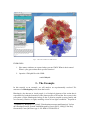
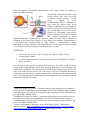
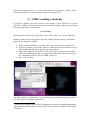
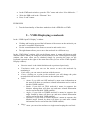
little red dots. These are the oxygen atoms of water molecules10 that were in the PBD file. To identify them with certainty we can proceed this way: • • • • • Change in the “Selected Atoms” box the word all with the word waters. Hit “Apply” or press enter. The molecule should disappear and only some red dots should remain. Replace the selection Lines in the “Drawing method” box with CPK in order to change the way the atoms are represented on the screen from points to spheres. Enlarge the “Sphere Scale” till when you manage to see the oxygen atoms. Finally, bring back the sphere scale to 1.0. We can visualize back the molecule without the oxygen atoms by exploiting again the “Selected Atoms” box: • • Replace the selection waters with the words all not waters Hit “Apply” or press enter. The protein will show up again without the water red dots but something is change: remember that now you are using the CPK representation! While this example might not seem a stunning use of such a selection it is very useful when looking at explicit solvent calculations since often the water molecules will obscure your protein or system of interest. “not” is really a Boolean operator: all the common Boolean operators (and, or, not) can be used in the “Selected Atoms”. On the screen you really see two protein molecules. That is because the asymmetric crystallographic unit is composed by to molecules. We want to focus only on one of them. To select the first one, for instance: • Delete the text in the current selection box and click on the “Selections” tab. Here you can pick the selection you want in the “Selected Atoms” box. • To this end, seek the chain word in the “Keyword” box and double click on it. The word will appear in the “Selected atoms” box. • Double click on A in the “Value” box. An “A” will be put next the word “chain” in the “Selected atoms” box: “chain A” is how the first protein is 10 The hydrogen atoms in this PDB file are not present as is usual for PDB file obtained from X-‐ray experiments.