1
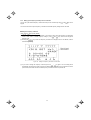
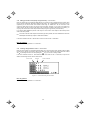
3.4.11 Changing function codes covered by Quick setup – "10. USER SET"
Menu #10 "USER SET" in Programming Mode allows you to change the set of function codes that are covered
by Quick setup.
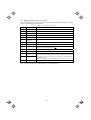
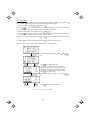
Basic key operation
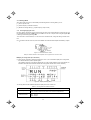
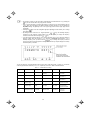
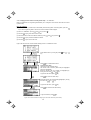
(1) When the inverter is powered ON, it automatically enters Running Mode. In Running Mode, press the
key to enter Programming Mode. The menu for function selection will be displayed.
(2) Select "10. USER SET" by using
(3) Press the
and
keys (moving Æ).
key to get the list of function codes.
(4) Select the function codes to be added or deleted, by using
(5) Press the
key to perform the addition or deletion.
(6) Press the
key to return to the menu.
and
keys (moving Æ).
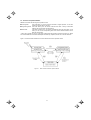
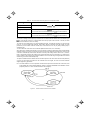
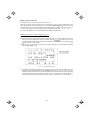
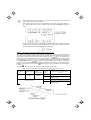
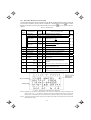
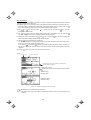
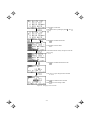
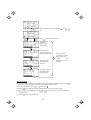
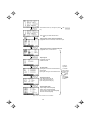
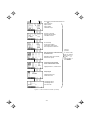
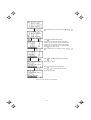
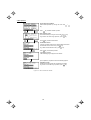
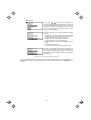
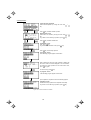
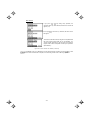
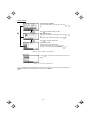
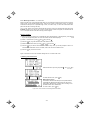
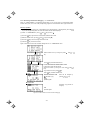
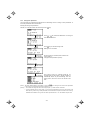
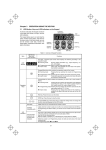
Figure 3.28 shows the LCD screen transition starting from the "10. USER SET" menu.
/
Select desired menu by moving the pointer Æ with
key.
Press
/
key to finalize desired menu.
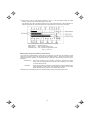
List of function codes
Lists function codes with their names.
The function codes covered by Quick setup are highlighted
(names are highlighted).
Select the function code to be added (not highlighted) by
and
keys.
moving the cursor with
To go back to the menu, press
key.
Press
key to add it to Quick setup.
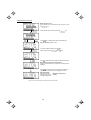
Select the function code to be deleted (highlighted) by moving
and
keys.
the cursor with
To go back to the menu, press
Press
key to delete it from Quick setup.
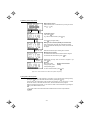
To go back to Menu, press
Figure 3.28
key.
key.
Menu Transition for Changing Function Codes Covered by Quick Setup
3-41