1
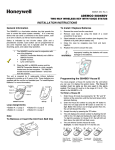
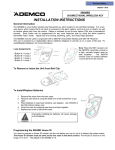
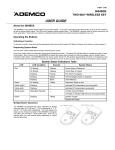
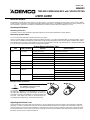
K3636V1 5/00 5804BDV TWO-WAY WIRELESS KEY with VOICE STATUS USER GUIDE About the 5804BDV The 5804BDV is a four-button remote control for your alarm system. It can send a command to the alarm system, such as to arm or disarm, as well as receive system status. Two LEDs and a speaker indicate system status. The 5804BDV is typically used for arming, disarming, and home automation. Check with your installer to understand which functions the buttons have been assigned on your unit. Operating the Buttons Activating a Function To activate a function, press and hold the appropriate button down until the yellow LED flashes, and then release it. Requesting System Status You can check system status before arming or disarming your system. Check your system status by momentarily pressing and releasing any button. The yellow LED will flash after you release the button. After a second or two, the 5804BDV will display the system status through the LEDs and speaker (see the System Status Indications Table, below). If the 5804BDV does not receive system status from the panel for approximately 5 seconds, it will shut itself down. It will also shut itself down if you do not press a button within 5 seconds of receiving a status update. System Status Indications Table LED Red LED Condition On Steady Flashing Speech System Status System Armed Away Armed Away or Maximum System Armed Stay Armed Stay or Instant Fire Fire Zone (Faulted Zone) Fire Alarm in progress Alarm Alarm Zone (Faulted Zone) Armed, Burglary Alarm in progress Alarm Alarm Zone (Faulted Zone) Alarm Memory Green On Steady System Disarmed Ready To Arm Disarmed, Ready to Arm Yellow (right) Flashing — Indicates RF transmission (non encrypted) Yellow (left) Flashing — Indicates RF transmission (encrypted) Red & Green Alternately Flashing — In Enter House ID Mode In Enable or Disable High-Security (encrypted) Mode In Set Volume Level Mode Green Flashing AC Loss AC Loss Condition Low Battery Low Battery Condition System Disarmed Not Ready To Arm System Not Ready, Zones Faulted Multiple Button Operations WARNING! The 5804BDV should not be used for silent panic operation. The 5804BDV can generate the same responses as keypad panic key pairs of [*] + [#] and [*] + [1] by depressing “A” + “C” and “B” + “D” button pairs, respectively. You must depress the button pair for at least 2 seconds for the 5804BDV to recognize the button pair command. These button pairs allow you to activate panic, fire, and medical alarms depending on control panel programming. Adjusting the Volume Level To enter the Volume Level mode, press and hold down the A, B, and D buttons at the same time until the unit’s red and green LEDs flash alternately. If no button is pressed within 5 seconds, the unit will automatically shut down and no change to the volume level is made. You press the A button for low volume level, the B button for mid volume level, and the C button for maximum volume level. You will hear a tone for the selected volume. You then press the D button to accept the sound level you have selected. Note that volume level affects the life of the battery. Use low volume for maximum battery life. Low Battery Indication When the unit goes into a Low Battery condition, the yellow LED will not flash when a button is pressed. Change both batteries immediately. To Replace the Batteries 1. 2. 3. 4. 5. Remove the screw from the back case. Remove case back by using the blade of a small screwdriver to pry open. Place batteries as shown on diagram. Use CR2430 or DL2430Lithium batteries only. Close the case by snapping case front and back together. Replace the screw to secure the case. Improperly installing the batteries will cause damage to the batteries. WARNING! Removing or Inserting the Unit from a Belt Clip LIMITATIONS STATEMENT Signals sent by wireless transmitters may be blocked or reflected by metal objects before they reach the alarm receiver. Even if the signal path has been recently checked during a weekly test, blockage can occur if a metal object somehow blocks the signal path. Wireless button type transmitters that have visual and audible indications of status must be used to confirm that the desired action (such as arming) has occurred after pressing a function button on any of these transmitters. Be sure to listen for appropriate audible and visual indications that such action has occurred. Otherwise, you could inadvertently leave yourself or your premises unprotected. External factors such as humidity, high or low temperatures, or constant activation of a programmed button may reduce battery life in a given installation. If the button unit is used infrequently, activate it regularly (once per week) to confirm operation. A button type transmitter will report a low battery condition to the alarm control when a low battery status is detected. ALARM DEVICE MANUFACTURING CO. DIVISION OF PITTWAY CORPORATION 165 Eileen Way, Syosset, NY 11791 COPYRIGHT 2000 PITTWAY CORPORATION ¬.9;l K3636V1 5/00