1
3.1.3.
Web Browser
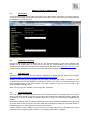
The factory default is DHCP.
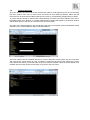
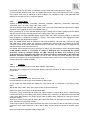
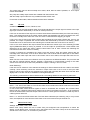
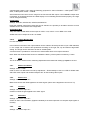
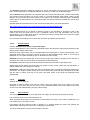
The Network Settings menu allows to configure the VP-794 TCP/IP address. Under Address Type a
static or DHCP leased address can be chosen. The static address and Netmask needs to be entered
manually.
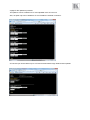
The Network Settings menu has a section with information on the DHCP Status and IP address
assigned to the board, as well as the fixed MAC Address programmed into the VP-794. The DHCP
status is OFF when static assignment is used or it displays an address when DHCP has leased an
address accordingly or it is None assigned if the lease was not successful.
Note: When changing from DHCP to Static mode or vice versa it is strongly recommended that VP-794
is powered down after such a change, then powered back up, so that it is properly recognised by other
devices on the network.
3.2.
Installing the Software
No extra software needs to be installed on a PC. The PC Web browser is used as the graphical user
interface for all control items. To connect to the VP-794 the TCP/IP address of the unit has to be
entered into the address list box of the Web browser in the following format http://xxx.xxx.xxx.xxx. The
TCP/IP address assigned to VP-794 can be found in the System and Network Settings menu.
3.3.
Discovery Tool
Kramer provides a DiscoveryTool.exe Windows application to identify Kramer boxes in the network.
http://www.kramerelectronics.com/support/download.asp?f=47014
Clicking on the link of the recognized box will open a browser and make a connection to the
corresponding box. The box identifier is made up of “PV6S” in the case of VP-794 followed by the 6
least significant digits of the MAC address. The MAC address of the box can be found in the
System/Network Settings menu.
Note: This is for use on a network not on a single wire connection.