1
CX501A_ENG.book Page 28 Wednesday, January 12, 2011 9:43 AM
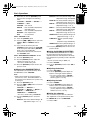
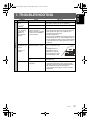
Problem
English
CD/MP3/WMA
No sound heard
Cause
Measure
MP3/WMA files are absent in Write MP3/WMA files onto the disc properly.
a disc.
Files are not recognized as
an MP3/WMA file.
Use MP3/WMA files encoded properly.
File system is not correct.
Use ISO9660 level 1, 2 or JOLIET or Romeo or
APPLE ISO file system.
Sound skips or is
noisy.
Compact disc is dirty.
Clean the compact disc with a soft cloth.
Compact disc is heavily
scratched or warped.
Replace with a compact disc with no scratches.
Sound is cut or
skipped.
Noise is
generated or
noise is mixed
with sound.
MP3/WMA files are not
encoded properly.
Use MP3/WMA files encoded properly.
Sound is bad
directly after
power is turned
on.
Water droplets may form on Let dry for about 1 hour with the power on.
the internal lens when the car
is parked in a humid place.
Wrong filename
File system is not correct.
No sound heard
The device contains no MP3/ Record MP3/WMA files properly to the device.
WMA files.
Use ISO9660 level 1, 2 or JOLIET or Romeo or
APPLE ISO file system.
The files are not proper MP3/ Use only properly encoded MP3/WMA files.
WMA format.
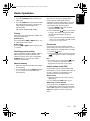
USB/iPod
Connectors are loose.
Sound is
The MP3/WMA files are
interrupted or has improperly encoded.
noise.
Use only properly encoded MP3/WMA files.
The device isn’t
recognized.
Disconnect the device and reconnect. If the device is
still not recognized, try replacing with a different
device.
The device is damaged.
Connectors are loose.
According to the state of
operation on the device, the
communication fault is
caused.
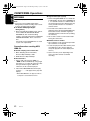
Can’t insert the
device.
CX501A
Disconnect the device and reconnect.
The device has been inserted Try reversing the connection direction of the device
improperly.
(usually the brand name surface should be facing
left).
The connector is broken.
28
Disconnect the device and reconnect securely.
Check operation of portable music player.
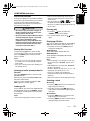
Some USB portable music
players may consume current
that exceeds the USB rating.
In this case, this unit’s
overcurrent protection circuit
operates to stop the music
playback.
Replace with a new device.