1
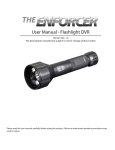
User Manual - Flashlight DVR Version No.: 1.5 The descriptions included are subject to minor change without notice. PACKING LIST: 1 2 3 4 5 6 Flashlight DVR x 1 USB Cable x 1 CD x 1 Adapter x 1 Rope x 1 Lithium Battery x 1 1 2 3 4 5 6 These photos are for reference only. Please refer to actual product. STRUCTURE: Indicator (Built-In) Record/Stop Button Light Button Bright LED Low-Light LED Lens Low-Light LED Charge Indicator Handle USB Socket Power Socket DIAGRAM OF OPERATION: Install Lithium Battery: Unscrew the handle of flashlight DVR. Install the Lithium battery into the handle. Screw the handle of flashlight DVR back on. Charging the Battery: Remove the waterproof plug. Connect the power adapter to the flashlight DVR. The indicator light will be green while charging and turns off after fully charged. Setting Date and Time: If you find that the date/time of the video does not match your local date/time, the following steps will allow you to change the date and time: 1. Connect the Enforcer Flashlight DVR to the computer with the USB cable. Open My Computer and you will see the USB Mobile Disk folder icon. 2. Insert the CD in to the CD-ROM drive. 3. Open the CD, copy the “getsystemTime.exe” file to the Mobile Disk folder in the in the DVR Flashlight. 4. Once the “getsystemTime.exe” file is copied to the Mobile Disk folder, double click “getsystemTime.exe”, the system will automatically update the date and time. Use as a Flashlight: Press the Light button once, bright LED light; Press again, low-light LED lights; Press a third time to turn off the LEDs. Waterproof Plug Audio/Video Recording: Press the Record/Stop button to start recording and once again to stop recording. The indicator light is a flashing blue light while recording. • • Make sure the button of the Enforcer Flashlight DVR is on top during recording, otherwise the video files will not display correctly When recording close-up at night, it is recommended to use low-light LEDs to avoid washout of the video. Downloading Audio/Video Recording: Unscrew the handle of flashlight DVR. Connect the flashlight DVR to PC with USB cable. The video file may be reviewed using the standard Windows Media Player or copied to the PC for future review. If the PC cannot play the video file, install the video player software included on the CD-ROM. Notes: 1. 2. 3. If the battery is exhausted, the Indicator (built-in) turns red and flashes, the video files will automatically be saved before shut down. When the memory is full, press the Record/Stop button, the Indicator (built-in) turns turns blue or will be out after a few seconds, the recording automatically stops. The recorder also works as USB disk when connected to a computer. DIRECTION OF RECORDING INSTRUCTIONS Please make sure the button of the Enforcer Flashlight DVR is on top during recording, otherwise the video files will no display correctly. F F Button X X Button X FCC Information SPECIFICATIONS Items Enforcer Flashlight DVR Button F F Button GD2716 Imaging Sensor 1/4 inch Color CMOS Video Resolution 640 x 840 View Angle 56° Video Format .AVI Video File Size > 15M Byte/minute View Resolution 640 x 840 (VGA) Storage Medium 2G built-in Memory Power Supply Li-battery (3.7V/2000mAH) Charge Time 4 hours (max.) Data Transmission USB 2.0 Work Time 3.5 hours (min.) LED Light Power 1W LED Light Color Temperature >5500K Waterproof Capacity IP65 Consumption Current (max.) 560mA Charge Current >800mA Dimensions ( W x D x H ) 191 x 56 x 56 (mm) Weight (approximate) 300g Operating Temperature 0° C~ + 50° C Operating Humidity 15~85%RH This device complies with part 15 of the FCC Rules. Operation is subject to the following two conditions: (1) this device may not cause harmful interference (2) this device must accept any interference received, including interference that may cause undesired operation. Changes or modifications not expressly approved by the party responsible for compliance could void the user’s authority to operate the equipment. CAUTIONS • The apparatus shall not be exposed to dripping or splashing and that no objects filled with liquids, such as vases, shall be placed on the apparatus. • Turn off the camera if the system is not in use. • Do not put the battery in fire, water or near heat. • Do not use the battery in heat or near places of high temperature. • Do not use metal objects to connect the polarities of the battery. • Do not open the battery. • When not using the device for long periods of time, please remove the battery and store in a cool, dry place. EU Environmental Protection Waste electrical products should not be disposed of with household waste. Please recycle where facilities exist. Check with your local authority or retailer for recycling advice.