1
COUNTER USE:
WARNING!
This Product is for indoor use only.
Not for use in wet locations.
IMPORTANT INFORMATION:
•
•
•
•
•
•
•
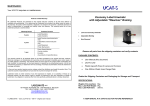
This product is a label counter. It is only to be used to count labels of the recommended
dimensions in an indoor, dry environment.
The machine has to be unplugged before any manipulation.
The machine is to be used on a flat surface, if the surface is not flat; it is to be fixed using
the holes in the base plate.
Do not leave the power cable in a passageway.
The ambient light of the working area needs to be sufficient to avoid any risk.
The counter can be used in ambient temperatures of +2°C to 40°C.
Connection of the machine to the power source must respect local and European
legislations.
PC-1 PRE-SET COUNTER SET-UP:
1. Verify that the AC/DC Adaptor “VOLT CHANGE SW.” is set to “12” and plug
it into a suitable AC Power Outlet. Plug the Cord on the AC/DC Adaptor into
the Power Input Jack on the bottom of the Counter Display Module.
2. Plug the Control Cable (with 3.5mm plugs at each end) between the Output
Jack on the bottom of the Counter Display Module and the “EXTERNAL
HALT CONTROL” jack on the CAT-2 Label Rewinder.
3. The Counter is pre-programmed as a Preset Count-up Counter. Press each
of the 6-digits for the count desired. This is the number of labels you wish
to pass through the Label Sensor before the Counter issues a “HALT”
command to the CAT-2 Label Rewinder.
4. Pull a short strip of labels back and forth through the Label Sensor Gap and
observe the count on the Counter increasing. When the preset number of
labels is reached, the PC-1 Counter will issue a Halt Command for the CAT2 Label Rewinder to stop. Pressing “RESET” will reset the count and restart
the CAT-2.
5. See the included detailed manual for the Pre-set Counter itself for other
Counter options.
FOR YOUR SAFETY:
Switch off device before any manipulation.
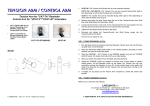
1. Place the COUNT-100 or COUNT-200 Label Counter so that it is
perpendicular to the label web.
2. Observe the Paper Path Label on the Counter: Feed the label web under the
metal Rotating Paper Guide and over the Nylon Fixed Paper Guide.
3. Adjust the position of the rings on the Rotating and Fixed Paper Guides to
the width of your label web. Only finger tighten the screws. The labels must
pass through the black sensor slot between the round Paper Guides.
4. Affix the label web to the label rewind core on the Label Rewinder.
5. The Counter will count the number of labels passing through the sensor air
gap.
NOTE: If you observe erratic counting, clean the Optical Sensor with isopropyl
alcohol.
INTERNAL CIRCUIT PROTECTION:
The COUNT-100 and COUNT-200 Label Counters have an internal device for
circuit protection. There are no user serviceable parts inside. In the event of
operational problems, please contact LABELMATE for assistance.