1
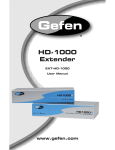
HD-1000
Extender
Model # EXT-HD-1000
USER
MANUAL
www.gefen.com
ASKING FOR ASSISTANCE
Technical Support:
Telephone
Fax
(818) 772-9100
(800) 545-6900
(818) 772-9120
Technical Support Hours:
8:00 AM to 5:00 PM Monday through Friday.
Write To:
Gefen Inc.
c/o Customer Service
20600 Nordhoff Street
Chatsworth, CA 91311
www.gefen.com
[email protected]
Notice
Gefen Inc. reserves the right to make changes in the hardware, packaging
and any accompanying documentation without prior written notice.
HD-1000 is a trademark of Gefen Inc.
HDMI is a trademark of HDMI.org
© 2008 Gefen Inc., All Rights Reserved
TABLE OF CONTENTS
1.
Introduction / Operation Notes
2.
Features
3.
Sender Panel Descriptions
4.
Receiver Panel Descriptions
5.
Connecting and Operating the HD-1000
6.
Network Cable Wiring Diagram
7.
Specifications
8.
Warranty
INTRODUCTION
The Gefen HD-1000 allows an HDMI video signal to be extended up to 330
feet (1640 w/o HDCP) using multi-mode LC-LC fiber optic cable. Fiber Optics
technology allows the HD-1000 to carry video signals over long distances that
are not possible with other technologies. Fiber Optic cables are immune to video
signal corruption from electromagnetic interference (EMI), ensuring a crystal
clear picture.
How It Works
The HD•1000S sender unit sits next to your set-top box or DVD player source.
Cables supplied with the HD•1000 connect your HDMI™ 1.3 source to the
sender unit. The display plugs into the back of the receiver unit. One CAT-5 cable
and a multi mode LC fiber optic cable connect the Sender and the Receiver units
to each other.
OPERATION NOTES
READ THESE NOTES BEFORE INSTALLING OR
OPERATING THE HD-1000
•
50 or 62.5 micron multi-mode fiber optic cable is required for operation of the
HD-1000.
•
Maximum extension range of 330 feet (100 meters) when the source
requires HDCP. One CAT-5, CAT-5e or CAT6 cable is used to transmit DDC
and HDCP data back to the source.
•
Maximum range of 1640 feet (500 meters) when the source does not require
HDCP. This scenario does not require the CAT-5, CAT5e or CAT-6 cable if
the source does not require DDC information. If DDC is required, the use of
an EDID storage device (part# EXT-DVI-EDIDN, EXT-DVI-EDIDP) can be
used to transmit DDC information back to the source.
•
HDMI 1.3 compliant (please see FEATURES section on page 2 for
supported HDMI 1.3 features).
•
HDCP compliant
•
Compatible with all HDMI and DVI* displays.
NOTE: *When used with a DVI to HDMI adapter
1
FEATURES
Features
•
Extends high definition HDMI compliant devices up to 330 feet (100 meters)
•
Uses a 4 strand multi mode LC-LC fiber optic cable for HDMI and a CAT5e cable for
DDC/control signals
•
Extends range of HDMI by equalizing signals
•
HDCP and HDMI compliant with HDMI 1.3 Features
•
Supports resolutions up to 1080p, 2K, and 1920 x 1200
HDMI 1.3 Supported Features
•
12-bit/channel RGB Deep Color support
•
CEC protocol support
•
Lip-Sync pass-through
•
Dolby TrueHD, DTS-HD pass-through
•
xvYCC pass-through
Includes:
(1) HD-1000S Sender unit
(1) HD-1000R Receiver unit
(2) 5V DC Power Supply
(1) 6 ft HDMI cable (M-M)
(1) User’s Manual
2
SENDER PANEL DESCRIPTIONS
Front Panel
Power LED
Indicator
Status LED
Indicator
Back Panel
Fiber Optic
LC-LC Terminals
HDMI Input
Port
RJ-45
Port
5V DC
Power Input
3
RECEIVER PANEL DESCRIPTIONS
Front Panel
Power LED
Indicator
Status LED
Indicator
Back Panel
RJ-45
Port
HDMI Input
Port
5V DC
Power Input
4
Fiber Optic
LC-LC Terminals
CONNECTING AND OPERATING THE HD-1000
How To Connect The HD-1000
1.
Connect the HDMI source to the HD-1000 sender unit using the supplied HDMI
cable.
2.
Connect a user supplied CAT-5, CAT-5e or CAT-6 cable to the sender unit.
3.
Connect four user supplied multi-mode LC terminated fiber optic cables into
HD-1000 sender unit.
NOTE: 50 or 62.5 micron multi-mode fiber optic cable is required for operation of
the HD-1000.
4.
Connect the other end of the CAT-5, CAT-5e or CAT-6 cable into the HD1000 receiver unit.
5.
Connect the other ends of all four multi-mode LC terminated fiber optic
cables into the HD-1000 receiver unit.
NOTE: Please take careful note of the labeling above each fiber optic port on
both the sending and receiving HD-1000 units. The most common user error is
to mis-match the fiber optic cable connections on each end, which results in no
video being transmitted.
6.
Connect the display to the HD-1000 receiver unit using a user supplied
HDMI cable.
7.
Connect the included 5V DC power supplies into both the HD-1000 sending
unit and receiving units.
8.
Power on the display, followed by the source.
No further adjustments are necessary to operate the HD-1000.
5
NETWORK CABLE WIRING DIAGRAM
Gefen has specifically engineered their products to work with the TIA/EIA-568-B
specification. Please adhere to the table below when field terminating cable for
use with Gefen products. Failure to do so may produce unexpected results and
reduced performance.
Pin
Color
1
Orange / White
2
Orange
3
Green / White
4
Blue
5
Blue / White
6
Green
7
Brown / White
8
Brown
12345678
CAT-5, CAT-5e, and CAT-6 cabling comes in stranded and solid core types.
Gefen recommends using solid core cabling. CAT-6 cable is also recommended
for best results.
Each cable run must be one continuous run from one end to the other. No splices
or use of punch down blocks.
6