1
Advanced lane guidance
27
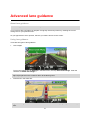
About lane guidance ..........................................................................................................................27
Using lane guidance ..........................................................................................................................27
Changing your route
28
Making changes to your route ...........................................................................................................28
Change route menu ...........................................................................................................................28
About waypoints ................................................................................................................................29
Adding the first waypoint to your route ..............................................................................................29
Adding further waypoints to your route .............................................................................................30
Changing the order of waypoints.......................................................................................................30
Deleting a waypoint ...........................................................................................................................31
Changing notification settings for a waypoint ....................................................................................31
Reactivating a waypoint ....................................................................................................................31
View map
32
About viewing the map ......................................................................................................................32
View map ...........................................................................................................................................32
Options ..............................................................................................................................................33
Cursor menu ......................................................................................................................................33
Map corrections
35
About Map Share ..............................................................................................................................35
Correcting a map error ......................................................................................................................35
Types of map correction ....................................................................................................................35
Sounds and voices
39
About sounds and voices ..................................................................................................................39
About voices that speak street names ..............................................................................................39
Selecting a voice ...............................................................................................................................39
Changing the volume level ................................................................................................................39
Automatic volume control ..................................................................................................................39
Settings
41
About Settings ...................................................................................................................................41
2D/3D settings ...................................................................................................................................41
Advanced settings .............................................................................................................................42
Battery saving ....................................................................................................................................42
Brightness ..........................................................................................................................................42
Change car symbol ...........................................................................................................................43
Home location....................................................................................................................................43
Language...........................................................................................................................................43
Map colors .........................................................................................................................................43
Keyboard ...........................................................................................................................................43
Make your own menu ........................................................................................................................44
Favorites ............................................................................................................................................44
Manage POIs.....................................................................................................................................45
MyTomTom account ..........................................................................................................................45
Operate left-handed / Operate right-handed .....................................................................................45
Phone settings ...................................................................................................................................46
Route planning ..................................................................................................................................46
Reset factory settings ........................................................................................................................47
3