1
Start-up:
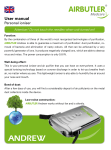
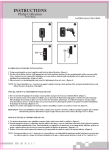
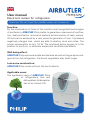
Open the battery compartment on the side of the device and insert following batteries:
• either 3 x D# alkaline battery – shelf life about 3 months
• or 3 x D# Ni-MH rechargeable battery with a capacity of 5000-8000
mA/h
Close the compartment. Switch on the device at the rear side of it, either
on LOW or HIGH mode. The green light starts to flash. Place the tool on
the highest shelf in the refrigerator for the best efficiency. The green light
indicate that Philip is working normally, when the light turns to red, please
change or recharge the batteries.
Attention:
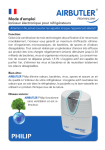
Don’t put Philip onto a wet or hot surface. Remove the battery, if you don’t
use Philip for a long time. A flashing red light shows that you have to change the battery.
Setting:
Refrigerators up to 250L - LOW Modus
Refrigerators over 250L – High Modus recommended
The integrated microcomputer controls automatically the ozone and ions
production. LOW mode: the appliance works first for one hour and then
turns off automatically for 3 hours and switches on again in an endless
circle of 4 minutes every 4 hours. HIGH mode: the appliance works first
for four hours and then turns off automatically for 3 hours and switches on
again in an endless circle of 8 minutes every 4 hours.
Cleaning/Maintenance:
Change of batteries: Philip’s light is blinking red when the batteries have
to be replaced or recharged.
• Replace the alkaline batteries with similar one
• Recharge the batteries with the adapter provided.
Take Philip out of the fridge, turn it off and wait a little bit in order that the
appliance gets the room temperature. Now you can plug in Philip with the
adapter cable into the socket. The blinking light is red and informs you that