1
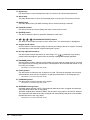
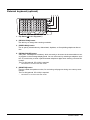
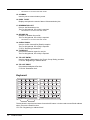
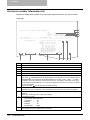
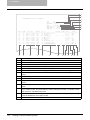
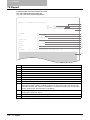
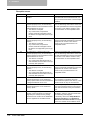
17. Digital keys
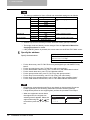
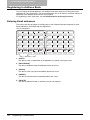
Use these keys to enter the telephone and Fax numbers, ID numbers and password.
18. Alarm lamp
This lamp blinks when an error such as paper jams or running out of toner has occurred.
19. [DATA] lamp
This lamp blinks when print data are being sent or received through a network.
20. [CANCEL] button
Use this to cancel the current setting and return to the previous menu.
21. [ENTER] button
Use this to determine items or operation selected in each menu.
22.
/
/
/
(UP/DOWN/LEFT/RIGHT) buttons
Use them to select items you want to set in each menu. The selected item is highlighted.
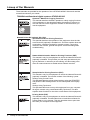
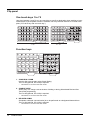
23. Original mode button
Use this button to set the image quality of scanning according to that of an original. The lamp
corresponding to the selected original mode lights in green.
24. Density adjustment buttons
Use this button to adjust the density of scan image. The
(automatic copy density
mode) button lamp lights in green when the density is being automatically adjusted.
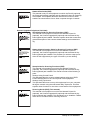
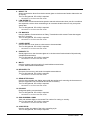
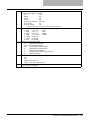
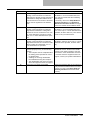
25. [DRAWER] button
Use this button to select a drawer or the bypass tray to be used as a paper source. The lamp
of the paper source currently selected is lit. The lamp blinks when the selected drawer or tray
is running out of paper.
*
This button is not used in the Scan mode.
26. [COPY] button
Use this button to select the size of paper to be used. The lamp of the paper size currently
selected blinks when this size of paper is not placed in the drawer or on the bypass tray.
*
This button is not used in the Scan mode.
27. [ORIGINAL] button
Use this button to specify the size of an original.
*
This button is not used in the Scan mode.
28. APS/AMS selecting button
Automatic paper selection (APS): The equipment detects the size of original and automatically selects the same size of copy paper.
Automatic magnification selection (AMS): Set the size of copy paper to be used in advance.
The equipment then detects the size of original and automatically selects the most suitable
reproduction ratio to the copy paper.
*
12
This button is not used in the Scan mode.
Control Panel