1
INTREPID User Manual
Library | Help | Top
Importing to INTREPID datasets (T05)
19
| Back |
projection for the dataset. This is called geographic registration. This should
alswyas be done, prior to trying to use other tools within INTREPID. The
ProjectManager also lets you review and set this information.
ASCII columns data
If you are importing ASCII columns data, you should incorporate geographic
registration information in the DDF (See Importing ASCII Columns data).
NetCDF XYZ data
If you are importing NetCDF XYZ data (see Importing NetCDF XYZ data), the import
data should include its own geographic registration information.
ASCII XYZ, Geosolutions line/point, Picodas, Exchange data
If you are importing Geosoft XYZ, Geosolutions line/point data, Picodas and Moss
Exchange data (see corresponding sections above), you need to specify the datum and
projection using the buttons provided in the corresponding import format dialog box.
Modifying geographic registration for an existing dataset
You can edit the geographic registration of an existing dataset using the Geo
Reference Output option in the Utilities menu. This dataset can be the one just
imported or some other one that you specify as the output dataset.
You can identify the datum and projection. You may wish to do this, for example, if
the current datum or projection is not the correct one for the dataset, or if no datum or
projection is currently recorded for the dataset.
You can also nominate the location X ,Y fields for the dataset (i.e., assign the X and Y
aliases). See Editing the aliases in this chapter and "Vector dataset field aliases" in
INTREPID database, file and data structures (R05) for more information.
Note: The Import tool will not perform datum or projection conversion in a dataset.
See Old Datum and Projection Conversion (T12) for information about that process.
>> To specify location information for an existing vector dataset
1
Ensure that the existing dataset is specified as the output dataset in the Import
tool window (See Specifying input files and output datasets for more information).
2
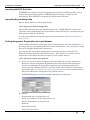
Choose Geo Reference Output from the Utilities menu of the Import window.
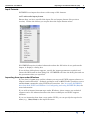
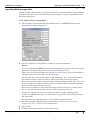
INTREPID displays the Set Geographic Registration dialog box.
Library | Help | Top
© 2012 Intrepid Geophysics
| Back |