1
INTREPID User Manual
Library | Help | Top
INTREPID database, file and data structures (R05)
10
| Back |
'Group by' fields
Parent topic:
Vector dataset
file and
directory
structure
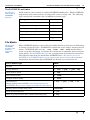
It is useful to be able to organise vector dataset data points into groups.
•
Line datasets have one group for each traverse line.
•
Gravity Point datasets have one group for each gravity station.
INTREPID creates the groups using a 'group by' field. INTREPID stores data in the
order in which it arrives from the Import tool. When you nominate a 'group by' field,
INTREPID looks for changes in this field between data points. Whenever the value of
the field changes in the import and storage order, INTREPID creates a new group.
During import INTREPID records the group as an entity independently of the value
of the 'group by' field. Therefore, as a result of changes to the data, you are able to
have adjacent groups with the same 'group by' field value. This is useful for flight
path datasets, since you can remove sections of traverse line data and convert the
remaining segments to separate lines.
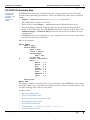
If you have two 'group by' fields during import, INTREPID will create a new group
when either of them changes.
If you create a new 'group by' field after INTREPID creates the dataset (you can do
this using the Spreadsheet Editor), it can only provide additional data for each group.
It cannot have any effect on the group structure of the dataset.
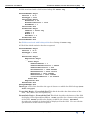
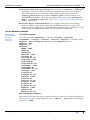
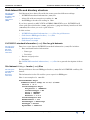
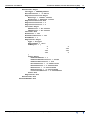
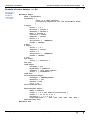
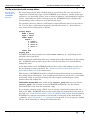
INTREPID records whether a field is a ‘group by’ field in the an GroupBy =
statement in the field’s Begin – End block within the INTREPID standard
information (.isi) file. The possible values are Yes and No.
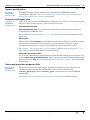
See "'Group by' fields and field aliases" in Importing to INTREPID datasets (T05) for
details about 'group by' field identification during import.
See "BREAK ON / GROUP BY line" in The INTREPID DDF format (R08) for the
notation identifying a 'group by' field in an import data definition file (DDF).
See Spreadsheet Editor (T15) for information about using 'group by' fields in the
Spreadsheet Editor.Merging gravity datasets (T56)
See Merging gravity datasets (T56) for instructions on combining datasets so that
data with matching 'group by' field values ends up in the same group in the output
dataset.
Library | Help | Top
© 2012 Intrepid Geophysics
| Back |