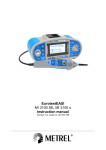
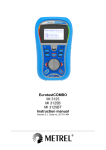
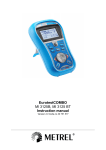
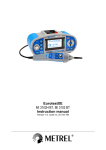
1
EurotestEASI MI 3100 SE MI 3100 s Instruction manual Version 1.1, Code no. 20 752 131 Distributor: Manufacturer: METREL d.d. Ljubljanska cesta 77 1354 Horjul Slovenia web site: http://www.metrel.si e-mail: [email protected] Mark on your equipment certifies that this equipment meets the requirements of the EU (European Union) concerning safety and electromagnetic compatibility regulations © 2013 METREL The trade names Metrel, Smartec, Eurotest, Autosequence are trademarks registered or pending in Europe and other countries. No part of this publication may be reproduced or utilized in any form or by any means without permission in writing from METREL. 2 MI 3100 s, MI 3100 SE EurotestEASI Table of contents Table of contents 1 Preface ................................................................................................................................. 6 2 Safety and operational considerations ............................................................................. 7 2.1 2.2 2.3 3 Warnings and notes ...................................................................................................... 7 Battery and charging ................................................................................................... 11 Standards applied ....................................................................................................... 13 Instrument description ..................................................................................................... 14 3.1 Front panel .................................................................................................................. 14 3.2 Connector panel.......................................................................................................... 15 3.3 Back side .................................................................................................................... 16 3.4 Carrying the instrument............................................................................................... 17 3.4.1 Secure attachment of the strap ............................................................................... 18 3.5 Instrument set and accessories .................................................................................. 19 3.5.1 Standard set MI 3100 s – EurotestEASI ................................................................. 19 3.5.2 Standard set MI 3100 SE – EurotestEASI .............................................................. 19 3.5.3 Optional accessories ............................................................................................... 19 4 Instrument operation ........................................................................................................ 20 4.1 Display and sound ...................................................................................................... 20 4.1.1 Terminal voltage monitor......................................................................................... 20 4.1.2 Battery indication .................................................................................................... 20 4.1.3 Messages ................................................................................................................ 20 4.1.4 Results .................................................................................................................... 21 4.1.5 Sound warnings ...................................................................................................... 21 4.1.6 Help screens ........................................................................................................... 21 4.1.7 Backlight and contrast adjustments ........................................................................ 22 4.2 Function selection ....................................................................................................... 23 4.3 Settings ....................................................................................................................... 24 4.3.1 Memory (MI 3100 SE only) ..................................................................................... 24 4.3.2 Language ................................................................................................................ 24 4.3.3 Date and time .......................................................................................................... 25 4.3.4 RCD testing ............................................................................................................. 25 4.3.5 Isc factor ................................................................................................................. 26 4.3.6 Commander support (MI 3100 SE only).................................................................. 27 4.3.7 Communication (MI 3100 SE only) ......................................................................... 27 4.3.8 Initial settings .......................................................................................................... 29 5 Measurements ................................................................................................................... 31 5.1 Voltage, frequency and phase sequence .................................................................... 31 5.2 Insulation resistance ................................................................................................... 33 5.3 Resistance of earth connection and equipotential bonding ........................................ 35 5.3.1 R LOWΩ, 200 mA resistance measurement ........................................................... 35 5.3.2 Continuous resistance measurement with low current............................................ 36 5.3.3 Compensation of test leads resistance ................................................................... 37 5.4 Testing RCDs.............................................................................................................. 39 5.4.1 Contact voltage (RCD Uc)....................................................................................... 40 5.4.2 Trip-out time (RCDt) ................................................................................................ 41 5.4.3 Trip-out current (RCD I) .......................................................................................... 41 5.4.4 RCD Auto-test ......................................................................................................... 43 5.5 Fault loop impedance and prospective fault current ................................................... 45 5.6 Line impedance and prospective short-circuit current / Voltage drop ......................... 47 5.6.1 Line impedance and prospective short circuit current ............................................. 48 3 MI 3100 s, MI 3100 SE EurotestEASI Table of contents 5.6.2 Voltage drop ............................................................................................................ 49 5.7 Earth resistance .......................................................................................................... 51 5.7.1 Standard earthing resistance measurement ........................................................... 52 5.8 PE test terminal........................................................................................................... 54 5.9 PE conductor resistance (MI 3100 SE only) ............................................................... 56 6 Auto-sequences (MI 3100 SE only) ................................................................................. 58 7 Data handling (MI 3100 SE only)...................................................................................... 62 7.1 Memory organization .................................................................................................. 62 7.2 Data structure ............................................................................................................. 62 7.3 Storing test results ...................................................................................................... 64 7.4 Recalling test results ................................................................................................... 65 7.5 Clearing stored data.................................................................................................... 66 7.5.1 Clearing complete memory content ........................................................................ 66 7.5.2 Clearing measurement(s) in selected location ........................................................ 66 7.5.3 Clearing individual measurements .......................................................................... 67 7.5.4 Renaming installation structure elements (upload from PC) ................................... 68 7.5.5 Renaming installation structure elements with serial barcode reader or RFID reader 68 7.6 Communication ........................................................................................................... 69 7.6.1 USB and RS232 communication............................................................................. 69 7.6.2 Bluetooth communication ........................................................................................ 70 8 Upgrading the instrument ................................................................................................ 71 9 Maintenance ...................................................................................................................... 72 9.1 9.2 9.3 9.4 Fuse replacement ....................................................................................................... 72 Cleaning ...................................................................................................................... 72 Periodic calibration...................................................................................................... 72 Service ........................................................................................................................ 72 10 Technical specifications .................................................................................................. 73 10.1 Insulation resistance ................................................................................................... 73 10.2 Continuity .................................................................................................................... 74 10.2.1 Resistance R LOW.............................................................................................. 74 10.2.2 Resistance CONTINUITY ................................................................................... 74 10.3 RCD testing................................................................................................................. 75 10.3.1 General data ....................................................................................................... 75 10.3.2 Contact voltage RCD Uc ..................................................................................... 75 10.3.3 Trip-out time ........................................................................................................ 76 10.3.4 Trip-out current.................................................................................................... 76 10.4 Fault loop impedance and prospective fault current ................................................... 77 10.4.1 No disconnecting device or FUSE selected ........................................................ 77 10.4.2 RCD selected ...................................................................................................... 77 10.5 Line impedance and prospective short-circuit current / Voltage drop ......................... 78 10.6 PE conductor resistance (MI 3100 SE only) ............................................................... 79 10.6.1 No RCD selected ................................................................................................ 79 10.6.2 RCD selected ...................................................................................................... 79 10.7 Resistance to earth ..................................................................................................... 80 10.7.1 Standard earthing resistance measurement – 3-wire measurement .................. 80 10.8 Voltage, frequency, and phase rotation ...................................................................... 81 10.8.1 Phase rotation ..................................................................................................... 81 10.8.2 Voltage ................................................................................................................ 81 10.8.3 Frequency ........................................................................................................... 81 10.8.4 Online terminal voltage monitor .......................................................................... 81 4 MI 3100 s, MI 3100 SE EurotestEASI 10.9 Table of contents General data ............................................................................................................... 82 Appendix A – Fuse table .......................................................................................................... 83 A.1 Fuse table – IPSC ....................................................................................................... 83 Appendix B – Accessories for specific measurements ........................................................ 87 Appendix C – Country notes ................................................................................................... 88 C.1 List of country modifications ........................................................................................ 88 C.2 Modification issues ...................................................................................................... 88 C.2.1 AT modification - G type RCD ............................................................................. 88 Appendix D – Commanders (A 1314, A 1401) ........................................................................ 90 D.1 D.2 D.3 D.4 Warnings related to safety ................................................................................... 90 Battery......................................................................................................................... 90 Description of commanders ........................................................................................ 91 Operation of commanders .......................................................................................... 92 5 MI 3100 s, MI 3100 SE EurotestEASI 1 Preface Preface Congratulations on your purchase of the Eurotest instrument and its accessories from METREL. The instrument was designed on a basis of rich experience, acquired through many years of dealing with electric installation test equipment. The Eurotest instrument is a professional, multifunctional, hand-held test instrument intended to perform all the measurements on a.c. electrical LV installations. The following measurements and tests can be performed: Voltage and frequency, Continuity tests, Insulation resistance tests, RCD testing, Fault loop / RCD trip-lock impedance measurements, Line impedance / Voltage drop, Phase sequence, Earthing resistance tests, Pre-defined auto-sequences (MI3100 SE only). The graphic display with backlight offers easy reading of results, indications, measurement parameters and messages. Two LED PASS/FAIL indicators are placed at the sides of the LCD. The operation of the instrument is designed to be as simple and clear as possible and no special training (except for the reading this instruction manual) is required in order to begin using the instrument. In order for operator to be familiar enough with performing measurements in general and their typical applications it is advisable to read METREL handbook Guide for testing and verification of low voltage installations. The instrument is equipped with the entire necessary accessory for comfortable testing. 6 MI 3100 s, MI 3100 SE EurotestEASI Safety and operational considerations 2 Safety and operational considerations 2.1 Warnings and notes In order to maintain the highest level of operator safety while carrying out various tests and measurements, METREL recommends keeping your Eurotest instruments in good condition and undamaged. When using the instrument, consider the following general warnings: General warnings related to safety: The symbol on the instrument means »Read the Instruction manual with special care for safe operation«. The symbol requires an action! If the test equipment is used in a manner not specified in this user manual, the protection provided by the equipment could be impaired! Read this user manual carefully, otherwise the use of the instrument may be dangerous for the operator, the instrument or for the equipment under test! Do not use the instrument or any of the accessories if any damage is noticed! Consider all generally known precautions in order to avoid risk of electric shock while dealing with hazardous voltages! In case a fuse has blown follow the instructions in this manual in order to replace it! Use only fuses that are specified! Do not use the instrument in AC supply systems with voltages higher than 550 Va.c. Service, repairs or adjustment of instruments and accessories is only allowed to be carried out by a competent authorized personnel! Use only standard or optional test accessories supplied by your distributor! Consider that protection category of some accessories is lower than of the instrument. Test tips and Tip commander have removable caps. If they are removed the protection falls to CAT II. Check markings on accessories! cap off, 18 mm tip: CAT II up to 1000 V cap on, 4 mm tip: CAT II 1000 V / CAT III600 V / CAT IV300 V The instrument comes supplied with rechargeable Ni-MH battery cells. The cells should only be replaced with the same type as defined on the battery compartment label or as described in this manual. Do not use standard alkaline battery cells while the power supply adapter is connected, otherwise they may explode! Hazardous voltages exist inside the instrument. Disconnect all test leads, remove the power supply cable and switch off the instrument before removing battery compartment cover. All normal safety precautions must be taken in order to avoid risk of electric shock while working on electrical installations! 7 MI 3100 s, MI 3100 SE EurotestEASI Safety and operational considerations Warnings related to safety of measurement functions: Insulation resistance Insulation resistance measurement should only be performed on de-energized objects! Do not touch the test object during the measurement or before it is fully discharged! Risk of electric shock! When an insulation resistance measurement has been performed on a capacitive object, and the automatic discharge may not be done immediately! The warning message actual voltage are displayed during discharge until voltage drops below 30 V. Do not connect test terminals to external voltage higher than 600 V (AC or DC) in order not to damage the test instrument! Continuity functions Continuity measurements should only be performed on de-energized objects! Parallel loops may influence on test results. Testing PE terminal If phase voltage is detected on the tested PE terminal, stop all measurements immediately and ensure the cause of the fault is eliminated before proceeding with any activity! Notes related to measurement functions: General The indicator means that the selected measurement cannot be performed because of irregular conditions on input terminals. Insulation resistance, continuity functions and earth resistance measurements can only be performed on de-energized objects. PASS / FAIL indication is enabled when limit is set. Apply appropriate limit value for evaluation of measurement results. In the case that only two of the three wires are connected to the electrical installation under test, only voltage indication between these two wires is valid. Insulation resistance The standard three-wire test lead, schuko test cable or Plug / Tip commanders can be used for the insulation test with voltages ≤ 1kV. If a voltage of higher than 30 V (AC or DC) is detected between test terminals, the insulation resistance measurement will not be performed. The instrument automatically discharge tested object after finished measurement. A double click of TEST key starts a continuous measurement. Continuity functions If a voltage of higher than 10 V (AC or DC) is detected between test terminals, the continuity resistance test will not be performed. Compensate test lead resistance before performing a continuity measurement, where necessary. 8 MI 3100 s, MI 3100 SE EurotestEASI Safety and operational considerations Earth resistance If voltage between test terminals is higher than 30 V the resistance to earth measurement will not be performed. If a noise voltage higher than approx. 5 V is present between the H and E or S test terminals,“ ” (noise) warning symbol will be displayed, indicating that the test result may not be correct! RCD functions Parameters set in one function are also kept for other RCD functions! The measurement of contact voltage does not normally trip an RCD. However, the trip limit of the RCD may be exceeded as a result of leakage current flowing to the PE protective conductor or a capacitive connection between L and PE conductors. The RCD trip-lock sub-function (function selector switch in LOOP position) takes longer to complete but offers much better accuracy of fault loop resistance (in comparison to the RL sub-result in Contact voltage function). RCD trip-out time and RCD trip-out current measurements will only be performed if the contact voltage in the pre-test at nominal differential current is lower than the set contact voltage limit! The auto-test sequence (RCD AUTO function) stops when trip-out time is out of allowable time period. Z-LOOP The low limit prospective short-circuit current value depends on fuse type, fuse current rating, fuse trip-out time and impedance scaling factor. The specified accuracy of tested parameters is valid only if the mains voltage is stable during the measurement. Fault loop impedance measurements will trip an RCD. The measurement of fault loop impedance using trip-lock function does not normally trip an RCD. However, the trip limit may be exceeded if a leakage current flows to the PE protective conductor or if there is a capacitive connection between L and PE conductors. Z-LINE / Voltage drop In case of measurement of ZLine-Line with the instrument test leads PE and N connected together the instrument will display a warning of dangerous PE voltage. The measurement will be performed anyway. Specified accuracy of tested parameters is valid only if mains voltage is stable during the measurement. L and N test terminals are reversed automatically according to detected terminal voltage (except in UK version). Testing PE terminal PE terminal can be tested in RCD, LOOP and LINE function selector switch positions only! For correct testing of PE terminal, the TEST key has to be touched for a few seconds. Make sure to stand on non-isolated floor while carrying out the test, otherwise test result may be wrong! PE conductor resistance (MI 3100 SE) The specified accuracy of tested parameters is valid only if the mains voltage is stable during the measurement. 9 MI 3100 s, MI 3100 SE EurotestEASI Safety and operational considerations PE conductor resistance measurement will trip an RCD. The measurement of PE conductor resistance using trip-lock function does not normally trip an RCD. However, the trip limit may be exceeded if a leakage current flows to the PE protective conductor or if there is a capacitive connection between L and PE conductors. Autosequence tests (MI 3100 SE) See notes above for selected tests in Auto-sequence. 10 MI 3100 s, MI 3100 SE EurotestEASI 2.2 Safety and operational considerations Battery and charging The instrument uses six AA size alkaline or rechargeable Ni-MH battery cells. Nominal operating time is declared for cells with nominal capacity of 2100 mAh. Battery condition is always displayed in the lower right display part. In case the battery is too weak the instrument indicates this as shown in figure 2.1. This indication appears for a few seconds and then the instrument turns itself off. Figure 2.1: Discharged battery indication The battery is charged whenever the power supply adapter is connected to the instrument. The power supply socket polarity is shown in figure 2.2. Internal circuit controls charging and assures maximum battery lifetime. - + Figure 2.2: Power supply socket polarity Symbols: Indication of battery charging Figure 2.3: Charging indication Warnings related to safety: When connected to an installation, the instruments battery compartment can contain hazardous voltage inside! When replacing battery cells or before opening the battery/fuse compartment cover, disconnect any measuring accessory connected to the instrument and turn off the instrument, Ensure that the battery cells are inserted correctly otherwise the instrument will not operate and the batteries could be discharged. Do not recharge alkaline battery cells! Use only power supply adapter delivered from the manufacturer or distributor of the test equipment ! Notes: The charger in the instrument is a pack cell charger. This means that the battery cells are connected in series during the charging. The battery cells have to be equivalent (same charge condition, same type and age). If the instrument is not to be used for a long period of time, remove all batteries from the battery compartment. Alkaline or rechargeable Ni-MH batteries (size AA) can be used. METREL recommends only using rechargeable batteries with a capacity of 2100mAh or above. Unpredictable chemical processes can occur during the charging of battery cells that have been left unused for a longer period (more than 6 months). In this case METREL recommends repeating the charge/discharge cycle at least 2-4 times. If no improvement is achieved after several charge / discharge cycles, then each battery cell should be checked (by comparing battery voltages, testing them in a cell charger, 11 MI 3100 s, MI 3100 SE EurotestEASI Safety and operational considerations etc). It is very likely that only some of the battery cells are deteriorated. One different battery cell can cause an improper behaviour of the entire battery pack! The effects described above should not be confused with the normal decrease of battery capacity over time. Battery also loses some capacity when it is repeatedly charged / discharged. This information is provided in the technical specification from battery manufacturer. 12 MI 3100 s, MI 3100 SE EurotestEASI 2.3 Safety and operational considerations Standards applied The Eurotest instruments are manufactured and tested in accordance with the following regulations: Electromagnetic compatibility (EMC) EN 61326 Electrical equipment for measurement, control and laboratory use – EMC requirements Class B (Hand-held equipment used in controlled EM environments) Safety (LVD) EN 61010-1 Safety requirements for electrical equipment for measurement, control and laboratory use – Part 1: General requirements EN 61010-2-030 Safety requirements for electrical equipment for measurement, control and laboratory use – Part 2-030: Particular requirements for testing and measuring circuits EN 61010-031 Safety requirements for electrical equipment for measurement, control and laboratory use – Part 031: Safety requirements for hand-held probe assemblies for electrical measurement and test EN 61010-2-032 Safety requirements for electrical equipment for measurement, control, and laboratory use - Part 2-032: Particular requirements for hand-held and handmanipulated current sensors for electrical test and measurement Functionality EN 61557 Electrical safety in low voltage distribution systems up to 1000 VAC and 1500 VAC – Equipment for testing, measuring or monitoring of protective measures Part 1: General requirements Part 2: Insulation resistance Part 3: Loop resistance Part 4: Resistance of earth connection and equipotential bonding Part 5: Resistance to earth Part 6: Residual current devices (RCDs) in TT and TN systems Part 7: Phase sequence Part 10: Combined measuring equipment Part 12: Performance measuring and monitoring devices (PMD) Reference standards for electrical installations and components EN 61008 Residual current operated circuit-breakers without integral overcurrent protection for household and similar uses EN 61009 Residual current operated circuit-breakers with integral overcurrent protection for household and similar uses IEC 60364-4-41 Electrical installations of buildings Part 4-41 Protection for safety – protection against electric shock BS 7671 IEE Wiring Regulations (17th edition) AS/NZS 3017 Electrical installations – Verification guidelines Note about EN and IEC standards: Text of this manual contains references to European standards. All standards of EN 6XXXX (e.g. EN 61010) series are equivalent to IEC standards with the same number (e.g. IEC 61010) and differ only in amended parts required by European harmonization procedure. 13 MI 3100 s, MI 3100 SE EurotestEASI Instrument description 3 Instrument description 3.1 Front panel Figure 3.1: Front panel Legend: 1 2 3 4 LCD UP DOWN TEST 5 6 ESC TAB Backlight, Contrast 7 8 ON / OFF 9 HELP / CAL 10 11 12 128 x 64 dots matrix display with backlight. Modifies selected parameter. Starts measurements. Acts also as the PE touching electrode. Goes one level back. Selects the parameters in selected function. TEST Changes backlight level and contrast. Switches the instrument power on or off. The instrument automatically turns off 15 minutes after the last key was pressed. Accesses help menus. Calibrates test leads in Continuity functions. Starts ZREF measurement in Voltage drop sub-function. Function selector Selects test / measurement function and settings. switch Stores / recalls memory of instrument (MI 3100 SE only). MEM No function (MI 3100 s). Green LEDs Indicates PASS / FAIL of result. Red LEDs 14 MI 3100 s, MI 3100 SE EurotestEASI 3.2 Instrument description Connector panel Figure 3.2: Connector panel Legend: 1 2 Test connector Charger socket 3 PS/2 connector (MI 3100 SE) Communication with PC serial port Connection to barcode / RFID reader Connection of Bluetooth dongle Protection cover USB connector (MI 3100 SE) Communication with PC USB (1.1) port. 4 5 Measuring inputs / outputs. Warnings! Maximum allowed voltage between any test terminal and ground is 600 V! Maximum allowed voltage between test terminals on test connector is 600 V! Maximum short-term voltage of external power supply adapter is 14 V! 15 MI 3100 s, MI 3100 SE EurotestEASI 3.3 Instrument description Back side 3 1 2 Figure 3.3: Back panel Legend: 1 2 3 Battery / fuse compartment cover Back panel information label Fixing screws for battery / fuse compartment cover F Figure 3.4: Battery and fuse compartment Legend: 1 2 3 4 Fuse F1 Fuses F2 and F3 Serial number label Battery cells M 315 mA / 250 V F 4 A / 500 V (breaking capacity 50 kA) Size AA, alkaline / rechargeable NiMH 16 MI 3100 s, MI 3100 SE EurotestEASI Instrument description 2 Continuity R Low (EN 61557-4) R: 0.12 1999 Test current: min. ±200mA at 2 Open-circuit voltage: 6.5V 9.0V Continuity 7mA R: 0.0 1999 Test current: max. 8.5mA Open-circuit voltage: 6.5V Insulation resistance (EN 61557-2) R: 0.18M 199.9M , UN=50V ,100 V , 250V R: 0.12M 999M , UN = 500V , 1kV U: 0V 1200V Nominal voltages: 100V , 250V , 500V , 1kV Measuring current: min. 1mA at RN =UN 1k /V Short-circuit current: < 3mA Line impedance (EN 61557-3) R L-N (L): 0. 17 1999 I PSC: 0. 20A 1. 4kA Nominal voltage: 100V 440V / 15Hz 500Hz Fault loop impedance (EN 61557-3) R L-PE : 0.17 1999 IPFC : 0. 14A 1. 4kA Nominal voltage: 100V 264V / 15Hz 500Hz RCD (EN 61557-6) I : 10mA, 30mA, 100mA, 300mA, 500mA, 1A Nominal voltage: 100V 264V / 15Hz 500Hz Contact voltage U C : 0.0V 100.0V R S : 0.00 10.00k (R S=U C / I N) Tripping time non-delayed (time-delayed) RCDs 1: 0ms 300ms (500ms) 2 : 0ms 150ms (200ms) 5 : 0ms 40ms (150ms), UC : 0.0V 100.0V Tripping current I : 0.2 I N 1.1 IN AC ( 1.5 IN A) t : 0ms 300ms, UC : 0.0V 100.0V Multiplier: 0.5, 1, 2, 5 20 224 832 3 1 Resistance to earth (EN 61557-5) R : 0.04 9999 Open-circuit voltage : < 45VRMS Short-circuit current : < 20mA CAT III 600V Voltage, frequency U: 0V 440V / f: 15Hz 500Hz Phase rotation (EN 61557-7) Nominal voltage: 100V 440V / 1 5Hz 500 Hz Results: 1.2.3 or 2.1.3 550V Ljubljanska 77 SI - 1354 Horjul Tel: +386 1 75 58 200 http://www.metrel.si Figure 3.5: Bottom Legend: 1 2 3 3.4 Bottom information label Neck belt openings Handling side covers Carrying the instrument With the neck-carrying belt supplied in standard set, various possibilities of carrying the instrument are available. Operator can choose appropriate one on basis of his operation, see the following examples: The instrument hangs around operators neck only – quick placing and displacing. 17 MI 3100 s, MI 3100 SE EurotestEASI Instrument description The instrument can be used even when placed in soft carrying bag – test cable connected to the instrument through the front aperture. 3.4.1 Secure attachment of the strap You can choose between two methods: Figure 3.6: First method Figure 3.7: Alternative method Please perform a periodical check of the attachment. 18 MI 3100 s, MI 3100 SE EurotestEASI 3.5 Instrument description Instrument set and accessories 3.5.1 Standard set MI 3100 s – EurotestEASI Instrument Soft carrying bag Schuko-plug test cable Test lead, 3 x 1.5 m Test probe, 3 pcs Crocodile clip, 3 pcs Set of carrying straps Set of Ni-MH battery cells Power supply adapter CD with instruction manual, and “Guide for testing and verification of low voltage installations” handbook. Short instruction manual Calibration Certificate 3.5.2 Standard set MI 3100 SE – EurotestEASI Instrument Soft carrying bag Schuko-plug test cable Test lead, 3 x 1.5 m Test probe, 3 pcs Crocodile clip, 3 pcs Set of carrying straps RS232-PS/2 cable USB cable Set of Ni-MH battery cells Power supply adapter CD with instruction manual, “Guide for testing and verification of low voltage installations” handbook and PC software EurolinkPRO. Short instruction manual Calibration Certificate 3.5.3 Optional accessories See the attached sheet for a list of optional accessories that are available on request from your distributor. 19 MI 3100 s, MI 3100 SE EurotestEASI Instrument operation 4 Instrument operation 4.1 Display and sound 4.1.1 Terminal voltage monitor The terminal voltage monitor displays on-line the voltages on the test terminals and information about active test terminals in the a.c. installation measuring mode. Online voltages are displayed together with test terminal indication. All three test terminals are used for selected measurement. Online voltages are displayed together with test terminal indication. L and N test terminals are used for selected measurement. L and PE are active test terminals; N terminal should also be connected for correct input voltage condition. Polarity of test voltage applied to the output terminals, L and N. 4.1.2 Battery indication The battery indication indicates the charge condition of battery and connection of external charger. Battery capacity indication. Low battery. Battery is too weak to guarantee correct result. Replace or recharge the battery cells. Charging in progress (if power supply adapter is connected). 4.1.3 Messages In the message field warnings and messages are displayed. Measurement is running, consider displayed warnings. Conditions on the input terminals allow starting the measurement; consider other displayed warnings and messages. Conditions on the input terminals do not allow starting the measurement, consider displayed warnings and messages. RCD tripped-out during the measurement (in RCD functions). Portable RCD selected (PRCD). Instrument is overheated. The measurement is prohibited until the temperature decreases under the allowed limit. Result(s) can be stored. (MI 3100 SE only) 20 MI 3100 s, MI 3100 SE EurotestEASI Instrument operation High electrical noise was detected during measurement. Results may be impaired. L and N are changed. Warning! High voltage is applied to the test terminals. Warning! Dangerous voltage on the PE terminal! Stop the activity immediately and eliminate the fault / connection problem before proceeding with any activity! Test leads resistance in Continuity measurement is not compensated. Test leads resistance in Continuity measurement is compensated. High resistance to earth of test probes. Results may be impaired. Measured signal is out of range (clipped). Results are impaired. Fuse F1 is broken. 4.1.4 Results Measurement result is inside pre-set limits (PASS). Measurement result is out of pre-set limits (FAIL). Measurement is aborted. Consider displayed warnings and messages. 4.1.5 Sound warnings Continuous sound Warning! Dangerous voltage on the PE terminal is detected. 4.1.6 Help screens HELP Opens help screen. Help menus are available in all functions. The Help menu contains schematic diagrams for illustrating how to properly connect the instrument to electric installation. After selecting the measurement you want to perform, press the HELP key in order to view the associated Help menu. Keys in help menu: UP / DOWN ESC / HELP / Function selector switch Selects next / previous help screen. Exits help menu. 21 MI 3100 s, MI 3100 SE EurotestEASI Instrument operation Figure 4.1: Examples of help screens 4.1.7 Backlight and contrast adjustments With the BACKLIGHT key backlight and contrast can be adjusted. Click Keep pressed for 1 s Keep pressed for 2 s Toggles backlight intensity level. Locks high intensity backlight level until power is turned off or the key is pressed again. Bar-graph for LCD contrast adjustment is displayed. Figure 4.2: Contrast adjustment menu Keys for contrast adjustment: DOWN UP TEST ESC Reduces contrast. Increases contrast. Accepts new contrast. Exits without changes. 22 MI 3100 s, MI 3100 SE EurotestEASI 4.2 Instrument operation Function selection For selecting test / measurement function, entering settings menu and auto-test mode (MI 3100 SE only) the FUNCTION SELECTOR SWITCH shall be used. Function selector switch and keys: Function selector switch UP / DOWN TAB TEST MEM ESC Selects test / measurement function, enters settings menu and selects auto-test mode. Selects sub-function in selected measurement function. Selects the test parameter to be set or modified. Runs selected test / measurement function. Stores measured results / recalls stored results. ( MI 3100 SE only) Exits back. Keys in test parameter field: Changes the selected parameter. UP / DOWN Selects the next measuring parameter. TAB Function selector Toggles between the main functions. switch Stores measured results / recalls stored results MEM General rule regarding enabling parameters for evaluation of measurement / test result: OFF Parameter ON No limit values, indication: _ _ _. Value(s) – results will be marked as PASS or FAIL in accordance with selected limit. See chapter 5 Measurements for more information about the operation of the instrument test functions. 23 MI 3100 s, MI 3100 SE EurotestEASI 4.3 Measurements Settings Different instrument options can be set in the SETTINGS menu. Options are: recalling and clearing stored results (MI 3100 SE only), selection of language, setting the date and time, selection of reference standard for RCD tests, entering Isc factor, commander support (MI 3100 SE only), settings for Bluetooth communication (MI 3100 SE only), setting the instrument to initial values. Figure 4.3: Options in Settings menu Keys: UP / DOWN TEST Function selector switch Selects appropriate option. Enters selected option. Exits back to selected test / measurement function without changes. 4.3.1 Memory (MI 3100 SE only) In this menu the stored data can be recalled or deleted. See chapter 7 Data handling for more information. Figure 4.4: Memory options Keys: UP / DOWN TEST ESC Function selector switch Selects option. Enters selected option. Exits back to settings menu. Exits back to selected test / measurement function without changes. 4.3.2 Language In this menu the language can be set. Figure 4.5: Language selection Keys: 24 MI 3100 s, MI 3100 SE EurotestEASI UP / DOWN TEST ESC Function selector switch Measurements Selects language. Confirms selected language and exits to settings menu. Exits back to settings menu. Exits back to selected test / measurement function without changes. 4.3.3 Date and time In this menu date and time can be set. Figure 4.6: Setting date and time Keys: TAB UP / DOWN TEST ESC Function selector switch Selects the field to be changed. Modifies selected field. Confirms new date / time and exits. Exits back to settings menu. Exits back to selected test / measurement function without changes. Note: If the batteries are removed for more than 1 minute the set date and time will be lost. 4.3.4 RCD testing In this menu the used standard for RCD tests can be set. Figure 4.7: Selection of RCD test standard Keys: UP / DOWN TEST ESC Function selector switch Selects standard. Confirms selected standard. Exits back to settings menu. Exits back to selected test / measurement without changes. Maximum RCD disconnection times differ in various standards. The trip-out times defined in individual standards are listed below. Trip-out times according to EN 61008 / EN 61009: ½IN*) IN General RCDs t> 300 ms t< 300 ms (non-delayed) Selective RCDs t> 500 ms 130 ms < t< 500 ms (time-delayed) 25 2IN 5IN t< 150 ms t< 40 ms 60 ms < t< 200 ms 50 ms < t< 150 ms MI 3100 s, MI 3100 SE EurotestEASI Measurements Trip-out times according to EN 60364-4-41: ½IN*) IN General RCDs t> 999 ms t< 999 ms (non-delayed) Selective RCDs t> 999 ms 130 ms < t< 999 ms (time-delayed) 2IN 5IN t< 150 ms t< 40 ms 60 ms < t< 200 ms 50 ms < t< 150 ms Trip-out times according to BS 7671: ½IN*) IN 2IN 5IN General RCDs t> 1999 ms t< 300 ms t< 150 ms t< 40 ms (non-delayed) Selective RCDs t> 1999 ms 130 ms < t< 500 ms 60 ms < t< 200 ms 50 ms < t< 150 ms (time-delayed) Trip-out times according to AS/NZS 3017**): ½IN*) IN 2IN 5IN RCD type IN [mA] Note t t t t I 40 ms 40 ms 40 ms 10 II 300 ms 150 ms 40 ms > 10 30 > 999 ms Maximum break time III > 30 300 ms 150 ms 40 ms 500 ms 200 ms 150 ms > 30 > 999 ms IV S 130 ms 60 ms 50 ms Minimum non-actuating time *) Minimum test period for current of ½IN, RCD shall not trip-out. **) Test current and measurement accuracy correspond to AS/NZS 3017 requirements. Maximum test times related to selected test current for general (non-delayed) RCD Standard ½IN IN 2IN EN 61008 / EN 61009 300 ms 300 ms 150 ms EN 60364-4-41 1000 ms 1000 ms 150 ms BS 7671 2000 ms 300 ms 150 ms AS/NZS 3017 (I, II, III) 1000 ms 1000 ms 150 ms 5IN 40 ms 40 ms 40 ms 40 ms Maximum test times related to selected test current for selective (time-delayed) RCD Standard ½IN IN 2IN EN 61008 / EN 61009 500 ms 500 ms 200 ms EN 60364-4-41 1000 ms 1000 ms 200 ms BS 7671 2000 ms 500 ms 200 ms AS/NZS 3017 (IV) 1000 ms 1000 ms 200 ms 5IN 150 ms 150 ms 150 ms 150 ms Note: Trip-out limit times for PRCD, PRCD-K and PRCD-S are equal to General (non-delayed) RCDs. 4.3.5 Isc factor In this menu the Isc factor for calculation of short circuit current in Z-LINE and Z-LOOP measurements can be set. Figure 4.8: Selection of Isc factor 26 MI 3100 s, MI 3100 SE EurotestEASI Measurements Keys: UP / DOWN TEST ESC Function selector switch Sets Isc value. Confirms Isc value. Exits back to settings menu. Exits back to selected test / measurement function without changes. Short circuit current Isc in the supply system is important for selection or verification of protective circuit breakers (fuses, over-current breaking devices, RCDs). The default value of Isc factor (ksc) is 1.00. The value should be set according to local regulative. Range for adjustment of the Isc factor is 0.20 3.00. 4.3.6 Commander support (MI 3100 SE only) The support for remote commanders can be enabled or disabled in this menu. Figure 4.9: Selection of commander support Keys: UP / DOWN TEST ESC Function selector switch Selects commander option. Confirms selected option. Exits back to settings menu. Exits back to selected test / measurement function without changes. Note: Commander disabled option is intended to disable the commander’s remote keys. In the case of high EM interfering noise the operation of the commander can be irregular. 4.3.7 Communication (MI 3100 SE only) In this menu the Bluetooth dongle A1436 can be initialized and device for scanning barcodes can be selected. Figure 4.10: Communication menu Keys: UP / DOWN TEST ESC Function selector switch Selects option. Confirms selected option. Exits back to settings menu. Exits back to selected test / measurement function without changes. Initialization of the Bluetooth dongle 27 MI 3100 s, MI 3100 SE EurotestEASI Measurements The Bluetooth dongle A1436 should be initialized when it is used with the instrument for the first time. During initialization the instrument sets the dongle parameters and name in order to communicate properly with PC and other devices via Bluetooth. Initialization procedure Connect Bluetooth dongle A1436 to the instrument. Press RESET key on the Bluetooth dongle A1436 for at least 10 seconds. Select INIT. BT DONGLE in Communication menu and press the TEST key. Wait for confirmation message and beep. Following message is displayed if dongle was initialized properly: EXTERNAL BT DONGLE SEARCHING OK! Notes: The Bluetooth dongle A1436 should always be initialized before first use with the instrument. If the dongle was initialized by another Metrel instrument it will probably not work properly when working with the instrument again. For more information about communication via Bluetooth refer to chapter 7.6 Communication and A1436 manual. Selection of barcode scanner type In this menu the barcode scanner type can be set. Options are: serial barcode scanner and barcode scanner application on Android devices. Keys: UP / DOWN TEST ESC Function selector switch Selects option. Confirms selected option. Exits back to Communication menu. Exits back to selected test / measurement function without changes. Figure 4.11: Menu for scanner type 28 MI 3100 s, MI 3100 SE EurotestEASI Measurements 4.3.8 Initial settings In this menu the instrument settings, measurement parameters and limits can be set to initial (factory) values. Figure 4.12: Initial settings dialogue Keys: UP / DOWN TEST ESC Function selector switch Selects option [YES, NO]. Restores default settings (if YES is selected). Exits back to settings menu. Exits back to selected test / measurement function without changes. Warnings: Customized settings will be lost when this option is used! If the batteries are removed for more than 1 minute the custom made settings will be lost. The default setup is listed below: Instrument setting Language Contrast Isc factor RCD standards Commander (MI 3100 SE only) Scanner type (MI 3100 SE only) Test mode: Function Sub-function INSTALLATION: EARTH RE R ISO Low Ohm Resistance R LOW CONTINUITY Rpe (MI 3100 SE only) Rpe Rpe(rcd) Z - LINE VOLTAGE DROP Z - LOOP Zs rcd RCD Default value English As defined and stored by adjustment procedure 1.00 EN 61008 / EN 61009 A 1314, A 1401 RS 232 Parameters / limit value No limit No limit Utest = 500 V No limit No limit, sound OFF No limit No limit Fuse type: none selected ∆U: 4.0 % ZREF: 0.00 Ω Fuse type: none selected Fuse type: none selected RCD t 29 MI 3100 s, MI 3100 SE EurotestEASI Measurements Nominal differential current: IN=30 mA RCD type: AC, non-delayed Test current starting polarity: (0) Limit contact voltage: 50 V Current multiplier: 1 AUTO SEQUENCES (MI 3100 SE only): AUTO TT AUTO TN (rcd) AUTO TN FUSE: None selected ZREF: --∆U: 4.0 % RCD: 30 mA, AC, non-delayed, Uc: 50 V FUSE: None selected ZREF: --∆U: 4.0 % Rpe: No limit FUSE: None selected ZREF: --∆U: 4.0 % Rpe: No limit (0) Note: Initial settings (reset of the instrument) can be recalled also if the TAB key is pressed while the instrument is switched on. 30 MI 3100 s, MI 3100 SE EurotestEASI Measurements 5 Measurements 5.1 Voltage, frequency and phase sequence Voltage and frequency measurement is always active in the terminal voltage monitor. In the special VOLTAGE TRMS menu the measured voltage, frequency and information about detected three-phase connection can be stored. Measurements are based on the EN 61557-7 standard. See chapter 4.2 Function selection for instructions on key functionality. Figure 5.1: Voltage in single phase system Test parameters for voltage measurement There are no parameters to be set. Connections for voltage measurement Figure 5.2: Connection of 3-wire test lead and optional adapter in three-phase system Figure 5.3: Connection of plug commander and 3-wire test lead in single-phase system 31 MI 3100 s, MI 3100 SE EurotestEASI Measurements Voltage measurement procedure Select the VOLTAGE TRMS function using the function selector switch. Connect test cable to the instrument. Connect test leads to the item to be tested (see Figure 5.2 and Figure 5.3). Store voltage measurement result by pressing the MEM key (MI 3100 SE only). Measurement runs immediately after selection of VOLTAGE TRMS function. Figure 5.4: Examples of voltage measurement in three-phase system Displayed results for single phase system: Uln............ voltage between phase and neutral conductors Ulpe.......... voltage between phase and protective conductors Unpe ........ voltage between neutral and protective conductors f ................ frequency Displayed results for three-phase system: U12 ........... voltage between phases L1 and L2 U13 ........... voltage between phases L1 and L3 U23 ........... voltage between phases L2 and L3 1.2.3 ......... correct connection – CW rotation sequence 3.2.1 ......... invalid connection – CCW rotation sequence f ................ frequency 32 MI 3100 s, MI 3100 SE EurotestEASI 5.2 Measurements Insulation resistance The insulation resistance measurement is performed in order to ensure safety against electric shock through insulation. Typical applications are: insulation resistance between conductors of installation, insulation resistance of non-conductive rooms (walls and floors), insulation resistance of ground cables and resistance of semi-conductive (antistatic) floors. See chapter 4.2 Function selection for instructions on key functionality. Figure 5.5: Insulation resistance Test parameters for insulation resistance measurement Uiso Limit Nominal test voltage [50 V, 100 V, 250 V, 500 V, 1000 V] Minimum insulation resistance [OFF, 0.01 M ÷ 200 M] Test circuits for insulation resistance Figure 5.6: Connection of 3-wire test lead and tip commander Insulation resistance measuring procedure Select the R ISO function using the function selector switch. Set the required test voltage. Enable and set limit value (optional). Disconnect tested installation from mains supply (and discharge insulation as required). Connect test cable to the instrument and to the item to be tested (see Figure 5.6). Press the TEST key to perform the measurement (double click for continuous measurement and later press to stop the measurement). After the measurement is finished wait until tested item is fully discharged. Store the result by pressing the MEM key (MI 3100 SE only). 33 MI 3100 s, MI 3100 SE EurotestEASI Measurements Figure 5.7: Example of insulation resistance measurement result Displayed results: R ............... insulation resistance Um............ test voltage (actual value) 34 MI 3100 s, MI 3100 SE EurotestEASI 5.3 Measurements Resistance of earth connection and equipotential bonding The resistance measurement is performed in order to ensure that the protective measures against electric shock through earth connections and bondings are effective. Two sub-functions are available: R LOWΩ - Earth bond measurement according to EN 61557-4 (200 mA) and CONTINUITY - Continuous resistance measurement performed with 7 mA. See chapter 4.2 Function selection for instructions on key functionality. Figure 5.8: 200 mA RLOW Ω Test parameters for resistance measurement Test Limit Resistance measurement sub-function [R LOWΩ, CONTINUITY] Maximum resistance [OFF, 0.1 Ω ÷ 20.0 Ω] Additional test parameter for Continuity sub-function Buzzer On (sound if resistance is lower than the set limit value) or Off Additional key: HELP Click Keep pressed for 1s Calibrates test leads in Continuity functions. Enters Help screen 5.3.1 R LOWΩ, 200 mA resistance measurement The resistance measurement is performed with automatic polarity reversal of the test voltage. Test circuit for R LOWΩ measurement Figure 5.9: Connection of 3-wire test lead plus optional extension lead 35 MI 3100 s, MI 3100 SE EurotestEASI Measurements R LOWΩ measurement procedure Select R LOWΩ function using the function selector switch. Set sub-function to R LOWΩ using UP / DOWN keys. Enable and set limit (optional). Connect test cable to the instrument. Compensate the test leads resistance (if necessary, see section 5.3.3 Compensation of test leads resistance). Disconnect from mains supply and discharge installation to be tested. Connect the test leads to the appropriate PE wiring (see Figure 5.9). Press the TEST key to perform the measurement. After the measurement is finished store the result by pressing the MEM button (MI 3100 SE only). Figure 5.10: Example of RLOW result Displayed result: R ............... R LOWΩ resistance R+ ............. result at positive polarity R-.............. result at negative test polarity 5.3.2 Continuous resistance measurement with low current In general, this function serves as standard -meter with a low testing current. The measurement is performed continuously without polarity reversal. The function can also be applied for testing continuity of inductive components. Test circuit for continuous resistance measurement 36 MI 3100 s, MI 3100 SE EurotestEASI Measurements Figure 5.11: Tip commander and 3-wire test lead applications Continuous resistance measurement procedure Select R LOW function using the function selector switch. Set sub-function to CONTINUITY using UP / DOWN keys. Enable and set the limit (optional). Connect test cable to the instrument. Compensate test leads resistance (if necessary, see section 5.3.3 Compensation of test leads resistance). Disconnect from mains supply and discharge the object to be tested. Connect test leads to the tested object (see Figure 5.11). Press the TEST key to begin performing a continuous measurement. Press the TEST key to stop measurement. After the measurement is finished store the result by pressing the MEM button (MI 3100 SE only). Figure 5.12: Example of continuous resistance measurement Displayed result: R ............... resistance 5.3.3 Compensation of test leads resistance This chapter describes how to compensate the test leads resistance in both continuity functions, R LOWΩ and CONTINUITY. Compensation is required to eliminate the influence of test leads resistance and the internal resistances of the instrument on the measured resistance. The lead compensation is therefore a very important feature to obtain correct result. symbol is displayed if the compensation was carried out successfully. Circuits for compensating the resistance of test leads Figure 5.13: Shorted test leads 37 MI 3100 s, MI 3100 SE EurotestEASI Measurements Compensation of test leads resistance procedure Select R LOWΩ or CONTINUITY function. Connect test cable to the instrument and short the test leads together (see Figure 5.13). Press the TEST key to perform resistance measurement. Press the CAL key to compensate leads resistance. Figure 5.14: Results with old calibration values Figure 5.15: Results with new calibration values Note: The highest value for lead compensation is 5 . If the resistance is higher the compensation value is set back to default value. is displayed if no calibration value is stored. 38 MI 3100 s, MI 3100 SE EurotestEASI 5.4 Measurements Testing RCDs Various test and measurements are required for verification of RCD(s) in RCD protected installations. Measurements are based on the EN 61557-6 standard. The following measurements and tests (sub-functions) can be performed: contact voltage, trip-out time, trip-out current and RCD auto-test. See chapter 4.2 Function selection for instructions on key functionality. Figure 5.16: RCD tests Test parameters for RCD test and measurement TEST I N type MUL Ulim RCD sub-function test [Uc, RCDt, RCD I, AUTO] Rated RCD residual current sensitivity I N [10 mA, 30 mA, 100 mA, 300 mA, 500 mA, 1000 mA]. RCD type [AC, A, F]. starting polarity [ , , , ]. Characteristic and PRCD selection [selective ,general non-delayed , PRCD, PRCD-K, PRCD-S]. Multiplication factor for test current [½, 1, 2, 5 I N]. Conventional touch voltage limit [25 V, 50 V]. Notes: Ulim can be selected in the Uc sub-function only. Selective (time-delayed) RCDs have delayed response characteristics. As the contact voltage pre-test or other RCD tests influence the time delayed RCD it takes a certain period to recover into normal state. Therefore a time delay of 30 s is inserted before performing trip-out test by default. Portable RCDs (PRCD, PRCD-K and PRCD-S) are tested as general (non-delayed) RCDs. Trip-out times, trip-out currents and contact voltage limits are equal to limits of general (non-delayed) RCDs. 39 MI 3100 s, MI 3100 SE EurotestEASI Measurements Connections for testing RCD Figure 5.17: Connecting the plug commander and the 3-wire test lead 5.4.1 Contact voltage (RCD Uc) A current flowing into the PE terminal causes a voltage drop on earth resistance, i.e. voltage difference between PE equipotential bonding circuit and earth. This voltage difference is called contact voltage and is present on all accessible conductive parts connected to the PE. It shall always be lower than the conventional safety limit voltage. The contact voltage is measured with a test current lower than ½ I N to avoid trip-out of the RCD and then normalized to the rated IN. Contact voltage measurement procedure Select the RCD function using the function selector switch. Set sub-function to Uc using UP / DOWN keys. Set test parameters (if necessary). Connect test cable to the instrument. Connect test leads to the item to be tested (see Figure 5.17). Press the TEST key to perform the measurement. Store the result by pressing the MEM key (MI 3100 SE only). The contact voltage result relates to the rated nominal residual current of the RCD and is multiplied by an appropriate factor (depending on RCD type and type of test current). The 1.05 factor is applied to avoid negative tolerance of result. See Table 5.1 for detailed contact voltage calculation factors. RCD type AC AC A, F A, F A, F A, F Contact voltage Uc Rated I N proportional to any 1.05IN 21.05IN 30 mA 1.41.05IN 21.41.05IN < 30 mA 21.05IN 221.05IN Table 5.1: Relationship between Uc and IN Loop resistance is indicative and calculated from Uc result (without additional proportional factors) according to: RL UC . IN 40 MI 3100 s, MI 3100 SE EurotestEASI Measurements Figure 5.18: Example of contact voltage measurement results Displayed results: Uc .........contact voltage Rl ..........fault loop resistance 5.4.2 Trip-out time (RCDt) Trip-out time measurement verifies the sensitivity of the RCD at different residual currents. Trip-out time measurement procedure Select the RCD function using the function selector switch. Set sub-function to RCDt using UP / DOWN keys. Set test parameters (if necessary). Connect test cable to the instrument. Connect test leads to the item to be tested (see Figure 5.17). Press the TEST key to perform the measurement. Store the result by pressing the MEM key (MI 3100 SE only). Figure 5.19: Example of trip-out time measurement results Displayed results: t ............trip-out time Uc .........contact voltage for rated IN 5.4.3 Trip-out current (RCD I) A continuously rising residual current is intended for testing the threshold sensitivity for RCD trip-out. The instrument increases the test current in small steps through appropriate range as follows: RCD type AC A, F (IN 30 mA) A, F (IN = 10 mA) Slope range Start value End value 0.2IN 1.1IN 0.2IN 1.5IN 0.2IN 2.2IN Waveform Notes Sine All models Pulsed Maximum test current is I (trip-out current) or end value in case the RCD didn’t trip-out. 41 MI 3100 s, MI 3100 SE EurotestEASI Measurements Trip-out current measurement procedure Select the RCD function using the function selector switch. Set sub-function to RCD I using UP / DOWN keys. Set test parameters (if necessary). Connect test cable to the instrument. Connect test leads to the item to be tested (see Figure 5.17). Press the TEST key to perform the measurement. Store the result by pressing the MEM key (MI 3100 SE only). Figure 5.20: Trip-out current measurement result example Displayed results: I ............trip-out current Uci ........contact voltage at trip-out current I or end value in case the RCD didn’t trip t ............trip-out time 42 MI 3100 s, MI 3100 SE EurotestEASI Measurements 5.4.4 RCD Auto-test RCD auto-test function is intended to perform a complete RCD test (trip-out time at different residual currents, trip-out current and contact voltage) in one set of automatic tests, guided by the instrument. Additional key: HELP Click Keep pressed for 1s Toggles between top and bottom part of results field. Enters Help screen RCD Auto-test procedure RCD Auto-test steps Select the RCD function using the function selector switch. Set sub-function to AUTO using UP / DOWN keys. Set test parameters (if necessary). Connect test cable to the instrument. Connect test leads to the item to be tested (see Figure 5.17). Press the TEST key to perform the test. Test with IN, 0 (step 1). Re-activate RCD. Test with IN, 180 (step 2). Re-activate RCD. Test with 5IN, 0 (step 3). Re-activate RCD. Test with 5IN, 180 (step 4). Re-activate RCD. Test with ½IN, 0 (step 5). Test with ½IN, 180 (step 6). Trip-out current test, 0 (step 7). Re-activate RCD. Trip-out current test, 180 (step 8). Re-activate RCD. Store the result by pressing the MEM key (MI 3100 SE only). Notes Start of test RCD should trip-out RCD should trip-out RCD should trip-out RCD should trip-out RCD should not tripout RCD should not tripout RCD should trip-out RCD should trip-out End of test Result examples: Step 1 Step 2 43 MI 3100 s, MI 3100 SE EurotestEASI Measurements Step 3 Step 4 Step 5 Step 6 Step 7 Step 8 Figure 5.21: Individual steps in RCD auto-test Top Bottom Figure 5.22: Two parts of result field in RCD auto-test Displayed results: x1 .........step 1 trip-out time (I=IN, 0º) x1 .........step 2 trip-out time (I=IN, 180º) x5 .........step 3 trip-out time (I=5IN, 0º) x5 .........step 4 trip-out time (I=5IN, 180º) x½ ........step 5 trip-out time (I=½IN, 0º) x½ ........step 6 trip-out time (I=½IN, 180º) I ..........step 7 trip-out current (0º) I ..........step 8 trip-out current (180º) Uc .........contact voltage for rated IN Notes: The auto-test sequence is immediately stopped if any incorrect condition is detected, e.g. excessive Uc or trip-out time out of bounds. Auto test is finished without x5 tests in case of testing the RCD types A and F with rated residual currents of I N = 300 mA, 500 mA, and 1000 mA. In this case auto test result passes if all other results pass, and indications for x5 are omitted. Tests for sensitivity (I , steps 7 and 8) are omitted for selective type RCD. 44 MI 3100 s, MI 3100 SE EurotestEASI 5.5 Measurements Fault loop impedance and prospective fault current Fault loop is a loop comprised by mains source, line wiring and PE path to the mains source. The instrument measures the impedance of the loop and calculates the short circuit current. The measurement is covered by requirements of the EN 61557-3 standard. See chapter 4.2 Function selection for instructions on key functionality. Figure 5.23: Fault loop impedance Test parameters for fault loop impedance measurement Selection of fault loop impedance sub-function [Zloop, Zs rcd] Test Selection of fuse type [---, NV, gG, B, C, K, D] Fuse type Rated current of selected fuse Fuse I Maximum breaking time of selected fuse Fuse T Minimum short circuit current for selected fuse Lim See Appendix A for reference fuse data. Circuits for measurement of fault loop impedance Figure 5.24: Connection of plug commander and 3-wire test lead 45 MI 3100 s, MI 3100 SE EurotestEASI Measurements Fault loop impedance measurement procedure Select the Zloop function using function selector switch. Set sub-function to Zloop or Zs rcd using UP / DOWN keys. Select test parameters (optional). Connect test cable to the instrument. Connect test leads to the item to be tested (see Figure 5.17 and Figure 5.24). Press the TEST key to perform the measurement. Store the result by pressing the MEM key (MI 3100 SE only). Figure 5.25: Example of loop impedance measurement result Displayed results: Z ............... fault loop impedance Isc ............ prospective fault current, Lim ........... low limit prospective short-circuit current value Prospective fault current ISC is calculated from measured impedance as follows: ISC Un kSC Z where: Un ......... Nominal UL-PE voltage (see table below), ksc ........ Correction factor for Isc (see chapter 4.3.5 Isc factor). Un Input voltage range (L-PE) 110 V (93 V UL-PE 134 V) 230 V (185 V UL-PE 266 V) Notes: High fluctuations of mains voltage can influence the measurement results (the noise sign is displayed in the message field). In this case it is recommended to repeat few measurements to check if the readings are stable. This measurement will trip-out the RCD in RCD-protected electrical installation if test Zloop is selected. Select Zs rcd measurement to prevent trip-out of RCD in RCD protected installation. 46 MI 3100 s, MI 3100 SE EurotestEASI 5.6 Measurements Line impedance and prospective short-circuit current / Voltage drop Line impedance is measured in loop comprising of mains voltage source and line wiring. Line impedance is covered by the requirements of the EN 61557-3 standard. The Voltage drop sub-function is intended to check that a voltage in the installation stays above acceptable levels if the highest current is flowing in the circuit. The highest current is defined as the nominal current of the circuit's fuse. The limit values are described in the standard EN 60364-5-52. Sub-functions: Z LINE - Line impedance measurement according to EN 61557-3 and ∆U – Voltage drop measurement. See chapter 4.2 Function selection for instructions on key functionality. Figure 5.26: Line impedance Figure 5.27: Voltage drop Test parameters for line impedance measurement Selection of line impedance [Zline] or voltage drop [∆U] sub-function Test Selection of fuse type [---, NV, gG, B, C, K, D] FUSE type Rated current of selected fuse FUSE I Maximum breaking time of selected fuse FUSE T Minimum short circuit current for selected fuse. Lim See Appendix A for reference fuse data. Additional test parameters for voltage drop measurement Maximum voltage drop [3.0 % ÷ 9.0 %]. ∆UMAX Additional key: HELP CAL / Click Keep pressed for 1s Measures Zref value for U function. Enters Help screen. 47 MI 3100 s, MI 3100 SE EurotestEASI Measurements 5.6.1 Line impedance and prospective short circuit current Circuits for measurement of line impedance Figure 5.28: Phase-neutral or phase-phase line impedance measurement – connection of plug commander and 3-wire test lead Line impedance measurement procedure Select the Zline function using the function selector switch. Set sub-function to Zline using UP / DOWN keys. Select test parameters (optional). Connect test cable to the instrument. Connect test leads to the item to be tested (see Figure 5.28). Press the TEST key to perform the measurement. Store the result by pressing the MEM key (MI 3100 SE only). Figure 5.29: Examples of line impedance measurement result Displayed results: Z ............... line impedance Isc ............ prospective short-circuit current Lim ........... low limit prospective short-circuit current value Prospective short circuit current is calculated as follows: ISC Un kSC Z where: Un ......... Nominal L-N or L1-L2 voltage (see table below), ksc ........ Correction factor for Isc (see chapter 4.3.5 Isc factor). Un Input voltage range (L-N or L1-L2) 110 V (93 V UL-N 134 V) 230 V (185 V UL-N 266 V) 400 V (321 V UL-L 485 V) 48 MI 3100 s, MI 3100 SE EurotestEASI Measurements Note: High fluctuations of mains voltage can influence the measurement results (the noise sign is displayed in the message field). In this case it is recommended to repeat few measurements to check if the readings are stable. 5.6.2 Voltage drop The voltage drop is calculated based on the difference of line impedance at connection points (sockets) and the line impedance at the reference point (usually the impedance at the switchboard). Circuits for measurement of voltage drop Figure 5.30: Phase-neutral or phase-phase voltage drop measurement – connection of plug commander and 3-wire test lead Voltage drop measurement procedure Step 1: Measuring the impedance Zref at origin Select the Zline function using the function selector switch. Set sub-function to ∆U using UP / DOWN keys. Select test parameters (optional). Connect test cable to the instrument. Connect the test leads to the origin of electrical installation (see Figure 5.30). Press the CAL key to perform the measurement. Step 2: Measuring the voltage drop Set sub-function to ∆U using UP / DOWN keys. Select test parameters (Fuse type must be selected). Connect test cable or plug commander to the instrument. Connect the test leads to the tested points (see Figure 5.30). Press the TEST key to perform the measurement. Store the result by pressing the MEM key (MI 3100 SE only). 49 MI 3100 s, MI 3100 SE EurotestEASI Measurements Step 1 - Zref Step 2 - Voltage drop Figure 5.31: Examples of voltage drop measurement result Displayed results: ∆U ............ voltage drop Isc ............ prospective short-circuit current Z ............... line impedance at measured point Zref........... reference impedance Voltage drop is calculated as follows: U% ( Z Z REF ) IN 100 UN where: ∆U ......... calculated voltage drop Z ........... impedance at test point ZREF ....... impedance at reference point IN ........... rated current of selected fuse UN ......... nominal voltage (see table below) Un Input voltage range (L-N or L1-L2) 110 V (93 V UL-N 134 V) 230 V (185 V UL-N 266 V) 400 V (321 V UL-L 485 V) Notes: If the reference impedance is not set the value of ZREF is considered as 0.00 Ω. The ZREF is cleared (set to 0.00 Ω) if pressing CAL key while instrument is not connected to a voltage source. ISC is calculated as described in chapter 5.6.1 Line impedance and prospective short circuit current If the measured voltage is outside the ranges described in the table above the ∆U result will not be calculated. High fluctuations of mains voltage can influence the measurement results (the noise sign is displayed in the message field). In this case it is recommended to repeat few measurements to check if the readings are stable. 50 MI 3100 s, MI 3100 SE EurotestEASI 5.7 Measurements Earth resistance Earth resistance is one of the most important parameters for protection against electric shock. Main earthing arrangements, lightning systems, local earthings, soil resistivity etc can be verified with the earthing resistance test. The measurement conforms to the EN 61557-5 standard. The Earth resistance main function is 3-wire earth resistance test method for standard earth resistance tests with two earthing rods. See chapter 4.2 Function selection for instructions on key functionality. Figure 5.32: Earth resistance Test parameters for earth resistance measurement Test Limit Test configuration [EARTH RE] Maximum resistance [OFF, 1 ÷ 5 k] Earth resistance measurements procedure Select EARTH function using the function selector switch. Enable and set limit value (optional). Connect test leads to the instrument. Connect the item to be tested (see Figure 5.33 and Figure 5.34). Press the TEST key to perform the measurement. Store the result by pressing the MEM key (MI 3100 SE only). 51 MI 3100 s, MI 3100 SE EurotestEASI Measurements 5.7.1 Standard earthing resistance measurement Connections for earth resistance measurement Figure 5.33: Resistance to earth, measurement of main installation earthing Figure 5.34: Resistance to earth, measurement of a lighting protection system Figure 5.35: Example of earth resistance measurement result Displayed results for earth resistance measurement: R ............... earth resistance Rp............. resistance of S (potential) probe Rc ............. resistance of H (current) probe 52 MI 3100 s, MI 3100 SE EurotestEASI Measurements Notes: High resistance of S and H probes could influence the measurement results. In this case, “Rp” and “Rc” warnings are displayed. There is no PASS / FAIL indication in this case. High noise currents and voltages in earth could influence the measurement results. The warning in this case. tester displays the Probes must be placed at sufficient distance from the measured object. 53 MI 3100 s, MI 3100 SE EurotestEASI 5.8 Measurements PE test terminal It can happen that a dangerous voltage is applied to the PE wire or other accessible metal parts. This is a very dangerous situation since the PE wire and MPEs are considered to be earthed. An often reason for this fault is incorrect wiring (see examples below). When touching the TEST key in all functions that requires mains supply the user automatically performs this test. Examples for application of PE test terminal Figure 5.36: Reversed L and PE conductors (plug commander) Figure 5.37: Reversed L and PE conductors (application of 3-wire test lead) 54 MI 3100 s, MI 3100 SE EurotestEASI Measurements PE terminal test procedure Connect test cable to the instrument. Connect test leads to the item to be tested ( see Figure 5.36 and Figure 5.37). Touch PE test probe (the TEST key) for at least one second. If PE terminal is connected to phase voltage the warning message is displayed, instrument buzzer is activated, and further measurements are disabled in Zloop and RCD functions. Warning: If dangerous voltage is detected on the tested PE terminal, immediately stop all measurements, find and remove the fault! Notes: PE test terminal is active in all test and measurements except in the VOLTAGE, Low ohm, Earth and Insulation functions. PE test terminal does not operate in case the operator’s body is completely insulated from floor or walls! For operation of PE test terminal on commanders refer to chapter Appendix D – Commanders. 55 MI 3100 s, MI 3100 SE EurotestEASI 5.9 Measurements PE conductor resistance (MI 3100 SE only) In TN system instrument measures the resistance of the protection conductor from the power transformer to the measurement site. In TT system the resistance of protection conductor from mains outlet to earth electrode and back to the power transformer via soil and the transformers earthing system is measured. See chapter 4.2 Function selection for instructions on key functionality. Figure 5.38: PE conductor resistance Test parameters for PE conductor resistance measurement Test Lim Selection of PE conductor resistance sub-function [Rpe,Rpe(rcd)] Maximum resistance [OFF, 0.1 ÷ 20.0 ]. Circuits for measurement of PE conductor resistance Figure 5.39: Connection of plug commander and 3-wire test lead 56 MI 3100 s, MI 3100 SE EurotestEASI Measurements PE conductor resistance measurement procedure Select the Rpe function using the function selector switch. Set sub-function to Rpe or Rpe(rcd) using UP / DOWN keys. Select test parameters (optional). Connect test cable to the instrument. Connect test leads to the item to be tested (see Figure 5.39). Press the TEST key to perform the measurement. Store the result by pressing the MEM key (optional). Figure 5.40: Examples of PE conductor resistance measurement result Displayed results: R ............... PE conductor resistance Notes: High fluctuations of mains voltage can influence the measurement results (the noise sign is displayed in the message field). In this case it is recommended to repeat few measurements to check if the readings are stable. This measurement will trip-out the RCD in RCD-protected electrical installation if test Rpe is selected. Select Rpe(rcd) measurement to prevent trip-out of RCD in RCD protected installation. 57 MI 3100 s, MI 3100 SE EurotestEASI 6 Autosequences Auto-sequences (MI 3100 SE only) Auto-sequences are intended to perform automatic executing of pre-defined measurement sequences. Sequences are divided into three groups, each for selected supply system: AUTO TT, AUTO TN (RCD) and AUTO TN. The selected sequence is carried out in one set of automatic tests, guided by the instrument. See chapter 4.2 Function selection for instructions on key functionality. Figure 6.1: Main auto-sequence menu Keys in main auto-sequence menu Selects auto-sequence. UP / DOWN Enters selected auto-test sequence. TEST Function selector Exits back to selected test / measurement function. switch Figure 6.2: Auto-sequence menus Figure 6.3: Editing parameters menus 58 MI 3100 s, MI 3100 SE EurotestEASI Autosequences Keys in auto-sequence and editing parameters menu Key Auto-sequence menu Editing parameters menu TAB Enters viewing/editing test parameters. Selects the test parameter to be set or modified. Sets or modifies test parameters. Runs selected auto-sequence. UP / DOWN TEST HELP / CAL Click HELP / CAL Keep pressed for 1 s MEM ESC Runs selected autosequence. Switch between screens. Enters help screens. Measuring reference line impedance (when ZREF is selected). Enters help screens. Stores auto-test results. Exits back to previous menu. Exits back to previous menu with saving changes. The following tests / measurements can be performed for selected autosequence. Parameters in each autosequence are user-defined as follows. Auto-sequence AUTO TT Test / measurement VOLTAGE Z LINE U* Zs rcd Uc VOLTAGE Z LINE AUTO TN (RCD) U* Zs rcd Rpe(rcd) VOLTAGE Z LINE AUTO TN U* Z LOOP Rpe * applicable only if ZREF is set Available editable parameters FUSE fuse type, rated current, maximal braking time, minimal short-circuit current reference line impedance voltage drop limit value nominal current, RCD type, maximal contact voltage fuse type, rated current, maximal braking time, minimal short-circuit current reference line impedance voltage drop limit value maximal PE line resistance fuse type, rated current, maximal braking time, minimal short-circuit current reference line impedance voltage drop limit value maximal PE line resistance ZREF ∆U RCD FUSE ZREF ∆U RPE FUSE ZREF ∆U RPE 59 MI 3100 s, MI 3100 SE EurotestEASI Autosequences Circuit for automatic measurement Figure 6.4: Auto-sequence setup Automatic measurement procedure Select the AUTO SEQUENCES function using the function selector switch. Select auto-sequence AUTO TT, AUTO TN (rcd), or AUTO TN. Select test parameters. Connect test cable to the instrument. Connect the test leads to the origin of electrical installation (see Figure 6.4 – step 1)(optional). Press the CAL key to perform the ZREF measurement (optional). Connect test leads to the item to be tested (see Figure 6.4 – step 2). Press the TEST key to start the auto-sequence. Store the result by pressing the MEM key (optional). Step 1 Step 2 Step 3 Figure 6.5: Individual steps of AUTO TT auto-sequence Figure 6.6: Example of AUTO TT auto-sequence results Displayed results during auto-sequence and saved results Voltage Displayed results for single phase system: Uln............ voltage between phase and neutral conductors Ulpe.......... voltage between phase and protective conductors Unpe ........ voltage between neutral and protective conductors f ................ frequency Line impedance Z ............... line impedance Isc ............ prospective short-circuit current 60 MI 3100 s, MI 3100 SE EurotestEASI Autosequences Lim ........... low limit prospective short-circuit current value Loop impedance (Zs or ZsRCD) Z ............... loop impedance Isc ............ prospective fault current Lim ........... low limit prospective fault current value PE conductor resistance (Rpe or RpeRCD) R ............... PE conductor resistance Displayed results once auto-sequence finished and recalled results: Figure 6.7: Example of recalled AUTO TN auto-sequence results Function U Zln U* Zs Zlp Rpe Results field Right value on display Left value on display Voltage Voltage between phase and neutral Line impedance Line impedance Voltage drop Voltage drop (if available) Loop impedance Loop impedance Loop impedance Loop impedance PE conductor resistance PE conductor resistance Prospective short-circuit current Contact voltage (AUTO TT only)or Prospective fault current (AUTO TT excepted) Prospective fault current Notes: Before starting the auto-sequence, all settings of parameters should be checked. U measurement in each auto-sequence is enabled only if ZREF is set. 61 MI 3100 s, MI 3100 SE EurotestEASI Data handling 7 Data handling (MI 3100 SE only) 7.1 Memory organization Measurement results together with all relevant parameters can be stored in the instrument’s memory. After the measurement is completed, results can be stored to the flash memory of the instrument, together with the sub-results and function parameters. 7.2 Data structure The instrument’s memory place is divided into 4 levels each containing 199 locations. The number of measurements that can be stored into one location is not limited. The data structure field describes the location of the measurement (which object, block, fuse and connection) and where can be accessed. In the measurement field there is information about type and number of measurements that belong to the selected structure element (object and block and fuse and connection). The main advantages of this system are: Test results can be organized and grouped in a structured manner that reflects the structure of typical electrical installations. Customized names of data structure elements can be uploaded from EurolinkPRO PCSW. Simple browsing through structure and results. Test reports can be created with no or little modifications after downloading results to a PC. Figure 7.1: Data structure and measurement fields Data structure field Memory operation menu Data structure field 1st level: OBJECT: Default location name (object and its successive number). 001: No. of selected element. 2nd level: BLOCK: Default location name (block and its successive number). 002: No. of selected element. 3rd level: FUSE: Default location name (fuse and its successive number). 003: No. of selected element. 62 MI 3100 s, MI 3100 SE EurotestEASI Data handling 4th level: CONNECTION: Default location name (connection and its successive number). 004: No. of selected element. No. of measurements in selected location [No. of measurements in selected location and its sublocations] Measurement field Type of stored measurement in the selected location. No. of selected test result / No. of all stored test results in selected location. 63 MI 3100 s, MI 3100 SE EurotestEASI 7.3 Data handling Storing test results After the completion of a test the results and parameters are ready for storing ( icon is displayed in the information field). By pressing the MEM key, the user can store the results. Figure 7.2: Save test menu Memory available for storing results. Keys in save test menu - data structure field TAB UP / DOWN MEM ESC / TEST Function selector switch Selects the location element (Object / Block / Fuse / Connection) Selects number of selected location element (1 to 199) Saves test results to the selected location and returns to the measuring function. Exits back to measuring function without saving. Switches to other test / measuring function or settings menu without saving. Notes: The instrument offers to store the result to the last selected location by default. If the measurement is to be stored to the same location as the previous one just press the MEM key twice. 64 MI 3100 s, MI 3100 SE EurotestEASI 7.4 Data handling Recalling test results Press the MEM key in every measuring function when there is no result available for storing or select MEMORY in the SETTINGS menu. Figure 7.3: Recall menu - installation structure field selected Figure 7.4: Recall menu - measurements field selected Keys in recall memory menu (installation structure field selected): TAB Selects the location element (Object / Block / Fuse / Connection). Selects number of selected location element (1 to 199). Exits back to measuring function or memory menu. UP / DOWN ESC Function selector Switches to other test / measuring function or settings. switch Enters measurements field. TEST / MEM Keys in recall memory menu (measurements field selected): UP / DOWN TAB / ESC Function selector switch TEST / MEM Selects the stored measurement. Returns to installation structure field. Switches to other test / measuring function or settings. View selected measurement results. Figure 7.5: Example of recalled measurement result Keys in recall memory menu (measurement results are displayed) UP / DOWN MEM / ESC TEST Function selector switch Displays measurement results stored in selected location. Returns to measurements field. Returns to installation structure field. Switches to other test / measuring function or settings. 65 MI 3100 s, MI 3100 SE EurotestEASI 7.5 Data handling Clearing stored data 7.5.1 Clearing complete memory content Select CLEAR ALL MEMORY in MEMORY menu. A warning will be displayed. Figure 7.6: Clear all memory Keys in clear all memory menu Confirms clearing of complete memory content (YES must be selected with UP / DOWN keys). Exits back to memory menu without changes. TEST ESC Function selector Switches to test / measuring function without changes. switch Figure 7.7: Clearing memory in progress 7.5.2 Clearing measurement(s) in selected location Select DELETE RESULTSin MEMORY menu. Figure 7.8: Clear measurements menu (data structure field selected) Keys in delete results menu (installation structure field selected): TAB UP / DOWN Function selector switch ESC TEST Selects the location element (Object / Block / Fuse / Connection). Selects number of selected location element (1 to 199) Switches to test / measuring function. Exits back to memory menu. Enters dialog box for deleting all measurements in selected location and its sub-locations. Keys in dialog for confirmation to clear results in selected location: TEST Deletes all results in selected location. 66 MI 3100 s, MI 3100 SE EurotestEASI Data handling Exits back to delete results menu without changes. MEM / ESC Function selector Switches to test / measuring function without changes. switch 7.5.3 Clearing individual measurements Select DELETE RESULTS in MEMORY menu. Figure 7.9: Menu for clearing individual measurement (installation structure field selected) Keys in delete results menu (installation structure field selected): Selects the location element (Object / Block / Fuse / Connection). Selects number of selected location element (1 to 199) TAB UP / DOWN Function selector Switches to test / measuring function. switch Exits back to memory menu. ESC Enters measurements field for deleting MEM measurements. individual Keys in delete results menu (measurements field selected): UP / DOWN TEST Selects measurement. Opens dialog box for confirmation to clear selected measurement. Returns to installation structure field. TAB / ESC Function selector Switches to test / measuring function. switch Keys in dialog for confirmation to clear selected result(s): Deletes selected measurement result. TEST Exits back to measurements field without changes. MEM / TAB / ESC Function selector Switches to test / measuring function without changes. switch Figure 7.10: Dialog for confirmation Figure 7.11: Display after measurement was cleared 67 MI 3100 s, MI 3100 SE EurotestEASI Data handling 7.5.4 Renaming installation structure elements (upload from PC) Default installation structure elements are »Object«, »Block«, »Fuse« and »Connection«. In the PCSW package Eurolink-PRO default names can be changed with customized names that corresponds the installation under test. Refer to PCSW Eurolink-PRO HELP for information how to upload customized installation names to the instrument. Figure 7.12: Example of menu with customized installation structure names 7.5.5 Renaming installation structure elements with serial barcode reader or RFID reader Default installation structure elements are »Object«, »Block«, »Fuse« and »Connection«. When the instrument is in the SAVE RESULTS menu location ID can be scanned from a barcode label with the barcode reader or can be read from a RFID tag with the RFID reader. Figure 7.13: Connection of the barcode reader and RFID reader How to change the name of memory location Connect the barcode reader or RFID reader to the instrument. In Save menu select memory location to be renamed. A new location name (scanned from a barcode label or a RFID tag) will be accepted by the instrument. A successful receive of the barcode or RFID tag is confirmed by two short confirmation beeps. Note: Use only barcode readers and RFID readers delivered by METREL or authorized distributor. 68 MI 3100 s, MI 3100 SE EurotestEASI 7.6 Data handling Communication Stored results can be transferred to a PC. A special communication program on the PC automatically identifies the instrument and enables data transfer between the instrument and the PC. There are three communication interfaces available on the instrument: USB, RS 232 and Bluetooth. 7.6.1 USB and RS232 communication The instrument automatically selects the communication mode according to detected interface. USB interface has priority. Figure 7.14: Interface connection for data transfer over PC COM port How to establish an USB or RS-232 link: RS-232 communication: connect a PC COM port to the instrument PS/2 connector using the PS/2 - RS232 serial communication cable; USB communication: connect a PC USB port to the instrument USB connector using the USB interface cable. Switch on the PC and the instrument. Run the EurolinkPRO program. The PC and the instrument will automatically recognize each other. The instrument is prepared to communicate with the PC. The program EurolinkPRO is a PC software running on Windows XP, Windows Vista, Windows 7, and Windows 8. Read the file README_EuroLink.txt on CD for instructions about installing and running the program. Note: USB drivers should be installed on PC before using the USB interface. Refer to USB installation instructions available on installation CD. 69 MI 3100 s, MI 3100 SE EurotestEASI Data handling 7.6.2 Bluetooth communication How to configure a Bluetooth link between instrument and PC For Bluetooth communication with PC a Standard Serial Port over Bluetooth link for Bluetooth dongle A 1436 must be configured first. Switch Off and On the instrument. Be sure that the Bluetooth dongle A1436 is properly initialized. If not the Bluetooth dongle must be initialized as described in chapter 4.3.7 Communication (MI 3100 SE only). On PC configure a Standard Serial Port to enable communication over Bluetooth link between instrument and PC. Usually no code for pairing the devices is needed. Run the EurolinkPRO program. The PC and the instrument will automatically recognize each other. The instrument is prepared to communicate with the PC. How to configure a Bluetooth link between instrument and Android device Switch Off and On the instrument. Be sure that the Bluetooth dongle A1436 is properly initialized. If not the Bluetooth dongle must be initialized as described in chapter 4.3.7 Communication (MI 3100 SE only). Some Android applications automatically carry out the setup of a Bluetooth connection. It is preferred to use this option if it exists. This option is supported by Metrel's Android applications. If this option is not supported by the selected Android application then configure a Bluetooth link via Android device’s Bluetooth configuration tool. Usually no code for pairing the devices is needed. The instrument and Android device are ready to communicate. Notes: Sometimes there will be a demand from the PC or Android device to enter the code. Enter code ‘NNNN’ to correctly configure the Bluetooth link. The name of correctly configured Bluetooth device must consist of the instrument type plus serial number, eg. MI 3100SE-12240429D. If the Bluetooth dongle got another name, the configuration must be repeated. 70 MI 3100 s, MI 3100 SE EurotestEASI 8 Upgrading the instrument Upgrading the instrument The instrument can be upgraded from a PC via the RS232 communication port. This enables to keep the instrument up to date even if the standards or regulations change. The upgrade can be carried with a help of special upgrading software and the communication cable as shown on Figure 7.14. Please contact your dealer for more information. 71 MI 3100 s, MI 3100 SE EurotestEASI 9 Maintenance Maintenance Unauthorized persons are not allowed to open the Eurotest instrument. There are no user replaceable components inside the instrument, except the battery and fuses under rear cover. 9.1 Fuse replacement There are three fuses under back cover of the Eurotest instrument. F1 M 0.315 A / 250 V, 205 mm This fuse protects internal circuitry for continuity functions if test probes are connected to the mains supply voltage by mistake during measurement. F2, F3 F 4 A / 500 V, 326.3 mm (breaking capacity: 50 kA) General input protection fuses of test terminals L/L1 and N/L2. Position of fuses can be seen in Figure 3.4 Battery and fuse compartment in chapter 3.3 Back side. Warnings: Disconnect all measuring accessory and switch off the instrument before opening battery / fuse compartment cover, hazardous voltage inside! Replace blown fuse with original type only, otherwise the instrument or accessory may be damaged and/or operator’s safety impaired! 9.2 Cleaning No special maintenance is required for the housing. To clean the surface of the instrument or accessory use a soft cloth slightly moistened with soapy water or alcohol. Then leave the instrument or accessory to dry totally before use. Warnings: Do not use liquids based on petrol or hydrocarbons! Do not spill cleaning liquid over the instrument! 9.3 Periodic calibration It is essential that the test instrument is regularly calibrated in order that the technical specification listed in this manual is guaranteed. We recommend an annual calibration. Only an authorized technical person can do the calibration. Please contact your dealer for further information. 9.4 Service For repairs under warranty, or at any other time, please contact your distributor. 72 MI 3100 s, MI 3100 SE EurotestEASI 10 Technical specifications Technical specifications 10.1 Insulation resistance Insulation resistance (nominal voltages 50 VDC, 100 VDC and 250 VDC) Measuring range according to EN 61557 is 0.15 M 199.9 M. Accuracy Measuring range (M) Resolution (M) 0.01 0.00 19.99 (5 % of reading + 3 digits) 20.0 99.9 (10 % of reading) 0.1 100.0 199.9 (20 % of reading) Insulation resistance (nominal voltages 500 VDC and 1000 VDC) Measuring range according to EN 61557 is 0.15 M 999 M. Accuracy Measuring range (M) Resolution (M) 0.01 0.00 19.99 (5 % of reading + 3 digits) 0.1 20.0 199.9 (5 % of reading) 1 200 999 (10 % of reading) Voltage Measuring range (V) 0 1200 Resolution (V) 1 Accuracy (3 % of reading + 3 digits) Nominal voltages .................................... 50 VDC, 100 VDC, 250 VDC, 500 VDC, 1000 VDC Open circuit voltage ................................ -0 % / +20 % of nominal voltage Measuring current ................................... min. 1 mA at RN=UN1 k/V Short circuit current ................................ max. 3 mA The number of possible tests.................. > 1200, with a fully charged battery Auto discharge after test. Specified accuracy is valid if 3-wire test lead is used while it is valid up to 100 M if tip commander is used. Specified accuracy is valid up to 100 M if relative humidity > 85 %. In case the instrument gets moistened, the results could be impaired. In such case, it is recommended to dry the instrument and accessories for at least 24 hours. The error in operating conditions could be at most the error for reference conditions (specified in the manual for each function) 5 % of measured value. 73 MI 3100 s, MI 3100 SE EurotestEASI Technical specifications 10.2 Continuity 10.2.1 Resistance R LOW Measuring range according to EN 61557 is 0.16 1999 . Measuring range R () Resolution () 0.01 0.00 19.99 0.1 20.0 199.9 1 200 1999 Measuring range R+, R- () 0.0 199.9 200 1999 Resolution () 0.1 1 Accuracy (3 % of reading + 3 digits) (5 % of reading) Accuracy (5 % of reading + 5 digits) Open-circuit voltage ................................ 6.5 VDC 9 VDC Measuring current ................................... min. 200 mA into load resistance of 2 Test lead compensation ......................... up to 5 The number of possible tests.................. > 2000, with a fully charged battery Automatic polarity reversal of the test voltage. 10.2.2 Resistance CONTINUITY Measuring range () 0.0 19.9 20 1999 Resolution () 0.1 1 Open-circuit voltage ................................ 6.5 VDC 9 VDC Short-circuit current ................................ max. 8.5 mA Test lead compensation ......................... up to 5 74 Accuracy (5 % of reading + 3 digits) MI 3100 s, MI 3100 SE EurotestEASI Technical specifications 10.3 RCD testing 10.3.1 General data Nominal residual current (A,AC) ............. 10 mA, 30 mA, 100 mA, 300 mA, 500 mA, 1000 mA Nominal residual current accuracy ......... -0 / +0.1I; I = IN, 2IN, 5IN -0.1I / +0; I = 0.5IN AS/NZS selected: ± 5 % Test current shape .................................. Sine-wave (AC), pulsed (A, F) DC offset for pulsed test current ............. 6 mA (typical) RCD type ................................................ non-delayed, S (time-delayed), PRCD, PRCD-S Test current starting polarity ................... 0º or 180º Voltage range ......................................... 93 V 134 V (45 Hz 65 Hz) 185 V 266 V (45 Hz 65 Hz) IN × 1/2 IN × 1 IN × 2 IN × 5 AC A, F AC A, F AC A, F IN (mA) AC A, F 5 3.5 10 20 20 40 50 100 10 15 10.5 30 42 60 84 150 212 30 50 35 100 141 200 282 500 707 100 150 105 300 424 600 848 1500 n.a. 300 250 175 500 707 1000 1410 2500 n.a. 500 500 350 1000 1410 2000 n.a. n.a. n.a. 1000 n.a. .......................................................... not applicable AC type ................................................... sine wave test current A, F types…… ........................................ pulsed current PRCD-K, RCD I AC A, F 10.3.2 Contact voltage RCD Uc Measuring range according to EN 61557 is 20.0 V 31.0V for limit contact voltage 25V Measuring range according to EN 61557 is 20.0 V 62.0V for limit contact voltage 50V Measuring range (V) Resolution (V) Accuracy (-0 % / +15 %) of reading ± 10 digits 0.1 0.0 19.9 0.1 (-0 % / +15 %) of reading 20.0 99.9 The accuracy is valid if mains voltage is stabile during the measurement and PE terminal is free of interfering voltages. Test current ............................................ max. 0.5IN Limit contact voltage ............................... 25 V, 50 V Specified accuracy is valid for complete operating range. 75 MI 3100 s, MI 3100 SE EurotestEASI Technical specifications 10.3.3 Trip-out time Complete measurement range corresponds to EN 61557 requirements. Maximum measuring times set according to selected reference for RCD testing. Measuring range (ms) Resolution (ms) Accuracy 0.1 0.0 40.0 1 ms 0.1 0.0 max. time * 3 ms * For max. time see normative references in chapter 4.3.4 RCD testing. This specification applies to max. time > 40 ms. Test current ............................................ ½IN, IN, 2IN, 5IN 5IN is not available for IN=1000 mA (RCD type AC) or IN 300 mA (RCD types A, F). 2IN is not available for IN=1000 mA (RCD types A, F) Specified accuracy is valid for complete operating range. 10.3.4 Trip-out current Trip-out current Complete measurement range corresponds to EN 61557 requirements. Measuring range I Resolution I 0.2IN 1.1IN (AC type) 0.05IN 0.2IN 1.5IN (A type, IN≥30 mA) 0.05IN 0.2IN 2.2IN (A type, IN<30 mA) 0.05IN 0.2IN 2.2IN (B type) 0.05IN Trip-out time Measuring range (ms) 0 300 Resolution (ms) 1 Accuracy 0.1IN 0.1IN 0.1IN 0.1IN Accuracy 3 ms Contact voltage Measuring range (V) Resolution (V) Accuracy 0.1 0.0 19.9 (-0 % / +15 %) of reading 10 digits 0.1 (-0 % / +15 %) of reading 20.0 99.9 The accuracy is valid if mains voltage is stabile during the measurement and PE terminal is free of interfering voltages. Specified accuracy is valid for complete operating range. 76 MI 3100 s, MI 3100 SE EurotestEASI Technical specifications 10.4 Fault loop impedance and prospective fault current 10.4.1 No disconnecting device or FUSE selected Fault loop impedance Measuring range according to EN 61557 is 0.25 9.99k. Measuring range () Resolution () 0.01 0.00 9.99 0.1 10.0 99.9 1 100 999 10 1.00 k 9.99 k Prospective fault current (calculated value) Measuring range (A) Resolution (A) 0.01 0.00 9.99 0.1 10.0 99.9 1 100 999 10 1.00 k 9.99 k 100 10.0 k 23.0 k Accuracy (5 % of reading + 5 digits) 10 % of reading Accuracy Consider accuracy of fault loop resistance measurement The accuracy is valid if mains voltage is stabile during the measurement. Test current (at 230 V) ............................ 6.5 A (10 ms) Nominal voltage range ............................ 93 V 134 V (45 Hz 65 Hz) 185 V 266 V (45 Hz 65 Hz) 10.4.2 RCD selected Fault loop impedance Measuring range according to EN 61557 is 0.46 9.99 k. Accuracy Measuring range () Resolution () 0.01 0.00 9.99 (5 % of reading + 10 digits) 0.1 10.0 99.9 1 100 999 10 % of reading 10 1.00 k 9.99 k Accuracy may be impaired in case of heavy noise on mains voltage. Prospective fault current (calculated value) Measuring range (A) Resolution (A) 0.01 0.00 9.99 0.1 10.0 99.9 1 100 999 10 1.00 k 9.99 k 100 10.0 k 23.0 k Accuracy Consider accuracy of fault loop resistance measurement Nominal voltage range ............................ 93 V 134 V (45 Hz 65 Hz) 185 V 266 V (45 Hz 65 Hz) No trip out of RCD. 77 MI 3100 s, MI 3100 SE EurotestEASI Technical specifications 10.5 Line impedance and prospective short-circuit current / Voltage drop Line impedance Measuring range according to EN 61557 is 0.25 9.99k. Measuring range () Resolution () 0.01 0.00 9.99 0.1 10.0 99.9 1 100 999 10 1.00 k 9.99 k Prospective short-circuit current (calculated value) Measuring range (A) Resolution (A) 0.01 0.00 0.99 0.1 1.0 99.9 1 100 999 10 1.00 k 99.99 k 1000 100 k 199 k Accuracy (5 % of reading + 5 digits) 10 % of reading Accuracy Consider accuracy of line resistance measurement Test current (at 230 V) ............................ 6.5 A (10 ms) Nominal voltage range ............................ 93 V 134 V (45 Hz 65 Hz) 185 V 266 V (45 Hz 65 Hz) 321 V 485 V (45 Hz 65 Hz) Voltage drop (calculated value) Measuring range (%) 0.0 99.9 Resolution (%) 0.1 Accuracy Consider accuracy of line impedance measurement(s)* ZREF measuring range ...................................... 0.00 Ω 20.0 Ω *See chapter 5.6.2 Voltage drop for more information about calculation of voltage drop result. 78 MI 3100 s, MI 3100 SE EurotestEASI Technical specifications 10.6 PE conductor resistance (MI 3100 SE only) 10.6.1 No RCD selected PE conductor resistance Measuring range () 0.00 19.99 20.0 99.9 100.0199.9 200 1999 Resolution () 0.01 0.1 0,1 1 Accuracy (5 % of reading + 5 digits) 10 % of reading 10.6.2 RCD selected PE conductor resistance Accuracy Measuring range () Resolution () 0.01 0.00 19.99 (5 % of reading + 10 digits) 0.1 20.0 99.9 0,1 100.0 199.9 10 % of reading 1 200 1999 Accuracy may be impaired in case of heavy noise on mains voltage. Nominal voltage range ............................ 93 V 134 V (45 Hz 65 Hz) 185 V 266 V (45 Hz 65 Hz) No trip out of RCD. 79 MI 3100 s, MI 3100 SE EurotestEASI Technical specifications 10.7 Resistance to earth 10.7.1 Standard earthing resistance measurement – 3-wire measurement Measuring range according to EN61557-5 is 2.00 1999 . Measuring range () Resolution () 0.01 0.00 19.99 0.1 20.0 199.9 1 200 9999 Accuracy (5% of reading + 5 digits) Max. auxiliary earth electrode resistance RC .......... 100RE or 50 k (whichever is lower) Max. probe resistance RP ....................................... 100RE or 50 k (whichever is lower) Additional probe resistance error at RCmax or RPmax. (10 % of reading + 10 digits) Additional error at 3 V voltage noise (50 Hz) .......... (5 % of reading + 10 digits) Open circuit voltage ................................................ <30 VAC Short circuit current ................................................ < 30 mA Test voltage frequency ........................................... 125 Hz Test voltage shape ................................................. sine wave Noise voltage indication threshold .......................... 1 V (< 50 , worst case) Automatic measurement of auxiliary electrode resistance and probe resistance. Automatic measurement of voltage noise. 80 MI 3100 s, MI 3100 SE EurotestEASI Technical specifications 10.8 Voltage, frequency, and phase rotation 10.8.1 Phase rotation Nominal system voltage range ............... 100 VAC 550 VAC Nominal frequency range........................ 14 Hz 500 Hz Result displayed ..................................... 1.2.3 or 3.2.1 10.8.2 Voltage Measuring range (V) 0 550 Resolution (V) 1 Accuracy (2 % of reading + 2 digits) Result type .............................................. True r.m.s. (TRMS) Nominal frequency range........................ 0 Hz, 14 Hz 500 Hz 10.8.3 Frequency Measuring range (Hz) 0.00 9.99 10.0 499.9 Resolution (Hz) 0.01 0.1 Accuracy (0.2 % of reading + 1 digit) Nominal voltage range ............................ 10 V 550 V 10.8.4 Online terminal voltage monitor Measuring range (V) 10 550 Resolution (V) 1 81 Accuracy (2 % of reading + 2 digits) MI 3100 s, MI 3100 SE EurotestEASI Technical specifications 10.9 General data Power supply voltage ............................. 9 VDC (61.5 V battery or accu, size AA) Operation ................................................ typical 20 h Charger socket input voltage .................. 12 V 10 % Charger socket input current .................. 400 mA max. Battery charging current ......................... 250 mA (internally regulated) Measuring category ................................ 600 V CAT III 300 V CAT IV Protection classification .......................... double insulation Pollution degree ...................................... 2 Protection degree ................................... IP 40 Display .................................................... 128x64 dots matrix display with backlight Dimensions (w h d) ........................... 23 cm 10.3 cm 11.5 cm Weight ................................................... 1.3 kg, without battery cells Reference conditions Reference temperature range................. 10 C 30 C Reference humidity range ...................... 40 %RH 70 %RH Operation conditions Working temperature range .................... 0C 40 C Maximum relative humidity ..................... 95 %RH (0C 40 C), non-condensing Storage conditions Temperature range ................................. -10C +70 C Maximum relative humidity ..................... 90 %RH (-10C +40 C) 80 %RH (40C 60 C) Communication transfer speed RS 232 .................................................... 57600 baud USB ........................................................ 256000 baud Size of memory (MI 3100 SE only) ......... up to 1800 measurements The error in operating conditions could be at most the error for reference conditions (specified in the manual for each function) +1 % of measured value + 1 digit, unless otherwise specified in the manual for particular function. 82 MI 3100 s, MI 3100 SE EurotestEASI Appendix A – Fuse table Appendix A – Fuse table A.1 Fuse table – IPSC Fuse type NV Rated current (A) 2 4 6 10 16 20 25 35 50 63 80 100 125 160 200 250 315 400 500 630 710 800 1000 1250 35m 32.5 65.6 102.8 165.8 206.9 276.8 361.3 618.1 919.2 1217.2 1567.2 2075.3 2826.3 3538.2 4555.5 6032.4 7766.8 10577.7 13619 19619.3 19712.3 25260.3 34402.1 45555.1 Disconnection time [s] 0.1 0.2 0.4 Min. prospective short- circuit current (A) 22.3 18.7 15.9 46.4 38.8 31.9 70 56.5 46.4 115.3 96.5 80.7 150.8 126.1 107.4 204.2 170.8 145.5 257.5 215.4 180.2 453.2 374 308.7 640 545 464.2 821.7 663.3 545 1133.1 964.9 836.5 1429 1195.4 1018 2006 1708.3 1454.8 2485.1 2042.1 1678.1 3488.5 2970.8 2529.9 4399.6 3615.3 2918.2 6066.6 4985.1 4096.4 7929.1 6632.9 5450.5 10933.5 8825.4 7515.7 14037.4 11534.9 9310.9 17766.9 14341.3 11996.9 20059.8 16192.1 13545.1 23555.5 19356.3 16192.1 36152.6 29182.1 24411.6 83 5 9.1 18.7 26.7 46.4 66.3 86.7 109.3 169.5 266.9 319.1 447.9 585.4 765.1 947.9 1354.5 1590.6 2272.9 2766.1 3952.7 4985.1 6423.2 7252.1 9146.2 13070.1 MI 3100 s, MI 3100 SE EurotestEASI Appendix A – Fuse table Fuse type gG Rated current (A) 2 4 6 10 13 16 20 25 32 35 40 50 63 80 100 35m 32.5 65.6 102.8 165.8 193.1 206.9 276.8 361.3 539.1 618.1 694.2 919.2 1217.2 1567.2 2075.3 Disconnection time [s] 0.1 0.2 0.4 Min. prospective short- circuit current (A) 22.3 18.7 15.9 46.4 38.8 31.9 70 56.5 46.4 115.3 96.5 80.7 144.8 117.9 100 150.8 126.1 107.4 204.2 170.8 145.5 257.5 215.4 180.2 361.5 307.9 271.7 453.2 374 308.7 464.2 381.4 319.1 640 545 464.2 821.7 663.3 545 1133.1 964.9 836.5 1429 1195.4 1018 5 9.1 18.7 26.7 46.4 56.2 66.3 86.7 109.3 159.1 169.5 190.1 266.9 319.1 447.9 585.4 Fuse type B Rated current (A) 6 10 13 15 16 20 25 32 40 50 63 35m 30 50 65 75 80 100 125 160 200 250 315 Disconnection time [s] 0.1 0.2 0.4 Min. prospective short- circuit current (A) 30 30 30 50 50 50 65 65 65 75 75 75 80 80 80 100 100 100 125 125 125 160 160 160 200 200 200 250 250 250 315 315 315 84 5 30 50 65 75 80 100 125 160 200 250 315 MI 3100 s, MI 3100 SE EurotestEASI Appendix A – Fuse table Fuse type C Rated current (A) 0.5 1 1.6 2 4 6 10 13 15 16 20 25 32 40 50 63 35m 5 10 16 20 40 60 100 130 150 160 200 250 320 400 500 630 Disconnection time [s] 0.1 0.2 0.4 Min. prospective short- circuit current (A) 5 5 5 10 10 10 16 16 16 20 20 20 40 40 40 60 60 60 100 100 100 130 130 130 150 150 150 160 160 160 200 200 200 250 250 250 320 320 320 400 400 400 500 500 500 630 630 630 Fuse type K Rated current (A) 0.5 1 1.6 2 4 6 10 13 15 16 20 25 32 35m 7.5 15 24 30 60 90 150 195 225 240 300 375 480 Disconnection time [s] 0.1 0.2 0.4 Min. prospective short- circuit current (A) 7.5 7.5 7.5 15 15 15 24 24 24 30 30 30 60 60 60 90 90 90 150 150 150 195 195 195 225 225 225 240 240 240 300 300 300 375 375 375 480 480 480 85 5 2.7 5.4 8.6 10.8 21.6 32.4 54 70.2 83 86.4 108 135 172.8 216 270 340.2 MI 3100 s, MI 3100 SE EurotestEASI Appendix A – Fuse table Fuse type D Rated current (A) 0.5 1 1.6 2 4 6 10 13 15 16 20 25 32 35m 10 20 32 40 80 120 200 260 300 320 400 500 640 Disconnection time [s] 0.1 0.2 0.4 Min. prospective short- circuit current (A) 10 10 10 20 20 20 32 32 32 40 40 40 80 80 80 120 120 120 200 200 200 260 260 260 300 300 300 320 320 320 400 400 400 500 500 500 640 640 640 86 5 2.7 5.4 8.6 10.8 21.6 32.4 54 70.2 81 86.4 108 135 172.8 MI 3100 s, MI 3100 SE EurotestEASI Appendix B – Accessories for specific measurements Appendix B – Accessories for specific measurements The table below presents recommended standard and optional accessories required for specific measurement. Please see attached list of standard accessories for your set or contact your distributor for further information. Function Insulation resistance R LOWΩ resistance Continuity Line impedance Voltage drop Fault loop impedance PE resistance Earth connection resistance (MI 3100 SE only) RCD testing Earth resistance - RE Phase sequence Voltage, frequency Auto sequences (MI 3100 SE only) Suitable accessories (Optional with ordering code A….) Test lead, 3 x 1.5 m Tip commander (A 1401) Test lead, 3 x 1.5 m Tip commander (A 1401) Test lead, 4 m (A 1012) Test lead, 3 x 1.5 m Plug commander (A 1314) Mains measuring cable Tip commander (A 1401) Three-phase adapter with switch (A 1111) Test lead, 3 x 1.5 m Plug commander (A 1314) Mains measuring cable Tip commander (A 1401) Test lead, 3 x 1.5 m Plug commander (A 1314) Mains measuring cable Three-phase adapter with switch (A 1111) Test lead, 3 x 1.5 m Earth test set, 3-wire, 20 m (S 2026) Earth test set, 3-wire, 50 m (S 2027) Test lead, 3 x 1.5 m Three-phase adapter (A 1110) Three-phase adapter with switch (A 1111) Test lead, 3 x 1.5 m Plug commander (A 1314) Mains measuring cable Tip commander (A 1401) Test lead, 3 x 1.5 m Plug commander (A 1314) Mains measuring cable Tip commander (A 1401) 87 MI 3100 s, MI 3100 SE EurotestEASI Appendix C – Country notes Appendix C – Country notes This appendix C contains collection of minor modifications related to particular country requirements. Some of the modifications mean modified listed function characteristics related to main chapters and others are additional functions. Some minor modifications are related also to different requirements of the same market that are covered by various suppliers. C.1 List of country modifications The following table contains current list of applied modifications. Country AT C.2 Related chapters 5.4, C.2.1 Modification type Appended Note Special G type RCD Modification issues C.2.1 AT modification - G type RCD Modified is the following related to the mentioned in the chapter 5.4: Added G type RCD, Time limits are the same as for general type RCD, Contact voltage is calculated the same as for general type RCD. Modifications of the chapter 5.4: Test parameters for RCD test and measurement TEST I N type MUL Ulim RCD sub-function test [Uc, RCDt, RCD I, AUTO] Rated RCD residual current sensitivity IN [10 mA, 30 mA, 100 mA, 300 mA, 500 mA, 1000 mA]. RCD type [AC, A, F]. starting polarity [ , , , ]. Characteristic and PRCD selection [selective , general non-delayed , delayed , PRCD, PRCD-K, PRCD-S]. Multiplication factor for test current [½, 1, 2, 5I N]. Conventional touch voltage limit [25 V, 50 V]. * Model MI 3102 BT only Notes: Ulim can be selected in the Uc sub-function only. Selective (time delayed) RCDs and RCDs with (G) - time delayed characteristic demonstrate delayed response characteristics. They contain residual current integrating mechanism for generation of delayed trip out. However, contact voltage pre-test in the measuring procedure also influences the RCD and it takes a period to recover into idle state. Time delay of 30 s is inserted before performing trip-out test to recover type RCD after pre-tests and time delay of 5 s is inserted for the same purpose for type RCD. 88 MI 3100 s, MI 3100 SE EurotestEASI Appendix C – Country notes Modification of the chapter 5.4.1 Contact voltage Rated I N RCD type Uc proportional to AC 1.05IN , any AC 21.05IN A, F 1.41.05IN , 30 mA A, F 21.41.05IN A, F 21.05IN , < 30 mA A, F 221.05IN Table C.1: Relationship between Uc and IN Technical specifications remain the same. 89 MI 3100 s, MI 3100 SE EurotestEASI Appendix D – Commanders Appendix D – Commanders (A 1314, A 1401) Note: D.1 Commanders A 1314 and A 1401 are applicable on MI 3100 SE only. Warnings related to safety Measuring category of commanders Plug commander A 1314 ...... 300 V CAT II Tip commander A1401 (cap off, 18 mm tip) .............. 1000 V CAT II / 600 V CAT II / 300 V CAT II (cap on, 4 mm tip) ................ 1000 V CAT II / 600 V CAT III / 300 V CAT IV D.2 Measuring category of commanders can be lower than protection category of the instrument. If dangerous voltage is detected on the tested PE terminal, immediately stop all measurements, find and remove the fault! When replacing battery cells or before opening the battery compartment cover, disconnect the measuring accessory from the instrument and installation. Service, repairs or adjustment of instruments and accessories is only allowed to be carried out by a competent authorized personnel! Battery The commader uses two AAA size alkaline or rechargeable Ni-MH battery cells. Nominal operating time is at least 40 h and is declared for cells with nominal capacity of 850 mAh. Notes: If the commander is not used for a long period of time, remove all batteries from the battery compartment. Alkaline or rechargeable Ni-MH batteries (size AA) can be used. Metrel recommends only using rechargeable batteries with a capacity of 800 mAh or above. Ensure that the battery cells are inserted correctly otherwise the commander will not operate and the batteries could be discharged. 90 MI 3100 s, MI 3100 SE EurotestEASI D.3 Appendix D – Commanders Description of commanders Figure D.1: Front side tip commander (A 1401) Figure D.2: Front side plug commander (A 1314) Figure D.3: Back side Legend: 1 TEST 2 3 4 LED LED LEDs Starts measurements. Acts also as the PE touching electrode. Left status RGB LED Right status RGB LED Lamp LEDs (Tip commander) 5 Function selector Selects test function. MEM BL Lamp key Battery cells Battery cover Cap Store / recall / clear tests in memory of instrument. Switches On / Off backlight on instrument Switches On / Off lamp (Tip commander) Size AAA, alkaline / rechargeable NiMH Battery compartment cover Removable CAT IV cap (Tip commander) 6 7 8 9 10 11 TEST 91 MI 3100 s, MI 3100 SE EurotestEASI D.4 Appendix D – Commanders Operation of commanders Both LED yellow Right LED red Right LED green Left LED blinks blue Left LED orange Both LEDs blink red Both LEDs red and switch off Warning! Dangerous voltage on the commander’s PE terminal! Fail indication Pass indication Commander is monitoring the input voltage Voltage between any test terminals is higher than 50 V Low battery Battery voltage too low for operation of commander PE terminal test procedure Connect commander to the instrument. Connect commander to the item to be tested (see figure D.4). Touch PE test probe (the TEST key) on commander for at least one second. If PE terminal is connected to phase voltage both LEDs will light yellow, the warning message on the instrument is displayed, instrument’s buzzer is activated, and further measurements are disabled in Zloop and RCD functions. Figure D.4: Reversed L and PE conductors (application of plug commander) 92