1
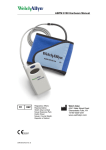
6 Fit your patient with the monitor and cuff
• Place an appropriate size cuff around the patient’s
Sleeve Cuff
nondominant arm.
the cuff so that the Artery Marker label
is directly over the brachial artery.
• Position
• Connect
the hose of the cuff to the monitor, place
the monitor in the pouch, and attach the monitor
to the patient.
7 Prepare your patient
• If
the unit is in Sleep Mode (no display on the LCD), press
the Start/Stop button to “wake” the unit.
• Press
the Start/Stop button again to initiate a manual
reading. This will cause the cuff to inflate and a reading
to be taken.
NOTE: the automatic measurements will not start until at least
one manual measurement is taken
Review the following instructions with your patient:
• Avoid
excess movement during readings.
• Relax
arm slightly away from body.
• Avoid
hand movement.
• Avoid
flexing muscle during reading.
• Do
not remove cuff between readings.
8 Retrieve data
•
When your patient returns, remove the recorder and accessories.
• Turn
the recorder off by holding down the Start/Stop button
for five seconds or until the unit beeps five times.
• Connect
the recorder to the computer.
• Start
the CardioPerfect Workstation Software and search for
the patient in the database.
• Select
the Read Back icon.
• Make your selections from the ABP Measurement Read Back
window and press OK to transfer and save the data to
the computer.
9 Review data and print report
• You
can choose from multiple ABPM report templates.
• If
automatic printing is checked in the ABPM Print settings,
the report should print now.
• If
you did not select Automatic Printing in
the Settings, click on the down arrow next
to the Print icon and choose Print
Selected Formats to initiate printing.
• If
you just want to print one page, click on the Print icon,
and select the desired report page.
Traditional Cuff