1
TYMIN INDUSTRIES LIMITED
Chapter 3
Operation
3.1 Load batteries:
Use 4pcs AA alkaline batteries, there will be a short music every time of loading batteries.
3.2 The initialization:
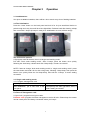
Press the “reset” button on the back panel and hold it for 3s (use small hard device to
poke through the hole), there will be a blue light blinks. Release hand after hearing a beep,
then come with 5 beeps (6 beeps in total), then initialization succeed, all data empty.
Two choices for options:
A.If program cards at the time, then it is“single card working mode”
B.If want “Dual cards working mode”, after 5 beeps, press the button once quickly
following the sixth beep, release hand with 4 beep-beep, it means successful.
NOTE: if want to change “dual cards working mode” to “single card working mode”: press
the reset button and hold it for 3s with a long beep, following 3 beep-beep, then press the
button once quickly follow the 3rd beep-beep, there will be 4 beeps, it means setting
successful.
3.3. Single card working mode:
3.3.1 Program management card
Operational Procedure
Indication of the lock
After initialization, put a card close to the 2 beep-beep with blue light blinks twice, it
front panel.
means setting successful.
Only 1 management card available for each lock.
Function of management card:
A. Open lock, program/cancel guest cards.
B. Master card: program the same management card to all locks. Please keep the master
card at a safe place and always remember where you keep it.
2



![Manual[DOWNLOAD]](http://vs1.manualzilla.com/store/data/005715994_1-2fafd5cf8faf458a6c3437b6894f1203-150x150.png)