1
You can exit teletext mode by pressing the TEXT
button on the remote or by changing channel. Also if
you call for the INFO bar or bring up a menu you will
temporarily enter TV mode returning to TEXT mode
when you cancel the menu or INFO bar.
You can exit any digital teletext channel by changing
channel in any of the normal ways. You can leave the
digital teletext function of a combined digital teletext/
programme channel, to return to normal television
viewing of that channel, by pressing the TEXT key.
Calling for the information banner or any menu onscreen stops the receiver from displaying the digital
teletext pages and they are temporarily replaced by a
blank picture while the banner or menu is displayed.
Digital teletext cannot be accessed when the Subtitles
are enabled.
WIDE
TV sets are available with screens of the standard (4:3)
format and widescreen (16:9) format. When you first
installed your receiver you specified the format of the
connected TV (this can now be altered if necessary; see
Configuration)Digital terrestrial television broadcasts are
also made in both standard and widescreen formats.
In particular, films and dramas tend to be broadcast
in widescreen format to closer emulate the cinema
experience, but some programmes such as news
bulletins are 4:3. To help get the most from both TV set
and programme when a widescreen film is watched on
a standard TV, or a standard broadcast is viewed on a
widescreen set, the receiver includes the WIDE key.
So long as the receiver has been correctly set up for
the TV set connected, a widescreen programme will
always be displayed correctly on a widescreen set, and
a standard format programme will correctly fill the screen
of a standard format TV.
With a widescreen TV set displaying a standard format
programme the WIDE key switches between displaying
the picture with black bars down the sides, and enlarging
the picture so that it fills the whole width of the screen
but the top and bottom are cropped off.With a standard
format TV displaying a widescreen programme, the
WIDE key switches between displaying the picture with
black bars at the top and bottom of the screen, and filling
the whole height of the screen but cropping the sides off
according to instructions broadcast with the programme
(called ‘pan and scan’).The effect of the WIDE key on the
picture display is cancelled by pressing WIDE again.
Notes
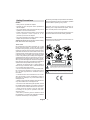
POWER: The receiver should be plugged into a 220240 V AC 50Hz supply only.
LEADS: Ensure the power supply lead, and all other
leads, are positioned so they are not likely to be
walked on or pinched by things placed on or against
them. Pay particular attention to the power lead, where
it enters the mains plug and where it comes out of the
receiver. Do not connect or adjust leads when the
receiver is plugged in.
TEMPERATURE AND MOISTURE: Do not leave or
use the receiver in a hot, cold or humid area. Do not
allow the receiver to get wet - from drips or splashes
- as this may be dangerous. Do not place water-filled
objects such as flower vases, on top of the receiver.
VENTILATION: Slots and openings in the receiver’s
cover are for ventilation. Do not cover or block them
as this could lead to overheating.
CLEANING: Unplug the receiver before it is cleaned.
Use a lightly dampened cloth only. Do not use liquid
or aerosol cleaners.
HEAT AND FLAMES: The receiver should not be
placed near to naked flames or sources of intense
heat, such as an electric fire. Ensure that no naked
flames sources, such as lighted candles, are placed
on top of the Receiver.
LIGHTNING: Unplug your receiver from the wall
socket if there is a storm or lightning, or if it is to be
unused for a long time.
REPLACEMENT PARTS: If your receiver needs a
replacement part, ensure the person undertaking
the repair uses parts which are specified by the
manufacturer or have the same specifications as the
original part. Other parts may cause a fire, electric
shock or other hazards.
BATTERY DISPOSAL: Please ensure that exhausted
batteries from the remote control handset are
disposed of safely.
SERVICING: Ensure the person who services your
receiver is qualified to do so. Do not remove the
cover yourself you could get an electricshock.We
are proud to offer a high-quality product. To keep this
level of quality, your receiver should be serviced at
an authorised service centre.
Note:
Sometimes the TV will automatically try and
compensate for an incorrect screen format, in this
instance set the tv to the correct format whilst viewing
the programme.
English - 20 -