1
www.CarSets.co.uk
Writing into the ECU EEPROM chip
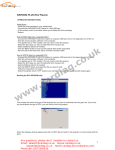
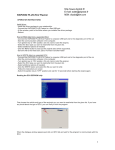
Choose the vehicle and type of the ECU (as in the “READ” process) click on INFO tab. OPEN the file
prepared for your vehicle or ECU type.
From the display, on the right window you will see the reference of the ECU that corresponds to the open
file. To confirm that this information matches with our ECU type. Verify the numbers in both windows are the
same just to be on the save side.
If you are absolutely sure that everything you did is correct. Click on PROG tab, the system will now erase
the ECU flash memory and program it with the new file. Please DO NOT INTERRUPT during this process.
When it had finished writing, just turn the ignition key to “OFF” position and then confirm by clicking the OK
button.
Wait for 10 seconds and it is done! Now you can enjoy the new ECU program.
Contact Information:
3
MSN: [email protected] Skype: CarSets02
E-mail: [email protected] Yahoo: [email protected]