1
User Manual
AtlonA
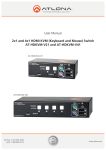
2x1 and 4x1 HDMI KVM
(Keyboard and Mouse)Switch
AT-HDKVM-V21 and AT-HDKVM-V41
AT-HDKVM-V21
AT-HDKVM-V41
www.atlona.com | toll free: 1-877-536-3976
For International: 1-408-962-0515
TABLE OF CONTENTS
1. Introduction
.................................................. 3
2. Package Contents .................................................. 3
3. Application
.................................................. 3
4. Features
.................................................. 3
5. Specification
.................................................. 4
6. Connection and Operation
.................................................. 4
7. Hot Key Instructions
.................................................. 4
8. LED Identification
.................................................. 5
9. Atlona Product Registration
.................................................. 5
10. Safety Information
.................................................. 6
11. Warranty
.................................................. 7
www.atlona.com | toll free: 1-877-536-3976
For International: 1-408-962-0515
2
INTRODUCTION
The Atlona HDKVM-V21 and HDKVM-V41 are the HDMI KVM 2 x 1 and 4x1 switchers. These designed to allow
user to have 2 or 4 computers and one display while utilizing the same keyboard and mouse across all of the
computers. The switch between channels could either be done though push-buttons on the front panel of the
switch or though Hot Key selection.
The HDKVM series of switchers is based on the latest HDMI IC and therefore capable of fully displaying uncompressed digital video with resolutions up to 1920x1200 or 1080p along with High Resolution Audio up to Dolby
True HD and DTS master.
PACKAGE CONTENTS
• 1 x AT-HDKVM-V21 or AT-HDKVM-V41
• 2 or 4 USB Cables Depending on the model chosen
• 1 x 5v Power supplies (Universal 110/240V)
• 1 x Instructions manual
APPLICATIONS
Office use: Most of the jobs that involve Graphics design, Video Editing, Programming very often require 2
or more computers; however usually it is impossible to use more than one monitor and multiple keyboards or
mouse’s. The HDKVM solution is perfect for such an application.
QA: For those who test systems on different platforms such as Windows, Mac OS, Linux or any other, will definitely require multiple computers at their station. The HDKVM is a great solution which will allow QA person to
switch between operating systems which still using one keyboard, mouse and display.
FEATURES
• Supports Extremely high resolutions up to 1920x1200 or 1080p
• Supports Latest Digital Audio Formats up to Dolby True HD and DTS master
• Allows users of multiple computers to be able to have a single keyboard, single mouse and one monitor while
switching in between computers with a push of a button.
• Auto Scan Mode, allows to switch to a specific input when the computer turns on or off
• Allows a use o either USB or PS2 keyboard and mouse
• OS support - Windows, Linux, and Mac
• Plug and Play
• 3D Capable
• Supports 30/36/48 bit color depth display.
• Auto Signal Enhancement feature can improve signal quality after long distance transmission.
www.atlona.com | toll free: 1-877-536-3976
For International: 1-408-962-0515
3
SPECIFICATIONS:
Inputs
Outputs
Frequency bandwidth
Resolutions
Color Depth
HDCP Compliant
Power Supply
Dimensions (W x D x H)
Weight
Operating Temperature Range
Storage Temperature Range
Operating Humidity Range
AT-HDKVM-V21
AT-HDKVM-V41
2 x HDMI, 2 x USB (type B)
4 x HDMI, 4 x USB (type B)
1 x HDMI, 2 x USB (type A), 2 x PS2 1 x HDMI, 2 x USB (type A), 2 x PS2
6.75Gbps
up to 1080p
up to 48bit
Yes
5v DC (universal 110/220v)
5.11”x2.9”x1.65” / 130x75x42(mm)
7.87”x2.9”x1.65” / 200x75x42mm
1.1LB / 0.5kg
1.4LB / 0.65kg
-5 to +35°C (-41 to +95 °F)
-20 to +60°C
0 to 80 % RH (no condensation)
CONNECTION AND OPERATION
1. Connect HDMI Cable from your computers to inputs on the Atlona HD KVM Switch
2. Connect the one USB cable to each one of the computers. Make sure that HDMI input numbers correspond
with USB input numbers. The USB connections for the computers are located at the back side of the switcher.
3. Connect HDMI cable from the output of the switch to the HDMI input on the display.
4. Connect Keyboard and Mouse to the outputs of the switch. User can choose to use either USB or PS2, mix
and match is acceptable.
5. Connect the switch to the included power supply and enjoy
6. User can choose to use manual front button input selection or Hot Key selection.
HOT KEY INSTRUCTIONS
Hot Key allows user conveniently access connected computers directly from the keyboard, instead of selecting
push-buttons manually.
Press [Scroll Lock
] twice, you will hear beep sound, then click number key “1/2/3/4” to select the computers. The number is referring to the input number computer is connected to.
[Scroll Lock
]+ [Scroll Lock
]+“S” get into automatically scan mode, at this moment, the mouse and
keyboard do not work. (Scan duration 8 seconds). If you want to get out of scan mode, press any key. Auto
Scan mode will enable switch to find the first operational computer.
[Scroll Lock
]+ [Scroll Lock
]+↑ Select last input
[Scroll Lock
]+ [Scroll Lock
]+↓ Select next input
[Scroll Lock
]+ [Scroll Lock
]+“F Turn OFF the beeping sound
[Scroll Lock
]+ [Scroll Lock
]+“O”Turn on the beeping sound
www.atlona.com | toll free: 1-877-536-3976
For International: 1-408-962-0515
4
LED IDENTIFICATION
The LEDs are located on the input buttons. The upper LEDs are the computers which are connected and turned
on; the lower buttons are Selected input LEDs.
ORANGE LEDs indicate that the computer attached to the corresponding port is up and running.
GREEN LEDs indicate the current input is selected.
The flashing LEDs is indicating that Auto mode is ON
ATLONA PRODUCT REGISTRATION
Thank you for purchasing this Atlona product — we hope you’ll enjoy it.
We also hope that you’ll take a few moments to register your new purchase. Registration creates an ownership
record if your product is lost or stolen and helps ensure you’ll receive notification of performance issues and firmware
updates.
At Atlona, we respect and protect your privacy and assure you that your registration information is completely
secure. Of course, Atlona product registration is totally voluntary and failure to register will not diminish your limited warranty rights.
To register go to www.atlona.com/registration
www.atlona.com | toll free: 1-877-536-3976
For International: 1-408-962-0515
5
SAFETY INFORMATION
Safeguards
To reduce the risk of electric shock, do not
expose this product to rain or moisture.
If the wall plug does not fit into your local
power socket, hire an electrician to replace
your obsolete socket.
Do not modify the wall plug.
Doing so will void the warranty and safety
features.
This equipment should be installed near
the socket outlet and the device should
be easily accessible in case it requires
disconnection.
Precautions
FCC Regulations state that any
unauthorized changes or modifications to
this equipment not expressly approved by
the manufacturer could void the
user’s authority to operate this
equipment.
Operate this product using only the
included external power supply. Use of
other power supplies could impair
performance, damage the product or cause
fires.
Avoid excessive humidity, sudden
temperature changes or temperature
extremes.
Keep this product away from wet locations
such as bathtubs, sinks, laundries, wet
basements and swimming pools.
Use only accessories recommended by
ATLONA to avoid fire, shock or other
hazards.
Unplug the product before cleaning. Use
a damp cloth for cleaning. Do not use
cleaning fluid or aerosols, which could
enter the unit and cause damage, fire or
electrical shock. Some substances may
also mar the finish of the product.
Never open or remove unit panels or make
any adjustments not described in this
manual. Attempting to do so could expose
you to dangerous electrical shock or other
hazards. It may also cause damage to your
AT-HDKVM-V21 and AT-HDKVM-V41.
Opening the product will void the warranty.
Do not attempt to service the unit. Instead
disconnect it and contact your Authorized
ATLONA reseller or contact ATLONA
directly.
In the event of an electrostatic discharge,
this device may automatically turn off. If this
occurs, unplug the device, and plug it back
in.
Protect and route power cords so they will
not be stepped on or pinched by anything
placed on or against them. Be especially
careful of plug-ins, or cord exit points from
this product.
www.atlona.com | toll free: 1-877-536-3976
For International: 1-408-962-0515
6
1.LIMITED WARRANTY
Atlona Technologies warrants that (a) its products (the “Product”) will perform substantially in accordance with the accompanying written materials for a period of 3 YEARS from the date of receipt and (b) that the Product will be free from
defects in materials and workmanship under normal use and service for a period of 3 years. In the event applicable law
imposes any implied warranties, the implied warranty period is limited to 3 years from the date of receipt. Some jurisdictions do not allow such limitations on duration of an implied warranty, so the above limitation may not apply to Customer.
2.CUSTOMER REMEDIES
Atlona Technologies and its suppliers’ entire liability and Customer’s exclusive remedy shall be, at Atlona Technologies’
option, either return of the price paid for the Product, or repair or replacement of the Product that does not meet this
Limited Warranty and which is returned to Atlona Technologies with a copy of Customer’s receipt. This Limited Warranty
is void if failure of the Product has resulted from accident, abuse, or misapplication. Any replacement Product will be warranted for the remainder of the original warranty period or 3 year, whichever is longer.
3.NO OTHER WARRANTIES
TO THE MAXIMUM EXTENT PERMITTED BY APPLICABLE LAW, ATLONA TECHNOLOGIES AND ITS SUPPLIERS
DISCLAIM ALL OTHER WARRANTIES, EITHER EXPRESS OR IMPLIED, INCLUDING, BUT NOT LIMITED TO IMPLIED WARRANTIES OF MERCHANTABILITY AND FITNESS FOR A PARTICULAR PURPOSE, WITH REGARD TO
THE PRODUCT AND ANY RELATED WRITTEN MATERIALS. THIS LIMITED WARRANTY GIVES CUSTOMER SPECIFIC LEGAL RIGHTS. CUSTOMER MAY HAVE OTHER RIGHTS DEPENDING ON THE JURISDICTION.
4.NO LIABILITY FOR DAMAGES
TO THE MAXIMUM EXTENT PERMITTED BY APPLICABLE LAW, IN NO EVENT SHALL ATLONA TECHNOLOGIES OR
ITS SUPPLIERS BE LIABLE FOR ANY DAMAGES WHATSOEVER (INCLUDING WITHOUT LIMITATION, SPECIAL, INCIDENTAL, CONSEQUENTIAL, OR INDIRECT DAMAGES FOR PERSONAL INJURY, LOSS OF BUSINESS PROFITS,
BUSINESS INTERRUPTION, LOSS OF BUSINESS INFORMATION, OR ANY OTHER PECUNIARY LOSS) ARISING
OUT OF THE USE OF OR INABILITY TO USE THIS PRODUCT, EVEN IF ATLONA TECHNOLOGIES HAS BEEN ADVISED OF THE POSSIBILITY OF SUCH DAMAGES. IN ANY CASE, ATLONA TECHNOLOGIES’ AND ITS SUPPLIERS’
ENTIRE LIABILITY UNDER ANY PROVISION OF THIS AGREEMENT SHALL BE LIMITED TO THE AMOUNT ACTUALLY PAID BY YOU FOR THE PRODUCT. BECAUSE SOME JURISDICTIONS DO NOT ALLOW THE EXCLUSION OR
LIMITATION OF LIABILITY FOR CONSEQUENTIAL OR INCIDENTAL DAMAGES, THE ABOVE LIMITATION MAY NOT
APPLY TO YOU.
www.atlona.com | toll free: 1-877-536-3976
For International: 1-408-962-0515
7