1
Manual
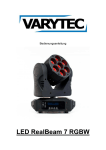
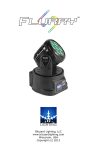
LED RealBeam 7 RGBW
Table of content
1.
Safety instructions ............................................................................................................................ 3
1.1.
Instructions for a safe and efficient operation.......................................................................... 3
1.1.
2.
Additional Information for safety .............................................................................................. 4
Statement ......................................................................................................................................... 5
2.1.
Product description .................................................................................................................. 5
2.1.
Introduction to the product ....................................................................................................... 6
2.1.1.
3.
Technical Data ................................................................................................................. 6
Controlling ........................................................................................................................................ 7
3.1.
Description of the display ........................................................................................................ 7
3.2.
Structure of the menu .............................................................................................................. 7
3.3.
DMX chart ................................................................................................................................ 8
3.3.1.
9 Channels ....................................................................................................................... 8
3.3.2.
12 Channels ..................................................................................................................... 8
2 / 12
1. Safety instructions
•
•
•
•
•
•
1.1.
This Device is suitable for indoor use only.
All modifications will void the warranty.
Repairs have to be carried out by skilled personnel only.
Only use fuses of the same type and original parts as spare parts.
Protect the Unit from rain and humidity to avoid fire and electric shocks.
Make sure to unplug the power supply before opening the housing.
Instructions for a safe and efficient operation
Be careful with heat and extreme temperature
Only use the device in a place where no extreme temperatures will occur.
Do not keep it in a temperature bellow 32°F /0°C, or exceeding 104°F /40°C.
Avoid exposing it to direct rays of the sun or near a heating appliance.
Keep away from humidity, water and dust
Do not place the set in a location with high humidity or lots of dust.
Containers with liquid should not be placed on the set.
Avoid placing it on un-stable location
Select a level and stable location to avoid vibration.
Do not use chemicals or volatile liquids for cleaning
Use a clean dry cloth to wipe off the dust. Metall Parts can be cleaned with a wet soft cloth for
stubborn dirt.
If out of work, contact sales agency soon
If any troubles occurs, remove the power plug immediately, and contact with an engineer for repairing,
do not open the cabinet by yourself, it might result a danger of electric shock.
Take care with the power cable
Never pull the power cable to remove the plug from the receptacle, be sure to hold the plug. When not
using the device for an extended period of time, be sure to disconnect the plug from the receptacle.
IMPORTANT:
Damages caused by the disregard of this user manual are not subject to warranty. The dealer will not
accept liability for any resulting defects or problems. Make sure the electrical connection is carried out
by qualified personnel. All electrical and mechanical connections have to be carried out according to
the European safety standards.
3 / 12
1.1. Additional Information for safety
Exessive temperature
Ta=40°C
Please do not use the device if the temperature exceeds 40°C/104°F.
Drop safety
To avoid injuries carry the package only by twos. If you install the device the
mounting bracket has the ability to carry the tenfold load of the weight of the
device. Always use a corresponding safety to safe the device additional. While
working at the device the place below has to be vacated
UV protection and lamp explosion
Do not look unprotected directly into the light. The UV radiation is shielded by the
lens and the casing, but without the casing it is possible to cause damages on the
eyes.
Beware of electrical shock
Make sure the electrical connection is carried out by qualified personnel. Before
you plug in the device make sure that the power supply system has the right
voltage. Every device has to be grounded. Unplug the power supply if you want to
change a lamp or you have to open the device. You also have to accomplish this
action if there is a thunderstorm or high humidity.
Fire risk
Make sure that the fuse is in function. It is never allowed to bridge it. If you have to
exchange it only use fuses of the same type.
There must be a distance to lighted things and beam of 0,5m.
It is not allowed to cover fans and air in and outlets.
Make sure that there is a distance between the device and all objects in an area of
0.5m.
Don’t put or mount anything on the lens.
The device has to cool down for 20 minutes before opening.
4 / 12
2. Statement
When we send out the goods, they are well packaged and also at best condition. Every product was
tested before delivery. If you recognize mistakes or damages please contact the delivery agent or the
supplier. Please read this manual faithful. In this manual you can find information about the handling
and the safety regulations of this product. If you disregard this manual we cannot give a warranty for it.
Technical changes, which are for progress, may be possible at any time. They are not mentioned
particularly in this manual, but affixed extra.
2.1. Product description
Thank you for choosing this device. This device is on the current state of technology and has a range
of features and meets the requirements of the DMX512 USITT 1990 standard. This device was
developed for many different purposes e.g. TV studios, discos, nightclubs, bars and concerts.
5 / 12
2.1. Introduction to the product
2.1.1. Technical Data
Power supply
Voltage
Light source
Lamp type
Wattage
Color spectrum
Number
Optics
Beam angle
Functions
Pan
Tilt
Control
Sound-to-light
Automatic
Master-Slave
DMX
Artnet
RDM
Hardware
Protection class
Skill
Dimensions (LxBxH)
Weight
110V-240V / 50-60Hz
LED 4in1
105W
RGBW
7x15W RGBW
7/13°
540°/630°
270°
Yes
Yes
Yes
9/12 channels
No
No
IP44
indoor
440 x 340 x 240 mm
7,55kg
6 / 12
3. Controlling
3.1. Description of the display
By pressing MENU you can get into the menu. You can reach the desired point in the menu by hitting
UP/DOWN. Confirm with ENTER. You can change the settings with the UP/DOWN buttons, too. Store
your setting with ENTER.
3.2. Structure of the menu
Main menu
Submenu 1 Settings
DMX Adress
1-512
System Reset
Firmware Version
X.XXX
Work Time XX
Fixture Time
H
Red
000-255
White Balance
Blue
000-255
Green
000-255
Red Test
Green Test
Auto Test
Blue Test
White Test
All Test
Yes
Tilt Inverse
No
Yes
Pan Inverse
No
540°
Pan Angle
630°
On
Backlight LCD
Off
Auto run
Show Mode
Sound
Master
Slave Mode
Slave
9Ch
Channel
12Ch
Function
Setting the DMX address
Reset
Software version
Operating hours
Dimmer red LEDs
Dimmer blue LEDs
Dimmer green LEDs
Test red LEDs
Test green LEDs
Test blue LEDs
Test white LEDs
Test all LEDs
Tilt Scan inverse
Tilt Scan normal
Pan Scan inverse
Pan Scan normal
Angle 540°
Angle 630°
Display stays on
Display powers down after 30s
Automatic program
Sound-to-light
The device acts as Master.
The device acts as Slave.
DMX mode with 9 channels.
DMX mode with 12 channels.
7 / 12
3.3. DMX chart
3.3.1. 9 Channels
Channel
1
2
3
4
Pan
Tilt
Pan fine
Tilt fine
5
Dimmer/
Strobe
6
7
8
9
Red
Green
Blue
White
Value
from
0
0
0
0
0
201
248
0
0
0
0
Value to Description
255
255
255
255
200
247
255
255
255
255
255
Pan movement 0-540°
Tilt movement 0-180°
Fine Pan movement
Fine Tilt movement
Dimmer
Strobe slow-fast
Dimmer
Dimmer red LEDs
Dimmer green LEDs
Dimmer blue LEDs
Dimmer white LEDs
3.3.2. 12 Channels
Channel
1
2
Value
from
Dimmer
0
0
10
15
20
25
30
35
39
44
49
54
Macro Color
59
64
68
83
88
92
97
102
107
117
121
Value to Function
255
9
14
19
24
29
34
38
43
48
53
58
63
67
82
87
91
96
101
106
116
120
130
Dimmer 0-100%
No function
Red
Green
Blue
Macro color 1
Macro color 2
Macro color 3
Macro color 4
Macro color 5
Macro color 6
Macro color 7
Macro color 8
Macro color 9
Macro color 10
Macro color 11
Macro color 12
Macro color 13
Macro color 14
Macro color 15
Macro color 16
Macro color 17
Macro color 18
8 / 12
3
4
5
6
Red
Green
Blue
White
7
Strobe
8
9
10
11
Pan
Pan fine
Tilt
Tilt fine
12
Function
131
136
141
146
155
160
165
170
174
179
184
189
194
199
203
208
213
218
223
228
232
237
242
247
252
0
0
0
0
0
10
0
0
0
0
0
128
135
140
145
154
159
164
169
173
178
183
188
193
198
202
207
212
217
222
227
231
236
241
246
251
255
255
255
255
255
9
255
255
255
255
255
127
255
Macro color 19
Macro color 20
Macro color 21
Macro color 22
Macro color 23
Macro color 24
Macro color 25
Macro color 26
Macro color 27
Macro color 28
Macro color 29
Macro color 30
Macro color 31
Macro color 32
Macro color 33
Macro color 34
Macro color 35
Macro color 36
Macro color 37
Macro color 38
Macro color 39
Macro color 40
Macro color 41
Macro color 42
Macro color 43
Dimmer red LEDs
Dimmer green LEDs
Dimmer blue LEDs
Dimmer white LEDs
No function
Strobe slow-fast
Pan movement 0-630°
Fine Pan movement
Tilt movement0-270°
Fine Tilt movement
No function
Auto & Master
9 / 12
10 / 12
11 / 12
Importer:
B & K Braun GmbH
Industriestraße 2
D-76307 Karlsbad
www.bkbraun.com
[email protected]
12 / 12