1
8.17
NIGHT DECREASE SETTINGS
DESCRIPTION
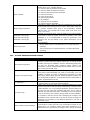
In the controller it is possible to set time
periods of silo temperature reduction,
heating cycles, hot water silo, and circular
pump.
Time
periods
allow
setting
temperature reduction in given time period –
i.e. at night or when user leaves the heated
room. Thanks to it preset temperature can
be reduced automatically, without loss of
heating
comfort
by
reducing
fuel
consumption.
To activate time periods use parameter Night
time decrease for given cycle and activate it.
Night reductions can be defined separately in
working days, Saturdays and Sundays.
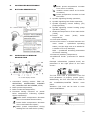
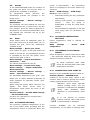
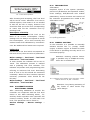
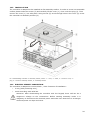
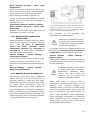
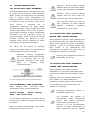
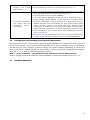
Pic. 9 Window of time periods choosing.
It is needed to set the beginning and the end
of given time period and value with which
the preset temperature will be reduced.
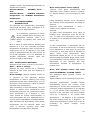
In this example from 00:00 to 06:00 the
controller will set preset silo temperature by
3 degrees C. Since 06:00 to 09:00 the
controller leaves preset silo temperature at
preset level (without reductions).Since 22:00
to 23:59 the controller will reduce preset silo
temperature by 3 degrees C.
Time period is omitted by setting
period reduction for value “0”
even if scope of hours is set in it
8.18
Attention: functionality of circular pump is
available only after connecting additional
module MX.03
Settings are in:
Night time decrease→ Circular pump.
and
Service settings→ CH and HUW settings
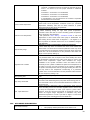
Settings of time control of circular pump are
analogical to settings of night reductions. In
defined time periods circular pump is
deactivated. In omitted periods the circular
pump is switched into position circular
operation time
8.19
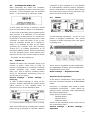
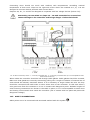
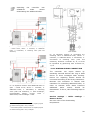
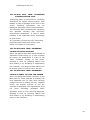
Pic. 10 Time periods edition.
Below sample preset
reduction is presented.
night
temperature
CIRCULAR PUMP CONTROL
FUEL LEVEL CONFIGURATION
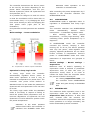
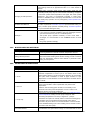
Fuel level indicator activating
To activate displaying fuel level following
parameters are to be set
Boiler setting→ fuel level→ alarm level
On value bigger than “0”, i.e. 10%
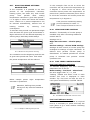
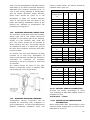
Twisting “TOUCH and PLAY” knob in main
window fuel level is displayed in main
window. Tip: fuel level can also be seen in
room panel ecoSTER200/ ecoSTER TOUCH.
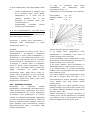
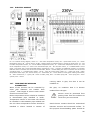
Attention, defining time periods
during one day must be started at
00:00!
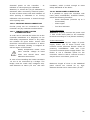
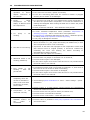
Pic. 12 Additional window with fuel level view.
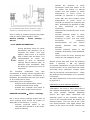
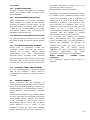
Pic. 11 Sample of defining time periods.
Fuel level indicator service
Each time when fuel silo is filled to required
level it is necessary to press and keep the
knob [about 2 s] in main window. Following
info will appear:
16