1
Recommended Web Browser settings
Recommended Web Browser Settings
1
In most cases, you will not need to make any changes to your web
browser’s settings. If you are having trouble accessing the Internet or
the Web-Based Advanced User Interface, then change your browser’s
settings to the recommended settings in this section.
2
Microsoft® Internet Explorer 4.0 or Higher
4
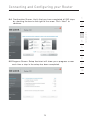
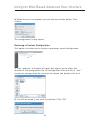
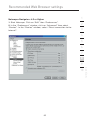
1. Start your web browser. Select “Tools” then “Internet Options”.
3
5
6
7
8
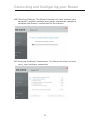
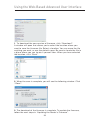
2. In the “Internet Options” screen, there are three selections: “Never
dial a connection”, “Dial whenever a network connection is not
present”, and “Always dial my default connection”. If you can make
a selection, select “Never dial a connection”. If you cannot make a
selection, go to the next step.
67
10
12
section
9