1
Instructions for Use
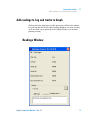
Add readings to Log and tracks to Graph
2
Data Plotting
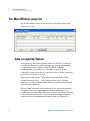
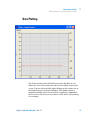
The Graph window plots till 8 different tracks allocable on two
different Y axes and continuously shows their timing trend on the
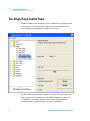
screen. You can add new fields right-clicking on the window list in
the Single Pump Control Panel Window. The Graph window is
completely sizable and it has axes limits completely configurable.
Moreover for each track you can choose colour and Y axis (primary
or secondary).
Agilent T-plus User Manual / Rev. 1.1
13