1
Problem: My usage summary is showing negative numbers for the inventory value
Solution: This can happen when you have chosen to only count key items for your inventory. Optimum Control takes
whatever amount it has been tracking as the proper count for the non key items and until you set the closing inventory
amounts for the non key items they may be incorrect. If you are running only Key items in your counts then ONLY key items
should be run in the usage summary report. When you do a full count then run usage summary with all items.
Sales Mix FAQs
Problem: I saved my sales mix on the wrong date OR I saved it twice.
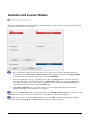
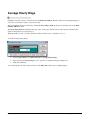
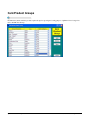
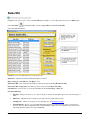
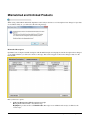
Solution: Click on sales mix window and highlight the sales mix in question. Right click to change the date or if it has been
saved twice, highlight the duplicate sales mix and click Delete. Then click Save.
Problem: I cannot import from my POS, the program says no sales were imported.
Solution: There could be a couple of issues here. If your configuration is incorrect for the type of POS then probably
Optimum will not be able to read it. Call TracRite support to make sure you are configured correctly. Or if the fie is open in
notepad or any other program it will not import
OR
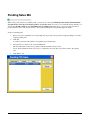
Another reason may be that the Dept ID in your store window has a character in it, this will prevent the sales mix import
from importing any data that does not contain that character. Open the Store window (Lists, Store) and remove any characters
from the Dept ID field.
Problem: I want to look at only one day’s sales mix only.
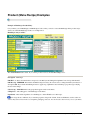
Solution: Click on the Reports button and choose the Period Product Sales report. When selecting the dates indicate the day
you wish to see information for as your “from date” and the same date as your “to date”. Or click Sales mix and double click
on the sales you want to see.
Invoice FAQs
Problem: In the invoice module, when I save, I get the message that my Invoice Total and Grand Total don’t match even
though they are both matching.
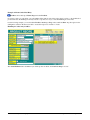
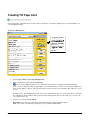
Solution: Sometimes you will enter a number and not ‘TAB’ to the next field. This means that the number has not been
accepted by the program. Click on the Invoice Total field, enter the total again and then press TAB. A dollar sign ‘$’ (or
currency sign depending on your country) will appear in front of the number, this will indicate that it has been accepted.
Problem: Sometimes when I click on the items window after entering an invoice I get an error message.
Solution: Pretend it never happened and click Continue…we are working on this issue.
Optimum Control Help File
FAQ – Frequently Asked Questions • 221