1
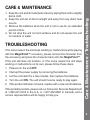
1. Keep the unit and its metal parts clean by wiping them with a slightly
damp cloth.
2. Keep the unit out of direct sunlight and away from any direct heat
source.
3. Remove the batteries when the unit is not in use for an extended
period of time.
4. Do not drop the unit on hard surfaces and do not expose the unit
to moisture or water.
TROUBLESHOOTING
If for some reason the unit stops working or malfunctions while playing
with the MagicPoint™ accessory, please remove the character from
the accessory and place the character back onto the MagicPoint™.
If the unit still does not function, or if for some reason the unit stops
working or malfunctions on its own, please follow these steps:
1. Please turn the unit OFF.
2. Interrupt the power supply by removing the batteries.
3. Let the unit stand for a few minutes, then replace the batteries.
4. Turn the unit ON. The unit should now be ready to play again.
5. If the product still does not work, replace with a new set of batteries.
If the problem persists, please call our Consumer Services Department
at 1-800-521-2010 in the U.S. or 1-877-352-8697 in Canada, and a
service representative will be happy to help you.
Care & Maintenance / Troubleshooting
CARE & MAINTENANCE
5