1
5. GETTING STARTED
5-1. Start Up
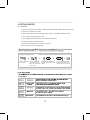
1.) Once all connections are made, circulate water through chiller before turning on the unit.
2.) Check all connections for leaks.
3.) Verify electricity rating, and then plug power cord into a dedicated electrical outlet.
4.) This unit has been factory-set at 77F.
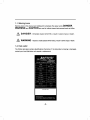
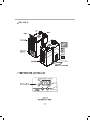
5.) The Digital Display will read the current water temperature.
6.) The light indicator will begin to blink.
7.) Chiller will automatically turn on within 3 minutes.
8.) Your chiller has now been activated.
℉
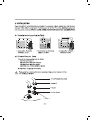
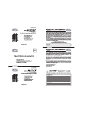
Changing setting temperature
Press the UP button
for 5 seconds.
Example: To change setting temperature rang from 77℉ to 79℉
The Decimal Point will
blink. Depress the UP
button once the number
starts to blink.
Set to desired temperature
setting by pressing UP or Down
buttons.
The new temperature setting
will blink and be stored in the
memory chip after 10 seconds.