1
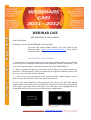
 5. When you have completed all of the above steps (steps 1‐4), you can start using the IOHE Webinar. B. NOTES ON USING THE WEBINAR CHAT TOOL: The chat tool is located on the right‐hand side of the website. It is the only means for you to communicate with the person who is giving the webinar. To use this tool, please follow the instructions given below: 1. ‐ Fill in the box that says “your name” (see the red box in screen shot 3). It is recommended that you insert your name and surname, for example, John. Smith. 2. ‐ If you wish to ask a question or make a comment, you may do so by filling in the field: “Send Questions or Comments”. Afterwards, click the “send” icon (see the purple box in screen shot 3). Please note that your questions and comments are moderated by members of the IOHE Webinar Team. Screen Shot 3 CONTACTS:
CAMPUS‐IOHE TECHNICAL TEAM www.oui‐iohe.org/campus . campus@oui‐iohe.org . Casilla postal: 11 01 608 Sede: Universidad Técnica Particular de Loja . San Cayetano alto s/n. Telefax: (593) 72 587 809