1
1
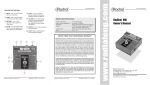
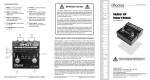
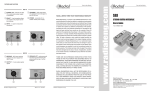
INPUT - jack connects to instruments
like guitars and keyboards.
2
-15dB PAD - reduces the input level
by 15dB to prevent overload from high
output devices like CD players and
active pickups.
3
4
Pro48 SPECIFICATIONS
LED INDICATOR - lights to confirm
phantom power is active and the Pro48
is working.
THRU - jack passes the instrument
signal to the on-stage amplifier.
5
FULL BOTTOM FOOT - neoprene
foam foot provides electrical isolation
and plenty of friction to stay put.
6
14 GAUGE STEEL - bookend shell
creates a protective zone around the
switches and connectors.
7
OUTPUT - 600Ω balanced mic-level
output (pin-2 hot) drives long cables for
runs to 1000 feet without appreciable
loss.
8
GROUND LIFT - helps to reduce hum
and buzz caused by ground loops.
9
SWITCHING POWER SUPPLY - steps
up the current from phantom power to
produce 9 volt internal rails. With more
voltage to work with than typical active
DIs, the Pro48 exhibits more headroom
and dynamic range while lowering
noise.
10
MILITARY-GRADE - double-sided PCB
is bolted to steel standoffs for road-tough
construction.
11
ISOLATED CONNECTORS - are 100%
electrically isolated from the chassis.
12
ACTIVE DRIVE CIRCUIT - electronically
balances the signal and converts it to
low-Z mic-level.
13
I-BEAM DESIGN - inner steel enclosure
is made extremely rigid with an I-beam
profile. This eliminates stress that could
torque the PC board and cause solder
joint failure.
Radial Engineering
1
2
3
4
Frequency response:
20Hz to 40kHz
Linear performance:
+/- 0.12dB 20Hz to 20kHz
Total harmonic distortion:
0.01 % from 20Hz to 20kHz
Input impedance:
220K ohms
Balanced outputs:
600 ohms, mic level, pin-2 hot
PAD:
-15dB
Power:
48V Phantom
5
RADIAL LIMITED THREE YEAR
TRANSFERABLE WARRANTY
6
7
Radial Engineering - a division of JP Cabletek Electronics Ltd.- warrants this product
to be free from defects in material and workmanship and will remedy any such defects
free of charge according to the terms of this warranty. Radial Engineering will repair
or replace at its option any defective component(s) of this product, excluding the
finish, the footswitch (footswitch is warranted for 90 days) and wear and tear from
normal use, for a period of three (3) years from the original date of purchase. In the
event that a particular product is no longer available, Radial Engineering reserves
the right to replace the product with a similar product of equal or greater value. To
make a request or claim under this limited warranty, the product must be returned
prepaid in the original shipping container (or equivalent) to Radial Engineering or
to an authorized repair centre and you must assume the risk of loss or damage. A
copy of the original invoice showing date of purchase and the dealer name must
accompany any request for work to be performed under this limited warranty. This
limited warranty shall not apply if the product has been damaged due to abuse,
misuse, misapplication, accident or as a result of service or modification by any
other than an authorized repair centre.
8
11
12
13
THERE ARE NO EXPRESSED WARRANTIES OTHER THAN THOSE ON THE
FACE HEREOF AND DESCRIBED ABOVE. NO WARRANTIES, WHETHER
EXPRESSED OR IMPLIED, INCLUDING BUT NOT LIMITED TO, ANY IMPLIED
WARRANTIES OF MERCHANTABILITY OR FITNESS FOR A PARTICULAR
PURPOSE, SHALL EXTEND BEYOND THE RESPECTIVE WARRANTY PERIOD
DESCRIBED ABOVE OF THREE YEARS.
RADIAL ENGINEERING SHALL NOT BE RESPONSIBLE OR LIABLE FOR ANY
SPECIAL, INCIDENTAL OR CONSEQUENTIAL DAMAGES OR LOSS ARISING
FROM THE USE OF THIS PRODUCT. THIS WARRANTY GIVES YOU SPECIFIC
LEGAL RIGHTS, AND YOU MAY ALSO HAVE OTHER RIGHTS, WHICH MAY VARY
DEPENDING ON WHERE YOU LIVE.
9
10
Pro48 User Guide
Radial Engineering
Pro48 User Guide
www.radialeng.com
True to the Music
FEATURES AND FUNCTIONS
True to the Music
Pro48 Active Direct Box
Users Guide
Radial Engineering
1638 Kebet Way, Port Coquitlam BC V3C 5W9
Tel: 604-942-1001 Fax: 604-942-1010
email: [email protected]
Radial Engineering is a division of C•TEC (JP CableTek Electronics Ltd.)
Radial Pro48 users guide - v1.0 - Part #: R870 1135 00
Subject to change without notice
CONGRATULATIONS on your purchase of the Radial Pro48 active direct
box. As with all Radial products the Pro48 is easy to use. This short manual
contains all the information you need to start using the Pro48 right away. For
more information on the Pro48 and other Radial products, visit our website at
www.radialeng.com.
OVERVIEW
The Pro48 is a great sounding active direct box. It has been optimized to
produce maximum headroom and dynamics while working within the limited
current available from 48V phantom power.
The Pro48 employs a unique switching power supply that steps up the current
from phantom power to produce higher internal rail voltage than typical
active DIs. This makes the Pro48 capable of peak input transients to 9 volts
without any noticeable distortion, making it perfect for both active and passive
instruments. The Pro48 is equipped with an input PAD to help prevent overload
from hot signals and a ground lift to reduce noise caused by ground loops. The
balanced XLR output can drive very long cables without appreciable signal
loss. The Pro48 is constructed for heavy use in the studio and on stage.
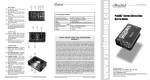
Pro48 BLOCK DIAGRAM
To fully understand the Pro48 follow the block diagram from the inputs on the
left to the outputs on the right.
After the paralleled input and thru jacks the signal passes through a switchable
15dB PAD which allows the Pro48 to handle virtually any audio device from
passive pickups to CD players without overloading.
Next comes the active drive circuit that converts the signal to balanced low
impedance mic-level for transmission over long cables without noise or signal
loss. The switching PSU steps up the current from phantom power and the
drive circuit uses the higher rail voltage to increase headroom and dynamic
range.
The switching PSU uses a transformer in the DC path to block noise caused
by ground loops. The ground LIFT switch interrupts the ground path around the
transformer to help suppress noise from bleeding through into the audio path.
Radial Engineering
Pro48 User Guide
CONNECTING THE Pro48
Before connecting the Pro48, start by making sure all volume levels are set
to zero. This will avoid any loud pops in your sound system that could cause
driver damage. Confirm the Pro48 switches are in their ‘out’ position.
Begin by connecting your instrument to the 1⁄4” INPUT jack on the Pro48. The
instrument signal may be connected through the Pro48 to an amplifier using
the 1⁄4” THRU jack.
Finally, connect the LOW-Z OUT to the input of a microphone snake or mixing
console using a balanced XLR cable. The Pro48 can drive very long cable in
excess of 300 feet without signal loss.
FREQUENTLY ASKED QUESTIONS
What is the difference between active & passive?
Active DI’s have a built-in pre-amp requiring power to run while passive DI’s use
a transformer to convert the signal. Both transform or convert the instrument’s
high-impedance output to a low impedance balanced microphone level. This
allows long cable runs without adding unwanted noise. Passive boxes have the
advantage of providing isolation over typical DIs, which can reduce ground hum
and noise in systems. The Pro48 features an isolation transformer in the power
supply to address this problem.
Which is better - active or passive?
Both have their place just like dynamic and condenser microphones. Passive
DIs are often easier to use because they do not require power while, active
DIs tend to have more reach. As a rule, passive direct boxes are best suited
for electrically powered devices like keyboards, while active boxes are often
preferred for instruments like acoustic guitars and basses.
What makes the Radial Pro48 so special?
Let’s begin by understanding how active DI’s work: active direct boxes are in fact
preamplifiers. They boost the instrument’s signal to a manageable level. This
means that active direct boxes require power to run. As such, they must either
get their power from batteries or phantom power from the console.
Mic-level
Thru
USING THE Pro48
Once your cables are connected, turn on the phantom power source. The LED
on the Pro48 will light to confirm phantom power is present and the Pro48 is
active. Start at a low volume to make sure everything is working properly before increasing the level.
If you encounter distortion, check the input level at your mixer first. If your
mixer controls appear normal, try depressing the input PAD switch on the
Pro48. This will reduce the input level by -15dB.
When using batteries, they must be fresh for the direct box to work properly. As
soon as the power is low, the direct box will distort. This is why engineers hate
batteries and prefer phantom power. But phantom has limitations; phantom power
was originally developed to supply low-current condenser microphones. The
AES specification for phantom is 48 volts with only a few milliamps of current.
We tested a popular acoustic guitar with built-in pre-amp and found that when
pushed to the max, the output peaked at 7 volts. Considering that most DI’s
can barely manage 3 volts, its no wonder guitars often sound harsh in a PA
system. The Radial Pro48 was specifically designed to solve this problem by
increasing the internal rail voltage so that these high output instruments would
not overload the DI’s input.
How does Radial increase the rail voltage?
We take the phantom power voltage and drive it through a special custom
made DC-to-DC transformer. The transformer is coupled to a timing chip that
essentially drives the signal the same way as the newer switch mode or digital
power amplifiers work. This brings the current up to a workable level and creates
a higher internal rail voltage to handle the dynamics.
Now close your eyes and rediscover the sound of your instrument.
What is phantom power?
Phantom power is a 48 volt DC supply that comes from the mixing console that
was originally designed to provide power to condenser microphones. The Radial
Pro48 takes the phantom power and converts it using an internal switching power
supply. This allows the Pro48 to handle higher transients without the distortion
associated with most active direct boxes.
Radial Engineering
Radial Engineering
If you encounter any buzz or hum, try lifting the ground switch on the Pro48
with the LIFT switch. This interrupts the signal ground between the input and
output to reduce hum and buzz caused by ground loops.
Pro48 User Guide
Pro48 User Guide