1
English
CODE & CODE 5 User Manual
SAFETY INFORMATION
Brakes are a safety-critical item on a bicycle. Improper
setup or use of brakes can result in loss of control or an
accident, leading to a severe injury.
Avid disc brake rotors are compatible with 44 mm, 6-bolt
international standard disc hubs.
Avid brakes are a performance product that offer increased
stopping power over brakes that you may be use to. This
greater power requires less effort to lock-up a wheel when
braking. A wheel lockup might cause you to lose control and
possibly cause injury.
It’s your responsibility to learn and understand proper braking techniques. Consult the owner’s manual for your bicycle
and a professional bike dealer.
Practice your riding and braking techniques on a flat and
level surface prior to aggressive riding.
The effectiveness of braking is dependent on many conditions over which SRAM has no control. These include the
speed of the bicycle, type and condition of riding surface,
braking lever force, proper installation and maintenance
of brakes, brake lines, hydraulic fluid, levers, brake pads,
condition of the bike, weight of the rider, proper braking
techniques, weather, terrain, and a variety of other factors.
Avid brakes and levers are not intended for use on any
motorized bicycle or vehicle. Such use could result in a
serious personal injury.
We recommend 32 or 36-spoke wheels with a 3 or 4 cross
spoke lacing pattern. Contact your specific wheel manufacturer for more specifications.
CODE & CODE 5 User Manual
1
English
Install rotor
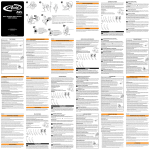
Mount the rotor to the hub using the supplied T-25 TORX® bolts and tighten to the
specified torque. Avid logo MUST face out. Install the wheel into the fork or frame.
DO NOT USE RADIALLY SPOKED WHEELS.
Use only DOT 4 or DOT 5.1 fluids with AVID disc brakes.
DOT 5.1 fluids provide enhanced braking performance.
Do not use a fluid other than the DOT fluids suggested.
Doing so will damage the system and make the brakes
unsafe to use.
DOT fluids will damage painted surfaces. If any fluid comes
in contact with a painted surface (i.e. your frame), wipe it off
immediately and clean with isopropyl alcohol.
Do not allow any brake fluid to come in contact with the
brake rotors. If this occurs, clean the rotors with isopropyl
alcohol.
TORQUE TO:
6.2 N•m (55 in-lb)
2
MOUNT FRONT CALIPER
Mount the front caliper (shorter hose) to the fork.
Post Mount
i.s. MOUNT
Do not allow any brake fluid to come in contact with the
brake pads. If this occurs, the pads are contaminated and
must be replaced.
or
ALWAYS RIDE UNDER CONTROL
Remember, it takes longer to stop in wet conditions. To
reduce the possibility of an accident and minimize trail erosion, you should avoid locking-up your wheels.
Remove...
...then mount direct
Avid disc brakes are designed as a system. Do not use
components from a manufacturer other than Avid within the
system.
TORQUE TO:
9-10 N•m (80-90 in-lb)
Warning
Do not touch the braking surface of any rotor with your bare
hands, because the oils from your fingers will degrade its
performance. Always wear gloves, or handle the rotor by
its spokes.
Disc brakes become very hot during use. Do not touch the
caliper or rotor immediately after use. Make sure the brake
has cooled down before making any adjustments.
95-5015-009-000, Rev.C
Loosen before
mounting
I.S. mount
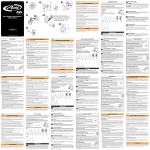
Loosen the CPS bolts, then bolt the caliper to the mounting
tabs. Tighten the mounting bolts to the specified torque.
Check that the caliper moves freely on the CPS hardware.
© SRAM Corporation • 2008
Snug, then back off
1/8th to 1/4th turn
Post Mount
Remove the mounting bracket but leave the CPS bolts
and washer stacks intact. Bolt the caliper directly to the
fork. Snug the bolts, then back them out 1/8th to 1/4th turn.
Check that the caliper moves freely on the CPS hardware.