1
‘757 Captain’ FLIGHT MANUAL Part V – Flight Management System
DO NOT USE FOR FLIGHT
73
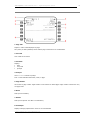
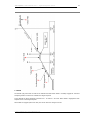
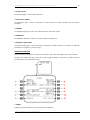
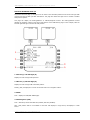
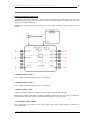
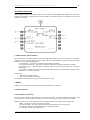
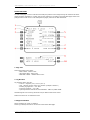
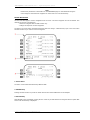
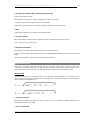
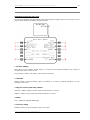
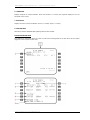
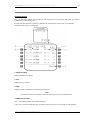
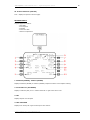
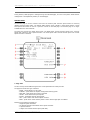
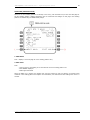
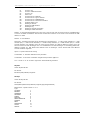
1. FIX
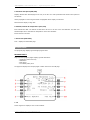
Before entry of a name or identifier, boxes displayed and most data lines are blank.
Valid entries are airports, navaids, and waypoints from the navigation database. The selected fix displays on
the HSI and is highlighted by a green circle.
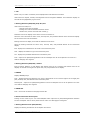
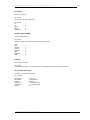
2. Bearing/Distance (BRG/DIS), ETA, DTG, ALT
Valid entries are XXX/YYY.Y:
• decimal values can be omitted
• leading zeros can be omitted for distance entries
• distance only entries must start with a slash (/).
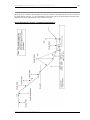
Distances from the fix display on the HSI as a circle around the fix.
When the circle intersects the active route, the ETA, DTG, and predicted altitude at the intersection display
for the closest of the two intersections.
Bearings from the fix display on the HSI as radial lines from the fix.
When the bearing intersects the active route, the ETA, DTG, and predicted altitude at the intersection
display.
ETA - displays the estimated time of arrival to the intersection point.
DTG - displays the distance to go to the intersection point.
ALT - displays the predicted altitude at the intersection point.
Push - copies the fix place/bearing/distance into the scratchpad. This fix can be placed in the route on a
LEGS or RTE page as a waypoint.
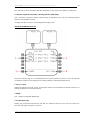
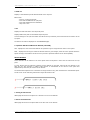
3. Bearing/Distance (BRG/DIS) - Dashes
Enter a bearing, distance, or both bearing and distance from the fix. A bearing and distance from the fix
displays on the HSI as a waypoint fix point. ETA, DTG, and predicted do not display.
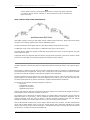
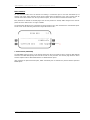
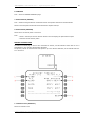
4. ABEAM
Displays ABEAM prompt.
Push - displays bearing and distance from the fix perpendicular to the nearest segment of the flight plan
path, and ETA, DTG, and altitude at the intersection point.
Second push - copies the fix place/bearing/distance into the scratchpad. This fix can be placed in the route
on a LEGS or RTE page as a waypoint.
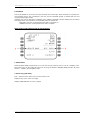
5. ERASE FIX
Push - removes all fix data from the page and the HSI.
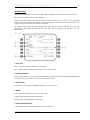
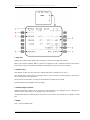
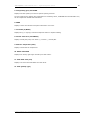
6. Route Intersection Point Copied
Pushing the line select key for one of the BRG/DIS entries copies the fix place/bearing/distance definition
into the scratchpad. This fix can be placed into the route on a LEGS page as a waypoint.
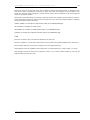
7. Bearing/Distance From (BRG/DIS FR)
Displays the bearing and distance of the airplane from the fix.
© 2011 Captain Sim www.captainsim.com