1
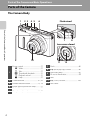
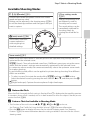
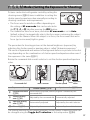
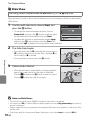
Parts of the Camera
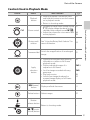
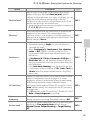
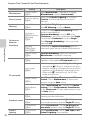
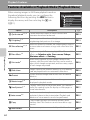
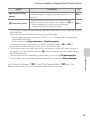
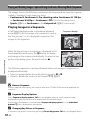
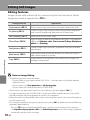
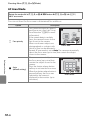
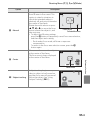
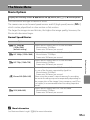
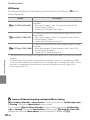
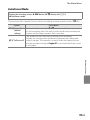
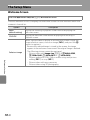
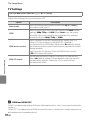
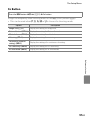
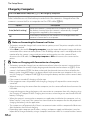
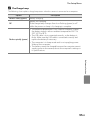
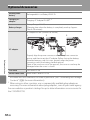
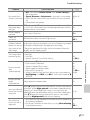
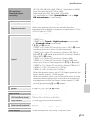
Controls Used in Shooting Mode
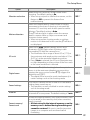
Control
Name
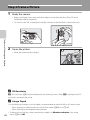
Mode dial
Parts of the Camera and Basic Operations
Zoom control
Rotary multi
selector
Main Function
Change the shooting mode.
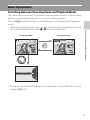
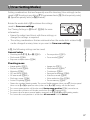
See “Using the Rotary Multi Selector” for
more information.
Display and hide the menu.
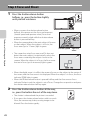
When pressed halfway (i.e., if you stop
pressing when you feel resistance slightly):
ShutterSet focus and exposure.
release button When pressed all the way (i.e., if you press
the button all the way down): Release the
shutter.
w (FUNC)
button
Playback
button
Delete button
10
51,
53,
100
11
28
Display the setting menu of pre-assigned
function.
100
Play back images.
9,
30
Delete the last image that was saved.
32
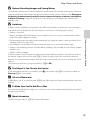
b (e movieStart and stop movie recording.
record) button
4
24
Rotate toward g (i) (telephoto zoom
position) to zoom in, and rotate toward f 27
(h) (wide-angle position) to zoom out.
Set the flexible program (during shooting
Command dial mode A) or shutter speed (during
shooting modes B or D).
d (menu)
button
A
92