1
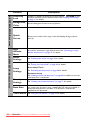
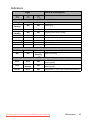
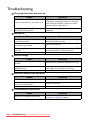
Function
Description
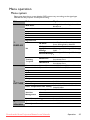
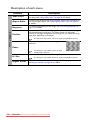
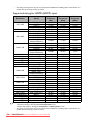
4. SYSTEM SETUP: Basic menu
5. SYSTEM SETUP: Advanced menu
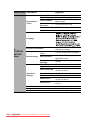
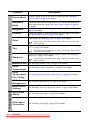
Panel Key
Lock
Disables or enables all panel key functions except
POWER on the
projector and keys on the remote control. See "Locking control keys"
on page 31 for details.
Background
Color
Sets the background color for the projector.
Splash
Screen
Allows you to select which logo screen will display during projector
start-up.
High
Altitude
Mode
A mode for operation in high altitude areas. See "Operating in a high
altitude environment" on page 31 for details.
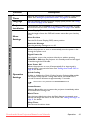
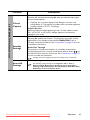
Audio
Settings
See "Adjusting the sound" on page 32 for details.
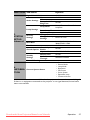
Lamp Mode
See "Setting the Lamp Mode" on page 46 for details.
Lamp
Settings
Reset Lamp Timer
See "Resetting the lamp timer" on page 48 for details.
Equivalent Lamp
See "Getting to know the lamp hour" on page 46 for details on how the
total lamp hour is calculated.
Security
Settings
See "Utilizing the password function" on page 21 for details.
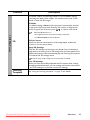
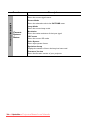
Baud Rate
Selects a baud rate that is identical with your computer’s so that you
can connect the projector using a suitable RS-232 cable and update or
download the projector’s firmware. This function is intended for
qualified service personnel.
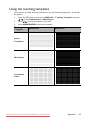
Test Pattern See "Using the test pattern" on page 32 for details.
42
Operation
Downloaded
from ProjectorsManual.com Manuals