1
6. Other type of KeyScan Imaging UsersChapter 5 discussed the details of Interactive User function- Interactive User is the user
which activates the KeyScan Imaging software and uses the application graphic user interface
PC keyboard and mouse to work with the KeyScan Imaging application.
User and User TypeA user is an entity which activates the KeyScan Imaging application, it can be a person or it
can be another program.
UserType defines the method used to activate the KeyScan Imaging application and the
related scanning parameters.
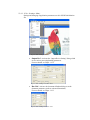
6.1. Interactive UserA user which uses his keyboard and mouse and the application’s user interface to
operate the “KeyScan Imaging” application.
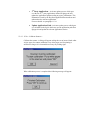
6.2. TWAIN user“KeyScan Imaging” application is activated as a TWAIN Source by a third party
application which activates a TWAIN compliant scanner interface.
For details see chapter 8.
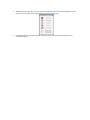
6.3. NoTouch-AutoScan, Hot-keys & Icon-Scan user“KeyScan Imaging” application is activated automatically by the insertion of a
document to the scanner or by special functions Icons on the desktop.
In addition there are 4 scanner Hot-keys and 6 functions Hot-keys. In these
modes of operation the KeyScan Imaging application is activated as a NoTouch
or AutoScan application.
For details see chapter 7.
6.4. OLE2 in-place userThird party application activates “KeyScan Imaging” application using OLE
programming interface.
For details see chapter 10.
6.5. SHELL userThird party application activates “KeyScan Imaging” application using command
line.
For details see chapter 9.